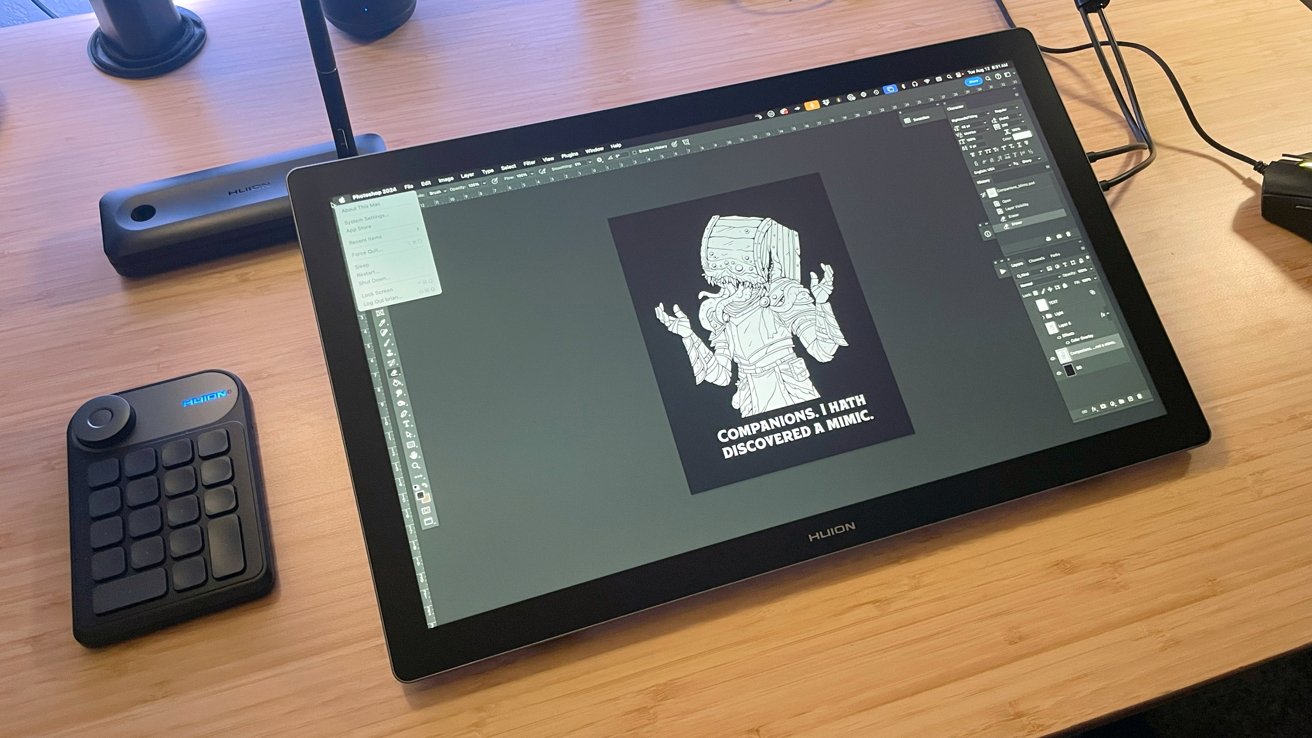
The Huion Kamvas Pro 19 is a great Mac artist's tablet if you're in the market for a large display for drawing without breaking the bank.
As a professional digital illustrator, pen display tablets are a big part of my day-to-day life and career.
I know and love pen displays. So, when a new offering hits the market, my eye naturally drifts towards a bit of window shopping to see what the latest innovations have to offer.
There are several solid manufacturers in the marketplace, producing a variety of pen displays to meet every need and nearly any budget.
Among these names, Huion has emerged as a respected and reliable name in the market. One with steady growth and strides toward improving their products with every new release.
Huion's newest release is the Kamvas Pro 19. It's a 4K ultra-high-definition pen display aimed at home and mobile use for artists looking for a durable and reliable alternative to other comparable pen displays.
Huion shared a Kamvas Pro 19 to take out for an extended test drive.
Kamvas Pro 19 review: Inside the box
The Kamvas Pro 19 arrived in a padded shipping box from Huion. Inside was a product box in black with branding and additional custom-cut padding for the pen display and all the components.
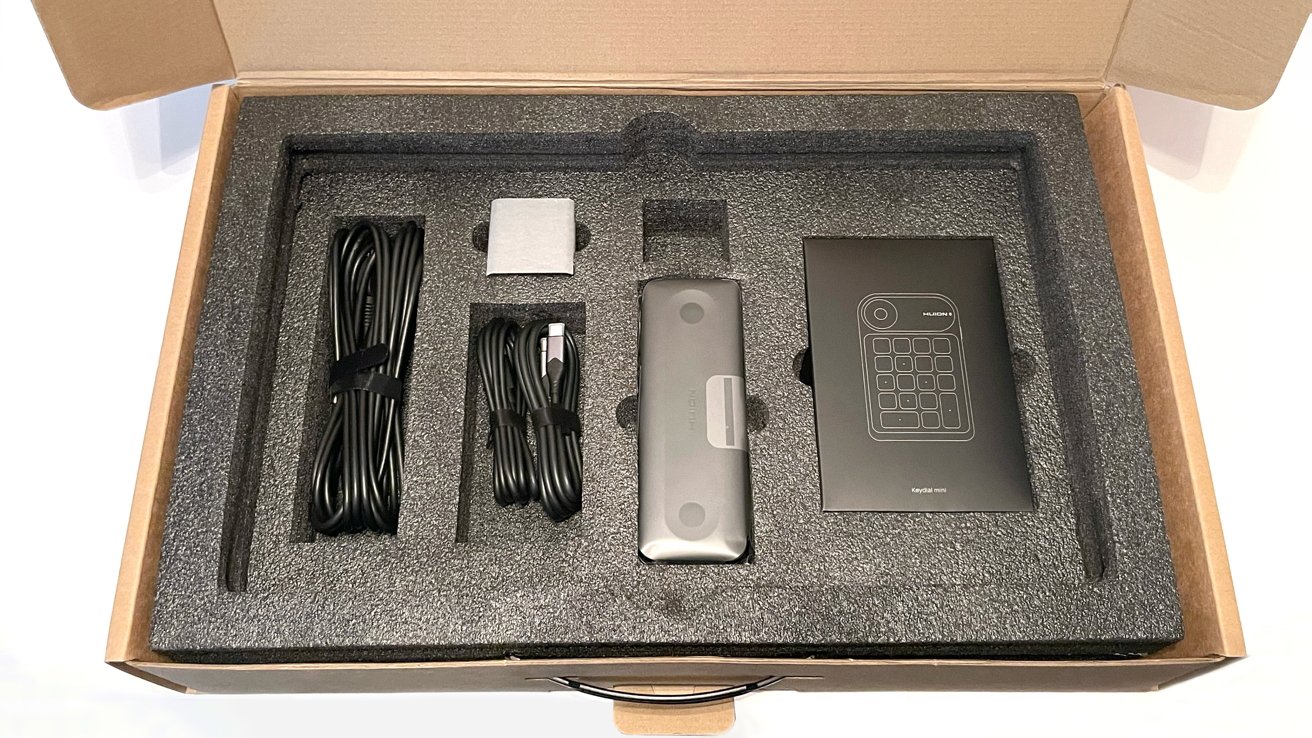
Kamvas Pro 19 review: How the accessories are shipped inside the box, under the tablet.
Inside the box:
- Kamvas Pro 19
- Huion Keydial Mini
- Battery-Free Pen PW600
- Battery-Free Slim Pen PW600S
- Standard Pen Nibs x5
- Felt Pen Nibs x5
- Pen Box
- 3-in-2 Cable
- USB-C Cable x2
- Power Adapter
- Artist Glove x1
- Cleaning Cloth
- Quick Start Guide
The packaging and safety of the Kamvas Pro 19 and its components for shipping is excellent.
Huion is very good at delivering an unboxing experience that feels professional and classy. The Kamvas Pro 19 maintains that feeling, as opening the box and sorting components for the initial setup feels high-end.
Kamvas Pro 19 review: Specifications
- Color: Dark Grey
- Dimensions: 448.9 x 272.2 x 21.3mm
- Weight: 2kg
- Panel Size: 18.4" (diagonal)
- Resolution: 3840 x 2160 (16:9) UHD
- PPI (Pixels per inch): 238 PPI
- Active Area: 409 x 230mm
- Contrast Ration: 1000: 1
- Response Time: 15ms
- Color Gamut Volume: 150% sRGB
- Surface Finish: 2nd Gen Anti-glare Etched Glass
- Full Lamination
- Pen Resolution: 5080LPI
- Pressure Levels: 16384 Levels
- Video Interface: USB-C x2, 3.5mm Headphone jack
- VESA Compatibility: 75 x 75mm
Kamvas Pro 19 review: Quality and features
The Kamvas Pro 19 is a remarkably well-made pen display from top to bottom. Nothing about the Pro 19 feels cheap, flimsy, or considered as an afterthought.
With its dark grey case, full lamination/anti-glare screen, and minimal buttons, it has a sleek, modern aesthetic. One that does not hinder the performance of the tablet at all.
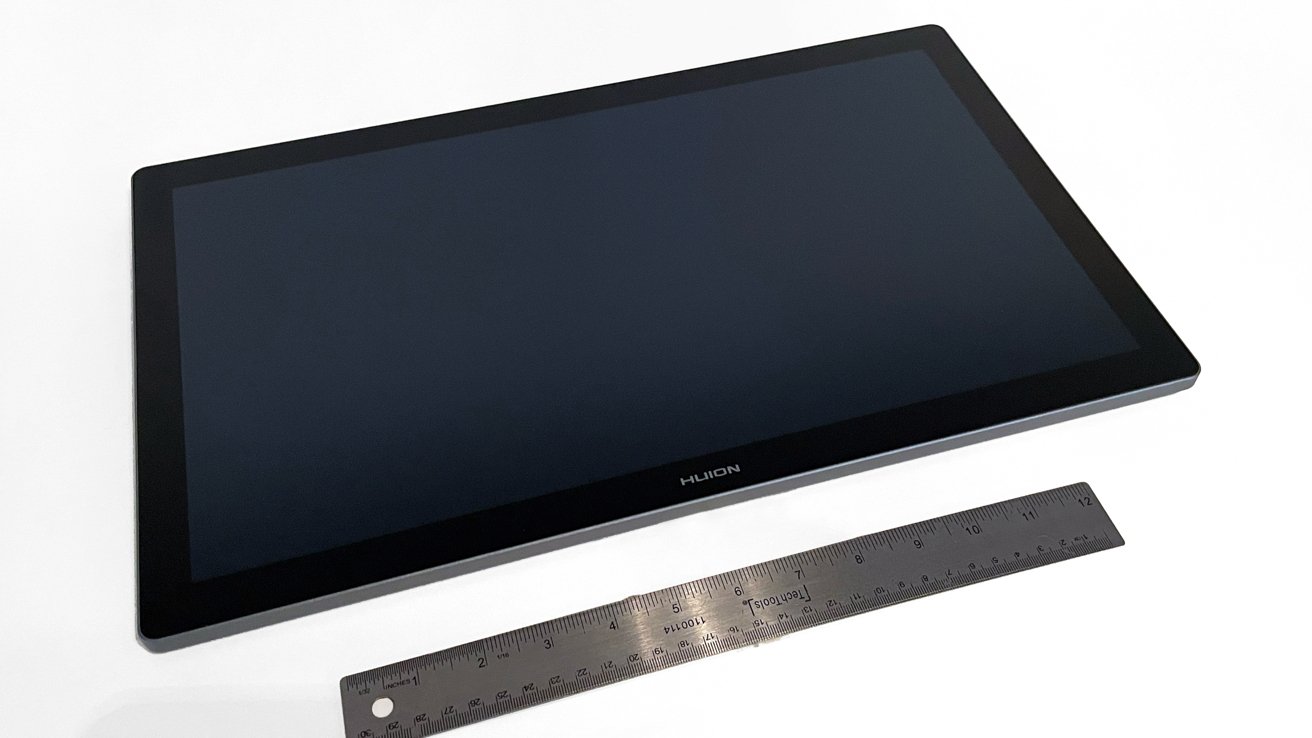
Kamvas Pro 19 review: Ruler for scale
Unlike previous models, the Kamvas Pro 19 does not include any HDMI ports or USB-A ports, as it only has two USB-C ports and a 3.5mm headphone jack.
I have sung the praises of including a headphone jack in the past, and I will continue to do so. It is a small inclusion in the grand scheme of things, but it is nice to have as an option.
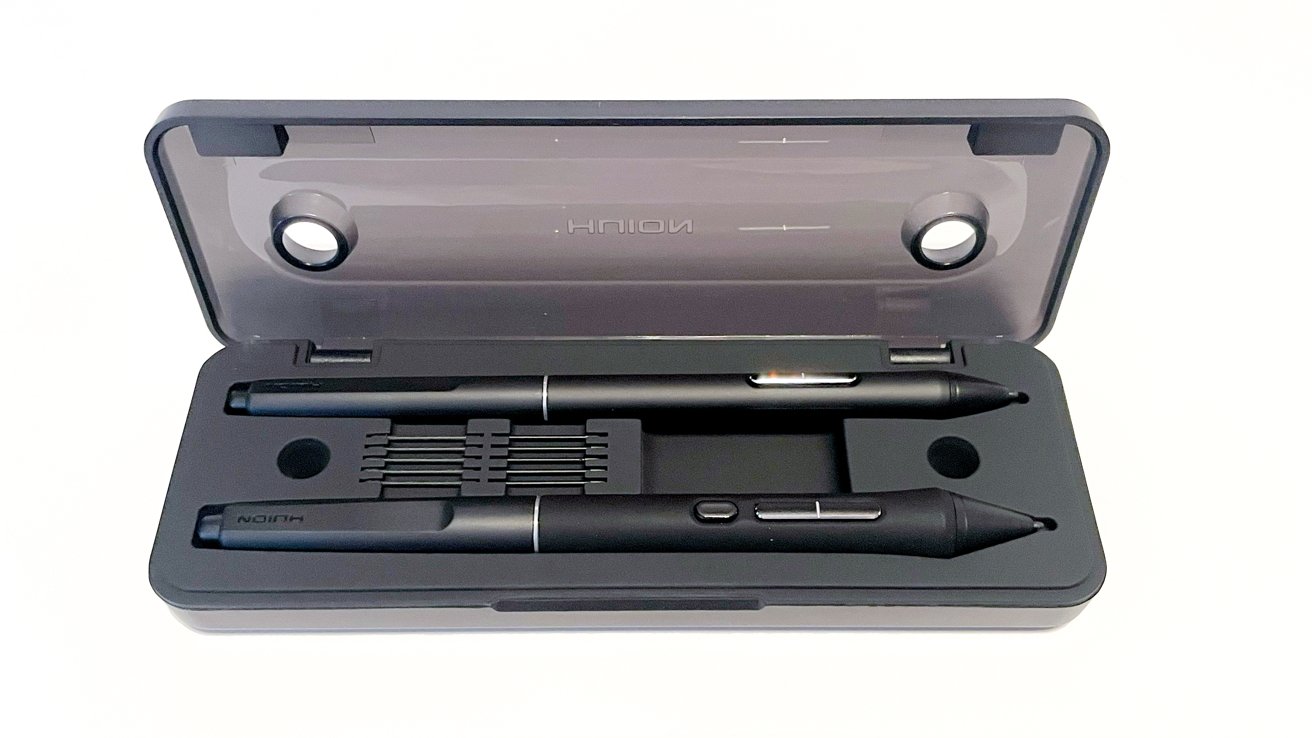
Kamvas Pro 19 review: Pens included, in their own case.
Huion includes two types of battery-free pens with the Kamvas Pro 19. One is a slim pen that feels more like a traditional pencil, while the other is a larger pen in the style of chunkier stylus models from Wacom and Xencelabs.
The inclusion of standard and felt-tip pen nibs is excellent, and the artist's glove and cleaning cloth are nice things to have. But, the real star of the show for included accessories is the Huion Keydial mini.
Kamvas Pro 19 Review: Setup
Setting up the Kamvas Pro 19 was incredibly easy.
After unboxing and sorting the various cables and components, I plugged everything into my Mac Studio, booted up, and was working within 5 minutes. It was truly that easy.
Huion provides two ways to connect the Kamvas Pro 19 to your computer.
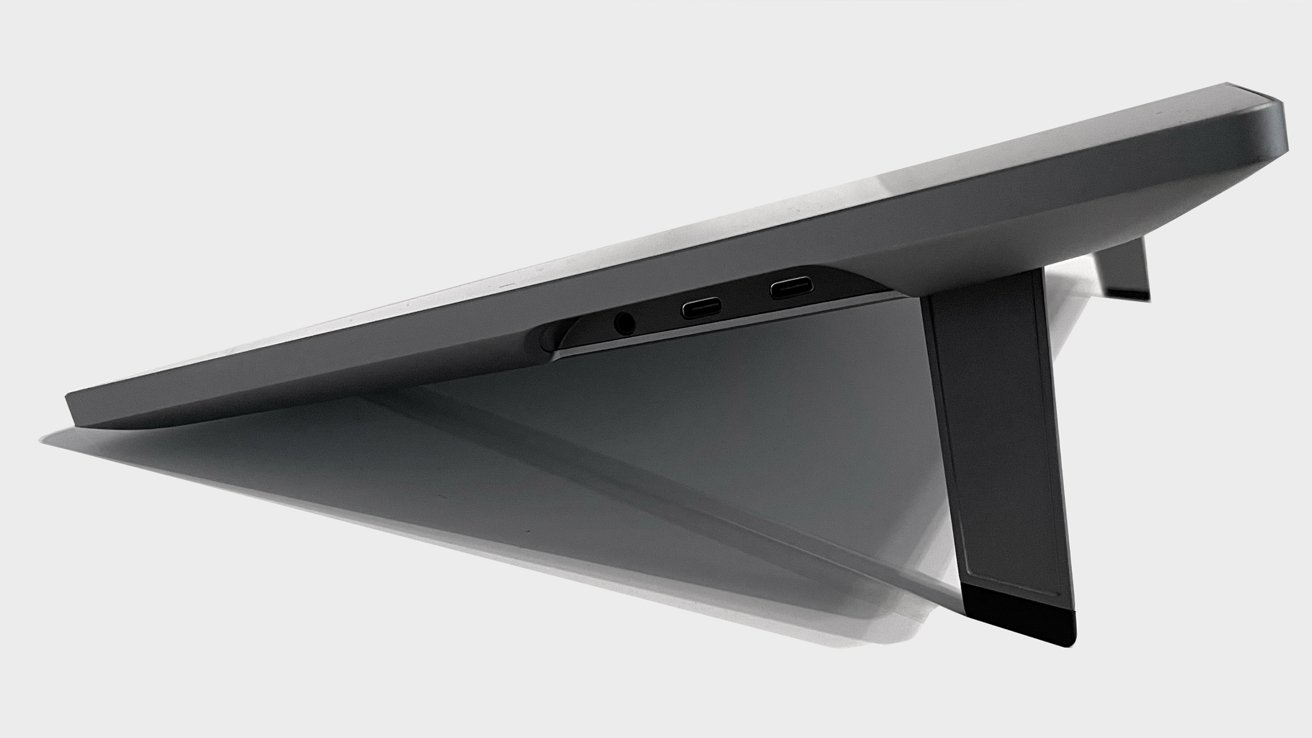
Kamvas Pro 19 review: The side USB-C and headphone ports.
The first is a 3-in-2 cable that uses both USB-C ports on the Kamvas Pro 19. It feeds into a small cable box that splits into an HDMI connector, a USB-A connector, and the AC power adapter.
It is an incredibly clever design that I have not seen before. It also acts as a solution for users with potentially older machines that do not utilize USB-C ports.
The second option is a direct USB-C to USC-C connection from one of the Kamvas Pro 19 ports to your Mac's USB-C port, while the second Pro 19 USB-C connects to the AC power adapter.
I tested both methods with my Mac Studio and both worked perfectly.
I have wrestled with drivers and firmware from other manufacturers in the past. Sometimes it requires acts just short of drawing a ritual circle on the floor to make everything work.
So, when I have a simple and perfect setup and install with the Kamvas Pro 19, I appreciate it greatly.
Huion does utilize drivers on its website, and I recommend installing them before setting up the Kamvas Pro 19 to make it all a seamless experience. The drivers from the company have always been solid, and this is no exception.
The driver allows you to adjust button mapping on the stylus pens, adjust pen pressures, and configure finer details to meet your needs.
I appreciate that the driver allows you to set profiles for specific apps as well, either as blanket commands or specific to each app in use.
Kamvas Pro 19 review: In use
After setting up the Kamvas Pro 19, I took a few minutes to dial in the pressure sensitivity, disable the pen buttons, and check my calibration before opening a fresh Photoshop document and settling in to draw.
There is no fan noise. The Kamvas Pro 19 is whisper-quiet.
Previously used pen displays in the past have sounded like a helicopter taking off. Huion's continued excellence at delivering quiet pen displays makes me very, very happy.
I worked on the Kamvas Pro 19 for many consecutive hours and never noticed a significant change in surface temperature, nor a drop in performance resulting from any internal heat. The Kamvas Pro 19 is rock solid.
The pens included are lightweight and sturdy. They do not feel flimsy or easily breakable, and I love the rubber-style grip on the pens.
Two styles of pen nibs are included: Standard plastic nibs and felt nibs for a marker pen feel. The latter, when combined with the slight texture of the laminated surface, creates a wonderful resistance that feels slightly like drawing on paper.
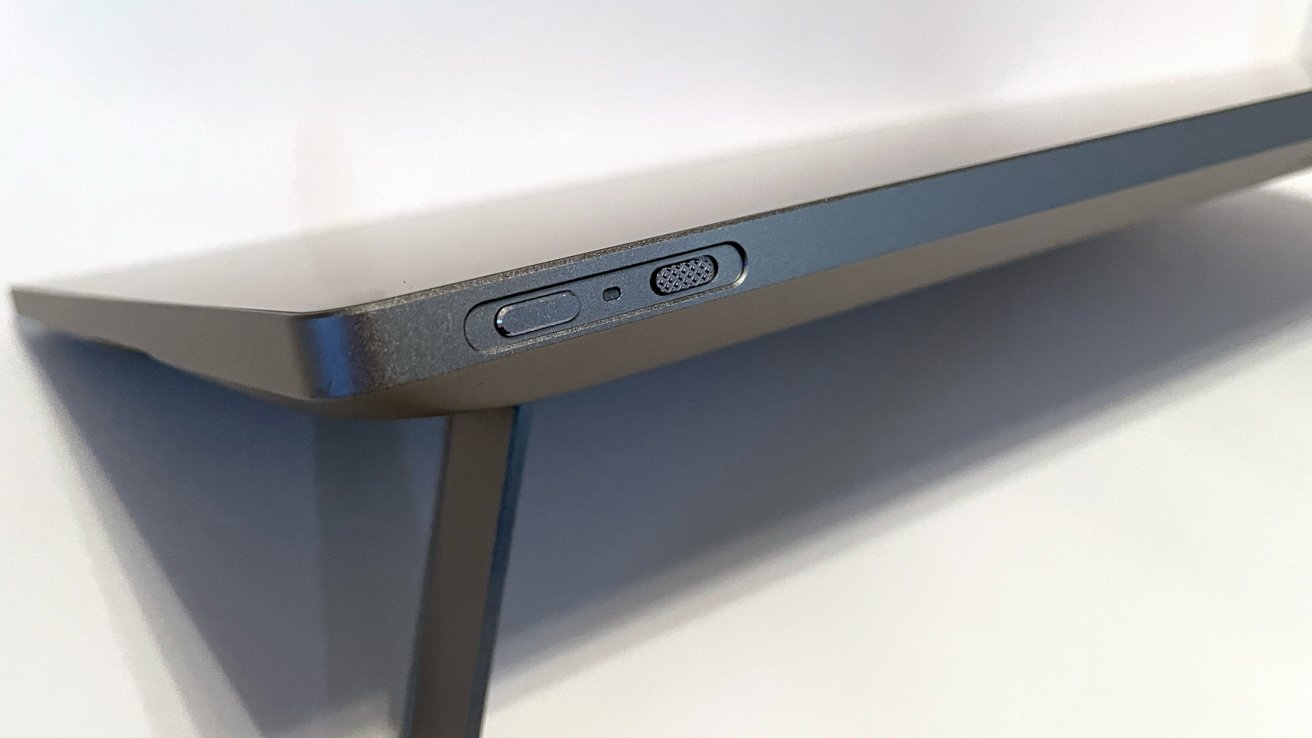
Kamvas Pro 19 review: Buttons on the top edge.
During my initial drawing experience on the Kamvas Pro 19, I was relieved to see the sharpness of the line quality and responsiveness on the display. It not only remained excellent and consistent from the Kamvas Pro 24, but had improved slightly.
The Kamvas Pro 24 is an excellent large pen display, but the older driver had what I would describe as "cursor float" from time to time. It was a small annoyance at the time, but the Kamvas Pro 19 didn't creep in any cursor float at all.
I once considered Wacom drivers as the gold standard for pen displays. In recent years, companies like Huion and Xencelabs have not only met that standard but also continually exceeded it.
The Kamvas Pro 19 utilizes a touch feature as well. While this is not something I like to use, I appreciate that it is available for users moving up from iPads and smaller tablets, who have the muscle memory to take the most advantage of it.
What I love is that the feature is attached to a switch on the top of the Kamvas Pro 19. This makes it easy to activate or turn off for users like me who would become frustrated by accidentally moving the canvas or zooming in or out. This switch is an amazing quality-of-life feature.
Huion also includes a Keydial Mini with the Kamvas Pro 19, and I love it. This is an amazing peripheral for key commands and shortcuts while using the Kamvas Pro 19.
The Keydial Mini has a bit of weight to it, and the keys feel good. Using the Huion driver, you can customize the key actions to press specific keys or replicate key command shortcuts.
I intend to experiment with using the Keydial Mini with my Windows PC to see if it would excel as a smaller keyboard for gaming as well. It is not the intended function, but I see an opportunity for multitasking, and I will take it.
Kamvas Pro 19 review: Posture beware
The Kamvas Pro 19 is a great pen display, but it suffers from the same issue the Pro 24 and many, many other pen displays suffer. There is a pronounced lack of angle adjustment.
It includes two small, flip-down feet to give the display a slight elevation and angle. If you are someone on the taller side or work at a low desk, long-term art sessions with the Kamvas Pro 19 will cause havoc with your posture and neck.
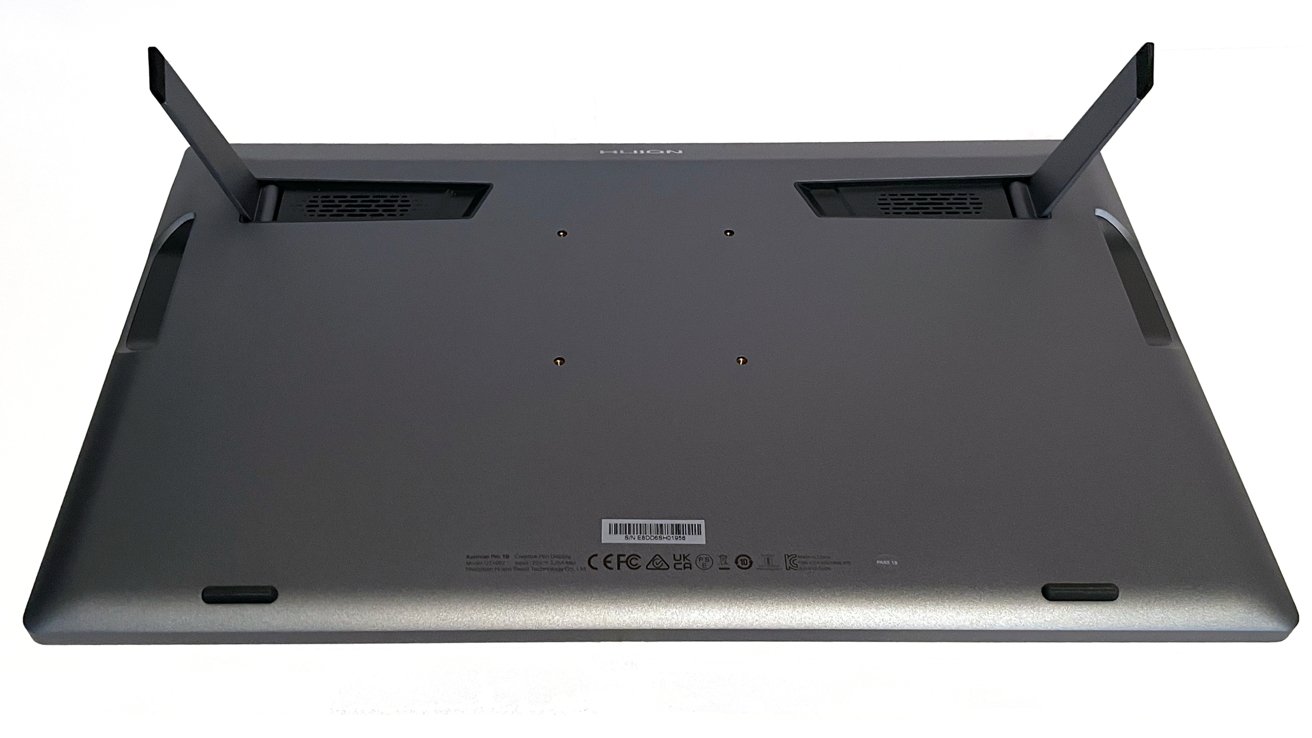
Kamvas Pro 19 review: You can do better than to use the included legs.
I understand there are no good solutions for adding height and elevation on the Kamvas Pro 19, but this is a drawback for anyone putting in long hours.
Huion sells a variety of foldable stands in its online store to fix this. The built-in VESA mount does allow for the use of Ergotron or other sturdy monitor swing arms as a mounting option.
Kamvas Pro 19 review: A value-based option for artists
The Kamvas Pro 19 retails in the Huion online shop for $929 with a variety of optional accessories and bundles available with purchase.
Huion also offers the Kamvas Pro 16 for $599 and even the Kamvas 13 (Gen 3) for $244.
Wacom sells the Wacom One pen display, a 13-inch pen display for $509. The bigger Wacom Cintiq Pro 17 has an MSRP of $2,499.
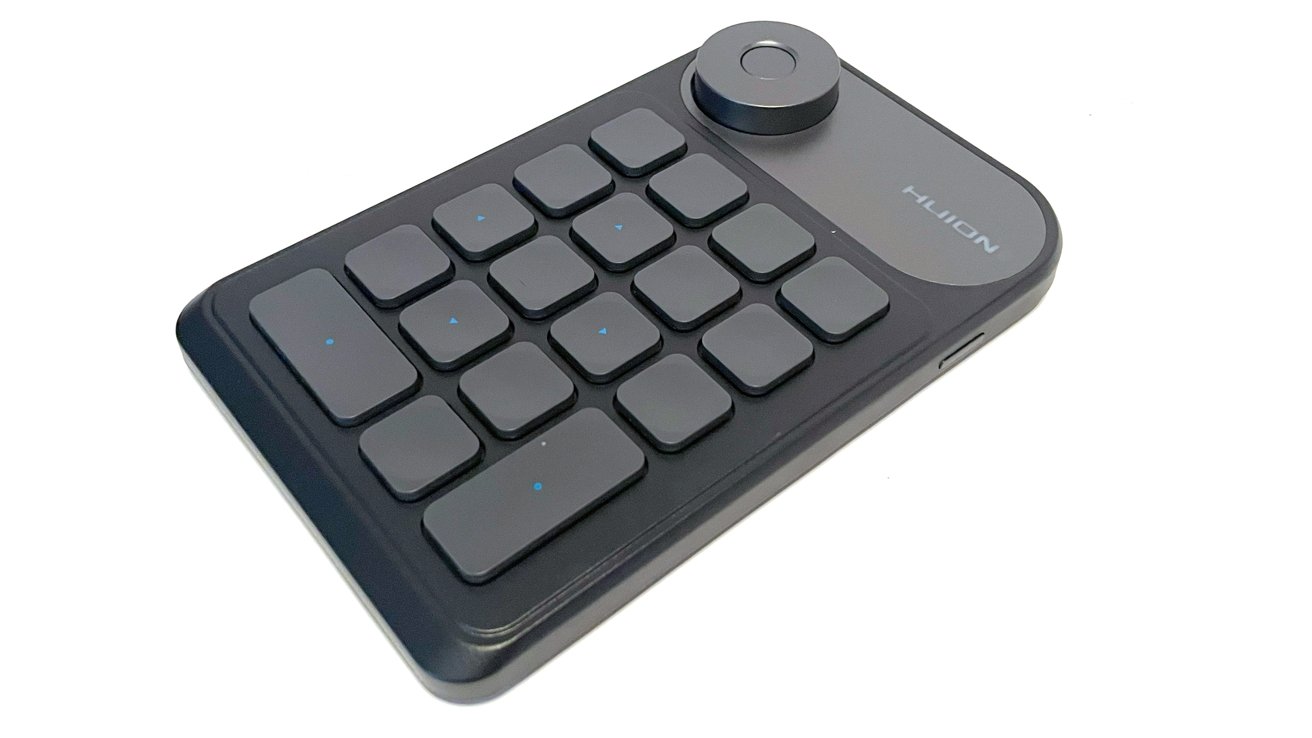
Kamvas Pro 19 review: The included Keydial Mini is a great assistive peripheral.
For me, the difference between a Kamvas 13 and a Kamvas 16 is negligible. Making the jump up to a pen display like the Kamvas Pro 19 is considerable and immediately worth the cost.
From the quality of the tablet to the new driver, to the display and the colors, the Kamvas Pro 19 is outstanding. In a world where the Wacom Cintiq Pro 17 has an MSRP of $2,499, it is an easier pill to swallow.
The cost for buying into a pen display like the Kamvas Pro 19 is always an investment. Unless you have a surplus of expendable funds, you should always shop and compare to find the best pen display for you and your needs.
The Kamvas Pro 19 is an outstanding pen display for home, office, or mobile work. Huion continues to improve with every release, as demonstrated here, and at a lower cost than the leading pen display manufacturers.
Unless you are too hooked into the Wacom way of working, this is a really good option to take.
Kamvas Pro 19 pros:
- Beautiful display
- Crucially, zero fan noise
- USB-C ports
- Functional and practical Mini Keydial peripheral
- Native VESA mount options, which is good, since...
Kamvas Pro 19 cons:
- Built in stand option is not great
- Additional cost for a stand or swing arm that works
Rating 4 out of 5
Where to buy the Kamvas Pro 19
The Kamvas Pro 19 is currently available through the Huion online store for $929. It's also available on Amazon, currently priced at $899.