
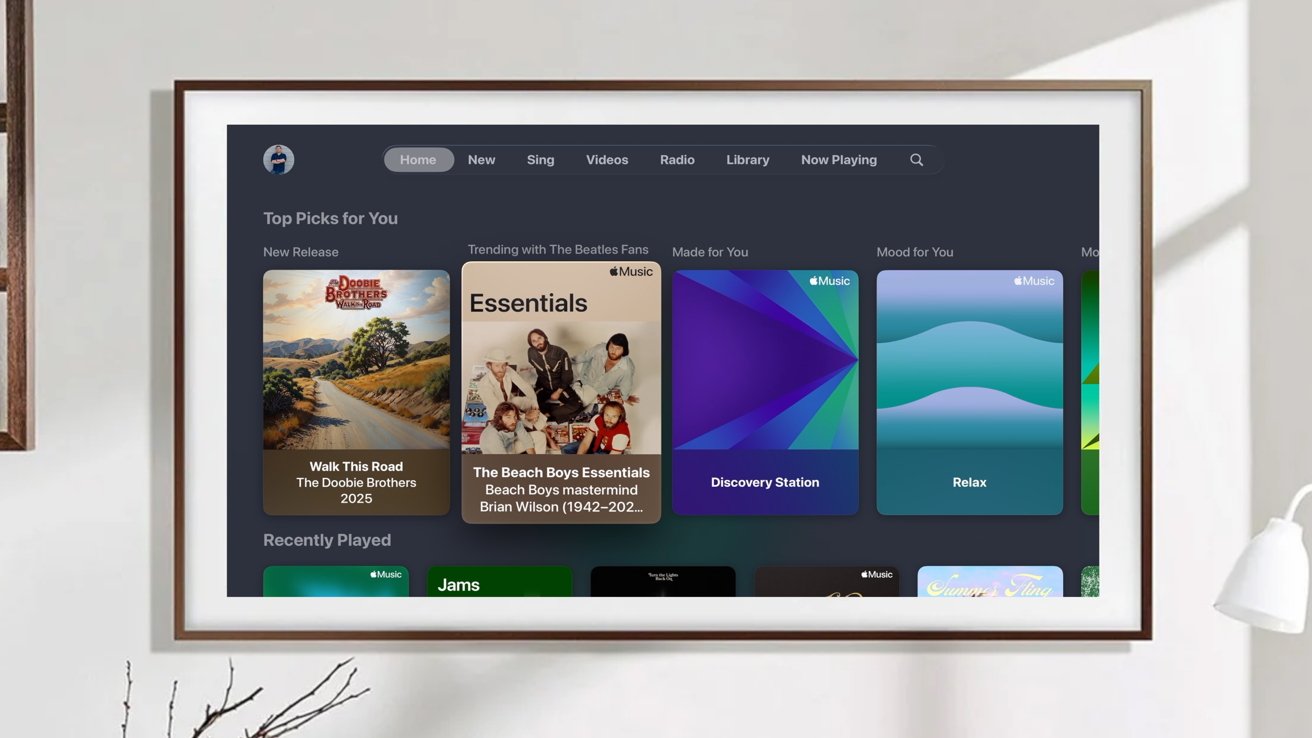
With tvOS 26, Apple's Liquid Glass design language makes the leap to the big screen. While there are plenty of small additions, this update does little to push tvOS further.
Apple announced tvOS 26 at its worldwide developer conference in June of 2025, alongside its other — perhaps higher-profile updates. I've been testing tvOS 26 in beta for the last couple of months as it got closer to launch.
The update arrives ahead of rumored new hardware. While it isn't a major overhaul, it does bring a smattering of new features and under-the-hood enhancements to existing users.

tvOS 26 review: Liquid Glass
The first big change you'll see after updating is Liquid Glass, Apple's new UI refresh. While it's not as evident on Apple TV as it is on iPhone, iPad, and Mac, it translates well to the TV.
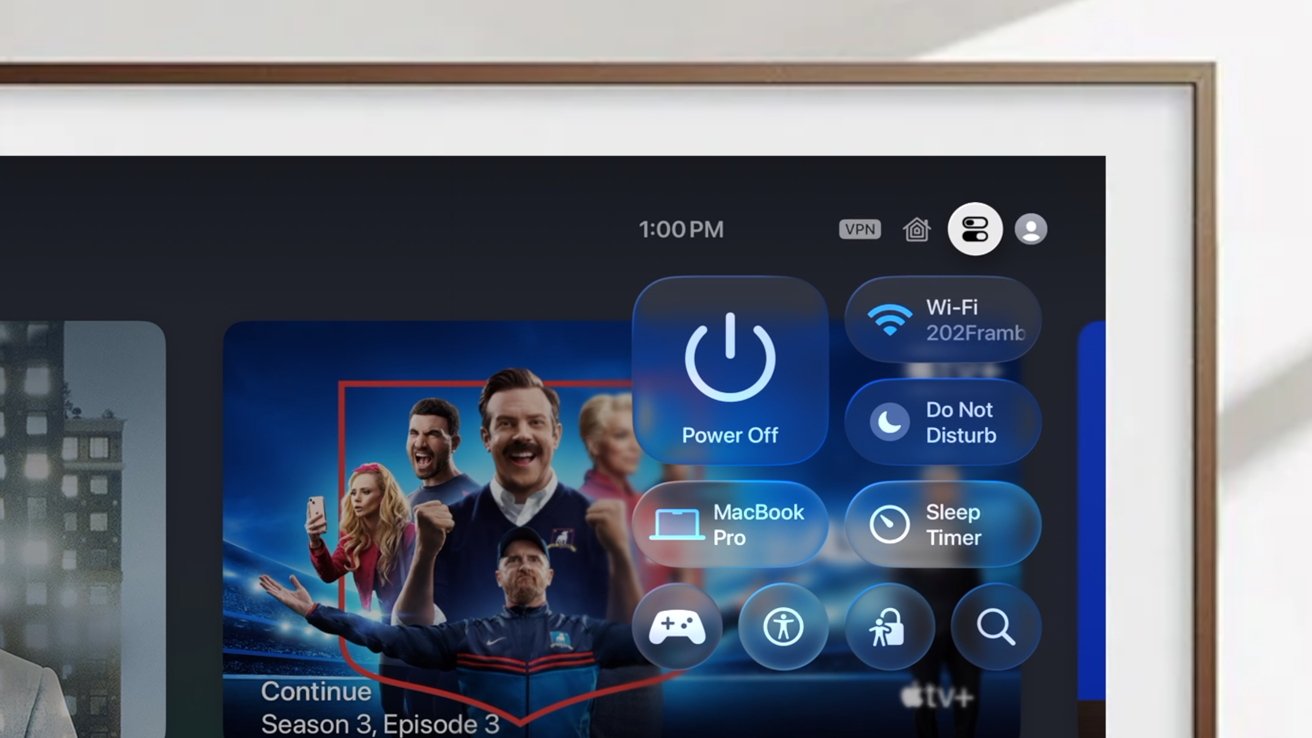
tvOS 26 review: Control Center looks great with Liquid Glass
You'll see it exhibited in the updated Control Center, the transparent dock on the Home Screen layout, and in the media scrub bar as you watch content. But many buttons and menus don't have the same glassy look as they do on the other platforms.
Toggles, for example, just change their text. Whereas toggle buttons in iOS 26 have a glass-like bubble that appears and subsides as they're tapped.

tvOS 26 review: Liquid Glass is also present on the scrub bar
In typical Apple fashion, there are many little nuances you'll notice over time with the Liquid Glass overhaul that aren't apparent out of the gate. Things like the highlights on icons as you move across them or how the media playing refracts off different onscreen elements.
The design looks good, if not all that dissimilar to before. The biggest limitation is that this requires a newer Apple TV.
Liquid Glass is only supported on the second-generation Apple TV 4K and newer. If you have an OG Apple TV 4K or the Apple TV HD - both still quite capable boxes - this update will look identical for you.
tvOS 26 review: Apple Music Sing
After the design update, the next biggest new feature is Apple Music Sing. It's the natural extension of Apple's lyric view for songs.
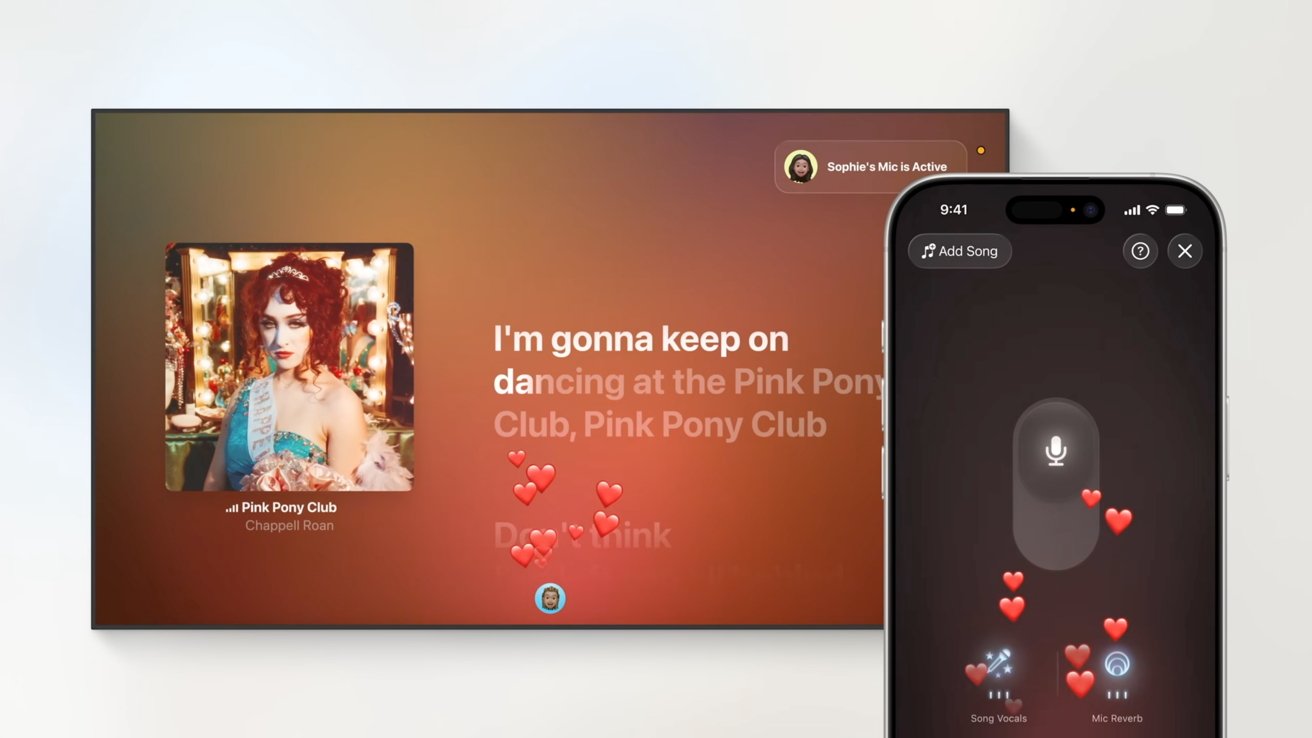
tvOS 26 review: Sing mode on Apple Music uses your iPhone as a mic
You can go into any song that supports this karaoke-like mode and tap the microphone icon in the corner. It will then prompt you to use your iPhone as a wireless microphone.
This feature seems especially well-polished. The setup works smoothly, and others in the room can even encourage you by tapping emojis on their phones that will show up on the screen.
It's very cool, and for those that like to do karaoke, I'm sure this is a great feature. I tried it myself, in service to this review, and it definitely is cool to do.
But no one in particular wants to hear me attempt to sing Blink-182 songs in my living room. This is just a feature that I'll probably never use again.
My biggest problem with it at all is that Apple initially forced users to have a new icon on their Home Screen that would take you directly into the Sing interface. Fortunately, throughout the beta, Apple added an option to hide the Sing icon.
So, criticism withdrawn.
Also in the Music app is new lyric translation and pronunciation assistance. For songs that are supported, you can enable either of these by tapping the lyrics button on-screen.
tvOS 26 review: FaceTime app
One area that seems to spur up quite a bit of interest this year was the FaceTime app. Apple did a lot of legwork on a video and phone call app for its TV box.
I've seen many, many people who've suggested that this must be a precursor to a new Apple TV with an integrated camera. While the camera angle has been rumored for some time, I have a more plausible explanation.
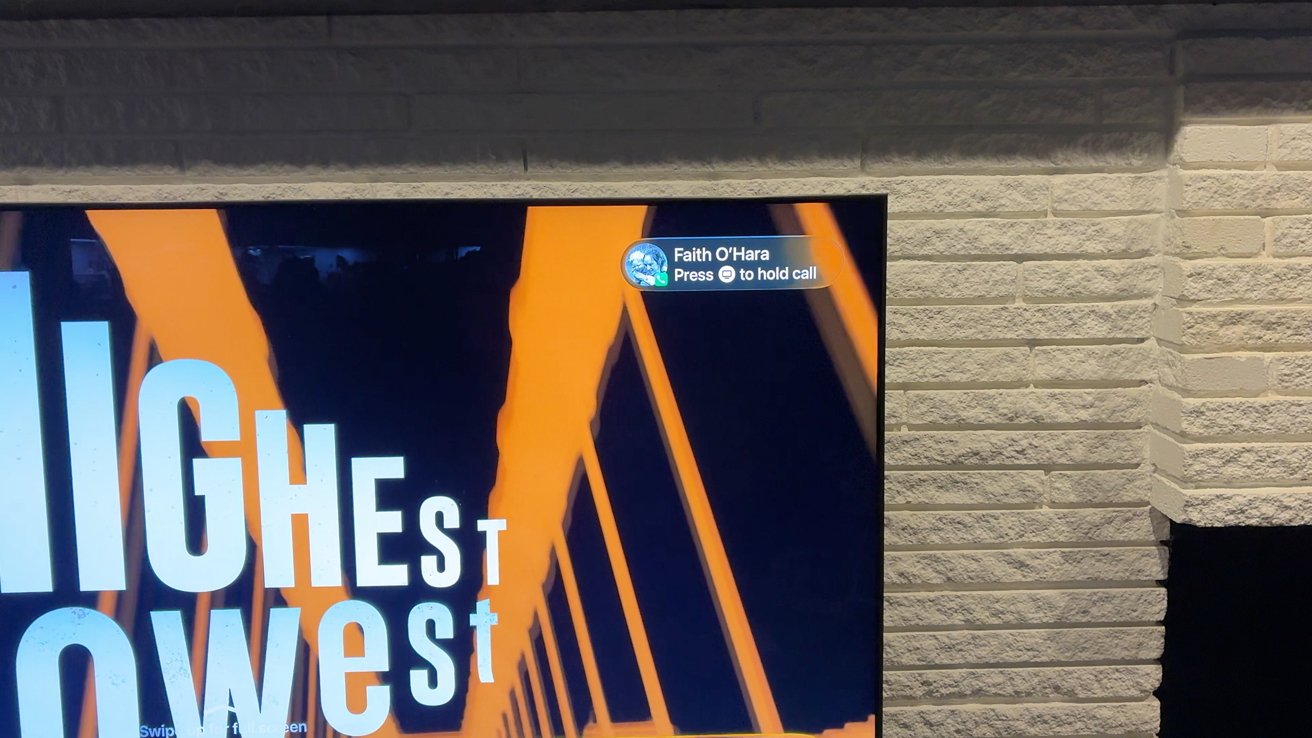
tvOS 26 review: An incoming call shown on Apple TV
Instead of getting the Apple TV ready for a camera, it's instead Apple getting its software ready for its long-rumored smart display. This smart display has been said to be based on tvOS.
This countertop smart home control center will almost certainly have a camera and also be used for taking video and phone calls. Why not share those features with Apple TV as well?
FaceTime now highlights contact posters better, and there is a nifty way to handle phone calls from the TV. When a phone call comes in, you will see who is calling you appear in the top-right corner as a notification.
You can then optionally press and hold the TV button to put the call on hold. It will let the other person know that the call was answered and gives you a moment to go and grab your iPhone.
This happens to me all the time. I lounge on the couch to watch something with my phone on the charger, only having to scurry when a call comes in or take it loudly on my Apple Watch.
It's kind of an extension of Apple's new call screening features it added with iOS 26. For those that don't want phone calls to interrupt their TV watching, this is entirely an optional feature to turn on or off.
tvOS 26 review: More little features
The more you use tvOS 26, the more changes you'll start to notice. Like in the TV app, movie and TV posters are now displayed vertically to show more of them at once compared to when they were horizontal.
Some of the menus have also been tweaked in the TV app, changing up icons and wording. You can also now finally hide the iTunes stores on the Home Screen too.
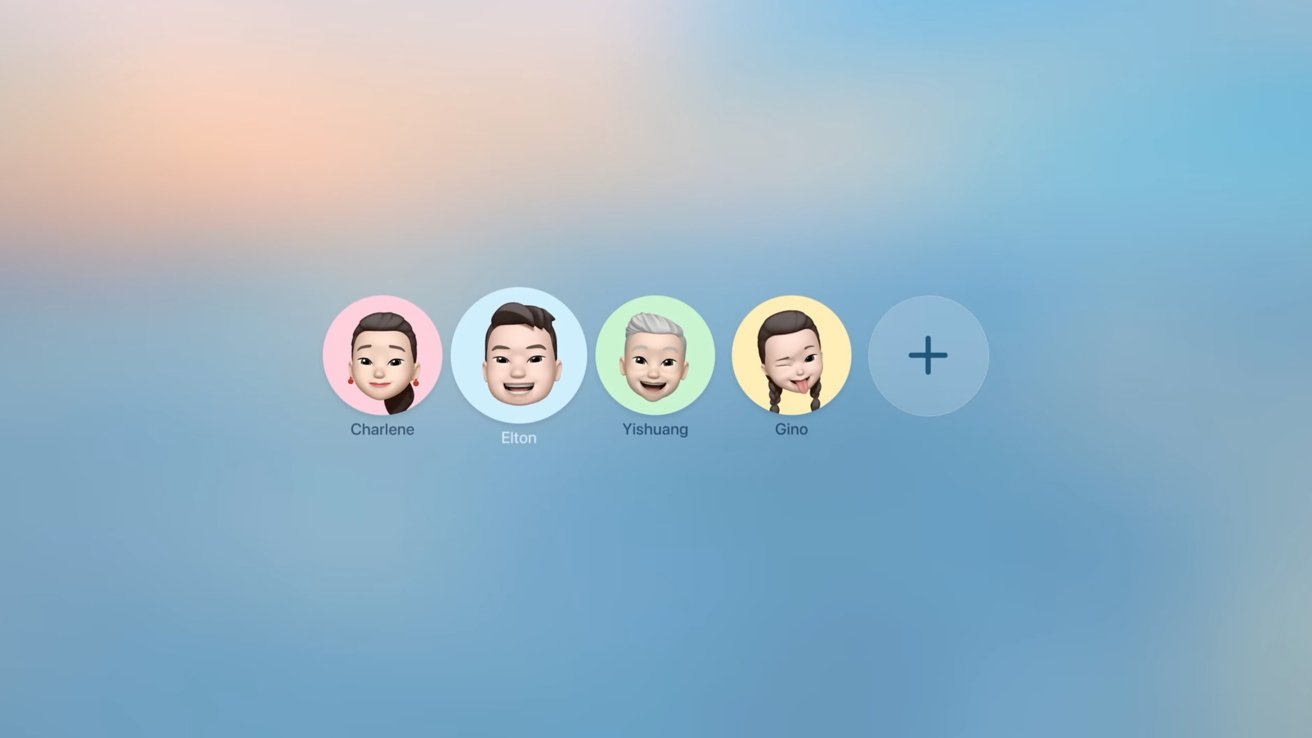
tvOS 26 review: Profiles for Apple TV on wake
One feature Apple has had for ages is profiles. It allows users to customize the Apple TV experience for them, bringing in things like their personal watch list and choosing their matching profiles in streaming apps.
The rub is that developers have been shy to use this feature. Thus far, none of the major streamers support profiles.
That means every time you open Netflix, Hulu, Peacock, HBO, and others, you have to choose your profile before you start watching. Without the apps supporting it, few people seem to use this feature.
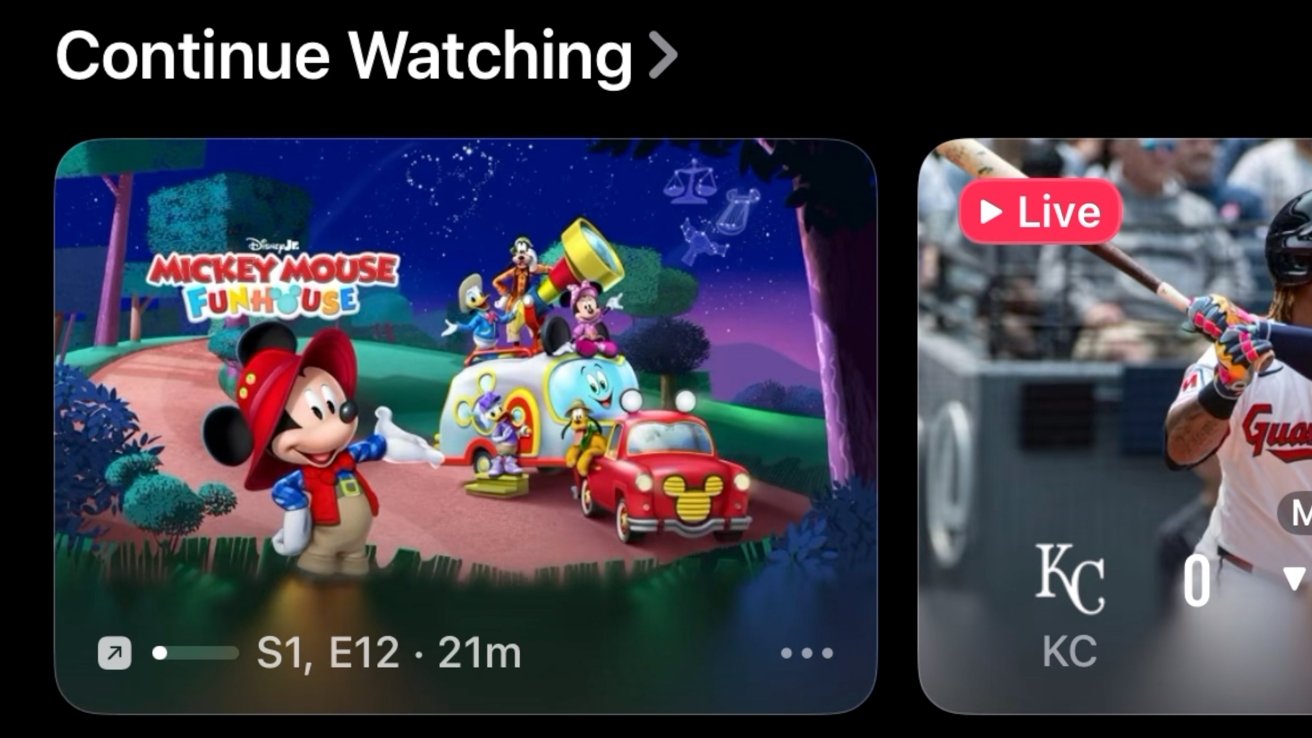
tvOS 26 review: Profiles help keep content separate
I'll admit I never use it. Yet I get annoyed when my watchlist is full of Bluey and Mickey Mouse Clubhouse episodes.
In an attempt to possibly spur adoption, Apple now sets it so that whenever the Apple TV comes on, all the profiles are shown. That way, users don't have to go into Control Center to switch each time.
Perhaps if more users start using profiles, apps will start to include the feature as well. At a minimum, it's made it easier to rid my queue of kids' content.
One feature I did not get to try out was the automatic login for streaming apps. Apple is using the login credentials you use on your phone to automatically log you into all your apps, simplifying setup.
Logging into apps is one of the single biggest pain points to all streaming boxes, and this will make it so much faster. My Apple TV was already set up, though, and it requires apps to support this feature too.
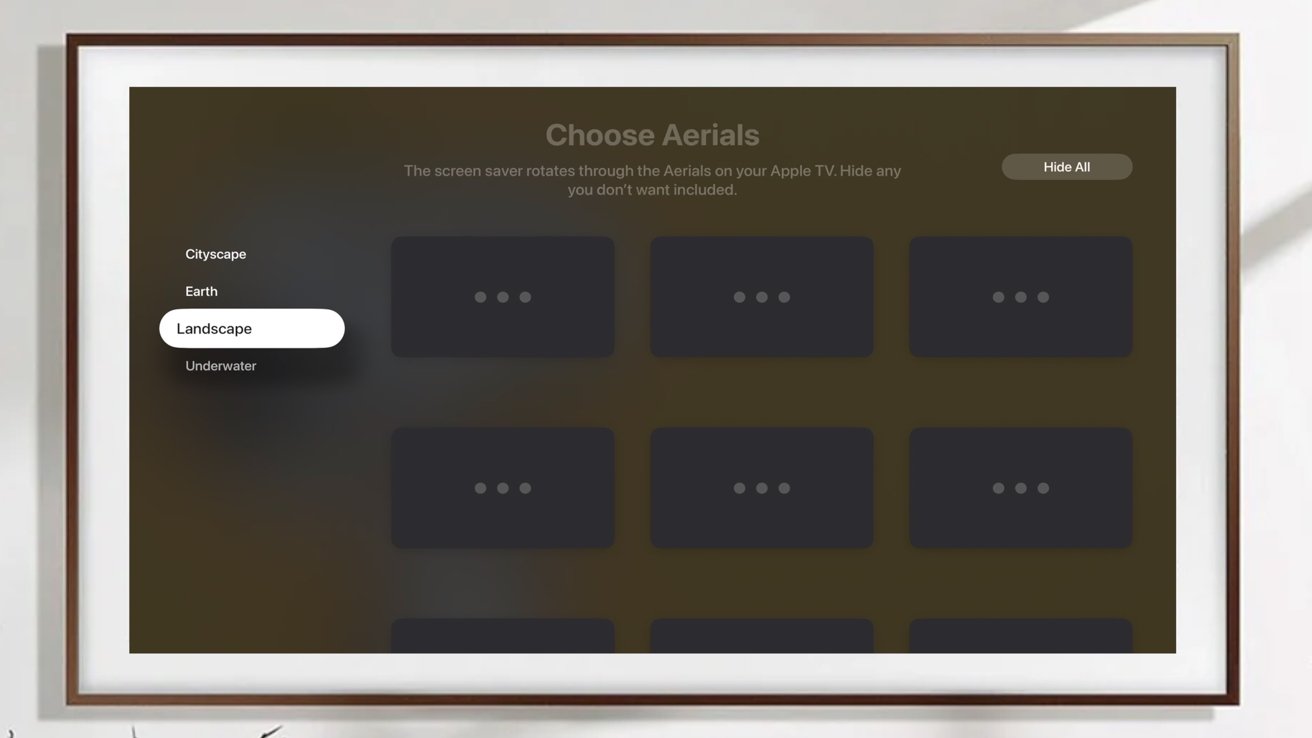
tvOS 26 review: You can choose which aerial screensavers to show
Users can now choose which of the default aerial wallpapers are displayed, hiding the ones they don't want to see. Still, no sign of the previously announced TV and movies one though.
The new update supports Thread 1.4. It's a stability and bug update for Thread that should improve the reliability of Thread-based smart home devices.
And now, any AirPlay speaker can be set as the permanent audio output for Apple TV. This was previously limited to just HomePod and HomePod mini.
tvOS 26 review: Apple could do much more with tvOS
After years on the market, and with limited application, it seems tvOS is getting quite mature. I've seen plenty of comments asking what else Apple could possibly add to its streaming box.
As a devout Apple TV user, I think there is a laundry list of low-hanging fruit Apple could use to bolster Apple TV.
For example, Apple could add more iOS features like Screen Time for kids or a real first-party Home app. They seem like natural additions.
Apps, specifically games, could have better access to on-device storage. Right now, it's limited, and if Apple TV determines it needs more space, it can jettison app files.
If you are using something like an N64 emulator on the Apple TV, you could launch the app only to find all your files had been removed. This is one of the reasons so few emulators have launched on tvOS.

tvOS 26 review: This update is nice but there isn't a lot new
I'd also love to see widgets. I think it would be incredibly helpful to see a few curated widgets for your Home Screen that could show your weather, calendar appointments, or new movies, TV shows, or podcasts.
I don't think it would be too much to see the News app either. It would be great to highlight the video clips or audio clips that Apple features.
Add that to the widgets, too — highlight stories you could listen or watch on the Apple TV or it could save them to your News app for you to consume later on your iPhone, iPad, or Mac.
The most glaring omission at this point would be Apple Intelligence. Though I do know that this could require new hardware to support.
Apple Intelligence would make a huge difference for the Apple TV. I'd love to see real suggestions for new movie and TV shows based on what I watch across all apps.
Currently, each app gives me suggestions based on its own catalog. Apple is no better, mainly showing a general "trending" list that's the same for everyone.
Siri would be more useful too. You could ask in more natural phrases like "find me a classic workplace comedy I could watch in less than 30 minutes before bed." Perhaps Apple Intelligence could give you a natural language summary of the content and reviews.
Apple Arcade games could have AI-powered highlights. Would be a great fit for Apple's new Games app that also isn't on tvOS yet.
I could keep rattling off ideas like a more visual on-screen Siri or smart recaps of the previous episode. It may even be possible to do scene searches too, though that could be limited to Apple TV+ content.
tvOS 26 review: A solid upgrade that is high on polish, light on features
After the last couple of months of using tvOS 26, it doesn't feel all that different than before. The Liquid Glass changes are nice, but you only notice them when on the Home Screen or scrubbing through media.
The biggest new feature, Apple Music Sing, is so niche that users likely won't notice anything materially different than prior to updating. That's not to say that the changes here aren't welcomed.
They truly are welcomed and help to further the Apple TV experience. They're features that likely took quite a bit of work but feel very small.
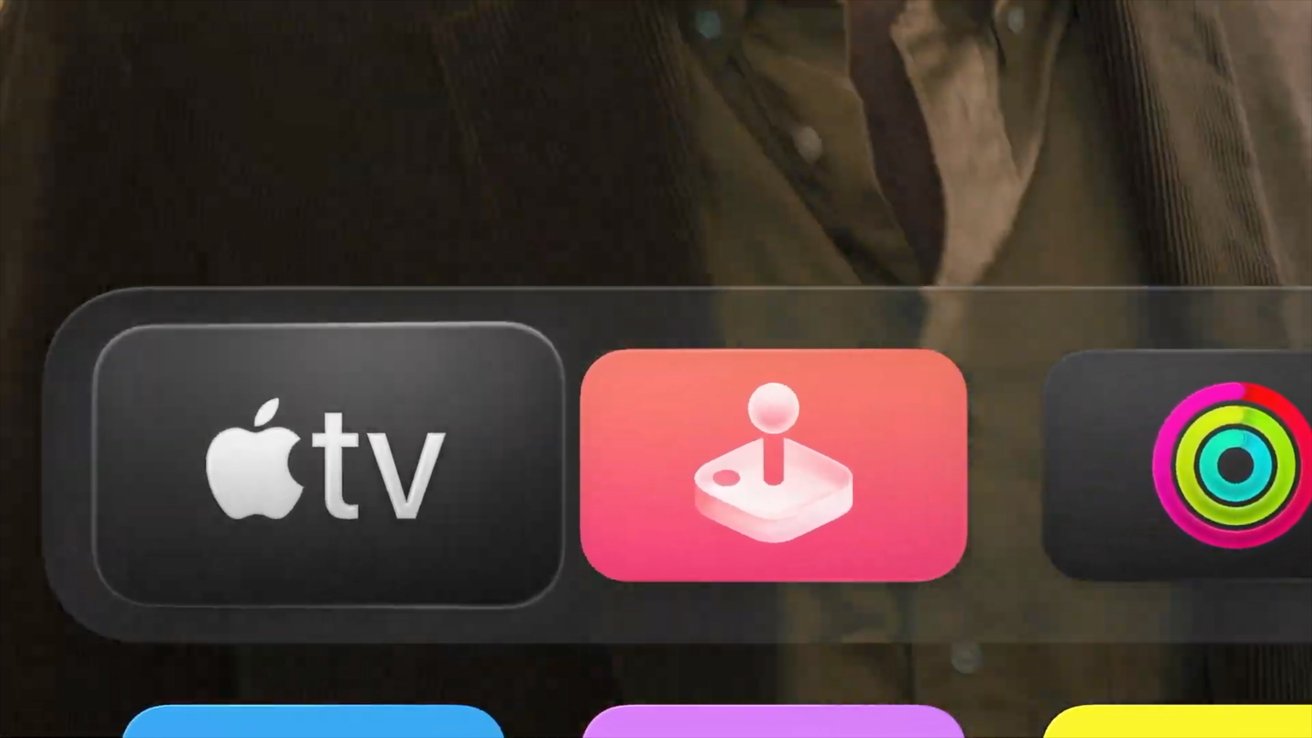
tvOS 26 review: The new look for tvOS
But again, as a big Apple TV fan, it just leaves me wanting more. There is so much potential here and tie-ins with Apple's other products within the ecosystem that I want to see what else they can do.
I have no doubt that the Apple TV 4K is the best streaming box out on the market, but it needs to do something to keep it fresh and bring some excitement to the space.
Hopefully, that happens, if not with tvOS 26, with a new box down the line. Until then, tvOS 26 is just a nice-to-have, if mildly underwhelming update.
tvOS 26 rating: 4 out of 5
Apple's tvOS 26 is a free update and can be installed from the Settings app on supported Apple TVs, including the Apple TV HD, Apple TV 4K, Apple TV 4K (2nd gen), and Apple TV 4K (3rd gen). Liquid Glass will only be on the third generation Apple TV hardware.







