After months in beta testing, Apple's macOS Tahoe has now been officially released, and brings with a new look, plus some excellent features, to the Mac.
It's another case of the most immediately obvious change over its predecessor is the look of macOS 26. Just as with the iPhone and iPad, the Mac now has the new Liquid Glass look that was launched at WWDC 2025, and progressively toned down since.
Overall, it means that controls look a little larger so that they can be more readily clicked on. It means that Apple wants your work to be the focus instead of its tools.
So beyond a new look to controls, menus, and app icons in your Dock, it's now possible to remove more distractions. Those Dock app icons can now be turned transparent, and the menubar can be made translucent.
Throughout macOS Tahoe, if you move one element over and other — such as a slider in a control panel, or a dialog box over a window — you see a liquid-like refraction effect. When it works as Apple intends, it gives a fluid, fast-moving feel, and helps emphasize what you're doing or what you're moving.
When it doesn't work, Liquid Glass can make certain screen elements harder to read. That has improved considerably over the course of the beta tests, and it will continue to do so as third-party developers update their apps.
New features in Spotlight
Spotlight now rivals the long-time favorite Mac app Alfred 5, and the newer Raycast. All three are launchers, quick ways to start apps or documents on the Mac, but Spotlight has added one feature to catch up, and one that may leapfrog its rivals.
The catch up one is the very surprising addition of a clipboard history. It's surprising because Apple is only around thirty years behind its competition, but it's here now and this new feature is a boon.
Just as with its third-party rivals, Spotlight's new Clipboard History expands copy and paste. Previously when you copied something, that overwrote whatever you last copied, but not anymore.
Now with macOS Tahoe you can copy ten or more things in a row, then paste any one of them as if it were the latest.
If you've ever used a clipboard manager, you know it's a tool that is extremely hard to give up once you've had it. But then if you've used any such app, you'll also quickly see that Apple has limited its version.
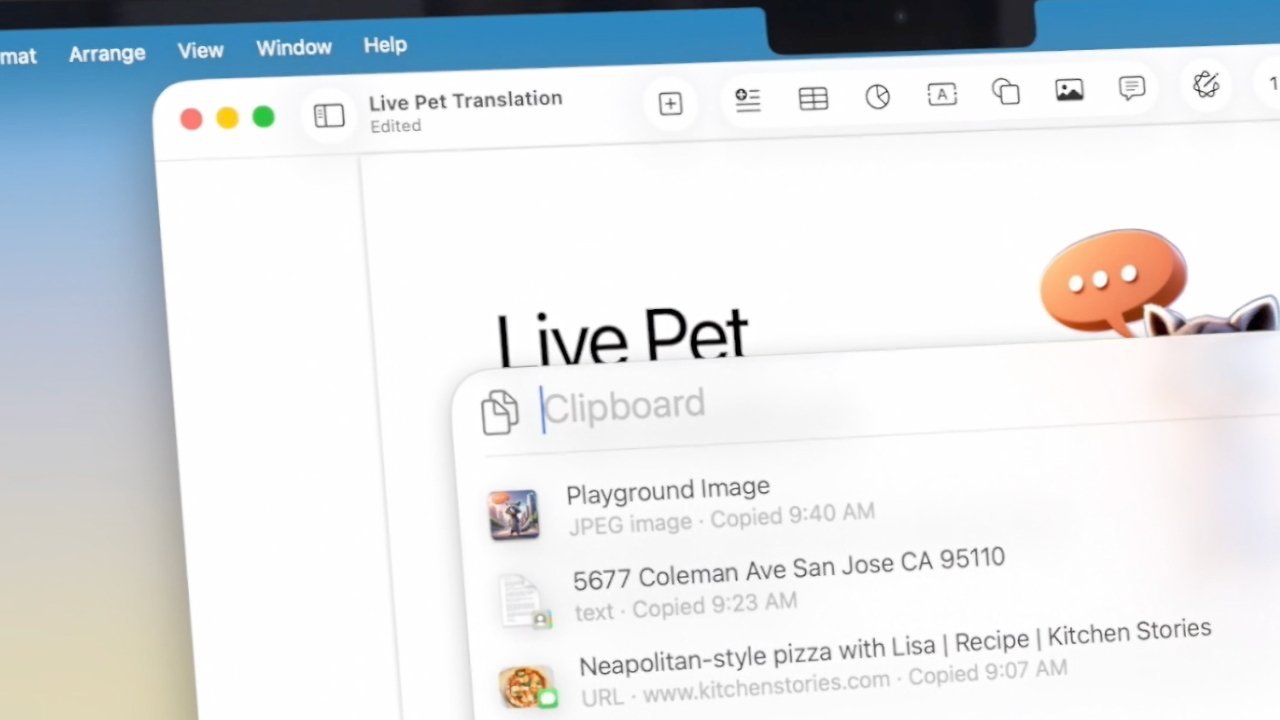
Just use Clipboard History and you'll wonder how you did without it.
After eight hours, macOS Tahoe wipes its clipboard history. So unlike with any of its rivals, if you come in to work tomorrow and remember copying a crucial website URL, it's gone.
Where Spotlight potentially leapfrogs its rivals is with its Quick Actions. Go to Spotlight, click on the new Actions button, and you are presented with potentially hundreds of things your Mac can do.
And then you can give that thing, that action, a short name. So for instance, you could now type "ST" in the Actions section and have that Start a Timer.
Borrowing from the iPhone
As ever, the new macOS also adds some features that are familiar to iPhone users. In this case, the biggest is the Phone app.
While you could place calls using FaceTime audio before, now there is a Phone app. As long as your actual iPhone is nearby, you can use the Mac's Phone app to answer and place calls.
In practice throughout the beta, it's been a little flaky with bugs like the call cancel button not responding to clicks. Or simply to callers not being able to hear you.
But potentially, it's going to be another reason to leave your iPhone in your pocket and concentrate on the work you're doing on your Mac.
As part of that, macOS Tahoe also removes another reason to even look at your iPhone. Live Activities now get displayed in the Mac's menubar.
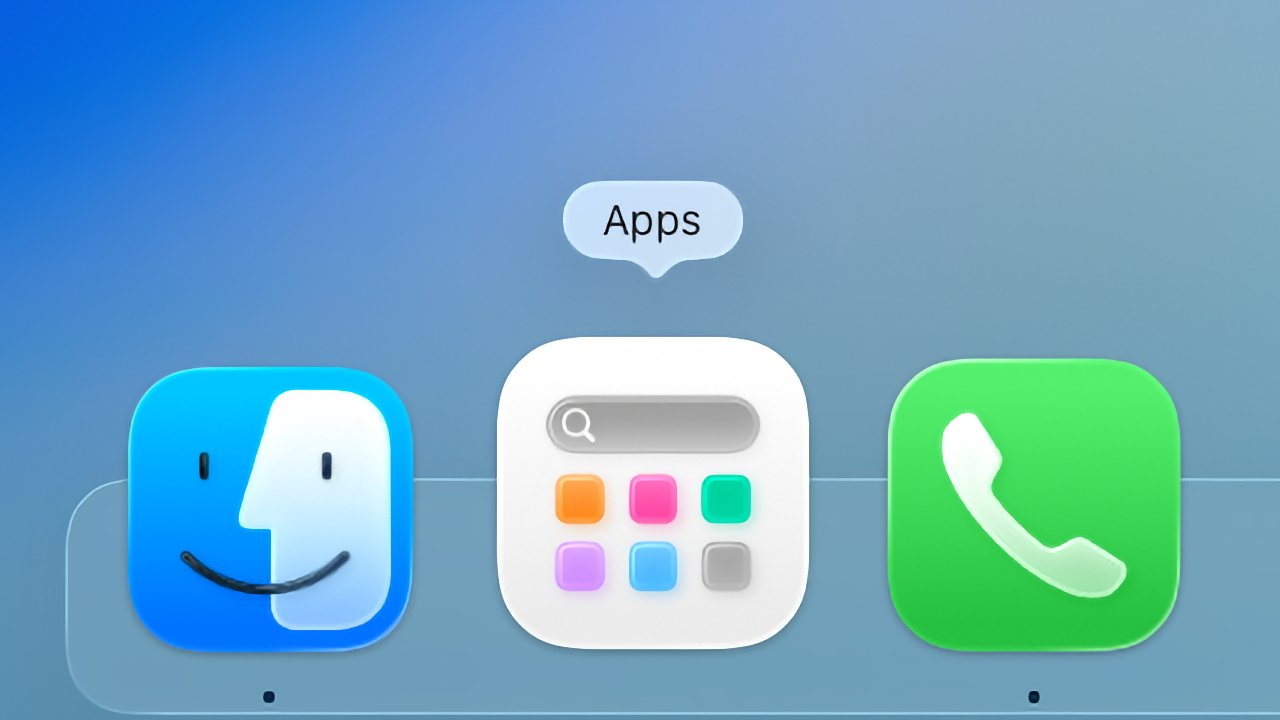
Liquid Glass brings a new look to Dock apps, but there's also a new Phone app and App Launcher
You have to start up whatever the activity is — ordering a food delivery or perhaps an Uber — but from then on, the information about how much longer you've got to wait, will be right there in the menu bar.
A great update for not the reasons you expect
At WWDC 2025, the impression Apple gave was that macOS Tahoe was this incredible visual redesign and it does seem like that at first. Then after you use it for a while, it becomes like every previous macOS — it is the norm, and you can't understand how you put up with even last year's version.
Maybe the Liquid Glass gloss is more significant with the iPhone than it is with the Mac. But macOS Tahoe brings the look to the Mac, and it is a very good look.
It's the new features like the Phone and the clipboard history, though, that are the real reasons to update to the new macOS Tahoe.
That said, install this free update soon — but not immediately. This official release is not likely to brick your Mac like a beta could, but it's still possible things will go wrong.
Let other people find the bugs and let Apple fix them. Then check every app you rely on to confirm that it works with macOS Tahoe.