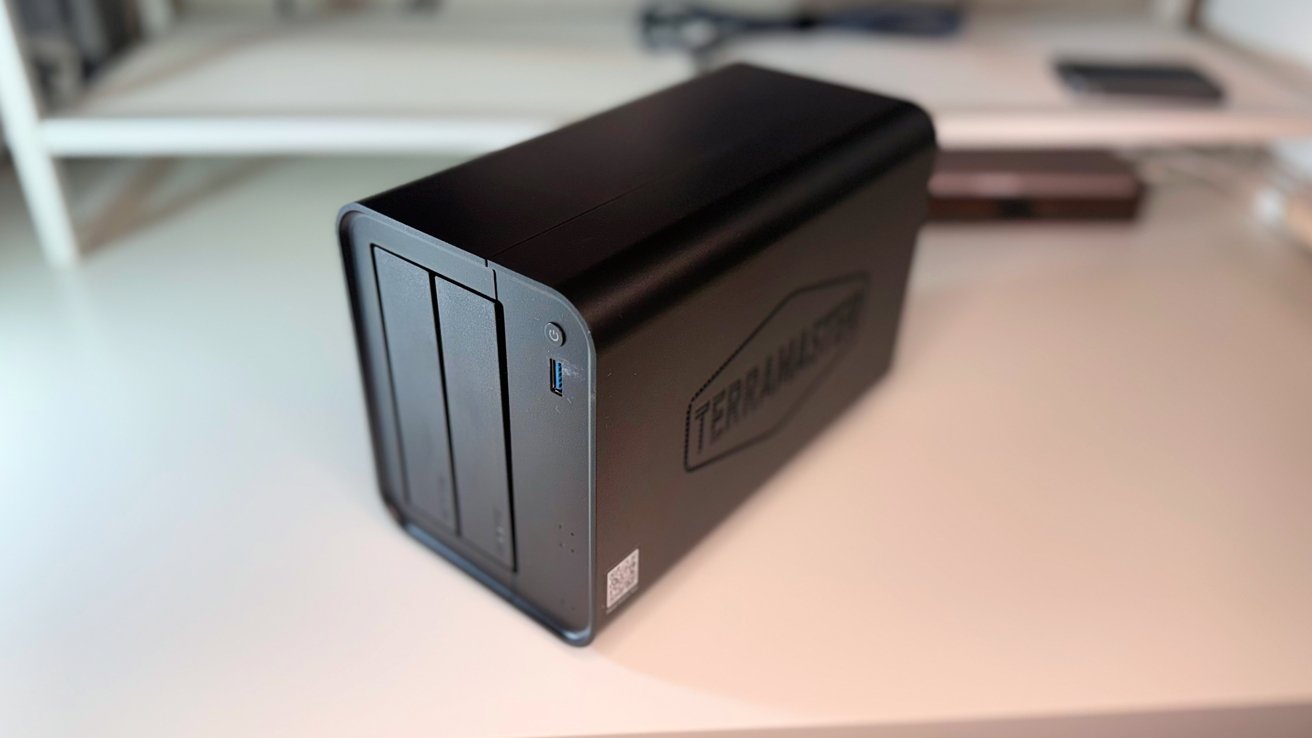
The TerraMaster F2-425 may be a two-bay NAS, but it offers the functionality of bigger and more premium models on the market.
The typical expectation for a prosumer NAS is for it to provide extra features beyond data storage. They're also usually premium models, and often have space for a lot of drives, which can get expensive quickly.
You can get NAS devices with far fewer drives to save money initially, but they also tend to be more limited in terms of features. They are frequently entry-level, having token functions that don't work that well compared to the more expensive four-bay versions.
While you can get an entry-level NAS with more drives, you don't tend to find many with fewer drives that still push functionality.
The TerraMaster F2-425 is in the sweet spot for this particular niche. It's a two-bay NAS that still provides a lot of functions that advanced users enjoy.
It's a case of network hardware threading the needle and actually succeeding.
TerraMaster F2-425 2-Bay NAS review: Physical Design
TerraMaster's design for the F2-425 isn't inspired. Much like many compact NAS units on the market it's a dark box with rounded edges that screams it's holding drives.
That's fine. It's not intended to be a design statement in the center of a desk.
The construction is chunky plastic with a metal frame for strength. On the side is a massive TerraMaster logo, while the front has a pair of drive bays, a power button, and a USB-C port.
The back has a few more connectivity options and a sizable — and quiet — 80mm fan for cooling.
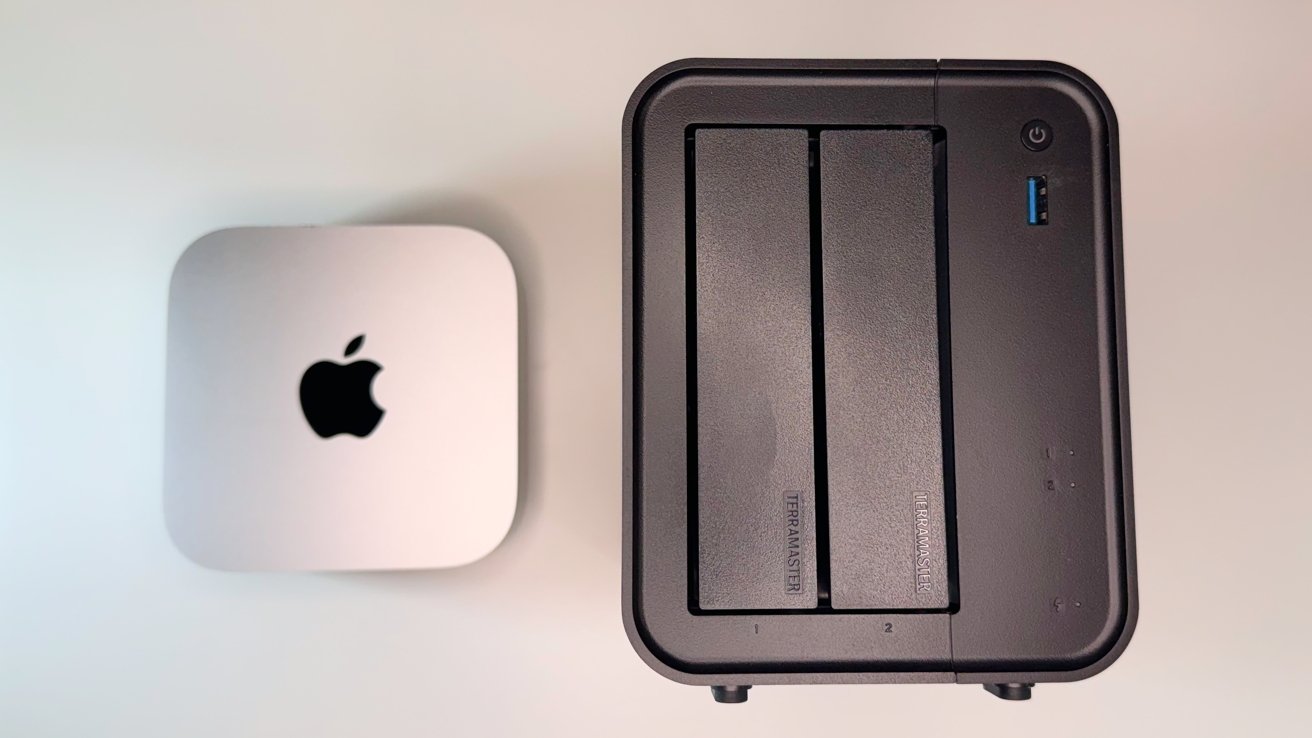
TerraMaster F2-425 2-Bay NAS review: The front bays (M4 Mac mini for scale)
This box is 10 inches by 8.6 inches by 6.7 inches thick. It's not a giant device, but for something holding two hard drives, you have to forgive yourself for believing it could be smaller.
The inclusion of HDMI may mean you'd want to hook it up to a TV. If so, you may have little trouble blending it in alongside a cable box and a game console. If that's the case, just put it behind the television.
TerraMaster F2-425 2-Bay NAS review: Ports and Connectivity
There are a few ports on the F2-425, but they are enough to get a lot done with the NAS. The chief one to consider is the rear Ethernet. You have only one port, but it operates at up to 2.5Gbps.
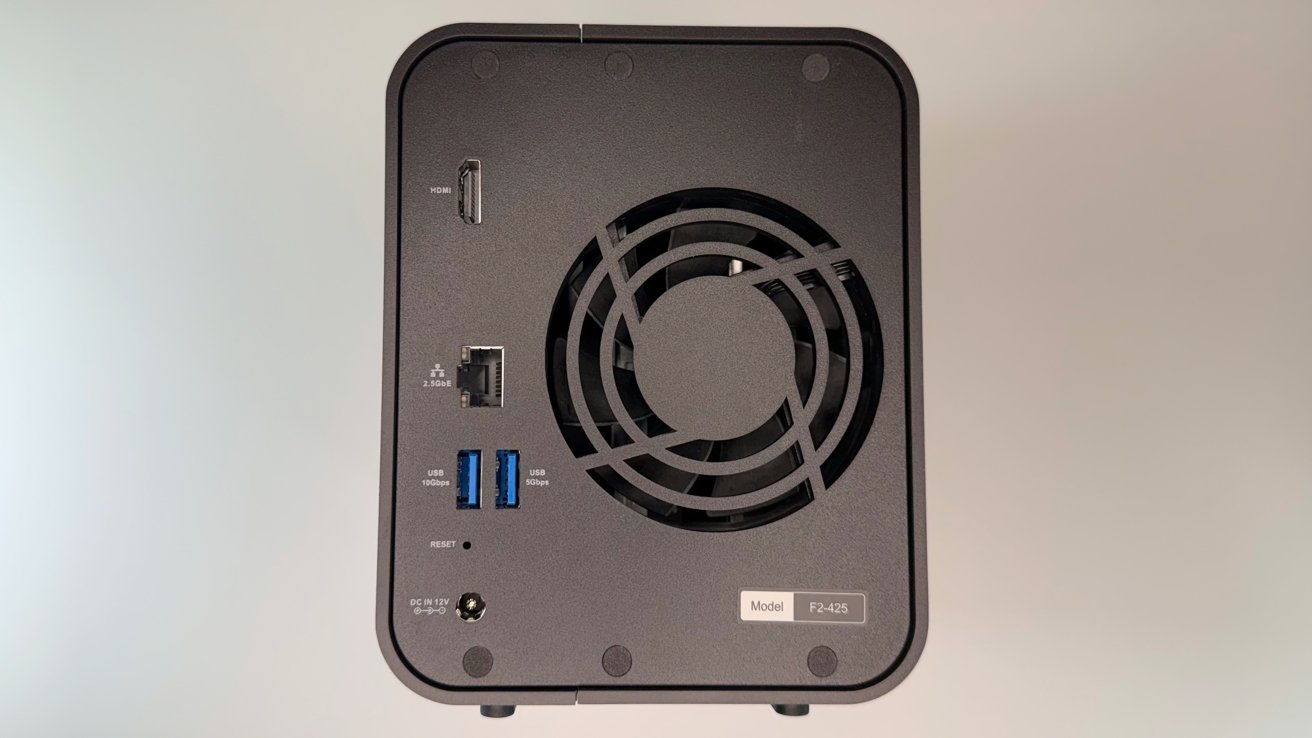
TerraMaster F2-425 2-Bay NAS review: Rear ports and the fan
This is a good design decision, as it becomes viable for businesses as well as those who invested in better home networking infrastructure. Gigabit Ethernet is commonplace for most users, but having extra headroom is a benefit, especially for data-heavy hardware.
At the front is a single USB 3.2 port that runs at 10Gbps. This is more than fast enough to handle data ingest situations, like a memory card reader or an external hard drive following a vacation.
The back has two more USB ports with one marked as running at 10Gbps and other at 5Gbps. The positioning of these are more useful for expansion to another storage device, or for peripherals for the slower connection.
These USB ports are all Type-A. The inclusion of a USB Type-C port, especially at the front, would've been a handy inclusion, but not essential here.
The ports list is rounded out by a HDMI port, which can connect to an external monitor or a television. However, while you can do so, it's more for accessing the terminal, not for directly playing stored content locally.
This is a bit of an unusual move here, as other NAS devices do provide this functionality.
TerraMaster F2-425 2-Bay NAS review: Storage
As a compact NAS, it can take only two physical drives. That can be a combination of 3.5-inch and 2.5-inch SATA hard drives, or SATA SSDs.
There unfortunately isn't the option to include M.2 storage for faster access speeds, but going for SSDs can be enough of a workaround here if speed is important.
In terms of capacity, TerraMaster claims it can take up to two 30TB drives, equating to 60TB without considering RAID. These drives also include hot swap support, so you can change them if necessary.
The drives are stowed into multi-part sleds, which can be assembled without tools within a few seconds.
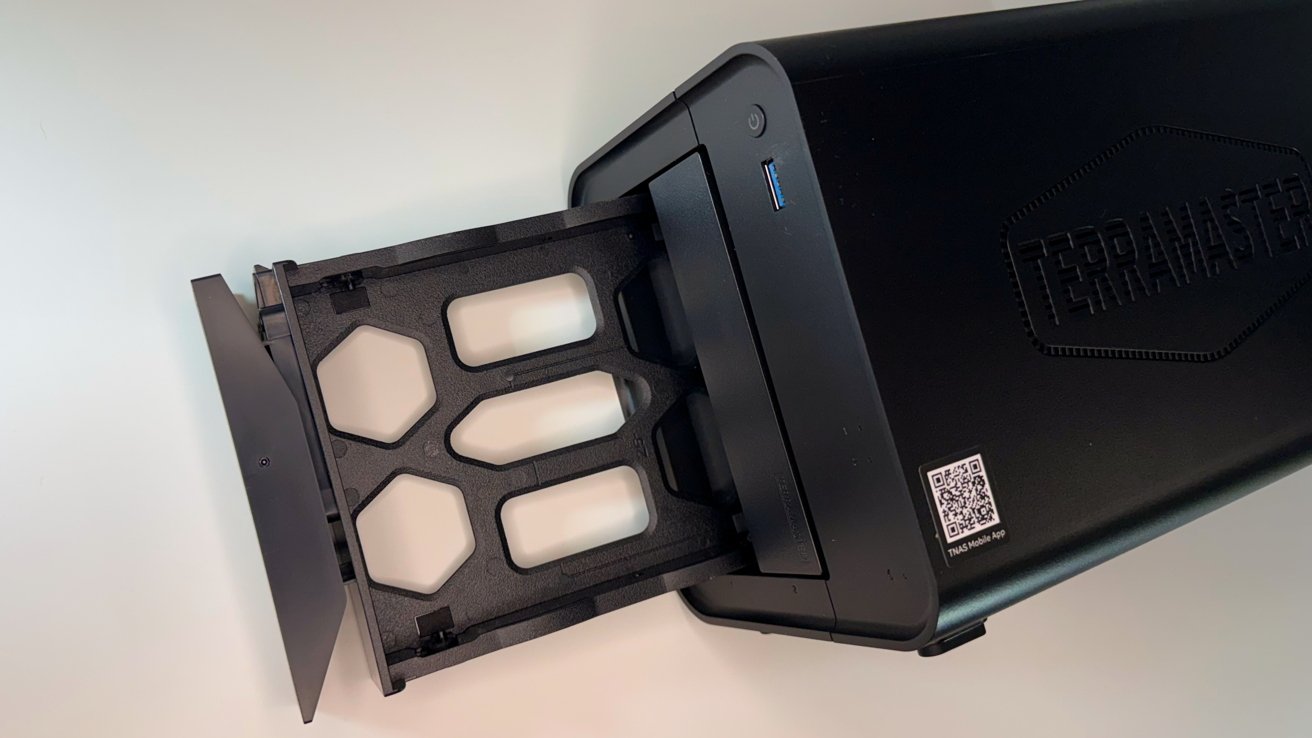
TerraMaster F2-425 2-Bay NAS review: It uses two bays with tool-free sleds.
The drives can be configured in a few ways for RAID purposes, though the quantity limits the options a bit.
You can use it as a single drive, under RAID 0, RAID 1, and under TRAID. This is TerraMaster's flexible disk array system that combines redundancy with automatic capacity expansion, similar to Synology's Hybrid Raid.
For example, if you put in a 1TB drive alongside a 3TB drive, there would be a 1TB capacity with redundancy. However, the remaining 2TB of the larger drive would still be usable, albeit without redundancy protection.
TerraMaster F2-425 2-Bay NAS review: Functionality
Driving the NAS is an Intel N5095 CPU with Ultra HD Graphics. It is paired with 4GB of DDR4 memory, but the NAS can support up to 16GB as a single SODIMM.
This is an essential inclusion, especially for those who want to lean on it for extra features beyond data handling.
This is a bit beefier than the usual processing capabilities of a compact two-bay NAS, and gives it a bit of an edge.
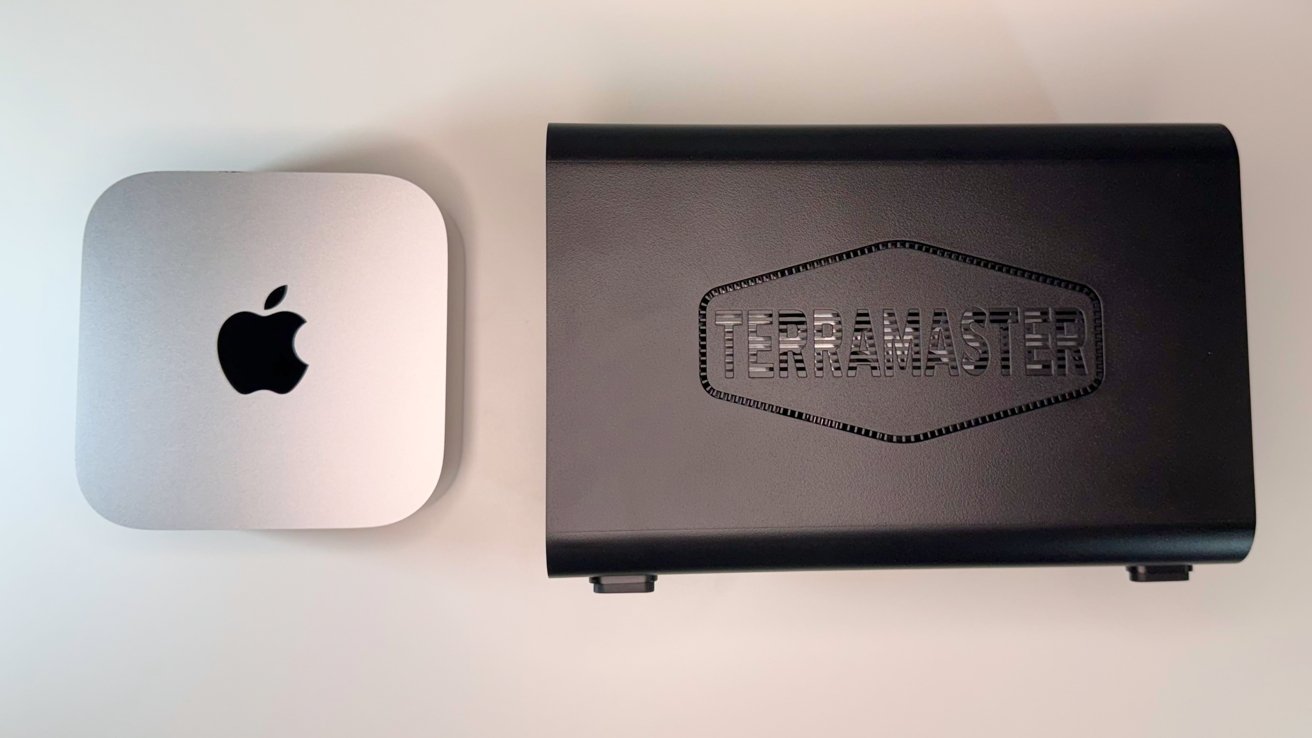
TerraMaster F2-425 2-Bay NAS review: It's a long unit (M4 Mac mini for scale)
You do have the more conventional functionality, including using the NAS for backups with Time Machine, image storage, and video storage.
For the photo management, there's also on-device AI processing, which recognizes faces and other subjects for easier searching. This is okay, and TerraMaster's selling point for the unit, but we recommend sticking with Photos as Apple users.
This feature is also accessible from the companion app, which is used to manage the NAS itself as well as for viewing stored items. The app can also handle things like customizing share names, setting expiration dates, limit access, and perform one-touch sharing as well.
TerraMaster's chip choice starts to become really useful when you look at it as a home streaming device. It has included 4K H.265 hardware decoding, so it will easily handle transcoding video duties.
That's handy, considering it is compatible with Plex, Emby, and Jellyfin, complete with DLNA support. You could easily use it as a media server, streaming to an Apple TV in the living room alongside other typical smart TV and set-top box platforms.
As a more advanced NAS, you can install many applications to it to be more like a server than just a place to put data. With VirtualBox for virtualization and Docker support, it can be expanded to cover many different server types, depending on your needs.
Docker keeps coming up. We'll be talking more about it very soon.
That includes security, as it can handle security cameras like other major NAS systems. However, here it's built in without any licensing or per-camera costs, as it works with any ONVIF-compliant cameras over the network.
Then there are the more enterprise-focused features like firewall and whitelisting rules, IP blocking, DoS protection, and certificate services. For security, there's 256-bit encryption and TLS, OTP two-factor authentication, and a secure isolation mode to block attacks from the Internet.
A lot of this is functionality you would expect from a more premium NAS. Its inclusion in a smaller form factor is nice to have for those who don't necessarily have the physical space for a full server in a rack, or have the expense that stretches to more than a few drives.
TerraMaster F2-425 2-Bay NAS review: Entry-level capacity, beyond in functionality
The TerraMaster F2-425 manages to fit into an odd section of the NAS market. It completely switches up the usual pattern of small-capacity NAS units having similarly slimmed-down features, in favor of something more befitting a larger-capacity network appliance.
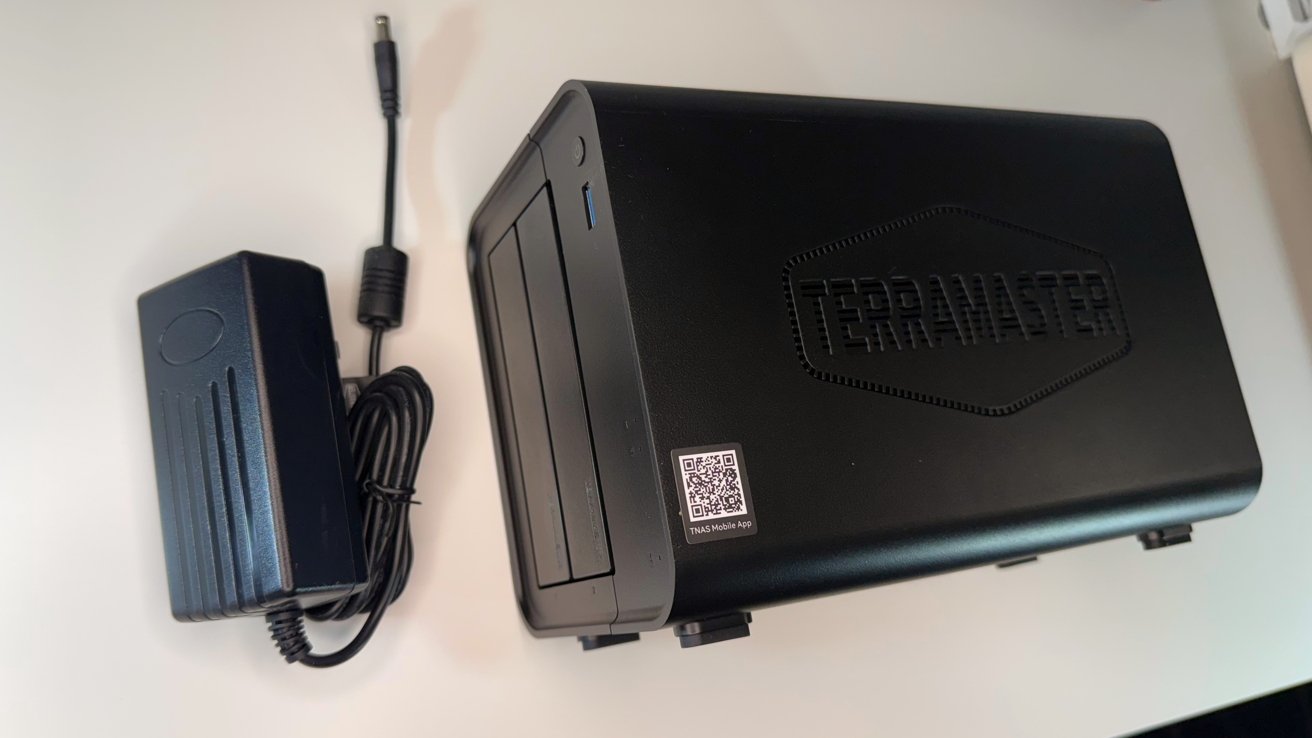
TerraMaster F2-425 2-Bay NAS review: With its powerbrick
While smaller usually means cheaper, it doesn't mean there's a material loss of utility here at all. Indeed, the only real black mark for it is a lack of local media playback over HDMI.
The appearance also screams "network device that should be hidden from view," which is to be expected for this hardware category.
The massive amount of non-storage functionality at play here, especially at this price point, makes it a valuable option for those who want that extra utility. Especially if they aren't a data hoarder.
TerraMaster F2-425 2-Bay NAS Pros
- Great value
- Virtualization and Docker support
- Performance and RAM expandability
TerraMaster F2-425 2-Bay NAS cons
- Local video playback over HDMI is missing
Rating: 4 Out of 5
Where to buy the TerraMaster F2-425 2-Bay NAS
The TerraMaster F2-425 is available from the company directly for $299.99. It's also available on Amazon, also for $299.99.