The HidrateSpark Pro 2 makes tracking your water intake easy and fun with Apple Health integration, Find My, and plenty of options for drinking alerts.
If there's one thing you need to know about your health as a human being, it's that you're probably not drinking enough water. Being properly hydrated can help you stay awake, focused, feeling healthy, and motivated throughout the day.
I've actually been a happy HidrateSpark user for years, and when I saw the HidrateSpark Pro 2, I knew I needed to review it. They stepped up their design, added Apple Find My support, and continued their Apple Health integration.
The new lineup has a 21 oz bottle, a 32 oz bottle, and a 30 oz tumbler option. I've tested the 21oz bottle and a 30oz tumbler for several weeks, and they're an excellent upgrade to what was an already very useful product.
HidrateSpark Pro 2 design
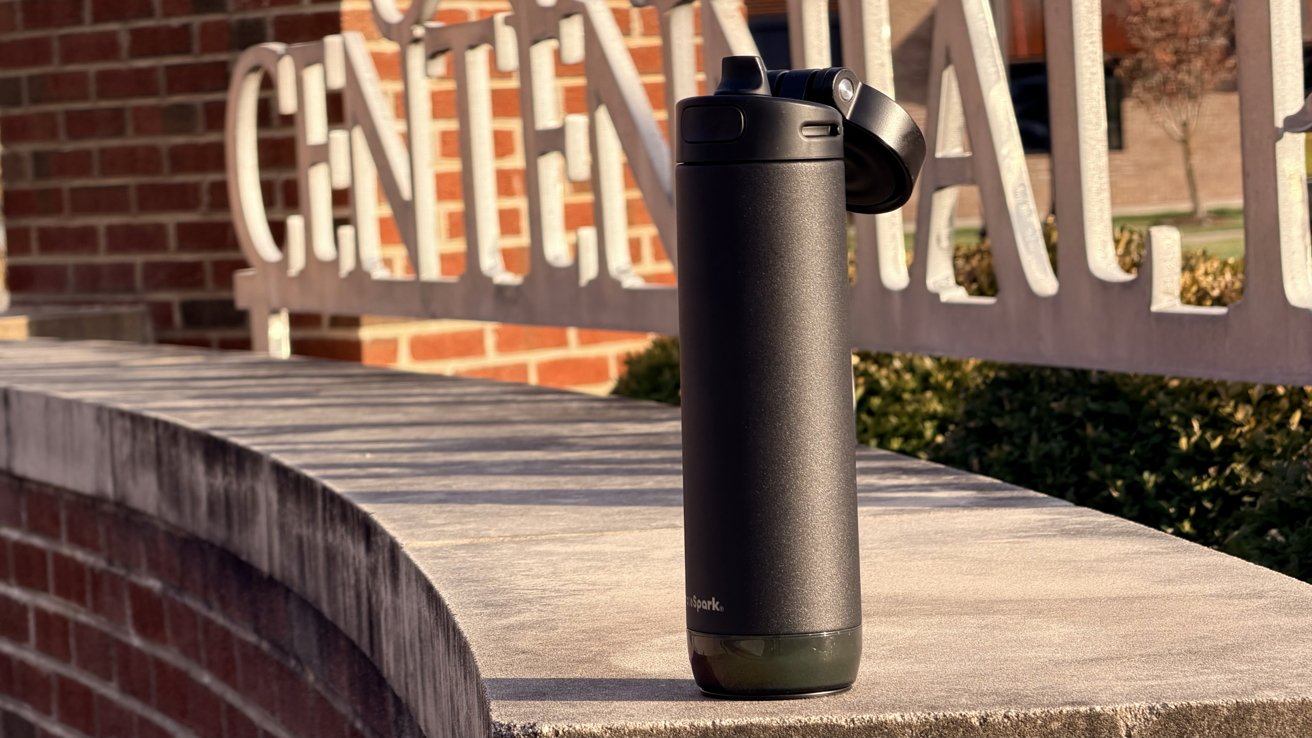
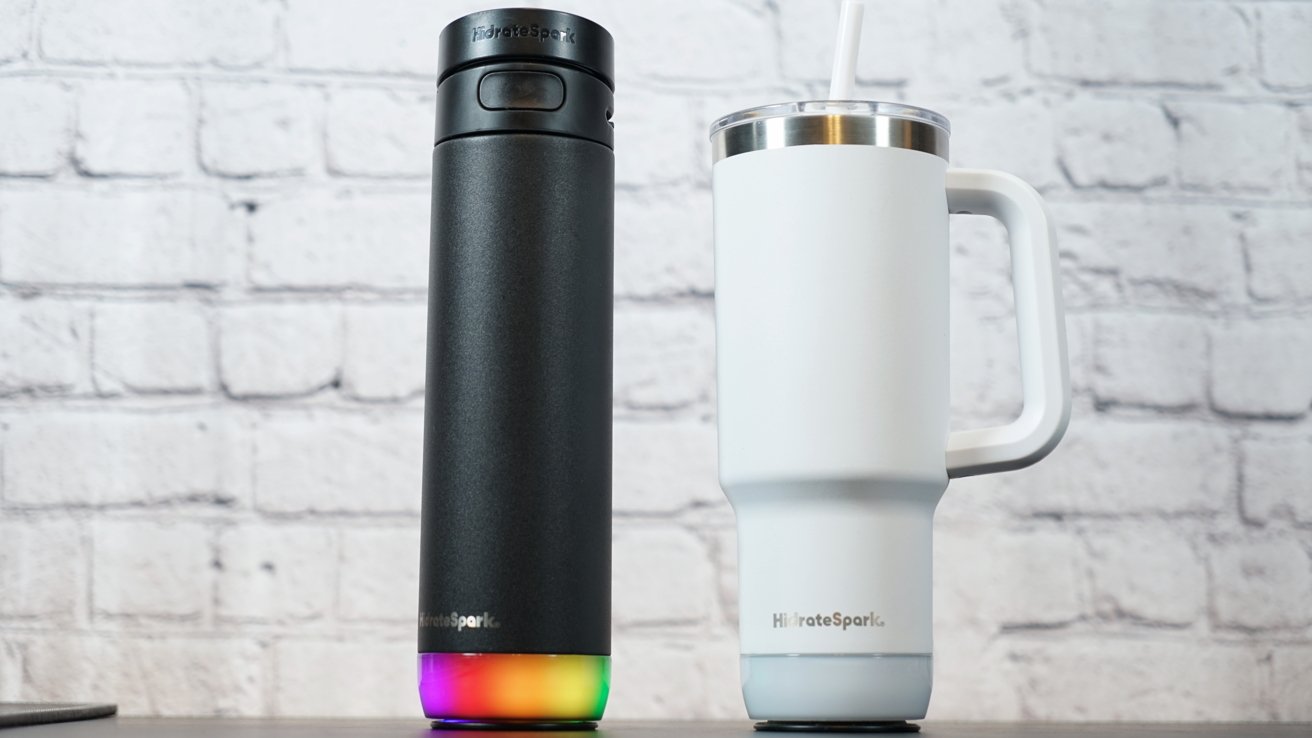
HidrateSpark kept the design simple but has a big flashing light at the base of each of its products. The bottles are simple metal cylinders, while the tumbler is made with a tapered bottom and a handle.
HidrateSpark Pro 2 review: The bottles have a familiar design with flashing lights at the base
The bottles also have handles built into the lid for easy transport. This is a great addition because I would often carry my original HidrateSpark Pro by the cloth piece on the lid, which eventually broke.
Making the lid into a carrying handle was exactly what the bottle style needed. No one wants to carry these bottles around by the middle all the time, especially when your hands are full.
The tumbler has a classic design that easily sits in cup holders. The middle portion is wider so it can accommodate the 30 oz size.
Customers can choose from multiple colors and lids when ordering. The bottles each have either the chug or straw lids, while the tumbler has the tumbler-style lid with a sipping area or straw insert.
They each have double-wall vacuum insulation that can keep a drink cold for 24 hours. It's something I've tested even through the hottest days, and it works great.
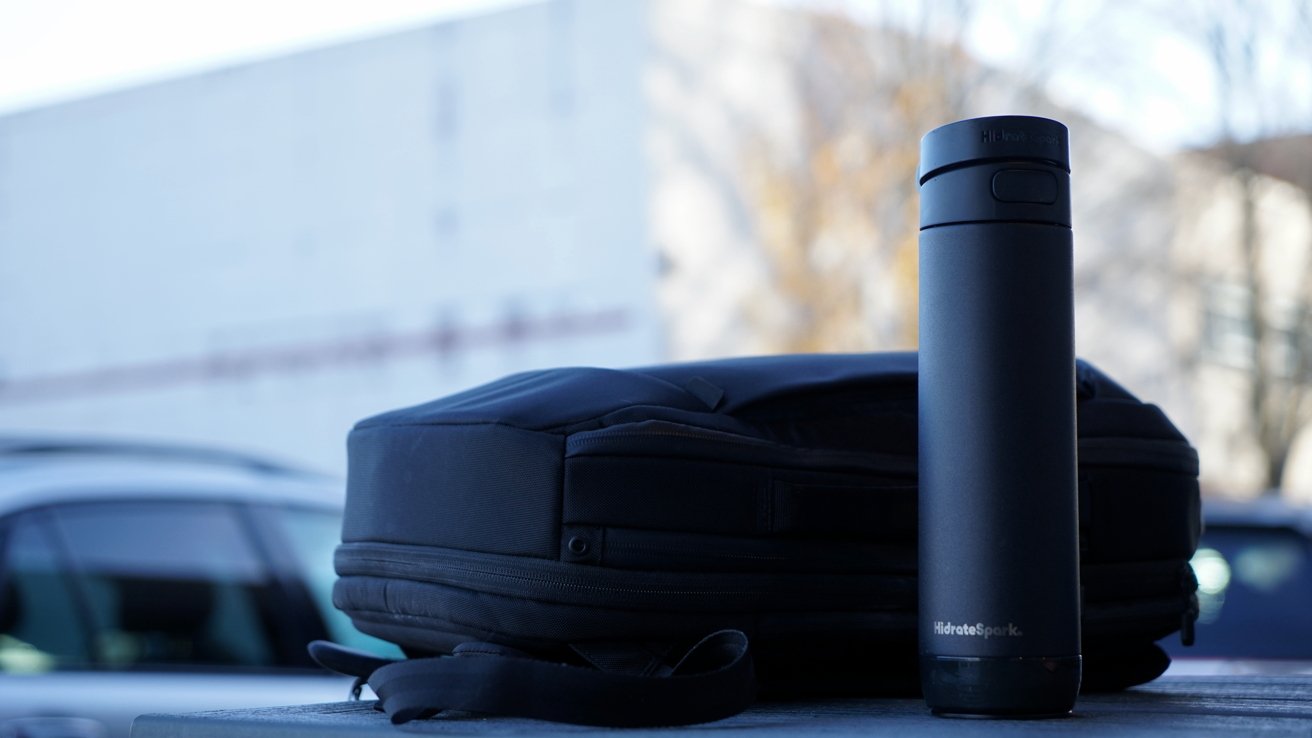
HidrateSpark Pro 2 review: double-wall vacuum insulation maintains your drink's temperature
Regardless of which form factor or color you choose, the experience of using the HidrateSpark Pro 2 is built into the puck. Since the puck is universal, it can be swapped freely between bottle types.
So if a user wants, they can buy the bottle and tumbler bodies separately and swap the puck between them. Changing the bottle will need a recalibration each time, but that takes only moments to do.
However, note that the puck itself isn't waterproof. My colleague William Gallagher learned the hard way after accidentally losing the puck in a sink full of water.
The puck always needs to be removed when washing the bottles and lids. And whatever HidrateSpark says about dishwashers, just go buy a bottle cleaning kit and wash it in the sink.
HidrateSpark Pro 2 features
The colorful lights, audible chime, and water tracking elements all reside in the puck that screws into the base. Users can configure everything from when alerts occur to what color and light pattern is used.
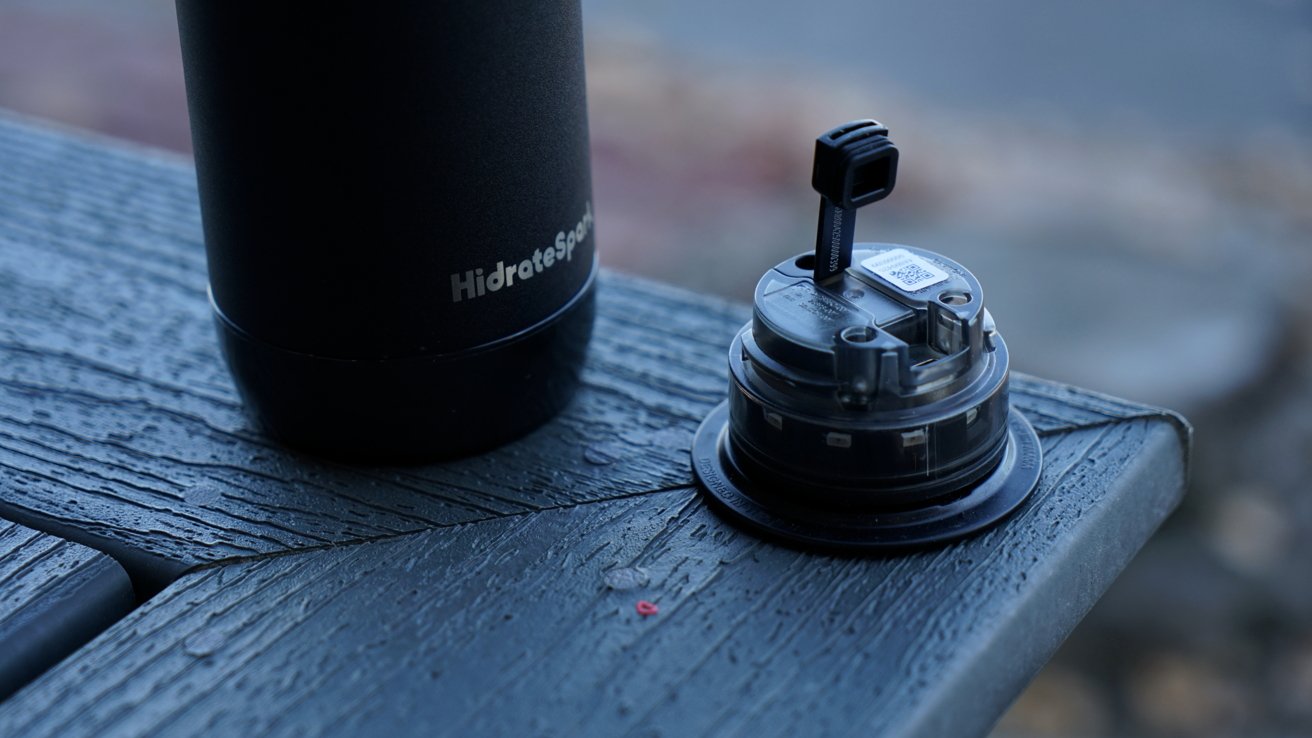
HidrateSpark Pro 2 review: Lights, chirps, and notifications tell you to drink water
HidrateSpark Pro 2 adds the ability to be notified by chirps as well. They're playing from the same speaker that can be pinged when using Find My, so it's easily audible.
The puck stays charged for about a month depending on your settings. More flashing lights and higher volumes for chirps will wear out the battery faster.
Once paired with the HidrateSpark app, the logged water intake data can be synced automatically with Apple Health. It's an obvious feature and welcome since Apple Health can help provide a more holistic view of the user's health.
Water intake is a significant part of a person's health, so keeping track of this single metric can help determine a lot of issues. How quickly you recover from a workout, how awake you feel during the day, how restful your sleep is, and tons more is affected by your hydration level.
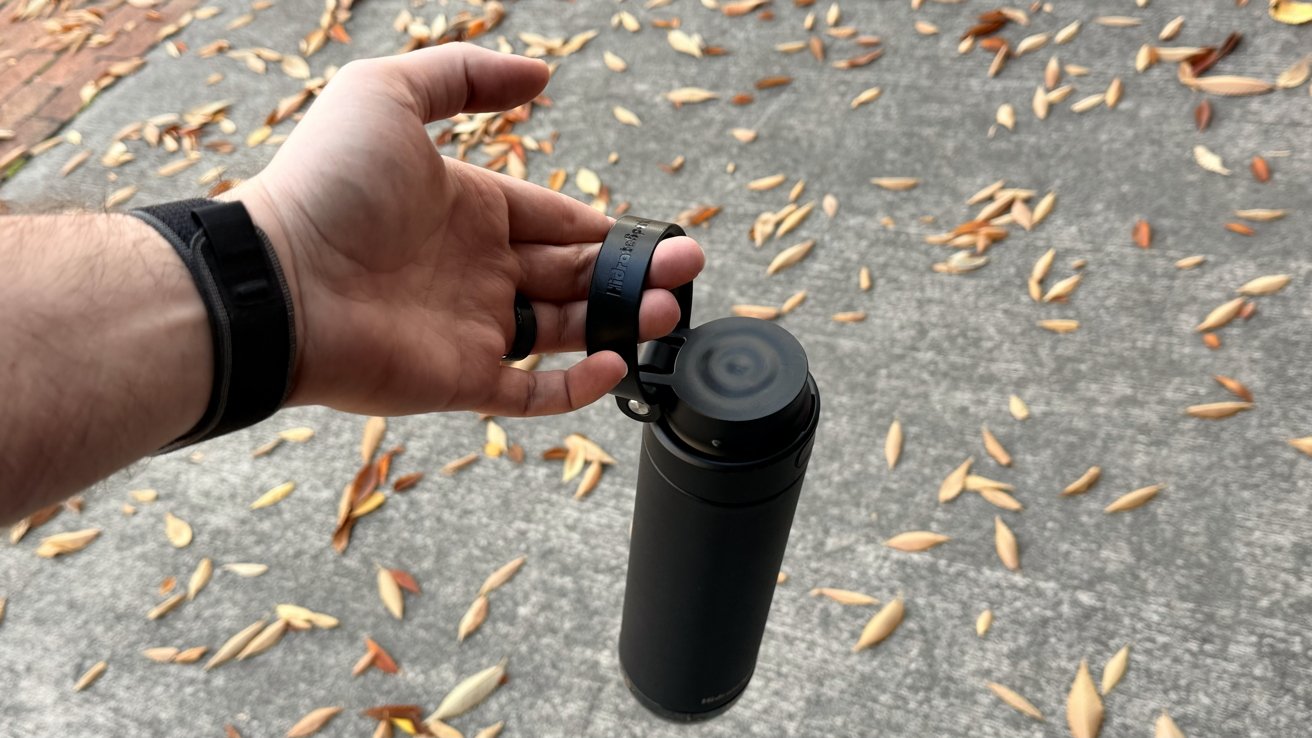
HidrateSpark Pro 2 review: An easy-to-grab handle is included on the lid
I'm someone that likes tracking every metric that can reasonably be tracked in the Apple Health app. Having a smart water bottle was a no-brainer, as it removes the friction of logging such data.
Previous HidrateSpark bottles had a feature like Apple's MagSafe Wallet where it would report the location it was last seen via Bluetooth. That feature still exists, but now, it's joined by true Find My support.
With Find My enabled, users can see where the bottle was last located on the Find My network. That means, without connection to the web, as long as someone with an Apple product like an iPhone gets close to the bottle, its location is updated in Find My.
Users can also use Lost Mode to notify the person that finds the bottle how to get in contact with the owner. It's an excellent addition and a must-have for Apple users.
The HidrateSpark app
The HidrateSpark App is thankfully fairly utilitarian on the surface. It opens to the current view of water intake for the day and the rings for the previous week.
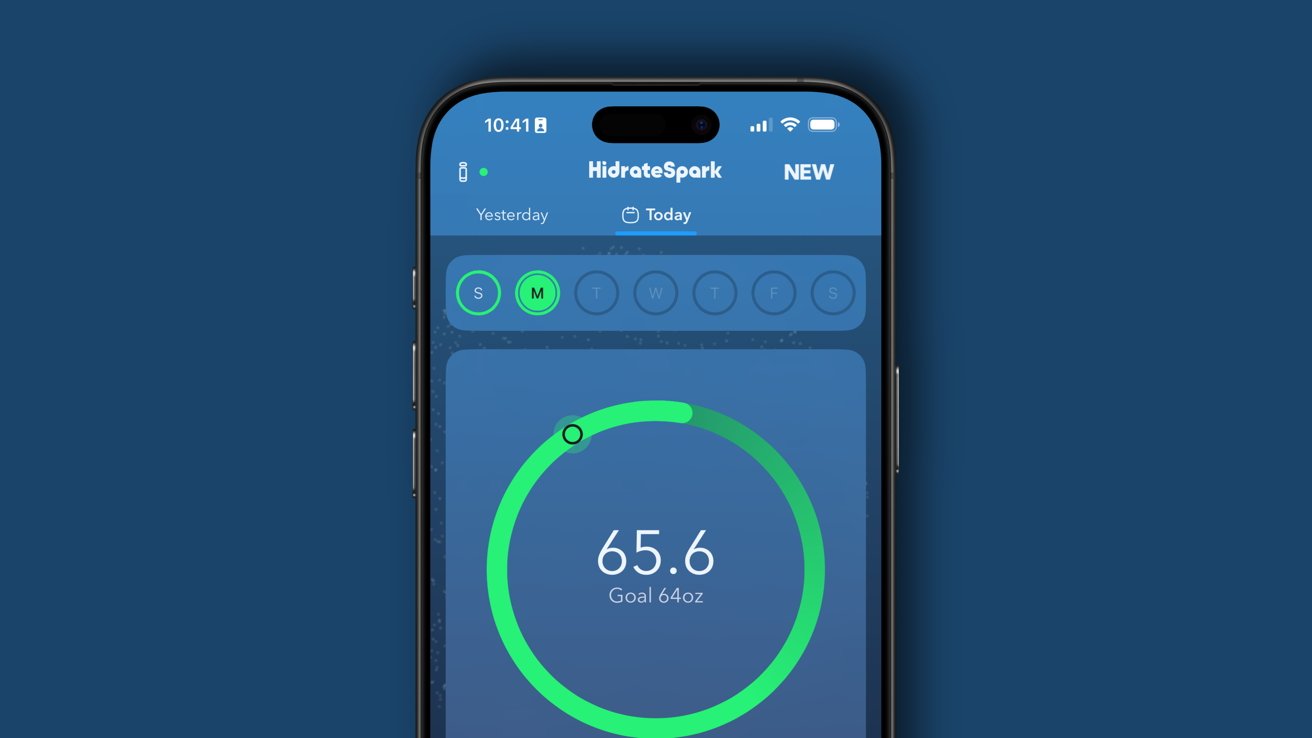
HidrateSpark Pro 2 review: Sync drinking data via the app
I'm sure HidrateSpark didn't have much choice in the matter, but it is mildly annoying that I have to open the app, wait for the bottle to connect, and then see the data synced in order to have the logged water show up. It's a similar problem I've encountered with a smart toothbrush I use — there's likely not a good way to do this automatically via proximity without killing the battery.
So, it is important to have notifications enabled to remember to open the app periodically. If you're using an app like Streaks and want to reach a goal for logging water per day, you'll have to open the app at the end of the day to ensure data is logged properly.
I do like that there's a system where the app lets users earn trophies based on how much water they've drank. I was pretty far along before, but the app reset after getting a new bottle (through some kind of bug) so I lost my progress. I'm currently at kiddie pool and approaching hot tub.
The automatic goal generation always seemed too aggressive, so I set a manual goal. The app wanted me to drink something like 120 oz per day on some occasion, taking weather and my weight into account, so I set it to 64 oz to be a bit more reasonable.
Since there's a two-way sync with Apple Health, other liquids logged via apps like Foodnoms will help your overall hydration goals be met. Just make sure to enable features in other apps to apply non-water liquids to your water intake.
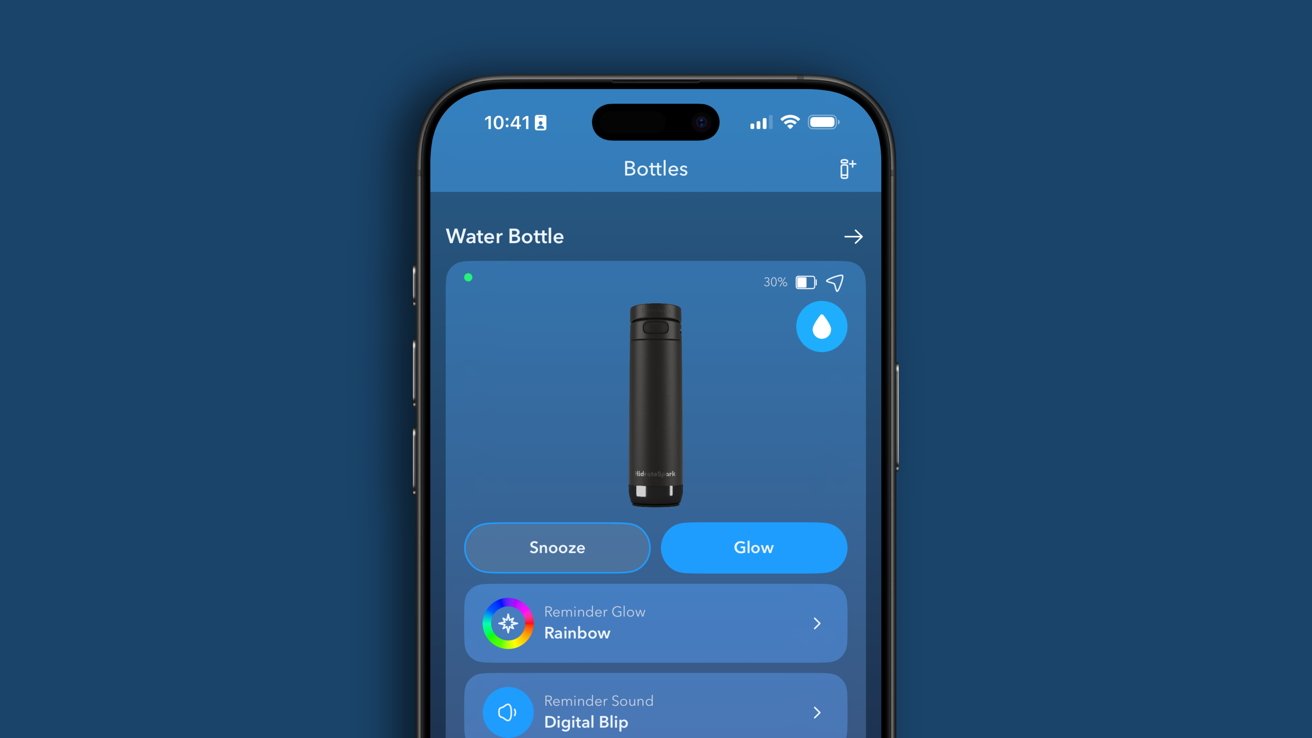
HidrateSpark Pro 2 review: Customize colors, sounds, and notifications in app
There's a social element to the app I've never bothered with. I've seen a lot of health-related apps try to gamify themselves in this way, and if that works for you, great.
Users can manage multiple bottles from the app, and customize the colors, brightness, and flash patterns of the light too. There's plenty of sounds to choose from as well, and reminders can be set to go off as frequently as 15 minutes or as long as 10 hours.
If you like using apps like Water Minder or Water Llama, the good news is two-way Apple Health sync lets you continue to use those apps. While the bottle can't connect to the apps directly, as long as you open HidrateSpark to sync the bottle, those apps will get the logged data from Apple Health.
I do wish alerts to drink were more than a simple timer. I'd like to see a future update add more intelligence to drinking notifications that tries to determine your literal hydration levels and notify you when you'd most likely need a drink.
Using the HidrateSpark Pro 2
I've enjoyed HidrateSpark for years, and the Pro 2 is a smart evolution of the product. There are other smart bottles out there, some with filters for better water purity, that are fine, but I believe HidrateSpark has the better overall setup.
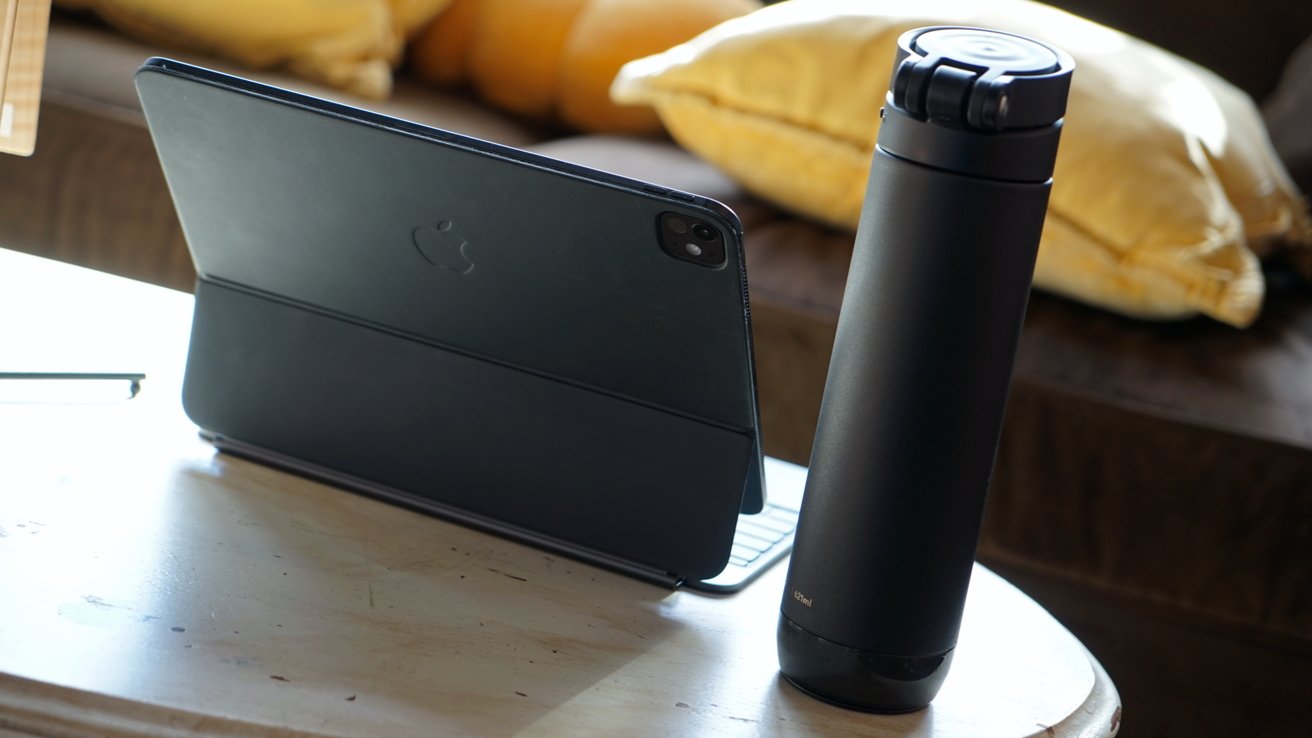
HidrateSpark Pro 2 review: Slips into bags, bottle holders, and more thanks to its universal design
The HidrateSpark Pro 2 charges via USB-C when the puck is removed. It's a significant improvement over the proprietary magnetic connector from the previous model.
I prefer a chug lid, but sadly I can't use it since I sometimes work from Apple Vision Pro. Trying to tilt the bottle back to get the water out sometimes has the bottle colliding with the headset, so it's a straw lid for me.
There haven't been any issues with leaks, and there's a locking mechanism to prevent the lid from opening accidentally. The bottle has been dropped several times with only minimal scuff marks and no issues with gasket seals.
I wish Apple would provide some kind of smart accessory API for tying devices directly to Apple Health. I've got nothing against HidrateSpark's app, but I'd love it if the bottle could sync automatically with Apple Health.
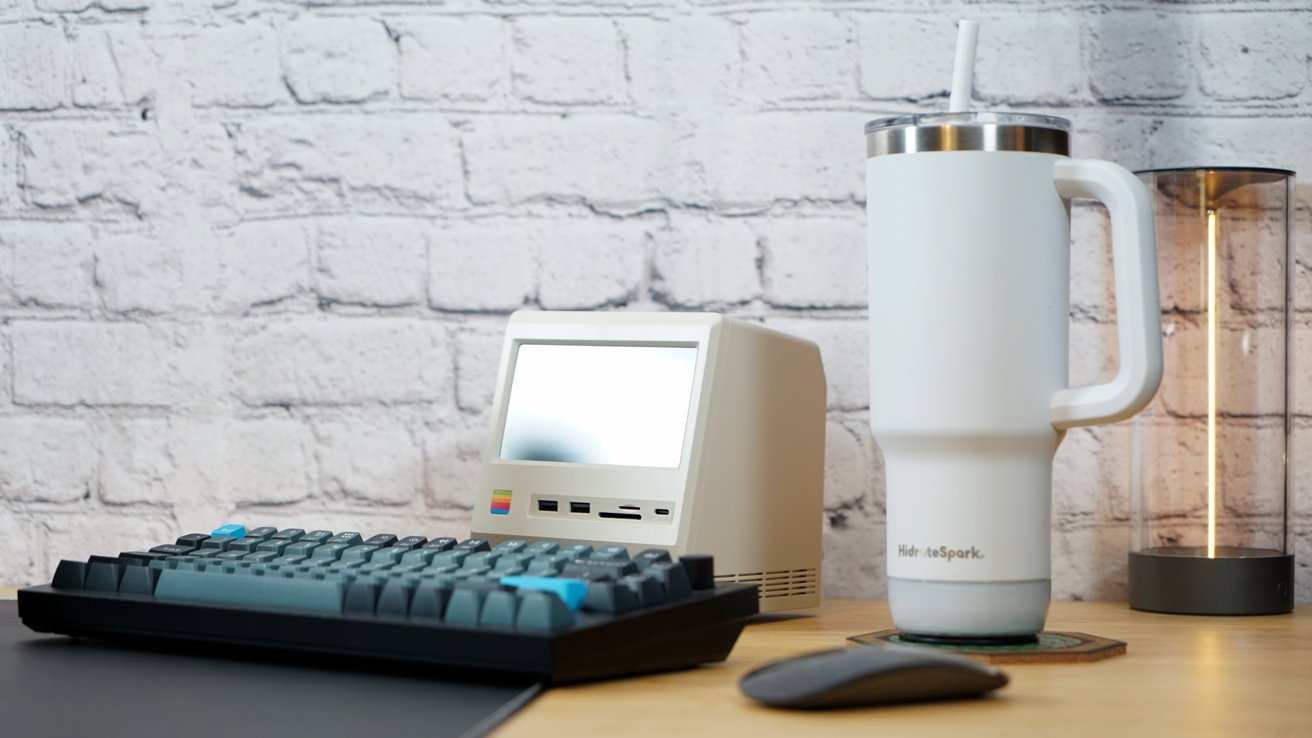
HidrateSpark Pro 2 review: Quality material and design with app integrations
I'm not sure what the solution is for continuous or more frequent syncing without opening an app. Perhaps Bluetooth LE, but it is frustrating that it can't sync without opening an app.
The 21 oz water bottle is the perfect size and shape for my needs. It slips into backpack and bike water bottle holders without issues, and it fits my vehicle's drink holder too.
The tumbler is less my speed, but my wife has been using it and she loves it. The ability to swap a puck between bottle types is intriguing, and I hope HidrateSpark provides more shapes and sizes in the future to try this with.
HidrateSpark Pro 2 review - Pros
- Good portable design that fits where it needs to
- Smart upgrades to the lid, including a carrying handle
- No problems with leaks or scratches
- USB-C charging
- Find My support
- Apple Health support
HidrateSpark Pro 2 review - Cons
- The HidrateSpark app must be opened to sync data
- Only one lid type, chug or straw, is included instead of both
- Could be smarter about drink alerts beyond time intervals
Rating 4.5 out of 5
HidrateSpark has nailed down what users need from a smart water bottle. It's easily portable and simple to use, but there's always room for improvement.
Whether it's Apple's problem or HidrateSpark's, there needs to be a way for data to sync regularly and automatically. Opening an app to sync data means some people will never get real benefit from using the bottle.
Where to buy the HidrateSpark Pro 2
Get the HidrateSpark Pro 2 21 oz bottle from Amazon for $79.99. It is also available from HidrateSpark for $79.99.
The 30 oz tumbler is available from Amazon for $84.99. Get it from HidrateSpark for $84.99 as well.