
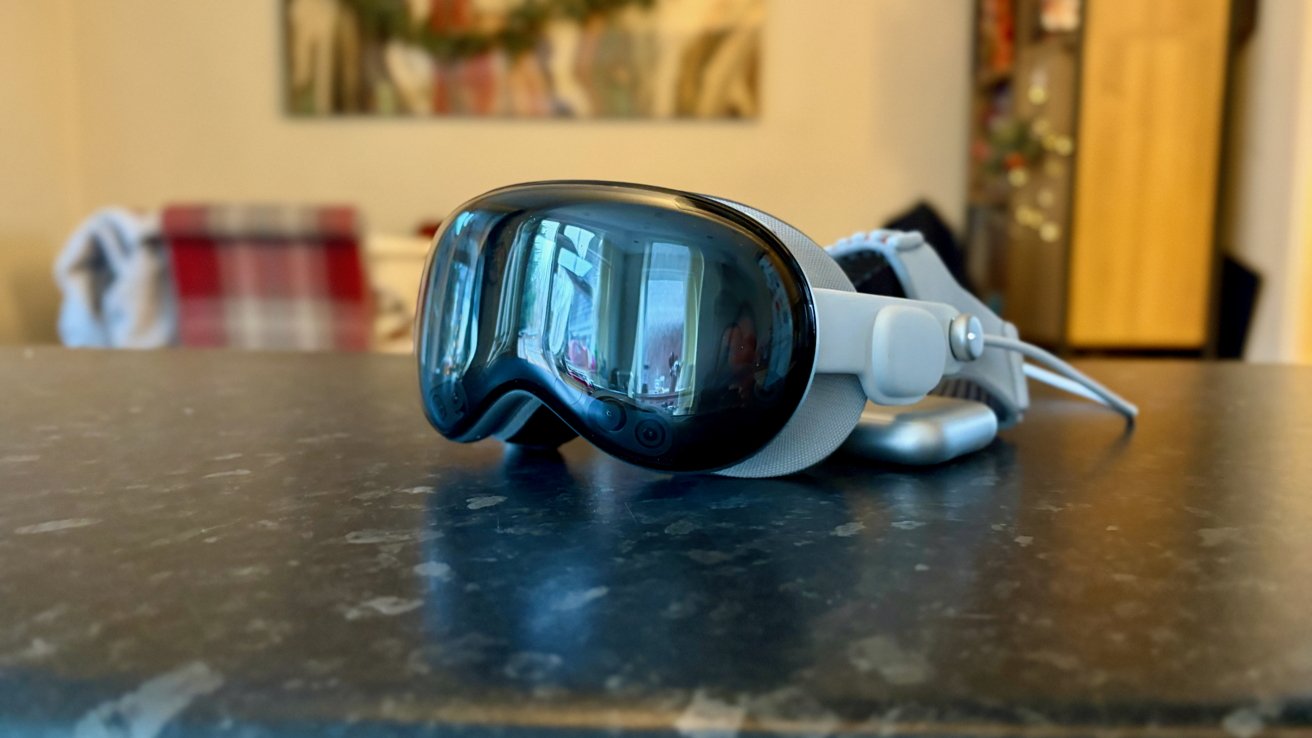
The M5 refresh makes the new Apple Vision Pro faster and improves some features, but it doesn't change the fact that the headset still doesn't have a long-term place in most people's homes.
The M5 Apple Vision Pro was released in October 2025 and is the first refresh of Apple's spatial computer. The new chip is the only real upgrade, although Apple does ship it with the new Dual Knit band.
In truth, the new band might be the biggest upgrade Apple has made here. And, thankfully, you don't need to buy a new headset to get one — Apple will sell you one separately for $100.
We already reviewed the new Apple Vision Pro shortly after its release. At the time, Wes Hilliard and Mike Wuerthele noted that the M5 chip makes the headset a better platform for users and developers alike.
Since then, I've been putting the headset through the wringer over a longer period of time. I wanted to live it to see how — or if — it would change the way I work.
Now, a few months after its launch, I think I have a better understanding of what it means to wear a mixed reality headset.
But before we get into what I've been using this $3,500 spatial computer for, I have a caveat to share.
I didn't pay for this Apple Vision Pro. I was loaned one, for review, by Apple. I'd wager most reviewers of the headset are in the same boat.
That's always an important point to make. But I feel it's especially important when talking about the Apple Vision Pro. Because the price is a big one, and I wanted you to know where I'm coming from while writing this review.
All that being said, this is a loaner device that will be going back to Apple shortly after this review is published. And as always, Apple had no input in its writing, so they're seeing it for the first time alongside you.
Finally, some ground rules: as I mentioned earlier, Mike and Wes already reviewed this headset once. I won't cover all the same ground here.
You can read that Apple Vision Pro review for a full rundown of all of the specs and features. This review will instead focus on how I found the Apple Vision Pro after a prolonged period of time with it.
That's a luxury that initial reviewers don't have, and I think it can fundamentally change the outcome.
Apple Vision Pro review: The upgrades
I know I just said I wasn't going to get into the weeds with specs, but it's impossible to discuss the new Apple Vision Pro without mentioning its chip.
The M5 is Apple's latest generation technology at the time of writing, and it's fast. In fact, it's very fast indeed, which should give this Apple Vision Pro a long life.
That's good when you remember that the $3,499 starting price hasn't changed, so you should at least get plenty of years out of your purchase.
By choosing to use the M5, Apple has taken its spatial computer from the M2 generation and leapfrogged the M3 and M4 entirely. And that means that apps and games have never been so quick to launch and or so smooth to use.
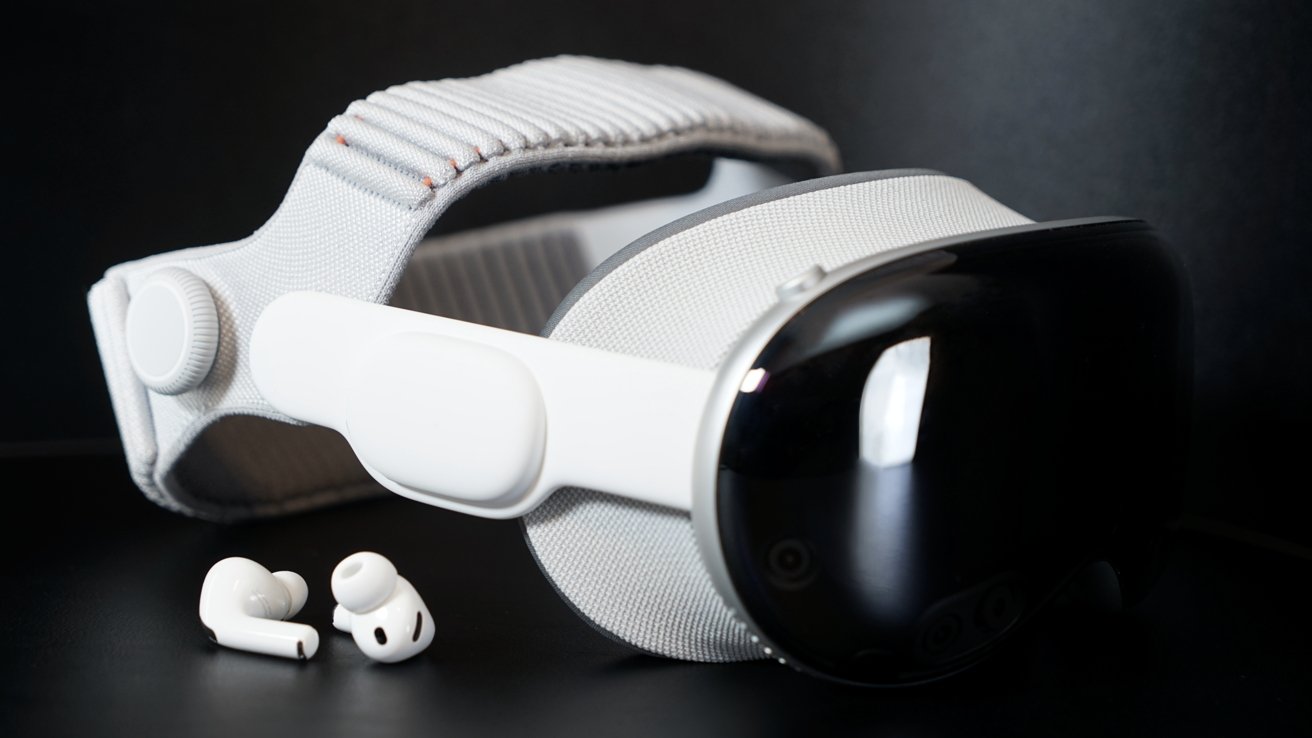
Apple Vision Pro three-month review: The new Dual Knit band is a huge upgrade
Apple claims a 10% increase in the number of pixels the M5 can render compared to the previous model. It also increased the peak refresh rate to 120Hz, which is a boon for gamers in particular.
The result is a sharper image with Apple's foveated rendering given more room to breathe. Fewer pixels are blurred to help boost performance because the M5 has such headroom.
I never spent more than 30 minutes with the M2 Apple Vision Pro. But I've heard enough anecdotal chatter to suggest the M5 version is noticeably more performant when multitasking with visionOS apps.
The other big upgrade is the aforementioned Dual Knit band. It has two straps that can be easily adjusted and make for a comfortable wearing experience.
It's certainly an upgrade over anything Apple offered prior. I've been able to wear the headset for multiple hours without issue, and I credit the Dual Knit band for that.
During some particularly busy days, I even forgot I was wearing the headset at all. I don't think there can be a more ringing endorsement of a headset strap than that.
Apple Vision Pro review: Finding a home in my workflow
When the Apple Vision Pro landed on my desk, the first thing I noticed was just how big the box is. But then another thought entered my head: now that it's here, what will I use it for?
Like anyone spending any real time with an Apple Vision Pro for the first time, I watched all the immersive video Apple could throw at me. Then I downloaded some games from the App Store.
That's all great fun, but it isn't enough to make any mixed reality headset purchase worthwhile. Let alone one in the Apple Vision Pro's price bracket.
I'd always been interested in the headset's Mac Virtual Display feature. And I had a feeling it could be the killer app — at least for me.
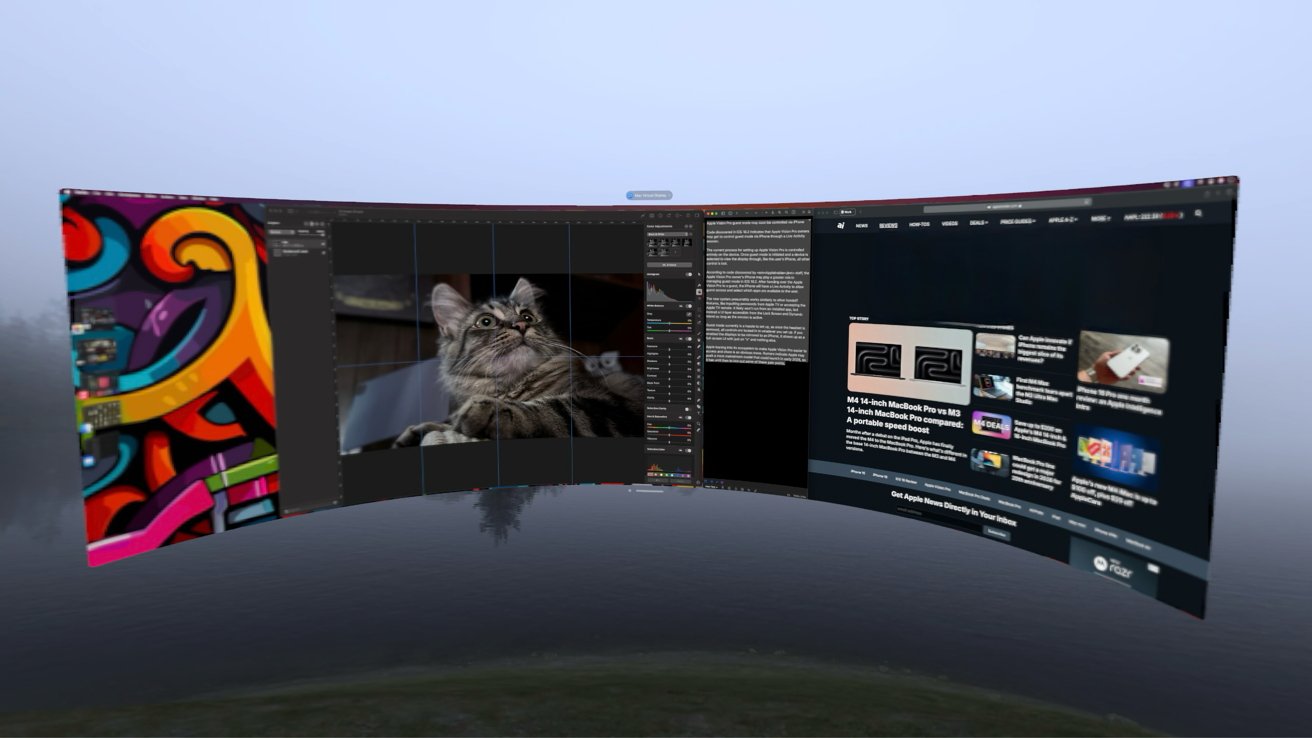
Apple Vision Pro three-month review: Mac Virtual Display is a gamechanger
MacBook Pro in hand and Apple Vision Pro in situ, I fired everything up. And all of a sudden, it made sense. This is how the Apple Vision Pro has the potential to change the way I work.
Writing words for a living might not sound like it needs lots of desktop space, but you'd be surprised. There's whatever you're typing into, sure, but then there are browser windows for reference and, of course, Slack.
At my desk, I use a 49-inch ultrawide monitor, and if I'm honest, I've gotten a bit too used to it. So much so that using my MacBook Pro's 16-inch display feels cramped when I work from our dining room table.
But the Apple Vision Pro changes that dynamic, and then some. With the Mac Virtual Display enabled, I can turn my 16-inch MacBook's display into a floating ultrawide window of almost any size I like.
It's like bringing my monitor downstairs without the backache and frowning from my family. And it's a productivity wonder.
Because I'm using a virtual representation of my MacBook Pro's display, I can also run visionOS apps alongside it. That's usually Overcast, so I can listen to podcasts, but it could be a Safari window so I can have a YouTube video playing in the background. Or any other app, for that matter.
It's difficult to explain how impressive all of this is in use. You really need to see it, experience it, to fully understand how it makes you feel like you're living in the future.
If anyone ever asks me for an example of the famous "it just works" aspect of the Apple ecosystem, this is what I'll tell them about. It's impossibly good.
But even while I marvel at my huge virtual monitor, I can't help but ponder, is a virtual monitor worth $3,499?
Apple Vision Pro review: The longevity problem
As I sit here now, that Mac Virtual Display revelation is a distant memory. Which begs the obvious question of how I'm using the Apple Vision Pro today. And this is where Apple has a problem.
It's not that the novelty wore off, because I'm as wowed by the Apple Vision Pro and visionOS 26 today as I was when the headset first arrived. It truly is a great tool, but it isn't without its problems.
The first is that, as comfortable as it is, the headset is still a big chunk of metal and glass strapped to your forehead. And that poses some problems I didn't see coming.
One silly, yet very real example, is the coffee problem. I can't drink mine while I wear the headset — it just gets in the way.
I can physically bring the cup to my mouth, sure. But larger cups invariably hit the bottom of the headset, and I'm always worried that steam will damage the cameras and other tech buried there.
I've taken to removing the headset when drinking my coffee. And that's a surprising amount of friction when you have a coffee problem.
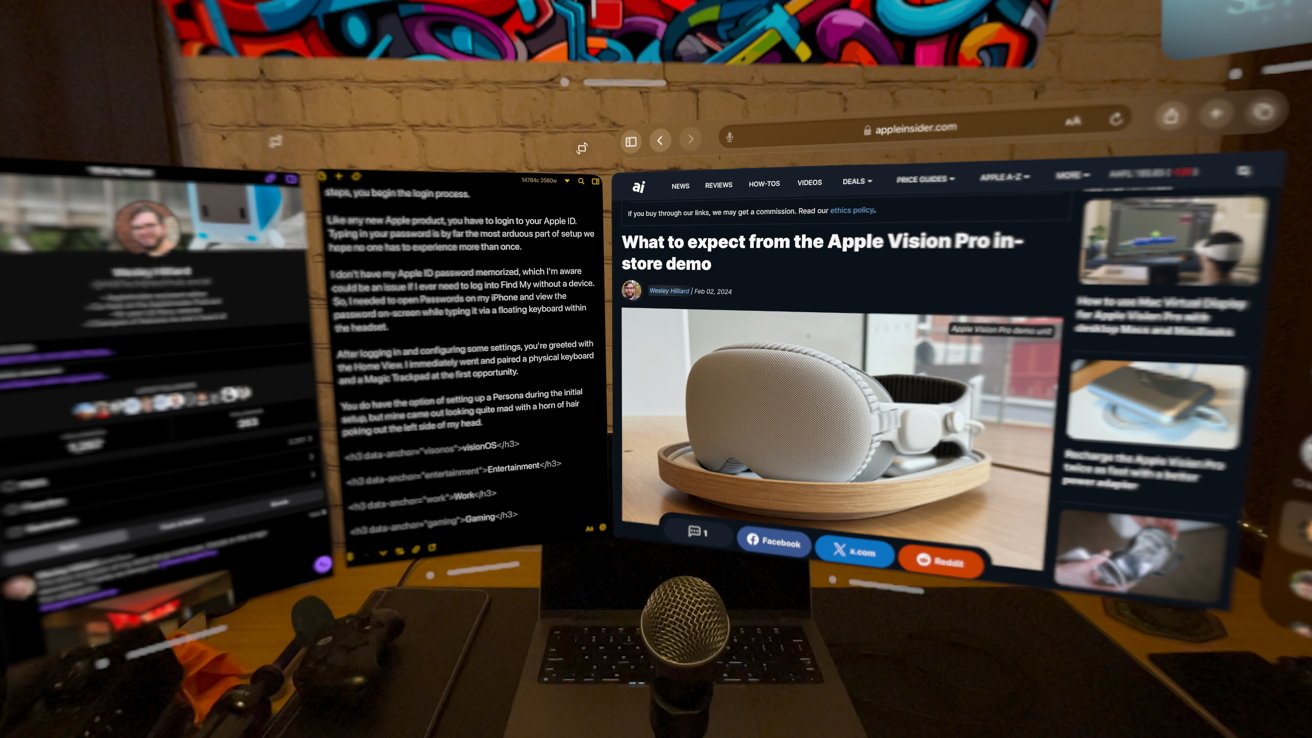
Apple Vision Pro three-month review: Working from visionOS is possible, but the Mac Virtual Display is way better
I'm also writing this in the run-up to Christmas, and like many people, we do most of our shopping online. That shopping is then delivered to our house — and someone has to answer the door.
You've probably figured this out already, but opening the door while wearing an Apple Vision Pro is simply beyond me. I can almost guarantee it would be the first Apple Vision Pro the courier has seen, and that's a whole conversation I just don't need.
At best, you'll find yourself in a conversation that neither of you has time for. At worst, they've no idea what they're looking at and think you've finally gone off the deep end.
These might sound like silly problems, but they all add unnecessary friction. And friction, I've found, is the Apple Vision Pro's arch nemesis.
It's a "death by a thousand papercuts" scenario that I've yet to find a way around. The more I have to remove the headset to do something, the less I want to put it back on afterwards.
As a result, I'm surprised to say the Apple Vision Pro has gone largely unused in recent weeks. As far as paperweights go, I'm confident there are cheaper options.
Apple Vision Pro review: The future of computing
In the midst of all of this, I came to a realization. I only ever use the Apple Vision Pro when I'm also using my Mac. It's an accessory to me, not another computer, despite Apple's protestations.
Yes, it can run a slew of visionOS apps, plus a ton of iPad apps to boot. But I rarely use them, and never just for their own sake.
That, I fear, is going to be a difficult problem for Apple to overcome. When it comes to browsing the web, checking your socials, or managing your tasks, your iPhone is ready and waiting. Or your iPad. Or your Mac.
Vitally, all of those have a keyboard of some sort. Yes, the Apple Vision Pro has a virtual keyboard, but it's only suited to entering the odd Google search. Nothing more.
All of that means the Apple Vision Pro goes unused. There simply aren't enough times when it's the best device for the job.
It's the coolest device, sure. But it's far from convenient, and sometimes that's the thing you want the most.
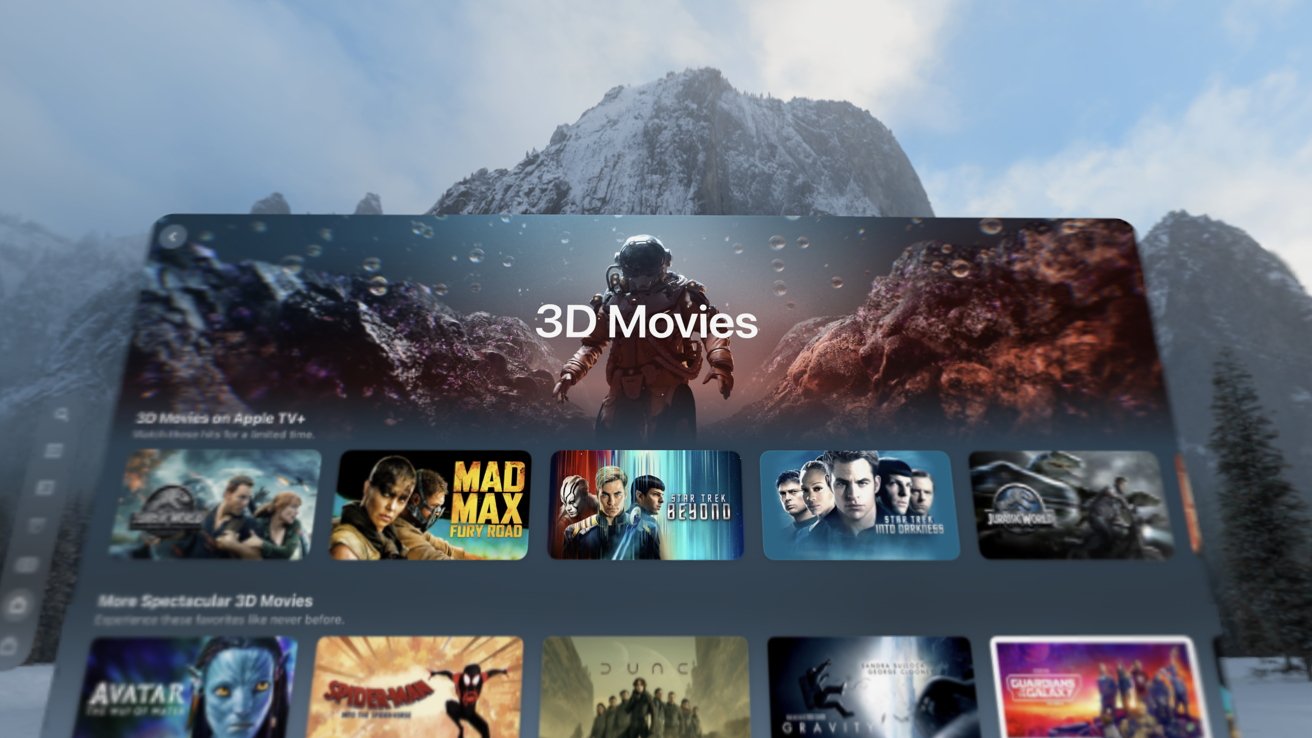
Apple Vision Pro three-month review: 3D movies look great on the new headset
Apple seems to, deep down at least, know this already. It's rumored to be working on its own smart glasses for a possible debut in 2026.
No matter how great those smart glasses are, they won't be as capable as a full-blown headset like the Apple Vision Pro. But they might not need to be.
Cucially, they'll have one big advantage over all headsets: they'll be easier to wear, and you won't look like a weirdo while you do it.
Like too many Apple Vision Pro buyers, I've found that I don't really want a spatial computer. I want something that can give me a large virtual display for my Mac without the compromises.
Maybe that's a pair of smart glasses. Maybe it's Apple's smart glasses.
But one thing's for sure, it isn't a $3,500 "spatial computer" no matter how much I expected it to be.
Apple Vision Pro review: Pros
- Tech doesn't come any cooler than this
- Immersive video is stunning
- Using a large virtual Mac display is a productivity cheat code
- The Dual Knit band is incredibly comfortable
Apple Vision Pro review: Cons
- A steep starting price of $3,499
- Wearing it can be a chore
- Questions about long-term appeal linger
Rating: 3 out of 5
Where to buy Apple Vision Pro (M5)
The Apple Vision Pro (M5) is available at Apple.com, with a starting price of $3,499. You can also check out the secondhand market on eBay.com for deals on pre-owned M2 models.