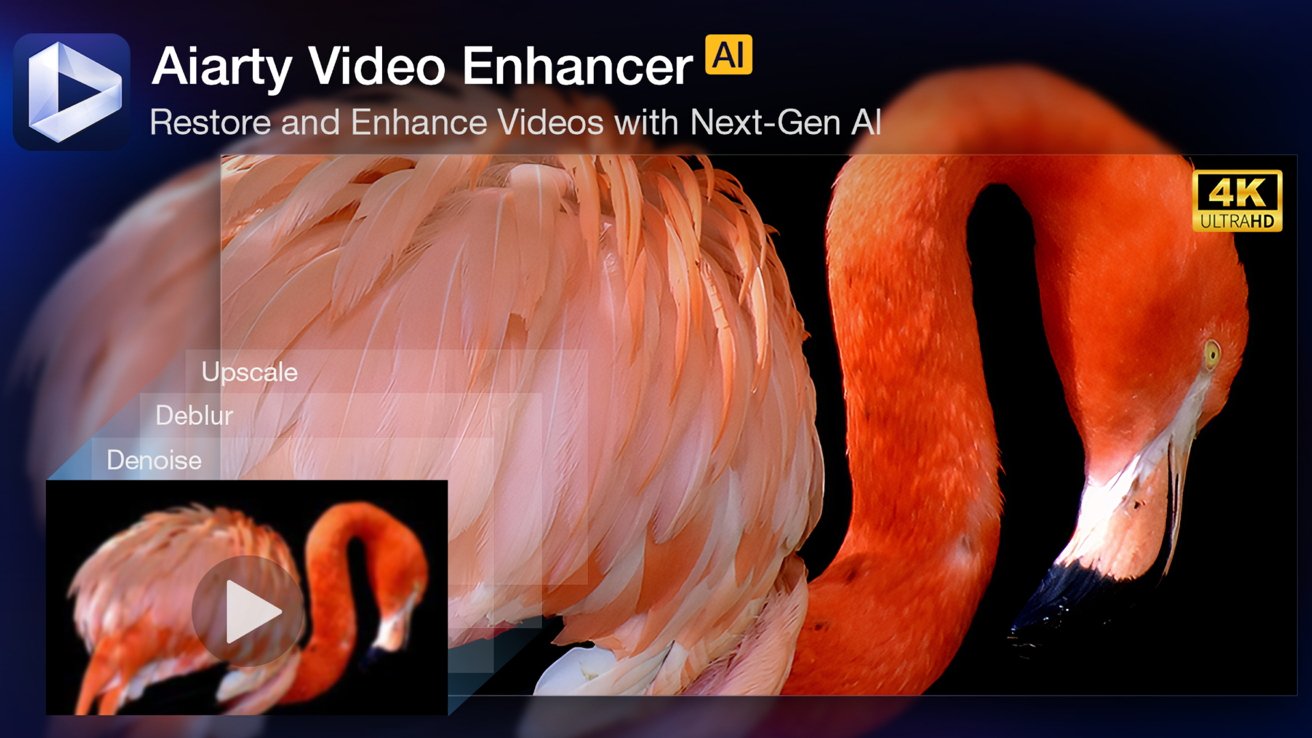
Aiarty Video Enhancer can remove noise, reduce blur, and enhance your old videos to become watchable in beautiful 4K on your modern devices.
As content creators on Mac know, improving footage isn't always simple. We've all faced clips that are noisy, blurry, or simply too low in resolution to look great on modern screens.
Whether it is cherished family videos, clips exported from old iMovie projects, or legacy mobile footage, traditional tools often fall short.
There is a good AI video enhancer with a simple workflow, high-quality output, the option to control model strength for natural results, and great value while avoiding subscription-only pricing.
Enter Aiarty Video Enhancer: A complete AI video enhancer for Mac
Aiarty Video Enhancer is built specifically to address these frustrations with a lightweight yet powerful AI video enhancer that runs locally on Mac or Windows. It leverages advanced AI models to upscale video, reduce noise, fix blurriness, correct colors, enhance audio, and restore details while keeping textures natural.
This makes it ideal for a wide range of scenarios:
- Restore old videos, enhance low-resolution clips, and fix compression artifacts.
- Improve low-light footage, reduce noise, and preserve good grain and detail.
- Clean up blurry exports from old projects in iMovie or web downloads.
- Upscale footage to 4K so it looks great on Retina and 4K displays.
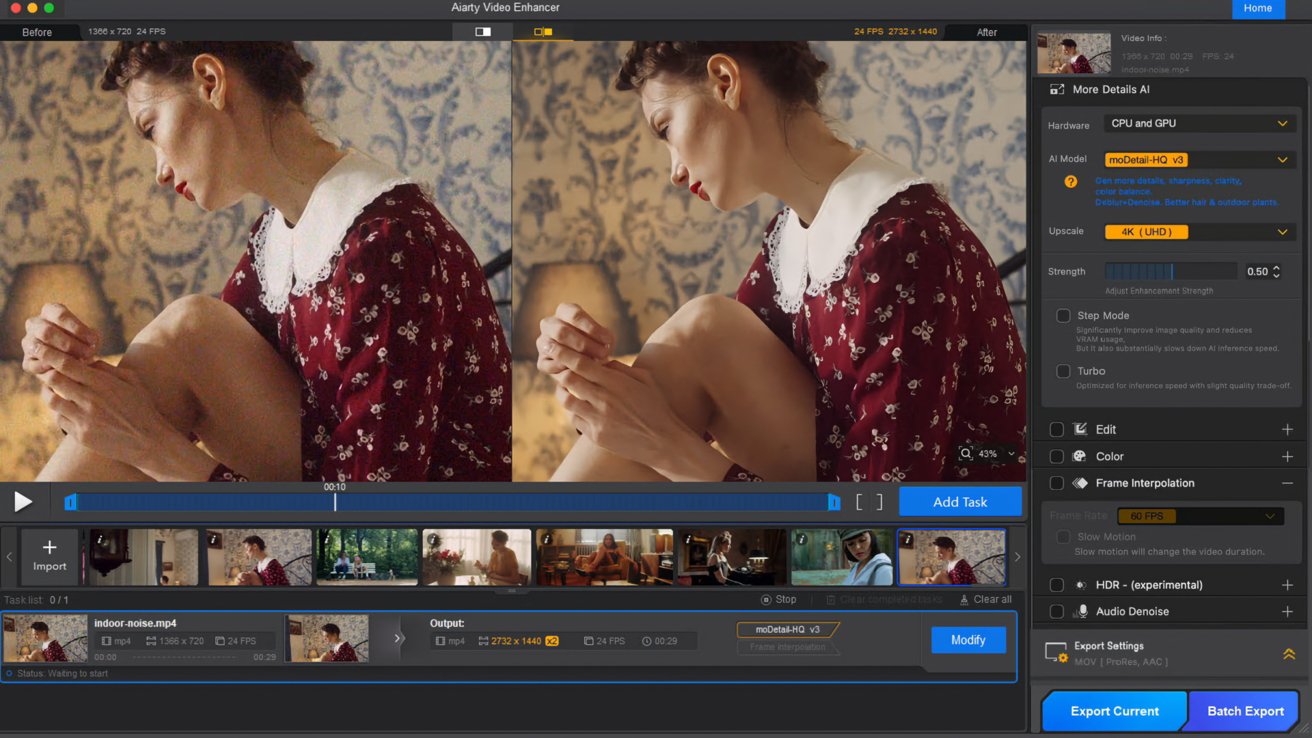
Image source: Aiarty
With the strength control option, Aiarty's AI models focus on preserving real detail instead of producing artificial or over-sharpened results, giving footage a more natural look. The software works fully offline on your Mac, so your videos stay private and secure.
Aiarty delivers output quality on par with top video enhancer tools while avoiding subscription-only pricing.
Exclusive Christmas offer
For a limited time, you can grab Aiarty Video Enhancer at a 36% off special holiday price and enjoy full features with a lifetime license and no watermarks:
- Lifetime license for $149 (regularly $235), with an extra $5 off using coupon code XMASSAVE
- Unlimited free updates to future versions, access to full features
- Install on up to 3 Macs or 3 PCs and enjoy secure offline processing
- No subscription or hidden fees, it's yours to keep permanently
- 30-day money-back guarantee
You can also choose the Media Enhancer Bundle with a 49 % discount, with both Aiarty Video Enhancer and Aiarty Image Enhancer.
Here's a professional review in action showing how Aiarty Video Enhancer performs.

What's new in Aiarty Video Enhancer v3.0
Aiarty Video Enhancer is an all-in-one solution for those frustrating video issues that traditional editing tools cannot fully solve. Its AI models automatically analyze video flaws to denoise, deblur, and upscale video quality.
Answering feature requests from users, here's a quick overview of the latest updates in version 3.0:
Strength Control: Adjust how strongly the AI models enhance your video. You can drag the slider for subtle enhancements that maintain original texture or more powerful restoration for hard-to-fix footage.
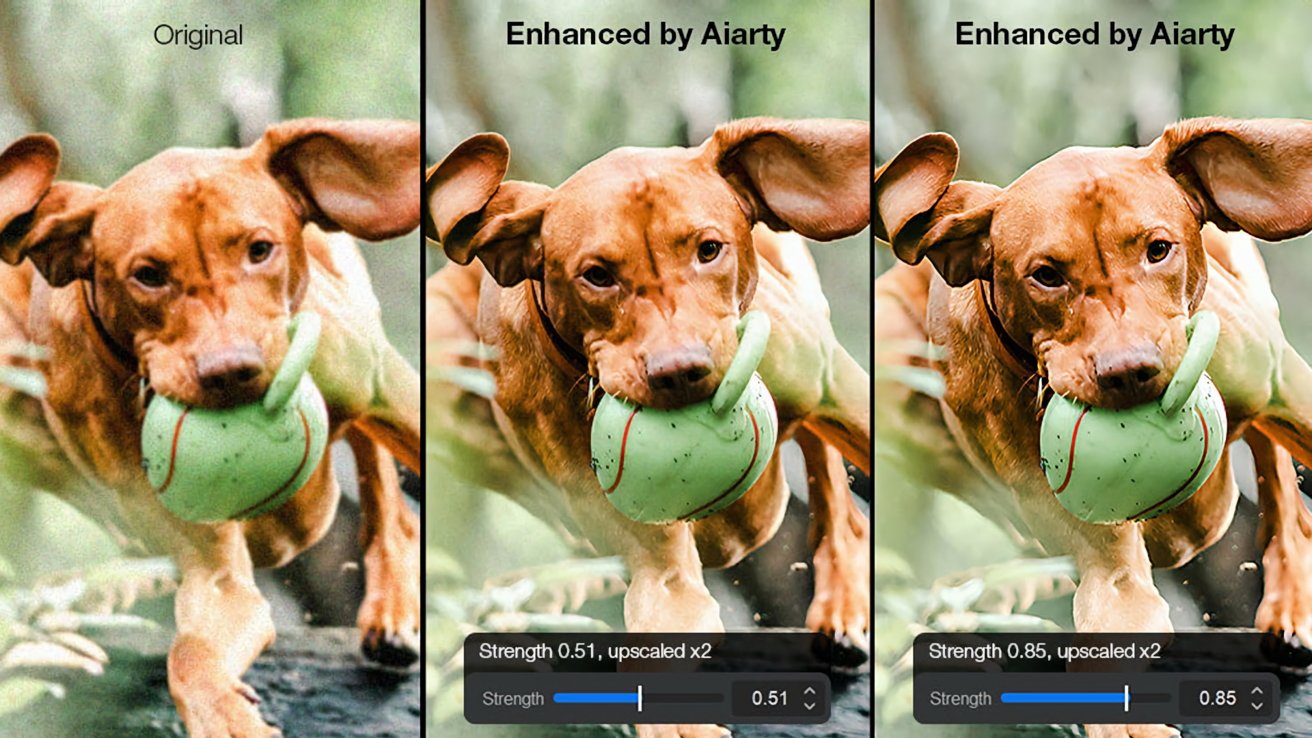
Image source: Aiarty
Convert SDR to HDR: This new feature intelligently converts standard dynamic range video to HDR 10-bit, giving your footage richer color, better contrast, and smoother tonal transitions on HDR-capable displays.
Step Mode: The newly added Step Mode processes videos in smaller chunks to improve quality and reduce memory usage, while the existing Turbo Mode prioritizes speed for faster AI inference.
For the past two years, Aiarty has emerged as an innovator in the tech industry. In the video space, its advanced AI features and streamlined workflows help both casual and professional users achieve impressive results.
Aiarty Video Enhancer solves these video problems
Aiarty automatically upscales footage, reduces noise, fixes blur, and restores details with control over the strength of AI models. The software also supports quick color adjustments and HDR conversion for an overall improved look.
Video noise reduction
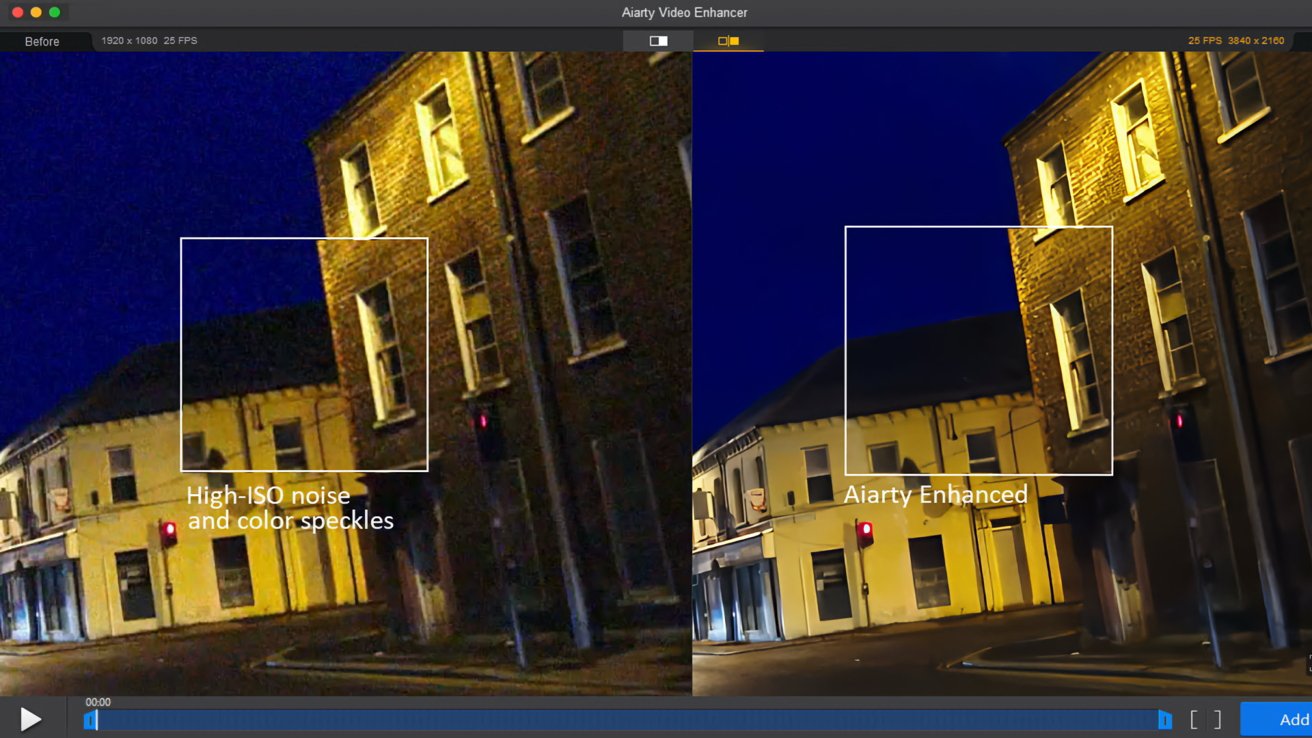
Image source: Aiarty
Aiarty's advanced video denoising removes visible grain and noise, particularly useful for low-light or high-ISO footage. It cleans up artifacts while keeping real detail intact.
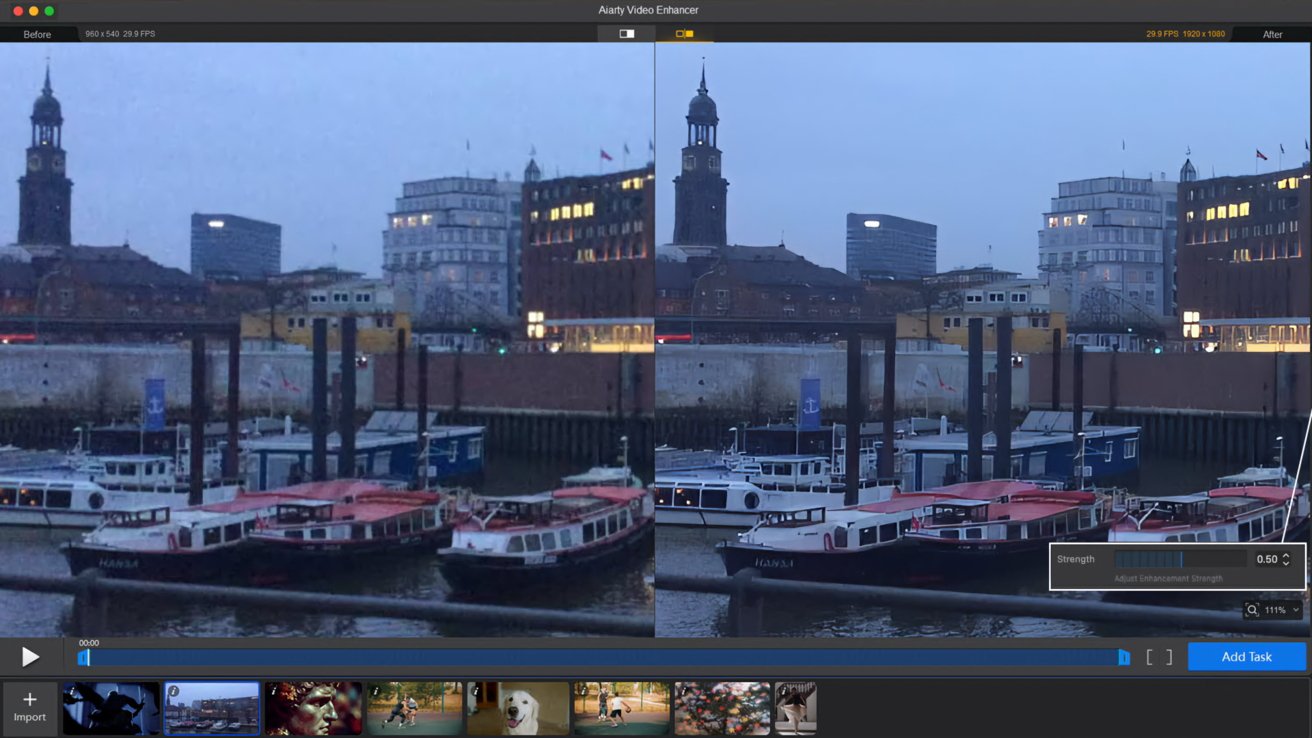
Image source: Aiarty
You can drag the strength slider to 0.5-0.7 to keep the good grain, or push to a higher value for sharper and cleaner restoration.
Deblurring and restoration
Soft or motion-blurred clips become clearer as the AI models in Aiarty reduce blur and restore detail. This makes footage appear sharper and more defined.
For hard-to-fix dark scenes, you can use the superVideo vHQ model.
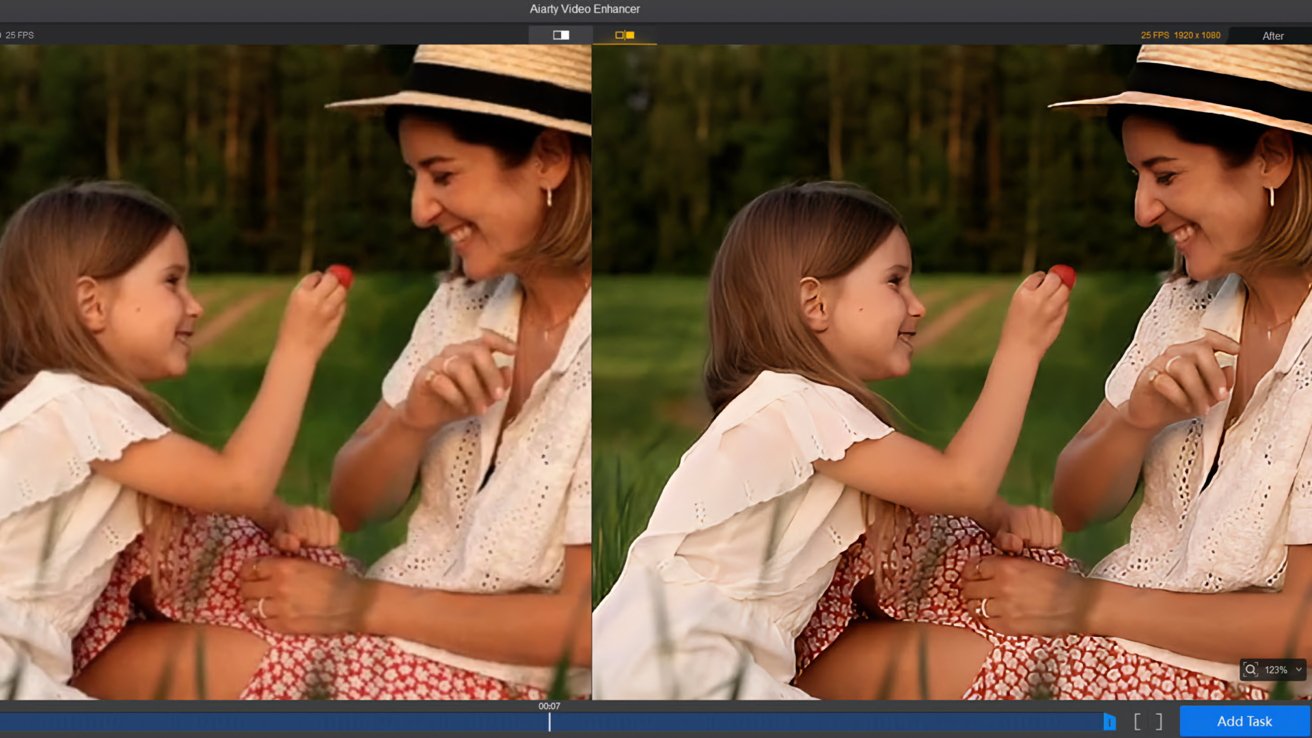
Image source: Aiarty
4K upscaling
Aiarty upscales old or low-resolution footage to professional-grade 4K. You can choose factors like 2X or 4X upscale, or set custom resolutions to match your project.
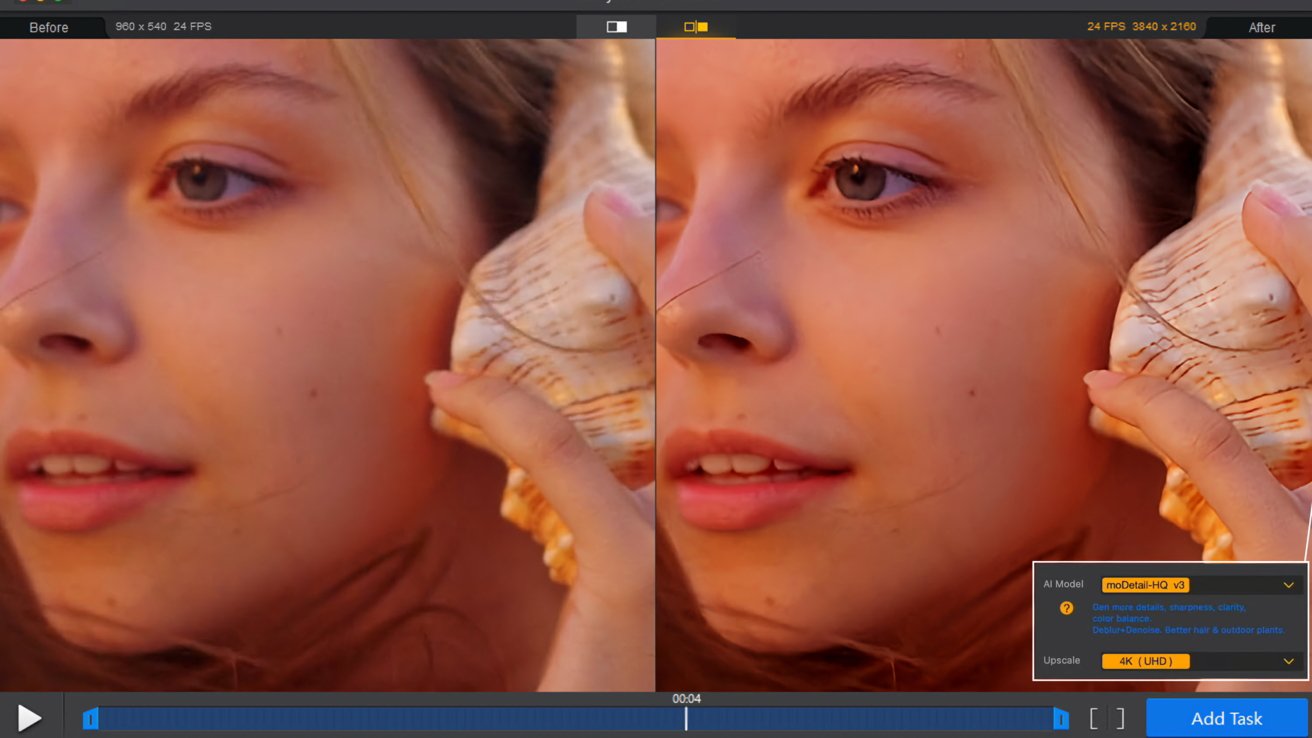
Image source: Aiarty
If you prefer to upscale videos with more details, use the moDetail-HQ model, which leverages the Diffusion and GAN tech for better clarity.
Detail enhancement
You can select x1 to enhance the video without changing resolution, or upscale while bringing out natural texture in skin, hair, plants, metal surfaces, and other details.
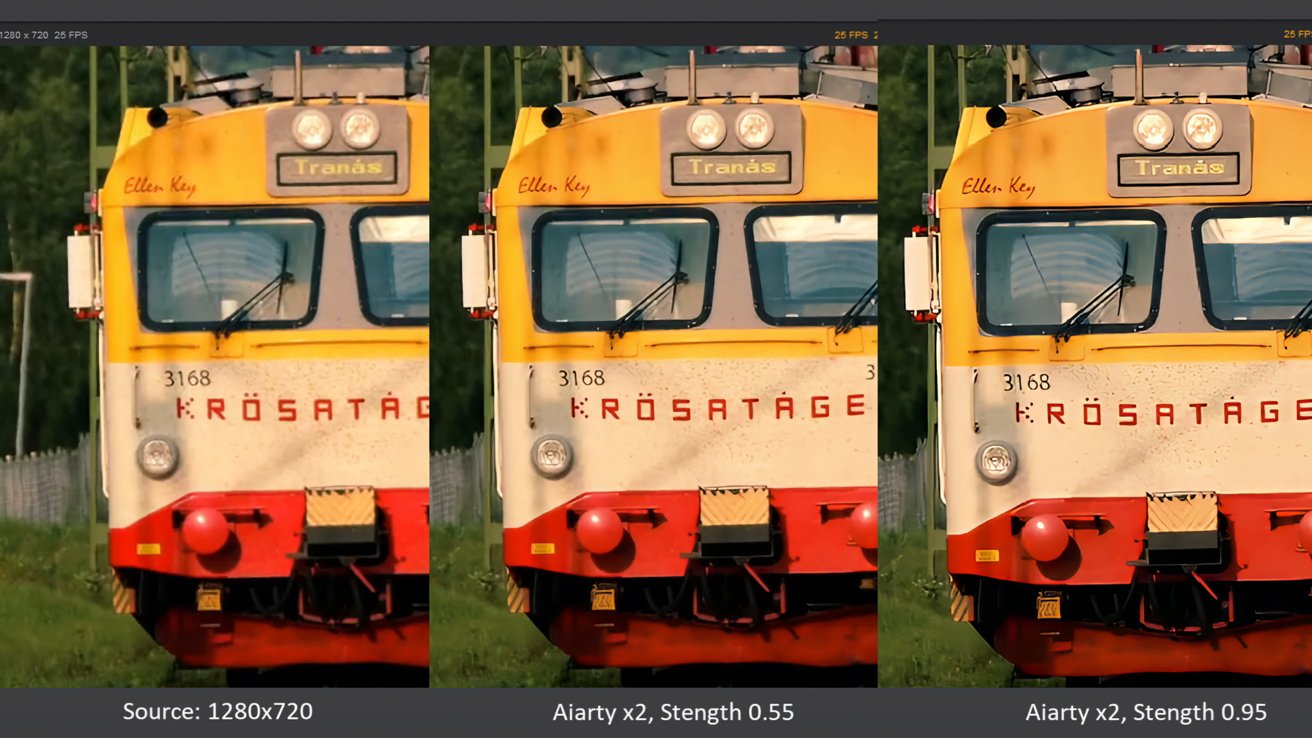
Image source: Aiarty
With the real-time preview, you can compare the before and after results on a single frame, then adjust the strength slider to the desired degree of enhancement.
Color correction
Inside Aiarty, the easy-to-use color controls let you adjust white balance, exposure, contrast, and saturation to correct or refine the look of your footage. You can combine it with quality enhancement after applying a certain AI model.
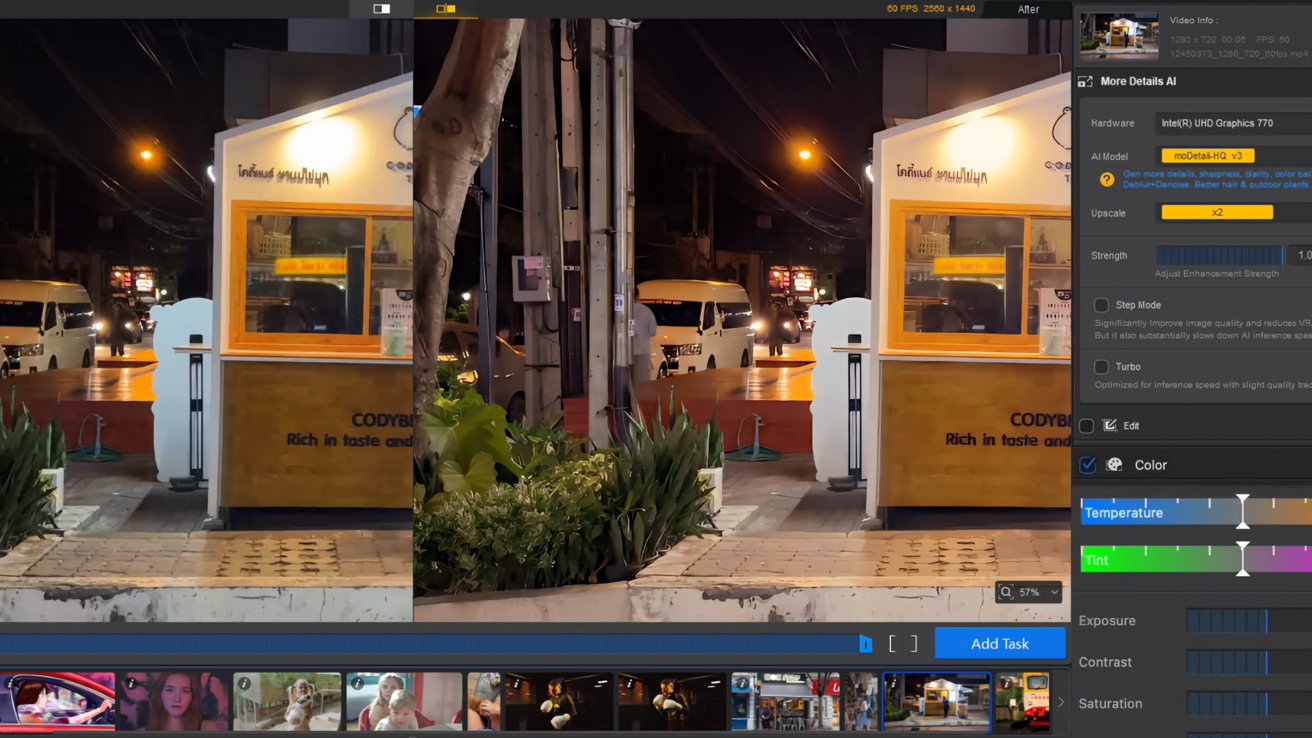
Image source: Aiarty
SDR to HDR conversion
This new feature allows you to convert SDR 8-bit content to HDR 10-bit, achieving richer color depth and smoother gradients. The results can be viewed on HDR-capable displays.
Frame interpolation and audio enhancement
If you need to unify different resources of 24/25/30fps to 60fps, or fix stuttering low FPS videos, the AI-powered frame interpolation in Aiarty generates new frames for smoother motion at 60/120fps, perfect for slow motion or cinematic effects.
Aiarty also cleans up audio by reducing background noise, hum, or wind noise for clearer sound.
Integrate Aiarty with your existing Mac workflow
For Mac users working with iMovie, Final Cut Pro, or DaVinci Resolve, Aiarty Video Enhancer serves as a powerful companion tool. You can batch process clips to unify resolution, clean up noise, enhance audio, or increase frame rate before or after final editing.
Three specialized AI models with strength control
Aiarty uses several distinct AI models, each tailored to different enhancement goals:
- moDetail-HQ v2: Uses Diffusion and GAN techniques to restore lifelike details and sharpness.
- Smooth-HQ v2: Balances details and smoothness for natural results on everyday footage.
- superVideo vHQ: Optimized for noisy, low-light scenes and challenging environments.
With the strength slider, you can dial in how much enhancement you want, from subtle touch-ups to robust restoration. Plus, you don't need to learn all the differences and nuances of the models, as the real-time preview allows you to switch models and compare results easily.
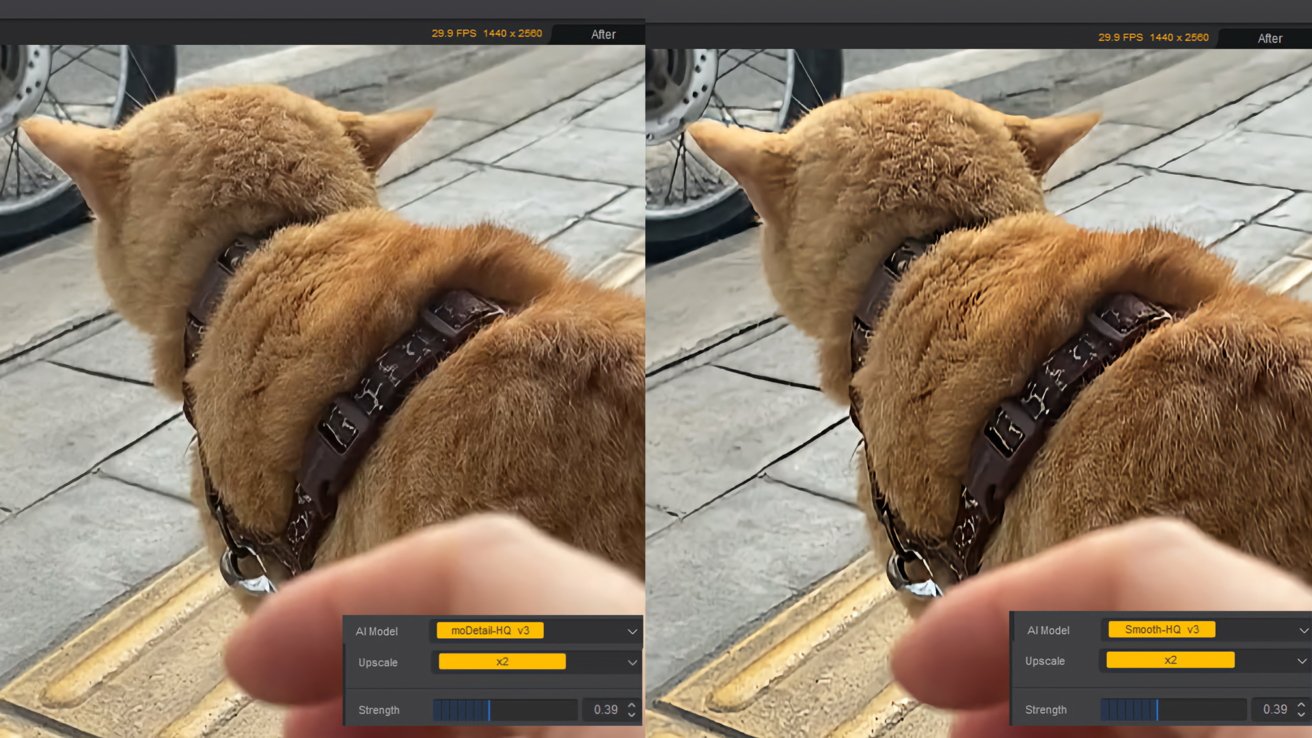
Image source: Aiarty
How to improve your videos with Aiarty
Follow this simple workflow to enhance your footage in Aiarty:
Step 1. Install Aiarty Video Enhancer on your Mac.
Step 2. Add your videos and choose an AI model and upscale factor.
If you only want to enhance video quality without altering resolution, choose x1. For significant upscaling, try applying x2 twice.
This approach often yields better detail than jumping directly to x4.
Step 3. Adjust the strength slider to preview results in real time.
A higher strength value brings out more detail, while a lower value keeps the natural look and grain of the original footage.
Step 4. Export to your desired format once you are satisfied.
If you need to further edit the video in Final Cut Pro or DaVinci Resolve, you can choose MOV PreRes in Aiarty export settings. For social media sharing, H.264 MP4 is the most compatible option, while AV1 offers better compression efficiency, delivering high visual quality at significantly smaller file sizes.
Aiarty Video Enhancer Lifetime deal: Christmas savings
Get Aiarty Video Enhancer Lifetime License now and unlock full capabilities:
- 36% off - Lifetime License for 3 Macs or 3PCs: $149 (regular price $235), use coupon XMASSAVE for an extra $5 savings
- 49% off - Media Enhancer Bundle: $199 (regular price $390), includes both video and image enhancement tools, apply XMASSAVE for an extra $10 savings
At checkout, hit 'I have a coupon code', enter XMASSAVE and hit the refresh icon to confirm the price updates instantly. Enjoy lifetime access with no subscription or recurring fees.
Final verdict
For Mac users who want easy, natural results without dealing with complex workflows or subscriptions, Aiarty Video Enhancer is a compelling choice. Whether you are a content creator, video editor, or someone looking to revive old, low-quality footage, this AI video enhancer offers a balanced combination of power and simplicity that fits seamlessly into your workflow.