Malcolm's workspace hasn't changed that much by initial appearances, but he has gradually changed how he works to include game development. And this time, there are two keyboards.
I have been in the tech-journalism world for coming up to 14 years in total, and the workspace has changed considerably over that time. The initial years were spent sharing a room with a very close-by and heavily used washing machine, but now I have a much more luxurious, spacious workspace to use.
As time progressed, the general layout of my desk and the things around it became more settled into place. Even as I moved the desk around this house of five years, I would always have a general idea of where things would be in front of me, minimizing interference to my workflow.
This is easily observed by simply looking at the 2024 edition of this very article. The modern-day layout is practically the same as what was put in place then, with some small differences.
Change is inevitable, but the changes tend to replace what was in a specific spot with something that is better, or more typically, isn't broken. I use electronics to within an inch of its lifespan sometimes, and you can probably guess many of the reasons why.
The main difference, though, is what is done at the desk. Aside from this line of work, I have also spent the year moving into game development. It may not have impacted the layout or what's in use at the desk that much, but it certainly alters how it actually gets used.
Desk and core
The base of operations is a Flexispot standing desk frame with a leftover and cut-to-size kitchen worktop on top of it. There are a few more dents and scrapes in it, but it's a workhorse that doesn't easily wobble during frantic bouts of Apple Event typing.
On the underside are a selection of hooks and mounts, including one that has a self-built PC to one side, a bunch of headphones, and a Meta Quest 2 for the occasional delving into VR.
The Raspberry Pis and network switch have moved from being bolted to under the desk to a different section of the room, along with the old Intel Mac mini. Once I can get more shelf space and organization done elsewhere in the room, I can create a more structured homelab situation, and maybe even get more use out of my 2Gbps down, 2Gbps up fiber connection.
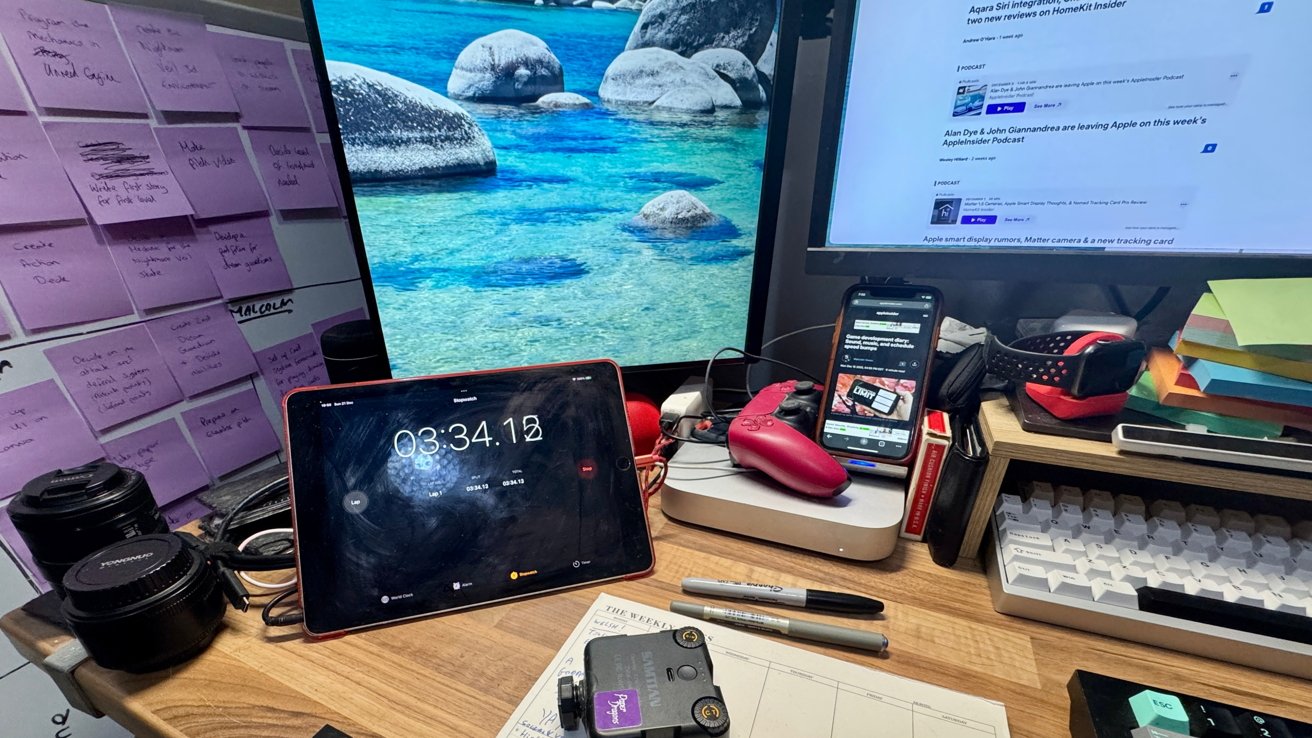
The M1 Mac mini, hidden behind a 9.7-inch iPad Pro, a PlayStation 5 controller, and an iPhone XR
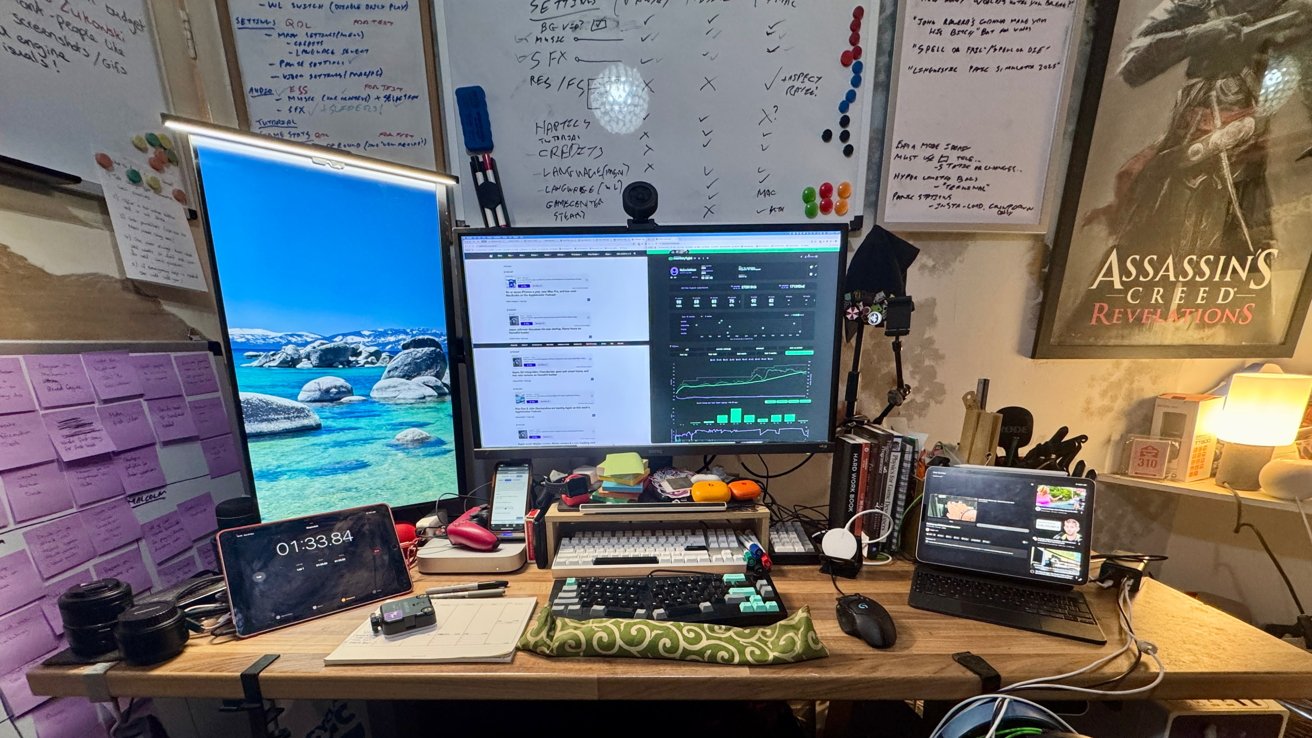
Shifting to the main computing setup, I'm using an M1 Mac mini accompanied by a 1TB SanDisk Extreme SSD as well as a Lexar Professional Go Portable SSD for extra storage capacity. Ideally, I would move to a newer Mac mini generation, or ideally a MacBook Pro if the budget ever allowed for it, so that continues to be a hopeful upgrade sooner rather than later.
That Mac mini is attached to a 31.5-inch 4K BenQ display, but the 1080p AOC supporting it died in the year. It's been replaced by a similar-sized but cheap AOC screen with a better 4K resolution.
The side monitor's changed, but the core usage hasn't. While the main work takes place on the larger landscape screen, the left-hand one is for reading documents and communications apps.
For software, I still work with Pixelmator Pro for image editing, Adobe Creative Cloud, Chrome, and LibreOffice. With my shift into game development over the year, the tools have expanded into using Unity and ChatGPT, as well as Xcode.
The peripherals of choice continue to be a Logitech G402 mouse, which has been opened for surgical cleaning too many times and probably should be put to pasture. I do tend to enjoy using gaming mice, but the next one may finally be a wireless version.
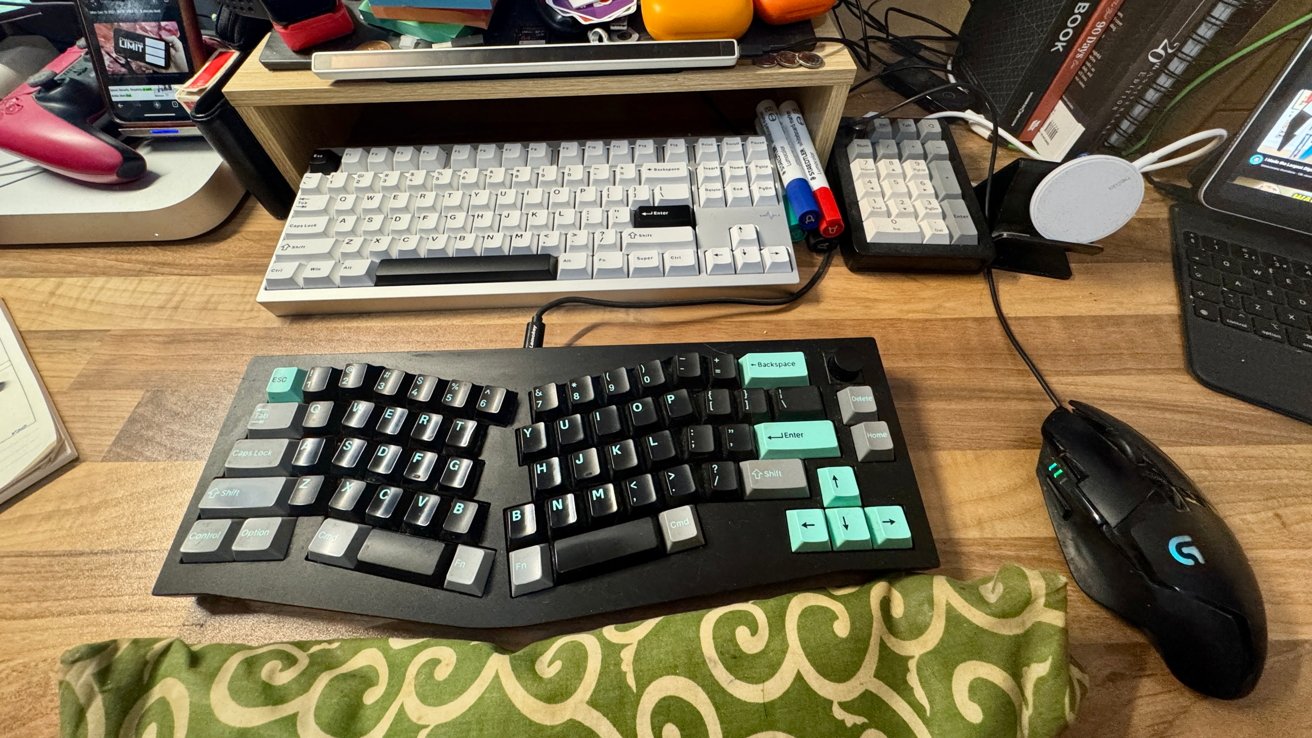
Yes, Malcolm really does use two keyboards. And a separate Numpad.
Anyone who has glimpsed the supporting images may have spotted a pair of keyboards being used, not just one.
The Keychron Q8 is an Alice-layout mechanical keyboard, which is my daily driver, with that split layout helping preserve my wrists. If you're working at a computer for long hours, check out whatever ergonomic options are available for you, and thank me later.
The second keyboard is a Wobkey Crush 80, which is a more typical keyboard layout. This is mostly used while doing gaming and game development, to help with reaching the further away keys while playing a first-person shooter.
Neither keyboard has a numpad, but the Epomaker EK21 fills that role instead. It has a dial in the corner, so I can still control the volume when I'm using the Crush 80, which lacks that feature.
iPads, iPhones, and other desk stuff
For audio, I have quite a few headphone choices, including some Beats Powerbeats Pro 2, Beats Powerbeats Fit, Razer Blackshark v2 headphones, and a Beats Pill speaker. I know the monitors have speakers, but if you have other options available, you really should use them.
Audio capture is dealt with using the Rode Wireless Go II if I want decent vocals, or for Discord and meetings, it's the headphone and earbud mics. Video is mainly handled by a Razer Kiyo webcam, but I have used one of the desk iPhones as a mobile secondary camera on occasion.
There are two iPhones that live on the desk. The iPhone 15 Pro Max is the daily driver, but the iPhone XR is still around, partly for beta-testing, partly to shoot photos of the iPhone 15 Pro Max.
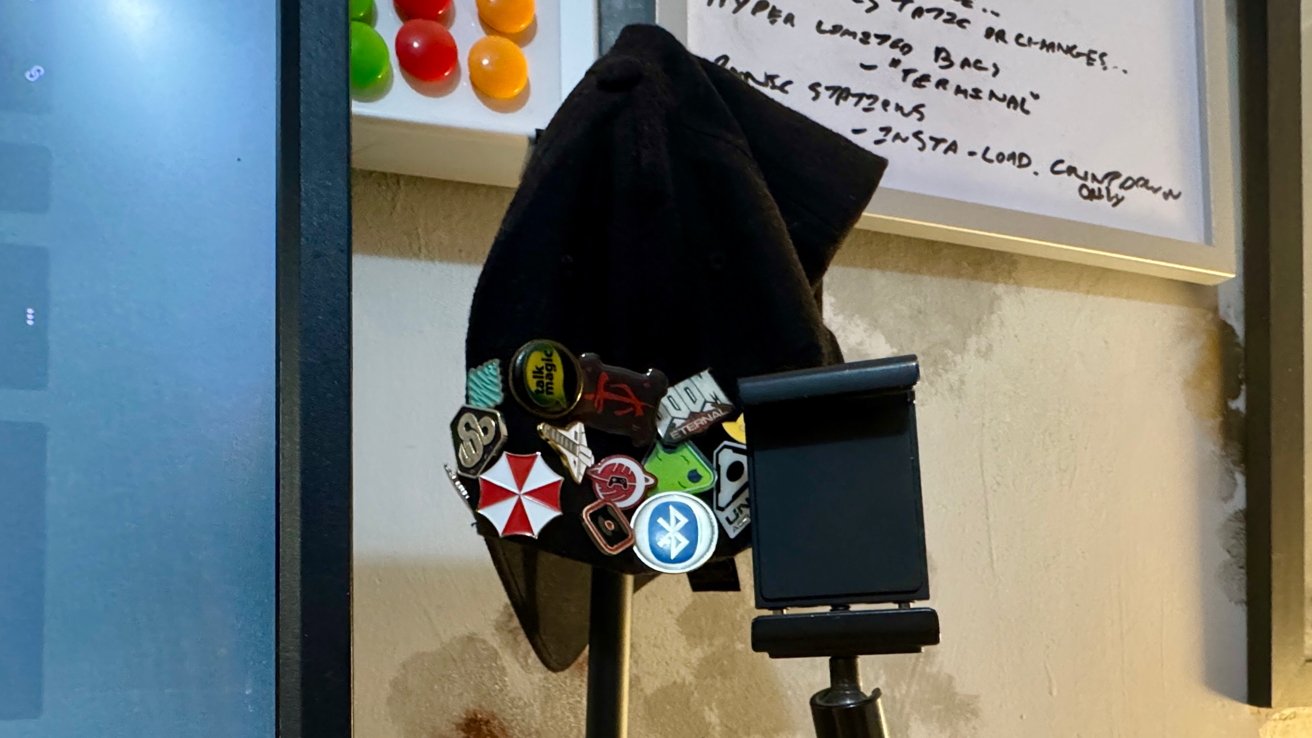
This holder (next to the pin-covered cap) sometimes holds the iPhone 15 Pro Max when it's used with Continuity Camera.
The newer M2 11-inch iPad Pro has a sticker-bombed Magic Keyboard, which is a great combo for work on the go. The old 9.7-inch iPad Pro is still on the desk, but mostly serves as a timer for projects.
There are a few wooden containers for stationery and other stuff, a pair of USB hubs for charging hardware, a Belkin MagSafe charger on a stand for the Pro Max, a PlayStation 5 controller, an Apple Watch charger, and a ton of Post-It pads.
I'm trying to be more organized with my work, so now I have a week-view planner on the desk. I really should actually write on it, as productivity improvements by proximity are still not a thing.
Rounding out the on-desk stuff are some containers hidden behind the side monitor holding more pens and supplies, a bunch of stickers in front of the main screen, some random memory cards, the Flexbar Touch Bar replacement, and a selection of programming books.
Away from Keyboard
The rest of the office is, again, not much different from last year. It's a room that is shared with my partner, who will be moving her own standing desk downstairs at some point in the not-so-near future.
When she does move, I'll have the opportunity to expand my desk space more, add more shelving, and maybe get a bit more room for VR stuff.
In front and to the sides, and even on the door, are a ton of whiteboards. I like writing lists and using whiteboards to sketch out ideas for problems, and it helps as a reminder of tasks that need to be done.
In practice, this ranges from to-do lists of remaining tasks on the game development front, planning menus, marketing ideas, and other reminders that are a little bigger than the Post-It versions.
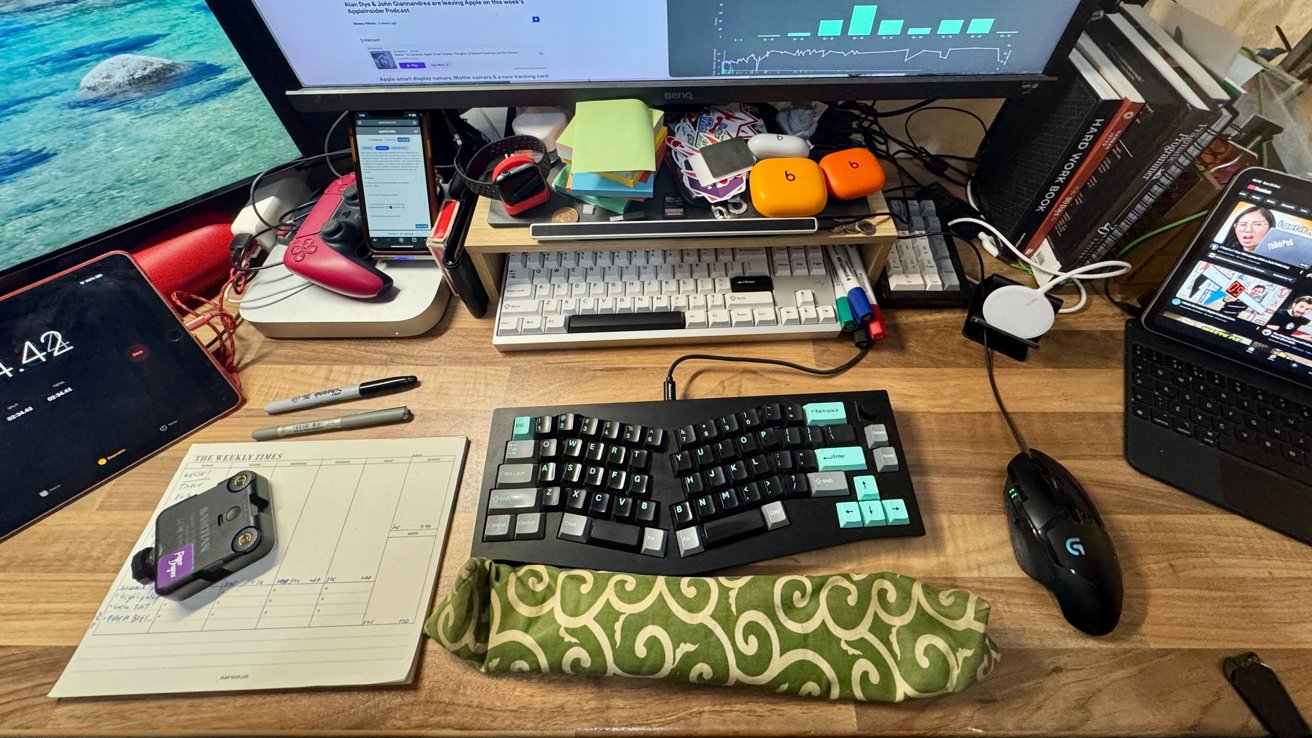
From here, Malcolm works for AppleInsider, develops games, and complains about feline intrusions.
There are shelving units containing tons more old and less useful programming books, as well as photography gear, another big passion of mine. While the average techie has one cable overflow box, I have three on standby, overflowing.
Under my backside is arguably the most important bit of the setup, the chair. My Noblechairs Hero is a sturdy seat with a wider cushion and a price tag to match, but it's done very well to survive my bulk for so long.
Animals continue to be an issue, with cats occasionally running into the room and taking the high ground on the desks to fend each other off. Alas, while closing the door does solve that problem, it creates another as they start to sing the song of their people, in the key of "annoying."
Wishful thinking
I do not really believe there will be much structural change to the desk setup in the next year. Most things will be in their rightful place as usual, but potentially upgraded in some way.
As I have said, the Mac mini could get upgraded from M1 to a newer chip, which would be quite the performance boost for minimal outlay. A MacBook Pro would be great for doing game development while out of the house, as I can't really do that with the iPad Pro at this time.
The mouse is also a good candidate for replacement. But, as usual for my purchasing habits, it will probably end up being updated when it becomes too much of a bother to keep running.
I did previously covet a Streamdeck for shortcut purposes, but the Flexbar does a lot of the same job. I may still not be using it to its full potential, but at least the Streamdeck isn't a must-have item.
Getting the homelab and a network storage setup is still on the to-do list, as well as improving the overall network infrastructure so it's 2.5Gbps Ethernet or higher. I pay for a 2Gbps line, I may as well try to use all of it sometimes.