The MacBook Neo proves that macOS can run on an iPhone processor. More than that, it shows how Apple now has all of the elements to make a device that's transformative in every sense.
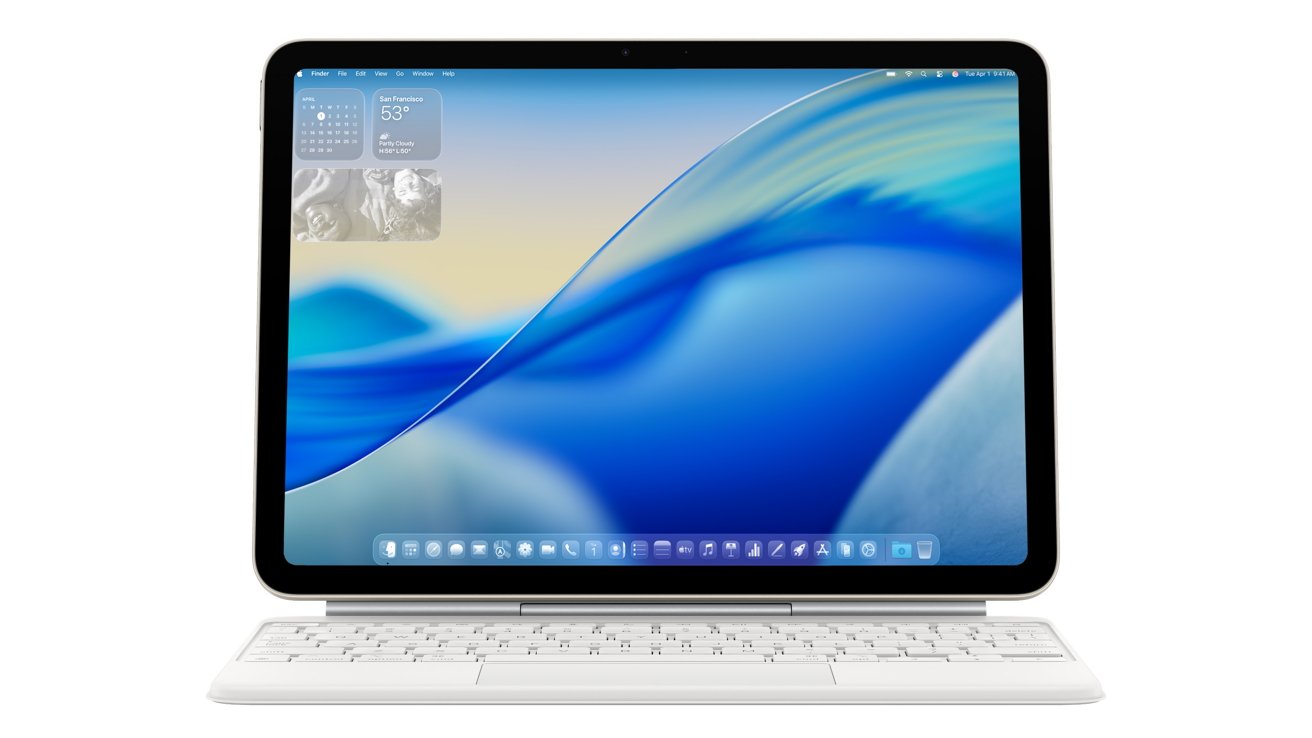
Imagine only ever needing to carry around your iPhone, regardless of whether you were working with macOS or not. Imagine connecting your iPad to a Magic Keyboard, and firing up macOS.
Either would be one single device that works like an iPhone in your hand, or an iPad on your lap, but a Mac when you connect it to the right input and output devices.
Apple does not do this now, unfortunately. Rivals offer something like it, such as Samsung DeX — but every single element is possible for Apple to implement.
Apple has conclusively proven it with the MacBook Neo.
Don't merge Mac and iOS
This is not about running macOS on an iPhone's relatively tiny screen. It's not even about running iOS or iPadOS apps on a Mac, which you can do now if the developers allow it.
Instead, it's about having the facility to run any of this that you want, where you want it, using the same device.
For years, Apple has pretty strenuously claimed it will never merge the Mac and the iPhone or iPad into one operating system. In that regard, Apple is absolutely right.
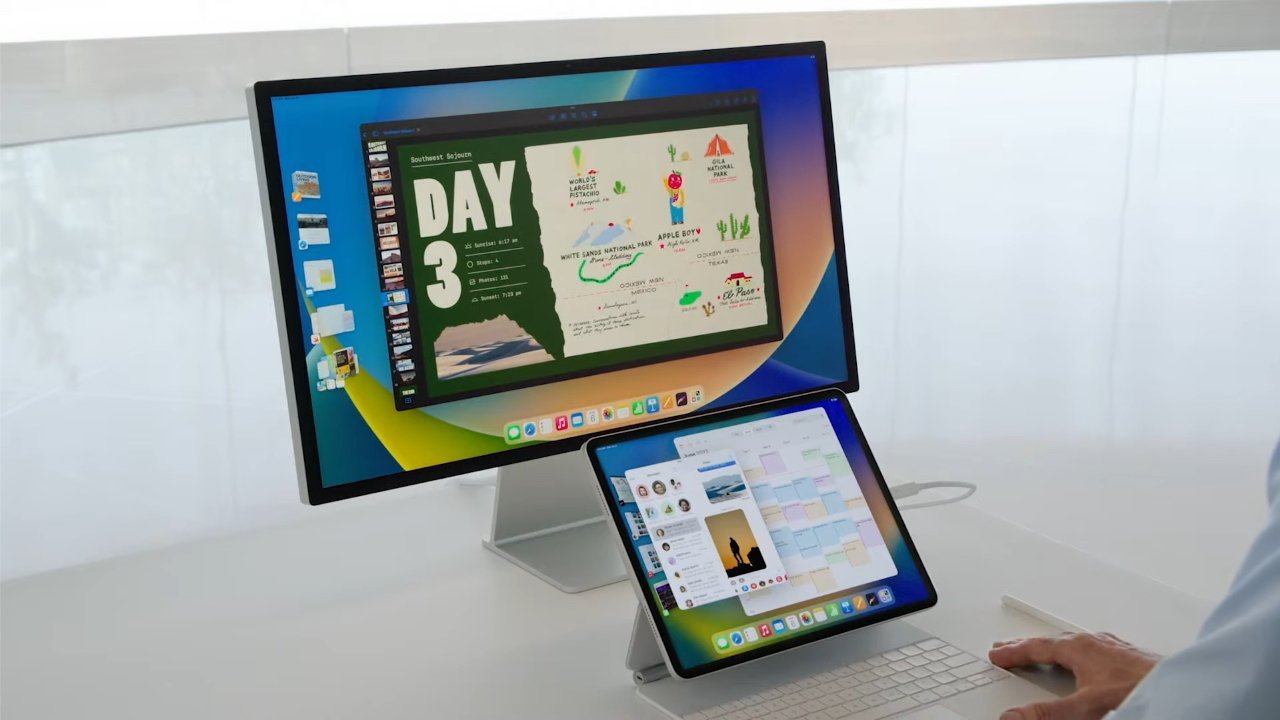
You can already plug an iPad into an external monitor — image credit: Apple
This scenario is simpler on the iPad. Connect a Magic Keyboard or other Bluetooth peripherals. Maybe it's an app that launches something like a Docker container with macOS.
Maybe it shuts down iPadOS in favor of macOS until you shut down the macOS environment. Whichever, you'd get a work surface as small as an iPad mini, and as large as a 13-inch iPad of some flavor, natively running your macOS application, in macOS.
You could even make an argument that the iPhone should run macOS natively — not least because the very first iPhone OS was a reworked Mac OS X. No one should be making that argument, though, because macOS on an iPhone, using the iPhone screen and very small touch surface relative to what macOS demands would be an unusable mess.
But macOS running from an iPhone when it's plugged into a monitor and connected to a Bluetooth keyboard and trackpad, now that's different.
And now we also know that it can be done with existing hardware. You can already plug an iPhone into an external monitor, although at present it's really just for mirroring your main screen or gaming and playing back media in full landscape.
Although even now, you can connect an iPad to an external monitor and use that to work on as an extended work surface.
So the iPhone or iPad to monitor business isn't an issue. And now macOS on such devices isn't just theoretically possible either.
It's been proven to work — twice. The original Apple Silicon Developer Kit issued in 2020 was a Mac mini running on an A12X processor. That was an iPad Pro processor, for the most part.
But then of course now, the MacBook Neo is running on the A18 Pro that was previously in the iPhone 16 range.
Apple Silicon is scaleable. Apple decides how many cores it wants, across GPU, CPU, and AI, and makes a chip. That then gets packaged with RAM, and away we go. Performance doesn't increase linearly as the number of cores increase, but there is a correlation between core increases and performance.
There's more to every device than the processor, but now we also know what kind of performance could come from such a device running macOS on a lower core count. It's not as if it would be — or would need to be — like carrying around a Mac Studio.
It could be just like it is right now with the MacBook Neo. Definitely not right for every Mac user, but certainly right for the majority of people and the majority of work they do.
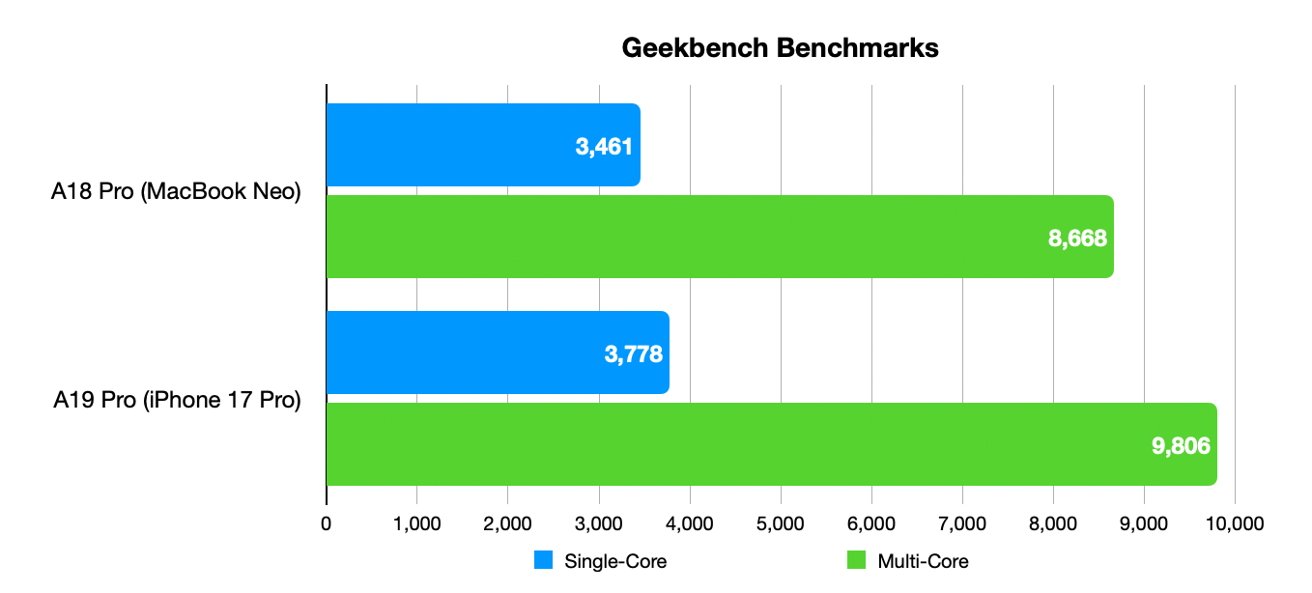
How the MacBook Neo's processor compares to the newer A19 Pro
But then the MacBook Neo, as part of its cost-saving, is running on an year-old iPhone processor. If you accept that the MacBook Neo is at least an adequate Mac, then you can see how Apple has room to make it better with a newer processor.
Such an iPhone could be driving a monitor that isn't dramatically different than its own screen. An iPhone 17, for instance, has a screen with 2,622 by 1,206 pixels at 460ppi — where the MacBook Neo is 2,408 by 1,506 pixels at 219ppi.
A 4K display is nominally 3840x2160 pixels, with a density that varies based on the size of the screen. The more common 1080p is 1920 by 1080 pixels. Both are well within range of a recent A-series processor.
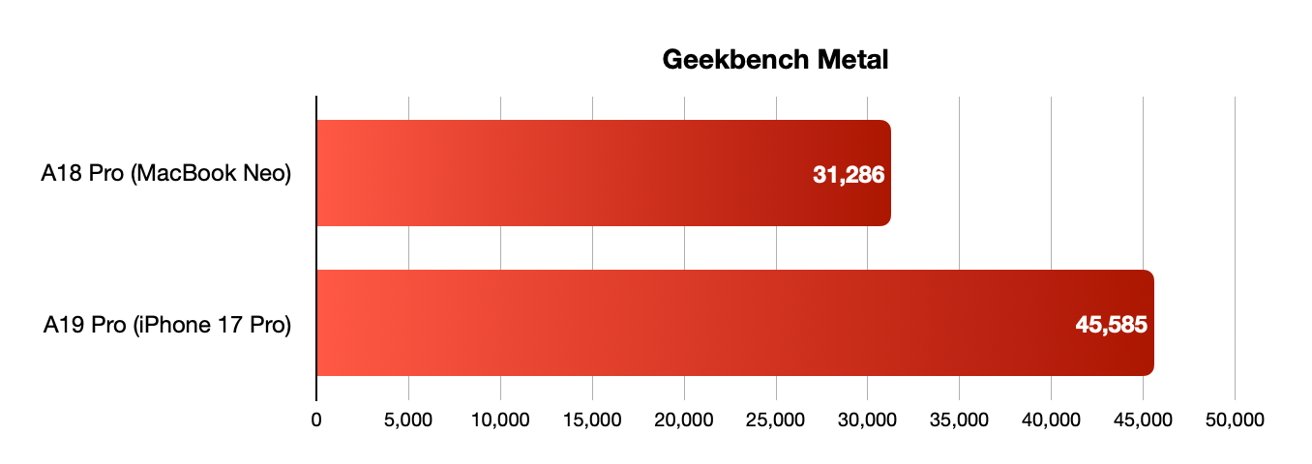
Such an iPhone/Mac would need good graphics performance, and already has it — image credit: Malcolm Owen
The hardware is there now, from physically connecting to displays, to having processors capable of being a Mac in your pocket. The software is there too — there has not been one single example of a Mac app failing to run on a MacBook Neo because of its different processor, including Intel apps running through Rosetta.
What there isn't yet is a way to bring all of this together. And there's a lack of will inside Apple.
AppleInsider readers would surely take to this device immediately. An iPhone as you walk around, or a full-fledged Mac when you connect it to a Studio Display.
That is, though, at least two significantly different operating systems — iOS and macOS — for the user to know and use. Or three if you count iPadOS.
There is, of course, common code between the three. It's not identical anymore, and hasn't been for years.
Going between each would be a jarring mode switch. At least now if you plug an iPad into a monitor, what you see is the familiar iPadOS.
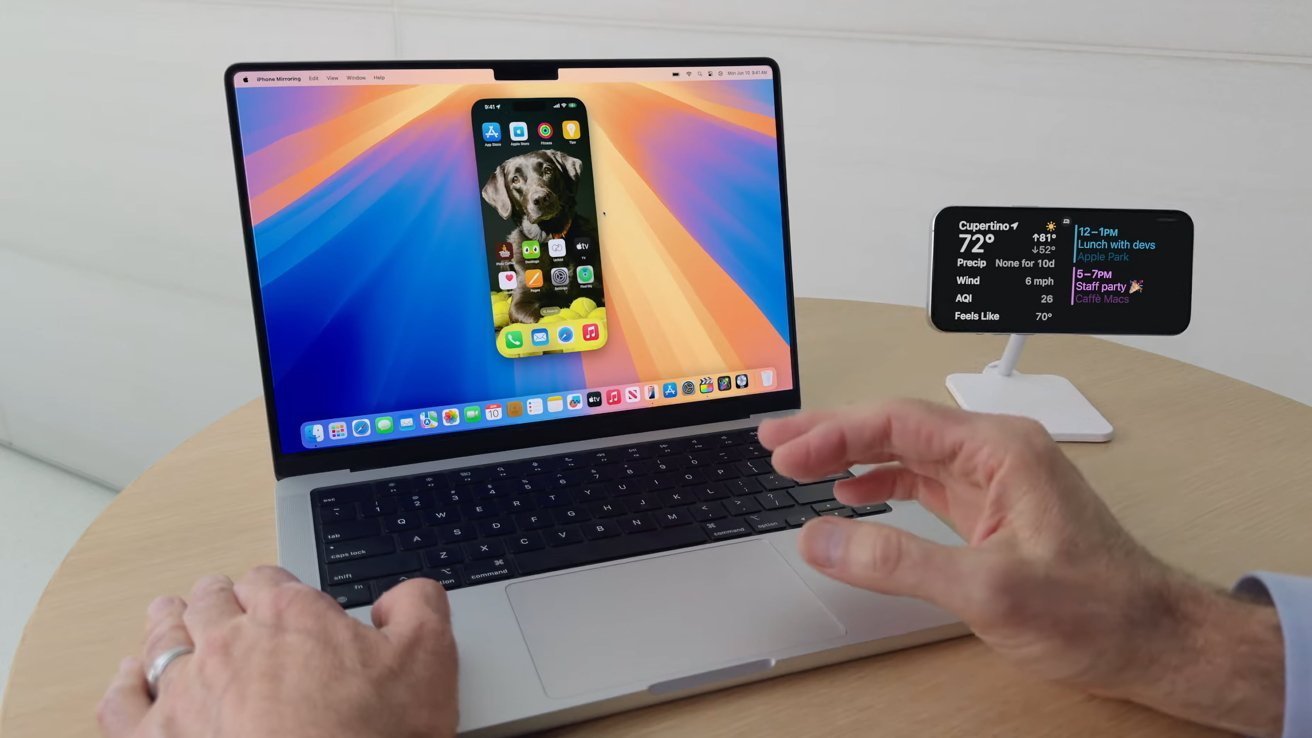
Apple has already brought us iPhone mirroring — image credit: Apple
If you instead saw macOS, you'd be seeing a very different paradigm for getting your work done, which is fine, if that's what you want.
The Mac's Finder is much more powerful than the iPad or iPhone's Files app, for instance, and you'd have to understand where you'd saved your work. That too is fine.
The general idea has been done elsewhere. Samsung DeX already allows the Samsung Galaxy S26 Ultra to transform from a phone into a desktop computer by connecting it to a monitor.
But what you see on that monitor is not Windows, it's a particular flavor of Android.
Apple does have some related experience. In 2024, Apple introduced iPhone Mirroring to the Mac, as well as iPhone widgets. Since then, it gave all of its platforms Liquid Glass so that if you're used to one, you at least have a head start on the others.
And, we think that Liquid Glass is user training ahead of a touch screen on a MacBook Ultra at the end of 2026 or the start of 2027. We'll see about that, though.
Still, it will be a tricky job to make it sound easy and obvious when you're switching entirely between two different operating systems. That's a solution for software engineers to figure out, and users to adopt, if they want.
But, like Pages, like TestFlight, like Final Cut Pro, not everybody has to use everything Apple makes, or every feature. Pro modes, and Pro hardware has always been fine, and users individually are smart.
But still, Apple's software moves are happening. And for hardware, every single physical thing needed to turn your iPhone into the sole computing device you ever need, is already here and working.
Mind you, it would also need a great name. "iPhone Ultra" sounds very good, should Apple have the courage to do it.