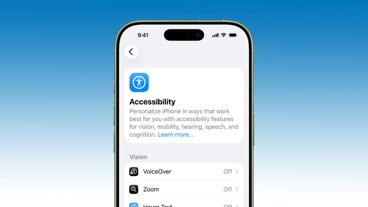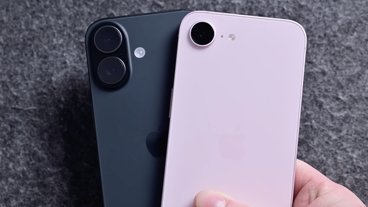
Announced on April 7, the Aqara W200 smart thermostat is the first to take advantage of Apple's Adaptive Temperature technology for Apple Home, and that's a big deal for users.
At least in the U.S., two or three big players largely have a stranglehold on the premium smart thermostat market. If you want a nice-looking smart thermostat, you're likely opting for Ecobee, Nest, or Honeywell Home.
Aqara is looking to shake that up with its W200, which first launched at CES 2026. It's compact, well-designed, and is the only model that currently supports Adaptive Temperature for Apple Home.
This thermostat supports Apple Home, Amazon Alexa, Google Assistant, and Matter, among others. As a bonus, it can double as a hub.
Let's dig in, and I'll explain why this thermostat is so enticing to any Apple user.

Aqara W200 thermostat review: Upscale design, affordable price
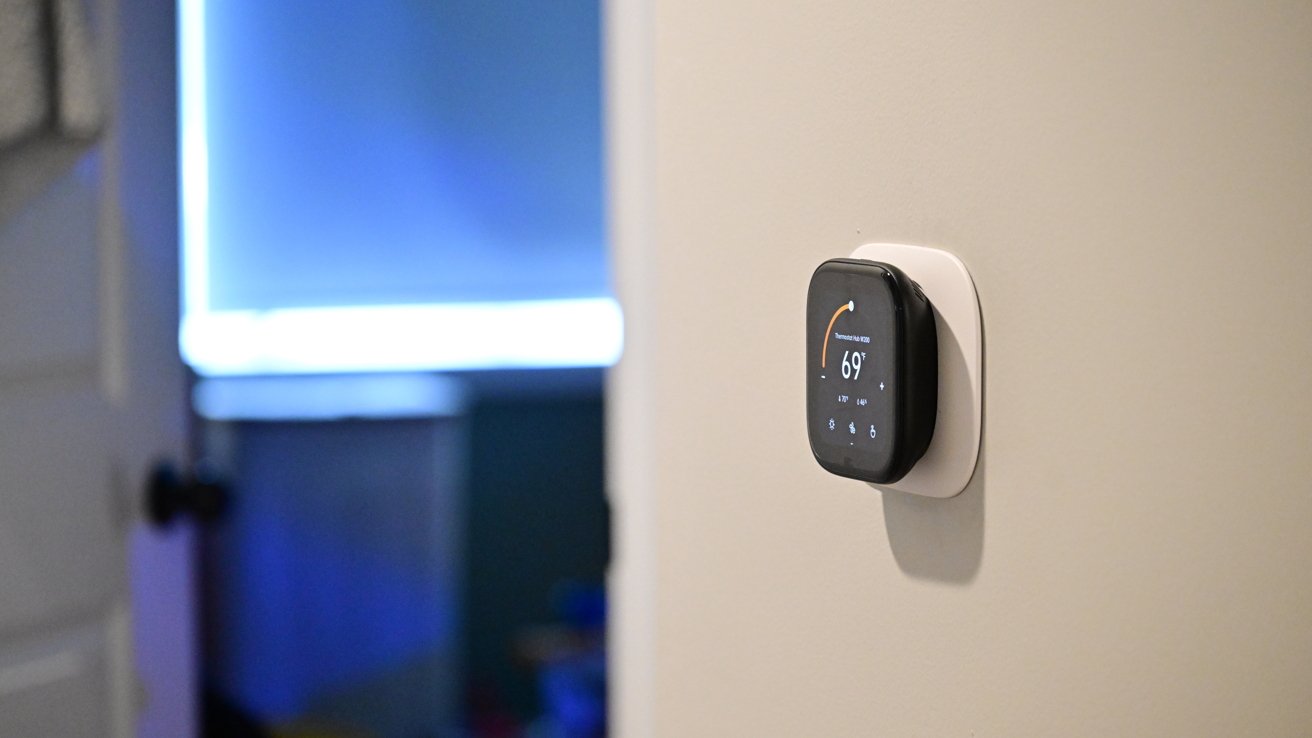
The Aqara W200 is a sleek-looking thermostat, easily catching your eye from across the room. It's a rounded square and includes an optional back trim plate that can cover a larger opening on the wall.
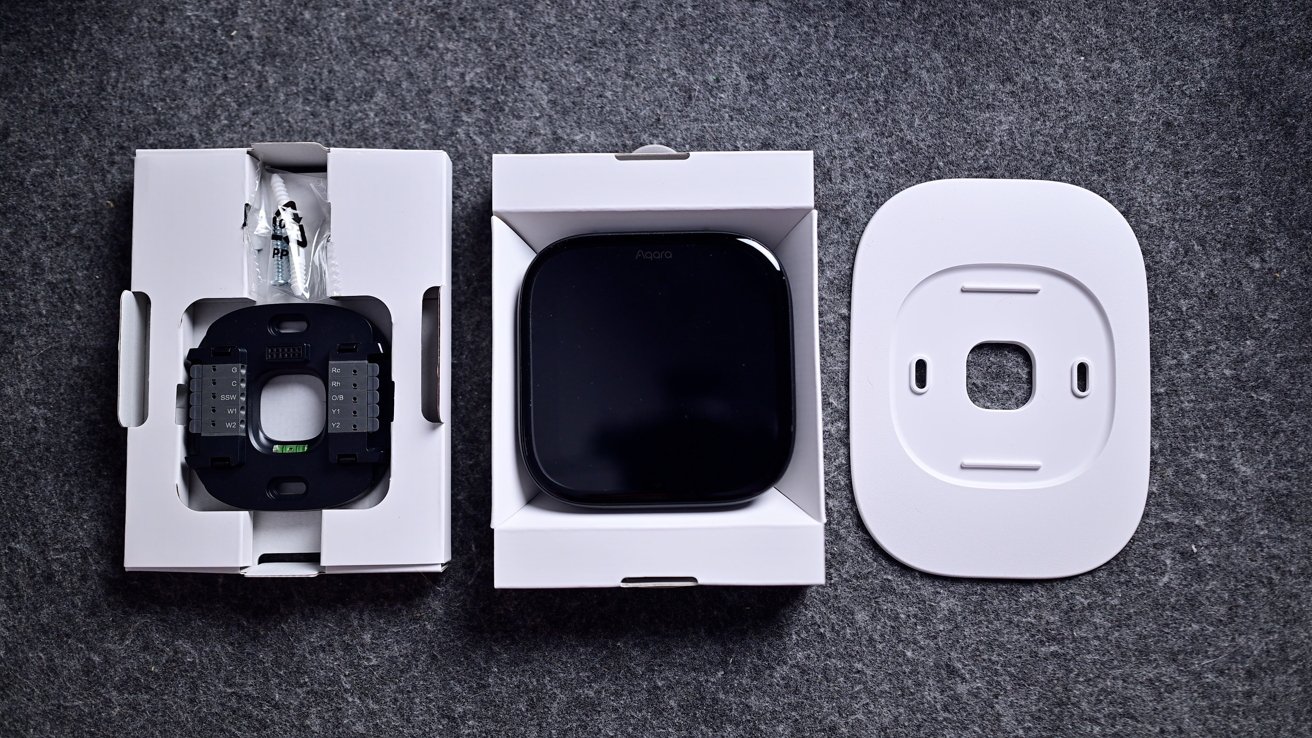
Aqara W200 thermostat review: You get (almost) everything you need in the box except a C-Wire adapter
For my install, I still had some legacy screw holes that I chose to hide. I could have spackled them and painted them for a cleaner look, but for that, I'd have to still have some of that original paint around.
If you aren't comfortable installing a thermostat, it's easy to find a handyman to do so, but it's not particularly difficult. That's especially true if you're coming from an old smart thermostat, as it's just an easy move of the wires from one bracket to the other.
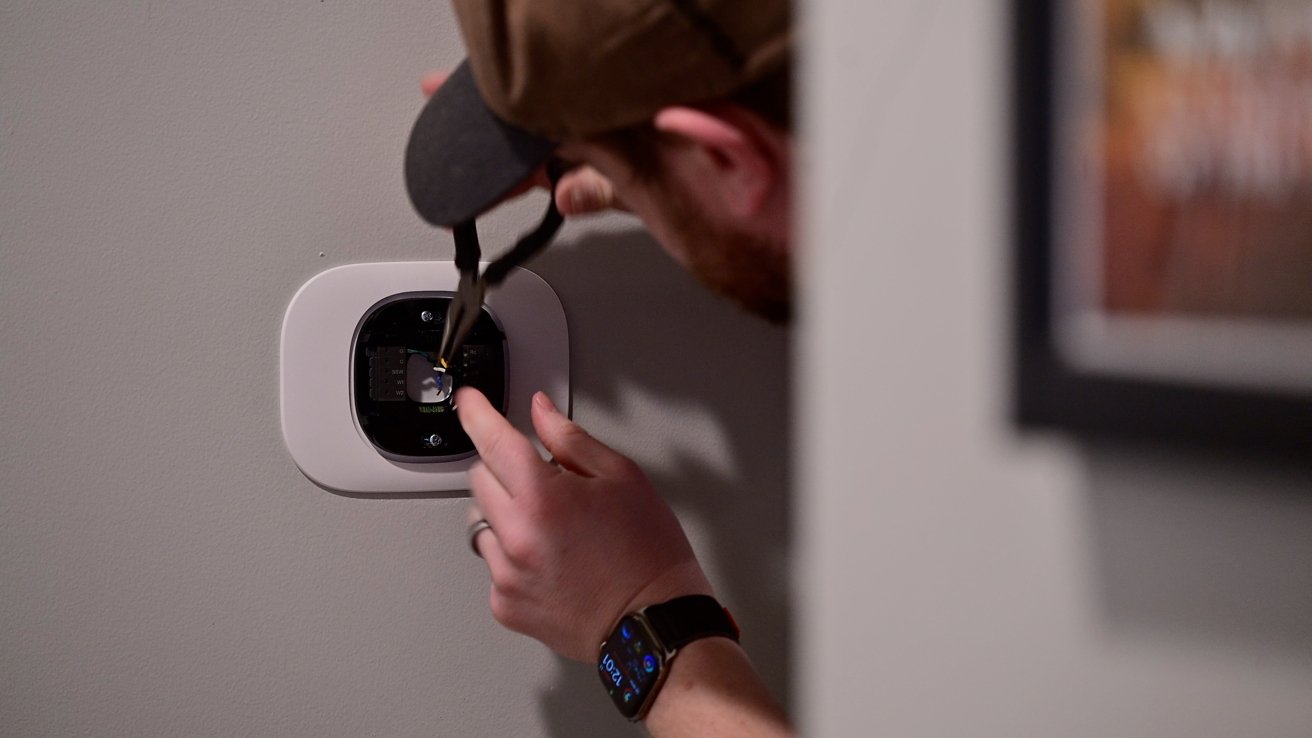
Aqara W200 thermostat review: It took only a few minutes to complete the install
Going from my old Ecobee, I first turned off the breaker and then pulled my thermostat off the wall. I then took a reference photo and moved each of the wires from the Ecobee bracket to the Aqara bracket with the same label.
I had it installed in just a few minutes. If you need the C-wire power adapter, it is available as an extra purchase.
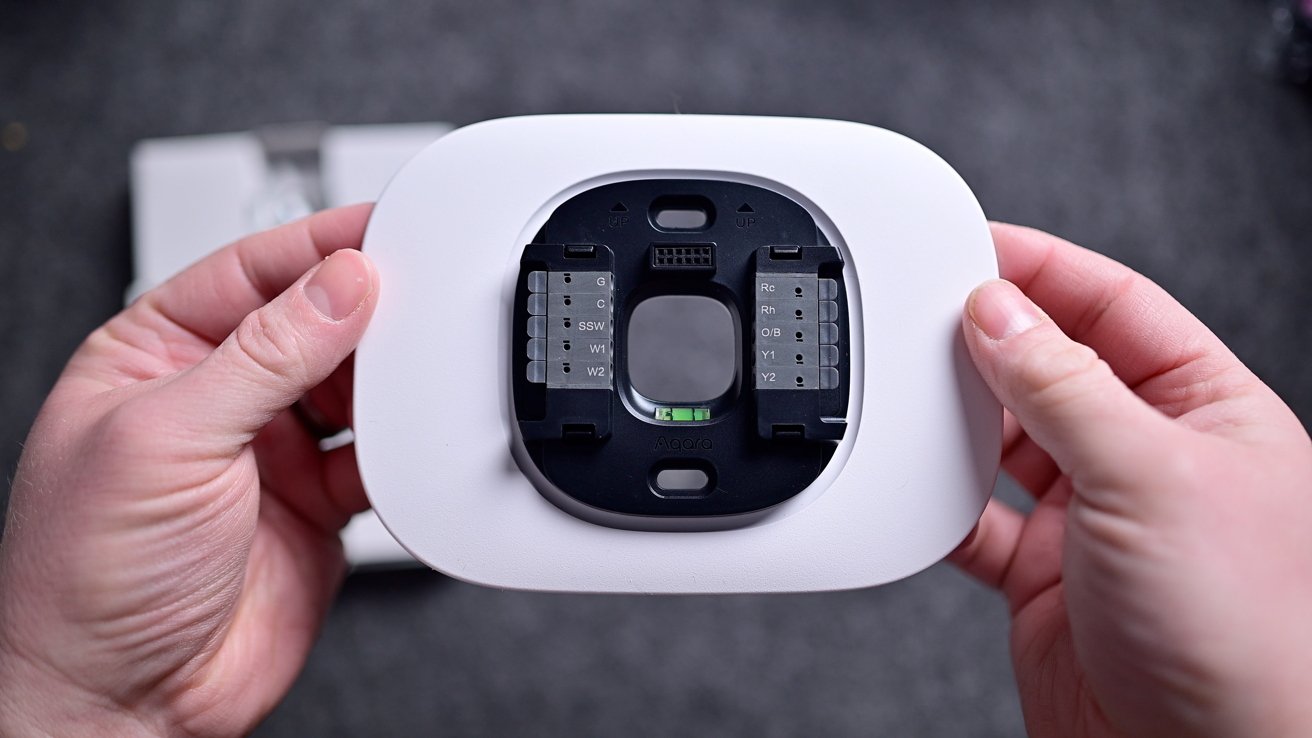
Aqara W200 thermostat review: I needed to use the trim plate to cover a larger hole
In my case, I didn't use it, but the Aqara app also walks you through this installation process. Each step is clear, and I think that most homeowners who consider themselves even a little handy can manage to get it hooked up in less than 15-30 minutes.
The thermostat isn't metal like Nest or Ecobee Smart Thermostat Premium, but it still looks good nonetheless. It's all black with a customizable 4-inch touchscreen on the front and a 480x480 pixel resolution.
From a distance, the screen nearly blends right into the body of the thermostat. On top are two grilles on the corners, as well as microphone inputs, used for two-way communication with a video doorbell.
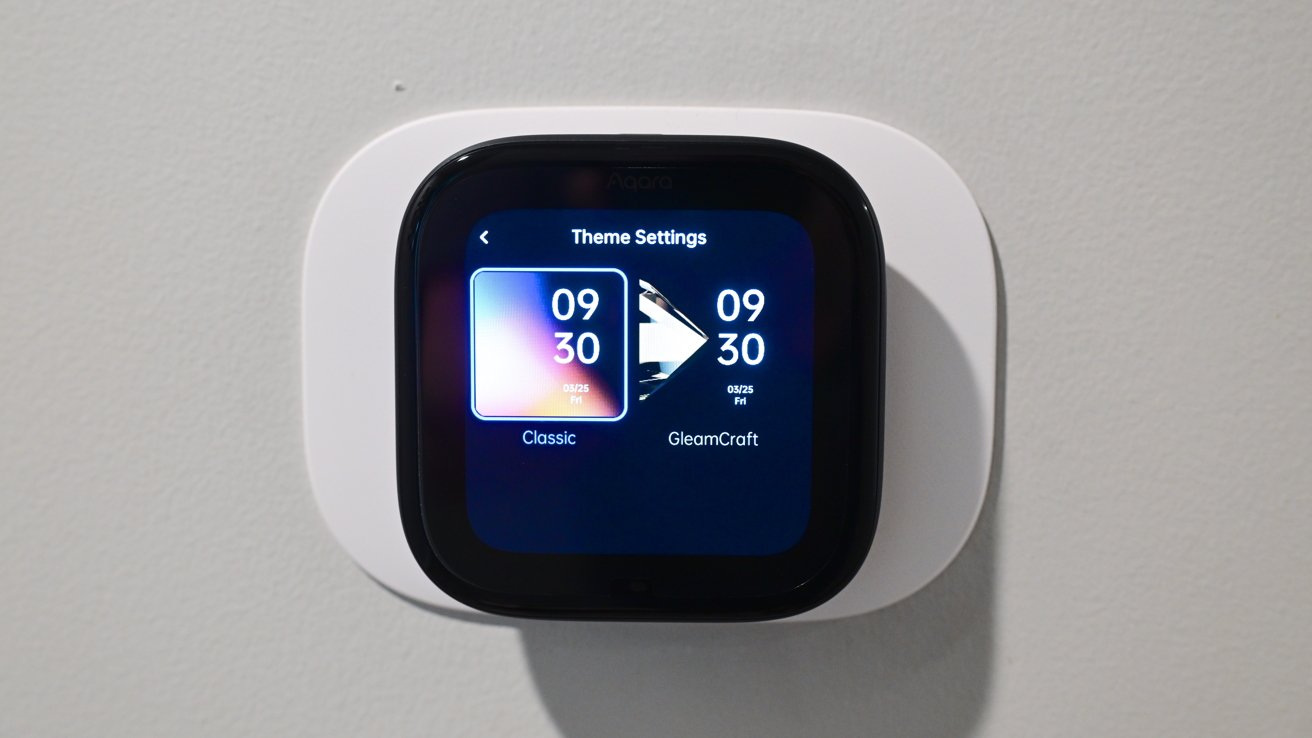
Aqara W200 thermostat review: You have two themes to choose from
Currently, the W200 has two themes for users to choose from for appearance: classic or GleamCraft. Interestingly, they're labeled in the Aqara app as "free," possibly implying the ability to purchase additional themes in the future.
These themes change the general color scheme of the thermostat, while screensavers are what show on the screen when idle. As you approach the thermostat, the screensaver fades to the temperature interface.
There are currently seven screensavers to choose from, though I wish there were more. This is a longstanding grievance of mine with similar devices.
A software feature like screensavers is exceedingly basic. They just require a bit of design, but exist as a single interface screen and don't otherwise require many system resources.
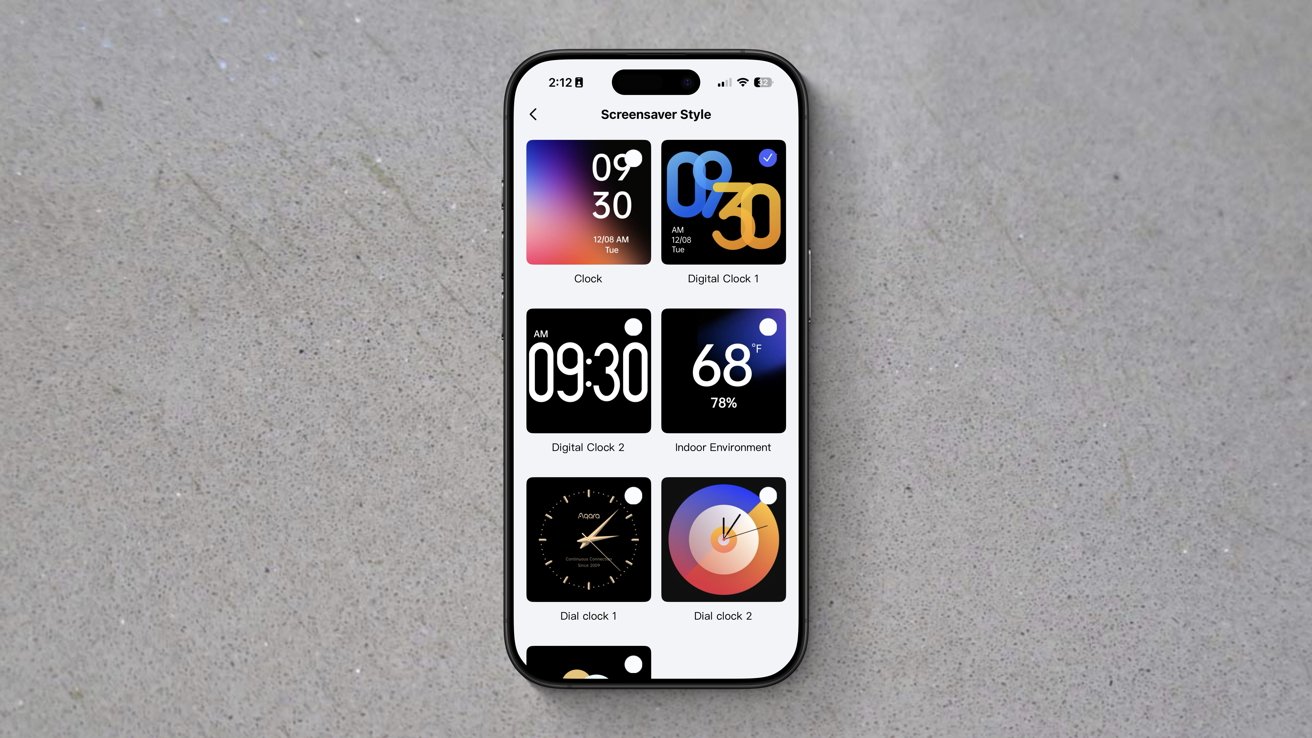
Aqara W200 thermostat review: There are seven themes, but I still want more
I think that seven is paltry, especially considering one of them is just showing the weather. Three of them have bright orange and blue colors, while the only dial-based clock is gold.
In my home, I'm not looking for vivid colors on the thermostat, and gold doesn't match our decor. It may be nitpicking, but I'd love a few more styles, or at least the ability to adjust the colors.
The W200 is using mmWave radar to detect your presence and your approach. When it detects you walking up, that's what triggers the screensaver to go away or to wake the thermostat if the display was asleep.
Out of the box, my W200 was not triggering this properly, which I partially blame on its installation location. It's right around the corner, so I don't walk up to it head-on.
Luckily, this is a user-adjustable setting in the Aqara app. I could change the screen activation distance, and now it works perfectly.
Using the touchscreen is easy and intuitive. You see a large number representative of the current temperature and an arced slider showing the target temperature.
You can run your finger along the slider to adjust the target temperature up or down, or you can press the +/- buttons on either side.
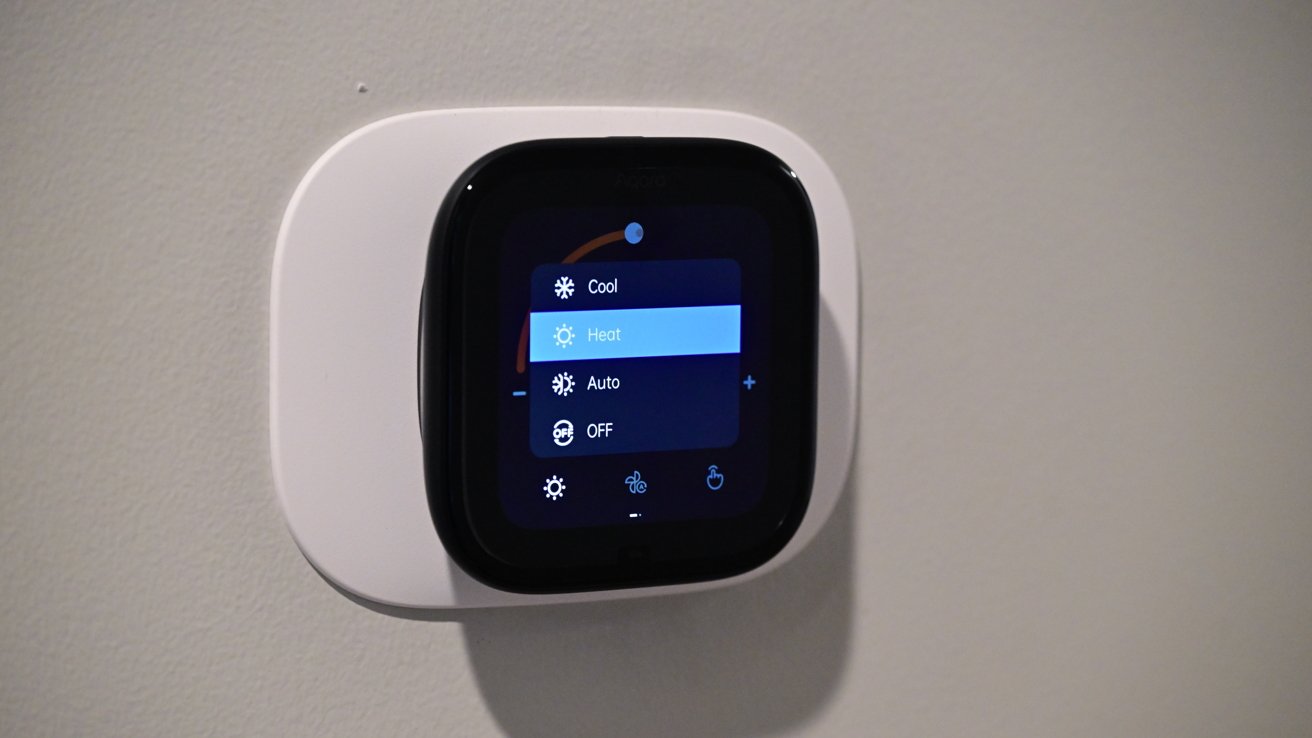
Aqara W200 thermostat review: Heating mode enabled
Along the bottom of the display, you have touch controls for mode (heat/cool/auto), fan, and what kind of control (manual/home/away/vacation). These extra controls probably could have been hidden, as I've rarely used them in my two months with this thermostat.
If you swipe down from the top, you get a slider for the screen brightness, a display toggle, and settings. It will also show any doorbell notifications that come through.
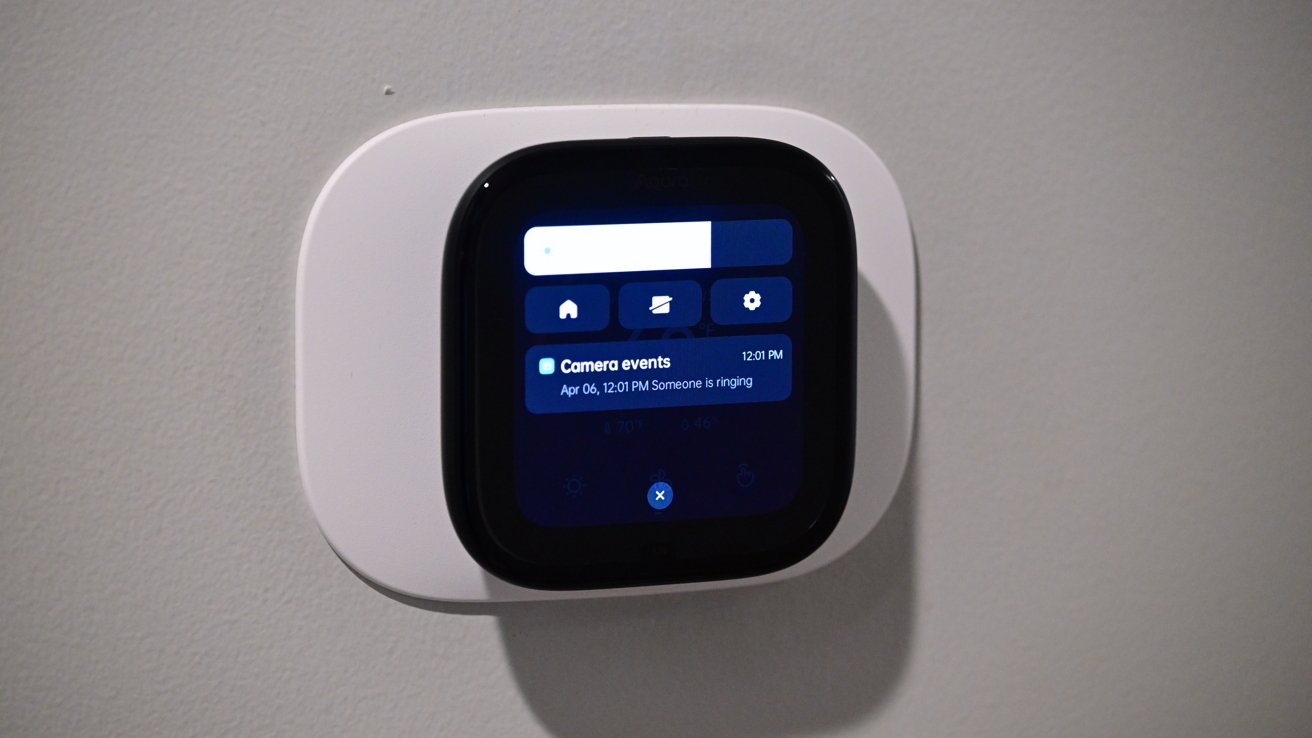
Aqara W200 thermostat review: Slide down from the top to access quick settings
Using the Aqara app, you can set up a secondary screen, but we'll talk about that more in a few minutes as we get into the Aqara ecosystem.
Aqara W200 thermostat review: Doubling as a smart home hub
These days, it becomes a lot to unpack the varying degrees of smart features baked into a product. Take a look at a smart thermostat from 15 years ago, and while you could create schedules, you were more or less limited to controlling your thermostat from your phone.
Nest was most innovative, calling it a "learning" thermostat that would automatically adjust based on your interactions with it as well as your location. In 2026, it does a whole lot more.
The Aqara W200 is not just a smart thermostat, but it also acts as a Matter hub, integrates into various ecosystems, and has unique features amongst Aqara's own product line.
Aqara W200 thermostat review: Aqara logo on boot
As a refresher, Matter is the new unifying smart home standard. A device can get certified with Matter and automatically work with any compatible ecosystem.
This makes it easier for device manufacturers to get certifications. Multiple ecosystems can support the device at the same time, too, like Apple Home and Samsung SmartThings.
In this case, it doesn't make a massive difference as the W200 has native support for Apple Home and all the major platforms. It also has uniquely Apple features, like Adaptive Temperature and Clean Energy Guidance.
The big benefit is that this can act as a hub. It can bring support for different devices into Apple Home by way of Matter.
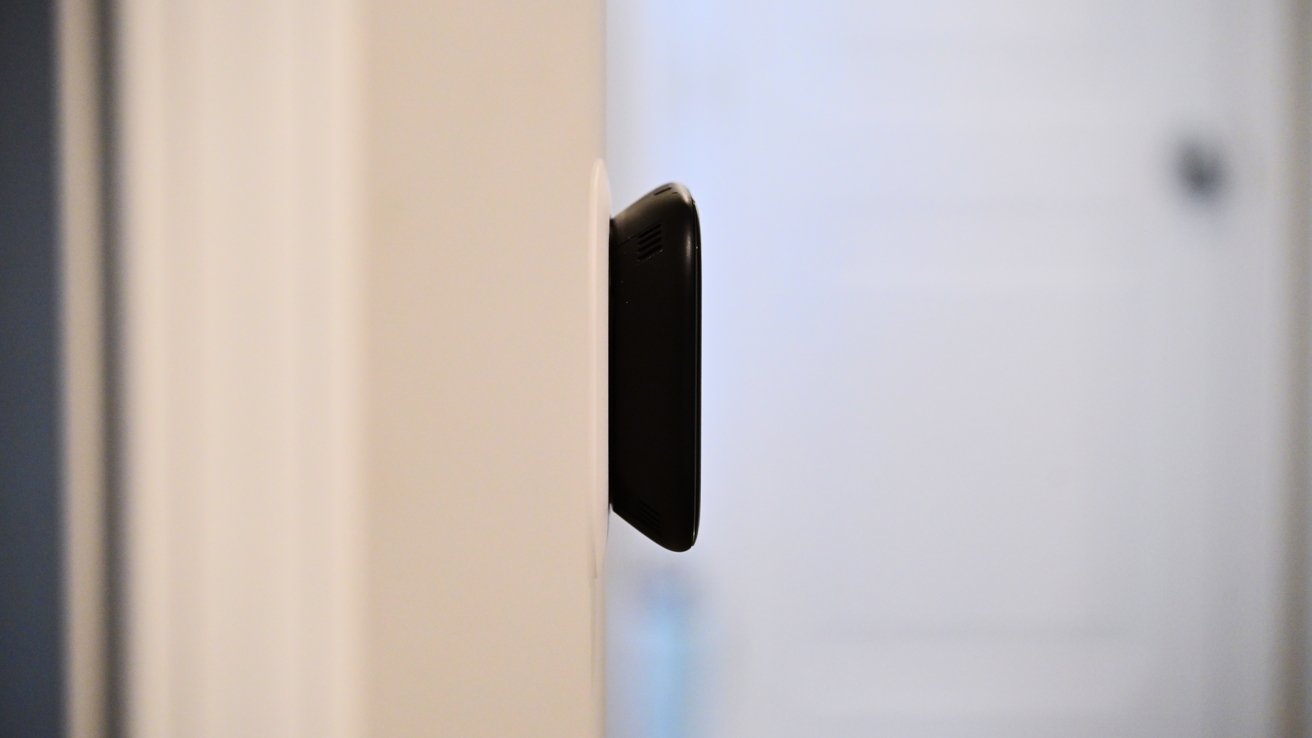
Aqara W200 thermostat review: The Aqara W200 sticks out a bit from the wall
You can connect up to 50 child devices with both Thread and Zigbee. Light switches, smart plugs, room sensors, and other devices that may not connect natively can all be bridged via this hub.
If the thermostat is in a good central location, this may be an ideal smart hub. It's always connected to power and has both 2.4GHz and 5GHz Wi-Fi for a strong, reliable wireless connection.
Aqara W200 thermostat review: Aqara ecosystem
Acting as a hub is beneficial, but I also see a lot of value in the larger Aqara ecosystem. Aqara is doing everything right by being platform agnostic, supporting all ecosystems, while also bringing added value when used with other Aqara products.
So you can use this thermostat by itself with your ecosystem of choice, no problem at all. If you happen to choose a few Aqara products, the experience gets better. It's similar to Apple's approach with accessories like AirPods that just work better with its own products.
If you pair a remote Aqara FP300 sensor with the W200, you can use that as a room sensor and prioritize that when heating or cooling the home. This is akin to other premium thermostats with room sensors.
Even better is the Aqara Climate Sensor W100, which can show a room's temperature and humidity. The sensor has buttons, which can act as a remote control for the thermostat, making it easy to adjust the temperature, right from your desk, counter, or bed.
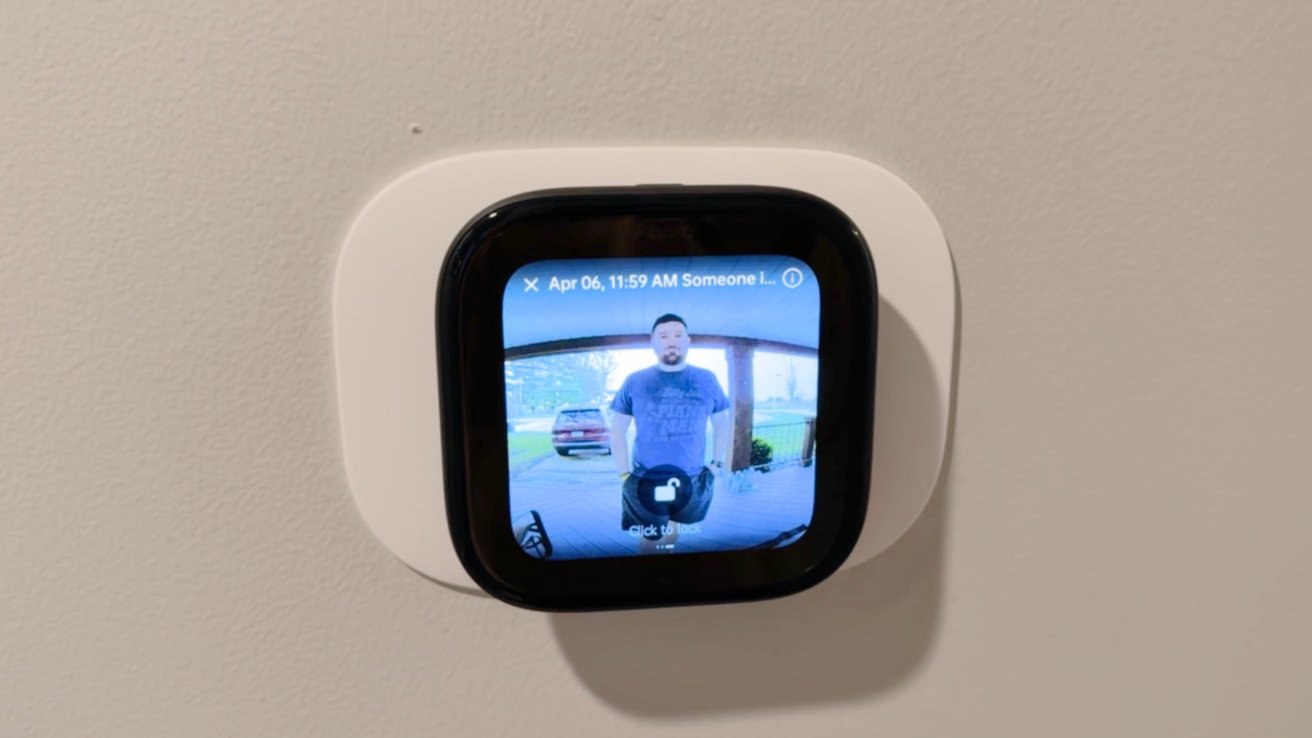
Aqara W200 thermostat review: When someone rings your Aqara doorbell, it shows on the thermostat
Borrowing a feature that Ecobee did, the W200 can show a live video feed from your doorbell when using an Aqara video doorbell. That includes the brand new G400 or wireless G4/G410.
When the doorbell rings, and you see the alert or hear the chime, you can use two-way communication to talk to the person standing at your door. Even better, if you have an Aqara door lock, you can unlock the door for them.
I'm a big fan of Ecobee and its premium thermostat, but Aqara has a much larger ecosystem of products that can offer unique experiences. I love how Aqara door locks and the W100 can bring more value, and I'm sure the offerings will expand.
Ecobee also doesn't support Matter, let alone act as a Matter hub. The one thing Ecobee does have is Siri built into the thermostat.
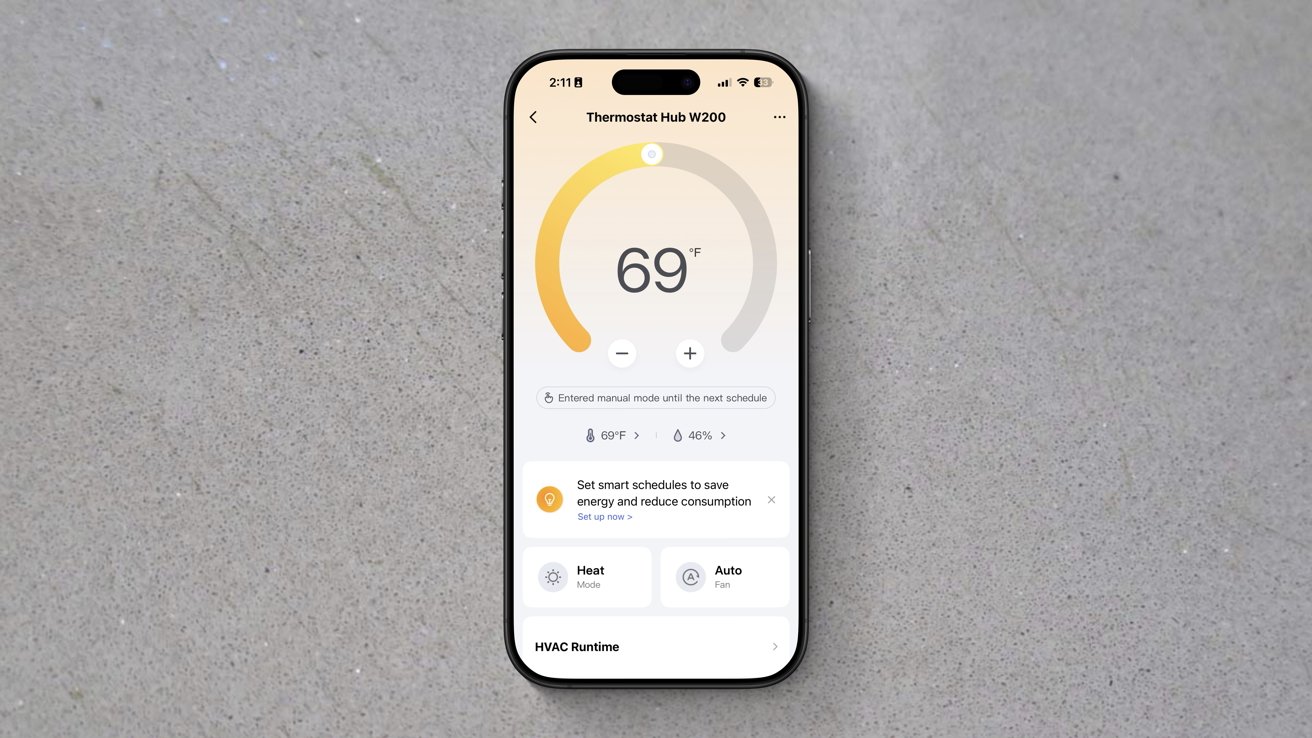
Aqara W200 thermostat review: Aqara app has a ton of settings
Aqara does this on its wall panel, but not the thermostat, and I think that's a better play. With the wall panel, you can put Siri into any wall switch in your home, whereas the thermostat is limited to where your wiring is located.
In my case, the thermostat is in a hallway, which works great for the doorbell integration, but Siri, not as much. It's between multiple rooms that all have their own HomePods.
If you swipe from right to left, the W200 thermostat can show additional screens. Users can create and customize these additional screens from the Aqara app.
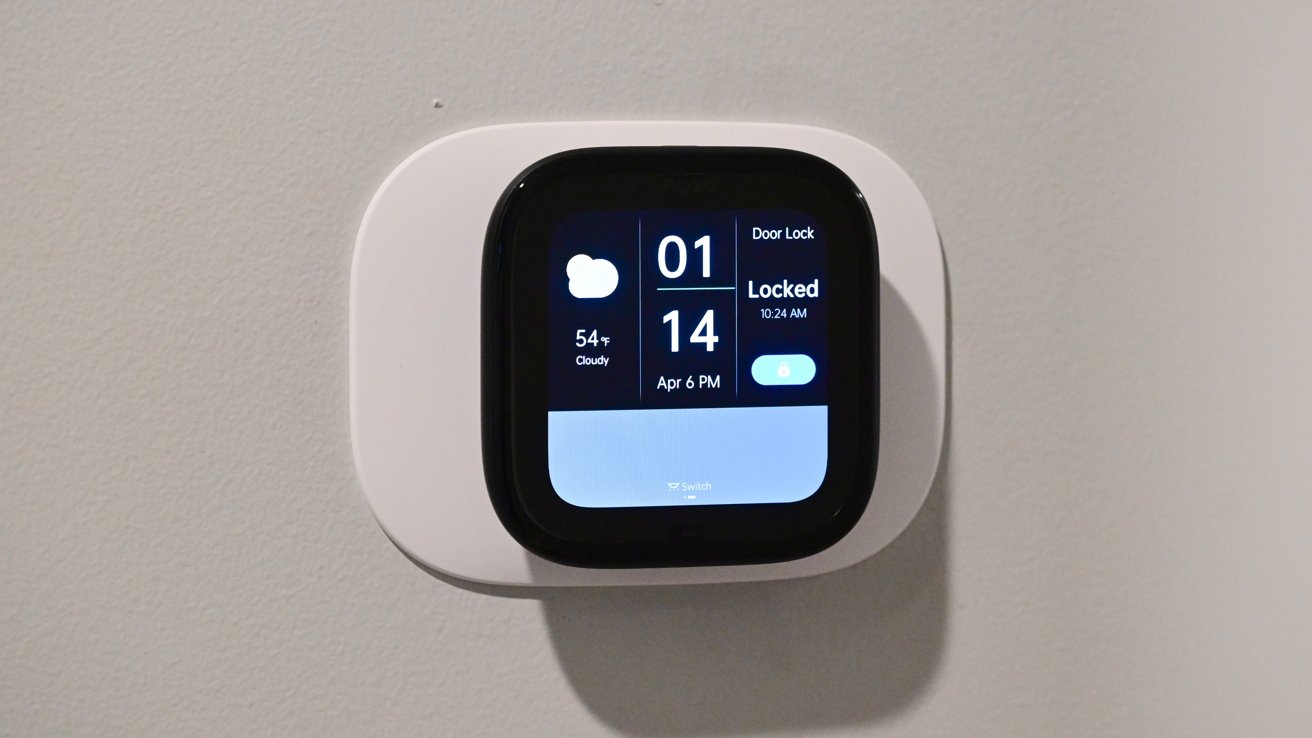
Aqara W200 thermostat review: You can add screens to the W200 to control other devices
There are a bunch of layouts in different grid patterns to choose from. Each of the grid spaces can show different information, like the weather, time, or other devices.
In my home, I set it to toggle off the lights in our toddler's room, the local weather, the time, and the lock for our bedroom door. At least until our toddler figures out how that one works.
The more Aqara or Matter devices you add, the more options you have for these screens. It very much makes me want to invest more in Aqara devices.
If there was one feature I would like to see Aqara add, it's the ability to pause your HVAC routine when a door has been open for too long. You can create an automation that pauses when a door is open, but it's harder to get it to resume its programming, let alone to set durations as Ecobee does.
Aqara W200 thermostat review: Apple Home-exclusive features
Apple Home support is what makes the W200 particularly well-suited to the average Apple user. The thermostat shows in the Home app, like every other Apple Home accessory.
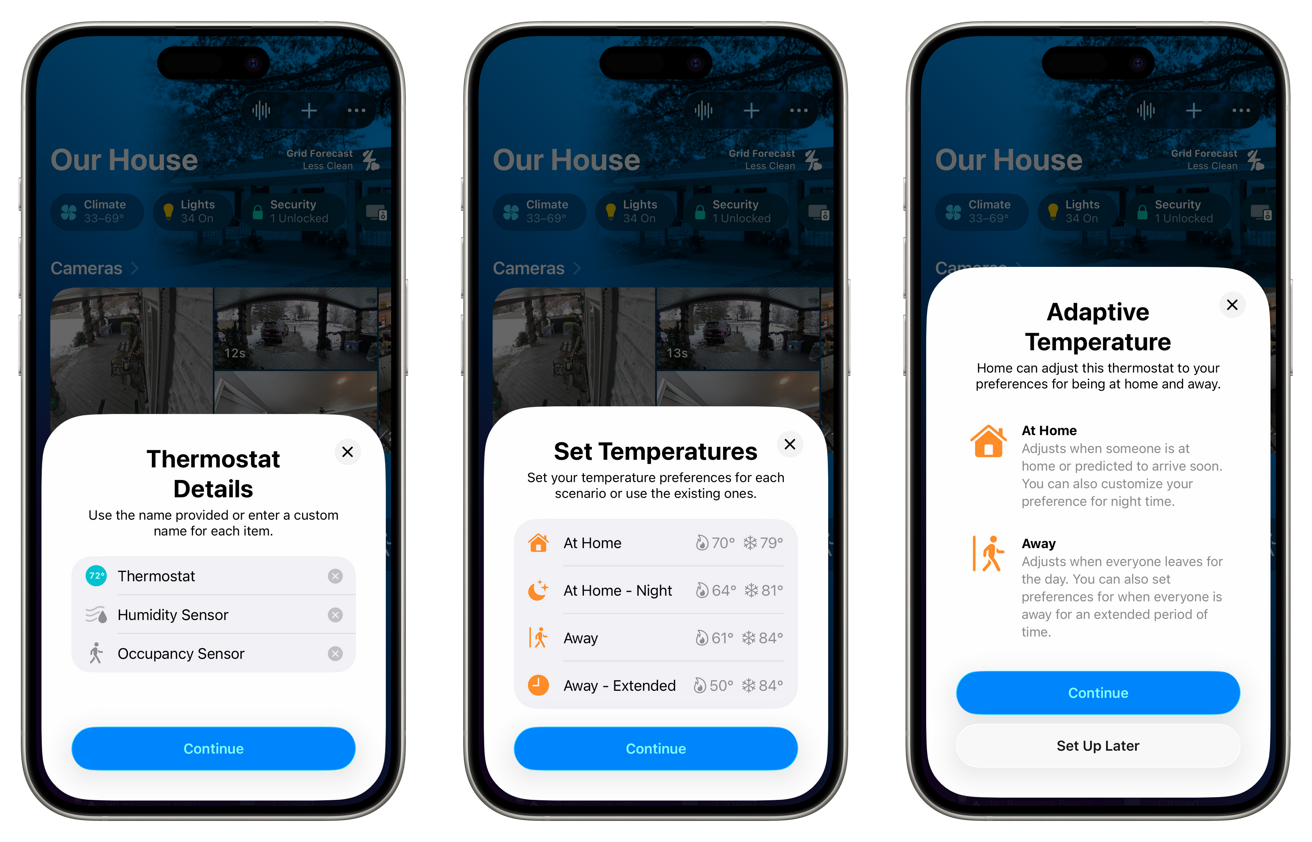
Aqara W200 thermostat review: Setup is easy in Apple Home
You can adjust the temperature, change the mode, and put it into any scenes or automation routines that you'd like. This is all standard for a smart thermostat.
The W200 has that mmWave radar sensor, which is exposed to the Home app. The sensor shows as an occupancy sensor, which can control other home accessories, like turning on the lights in the room when a person is in it and turning them off after they leave.
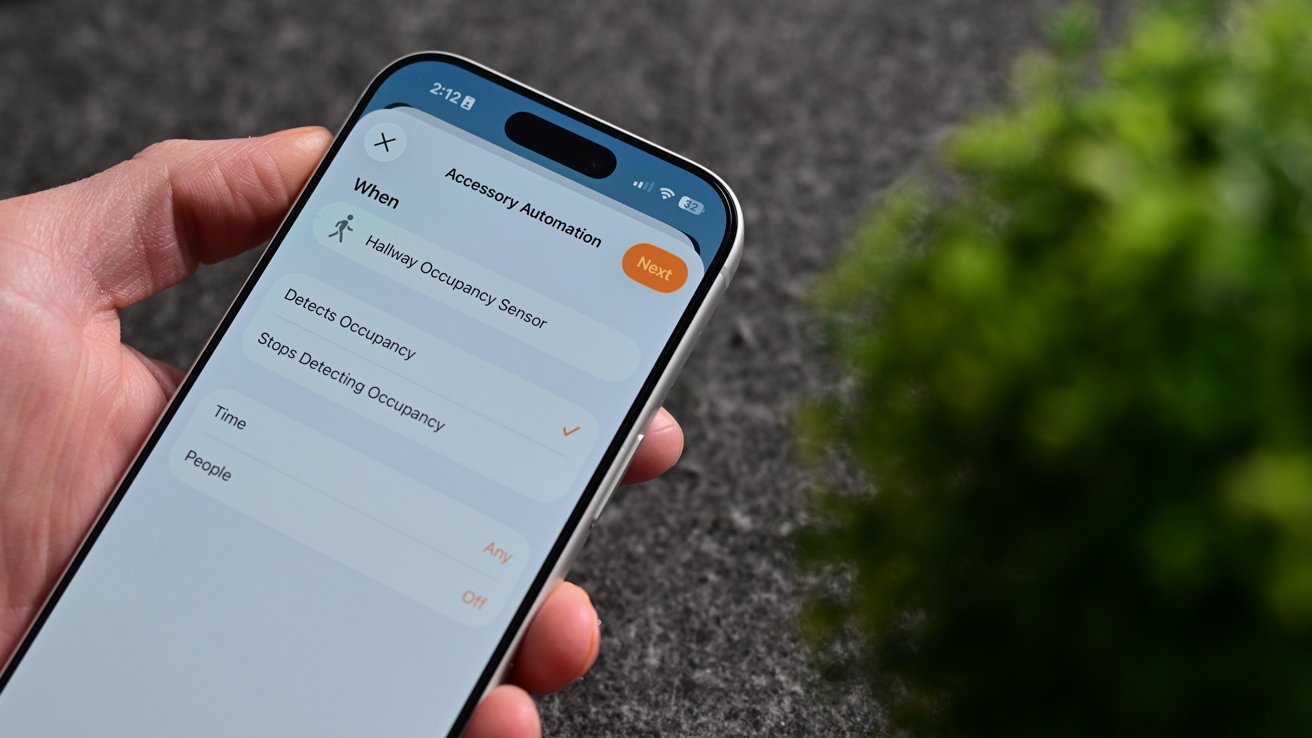
Aqara W200 thermostat review: The mmWave radar works as an occupancy sensor for automations
What's even more unique is support for both Adaptive Temperature and Clean Energy Guidance. The latter of which I wasn't able to fully test.
With other smart thermostats, they can change your temperature mode (away versus home) based on your location. You leave the house, and it detects this and changes the mode to away.
As you arrive home, it also detects this and puts it into home mode. The problem is that this is always reactive, not proactive.
It's been a particularly cold winter, and my family and I were away for the weekend. While away, we had our home set into away mode that dropped the home temperature to around 55 degrees.
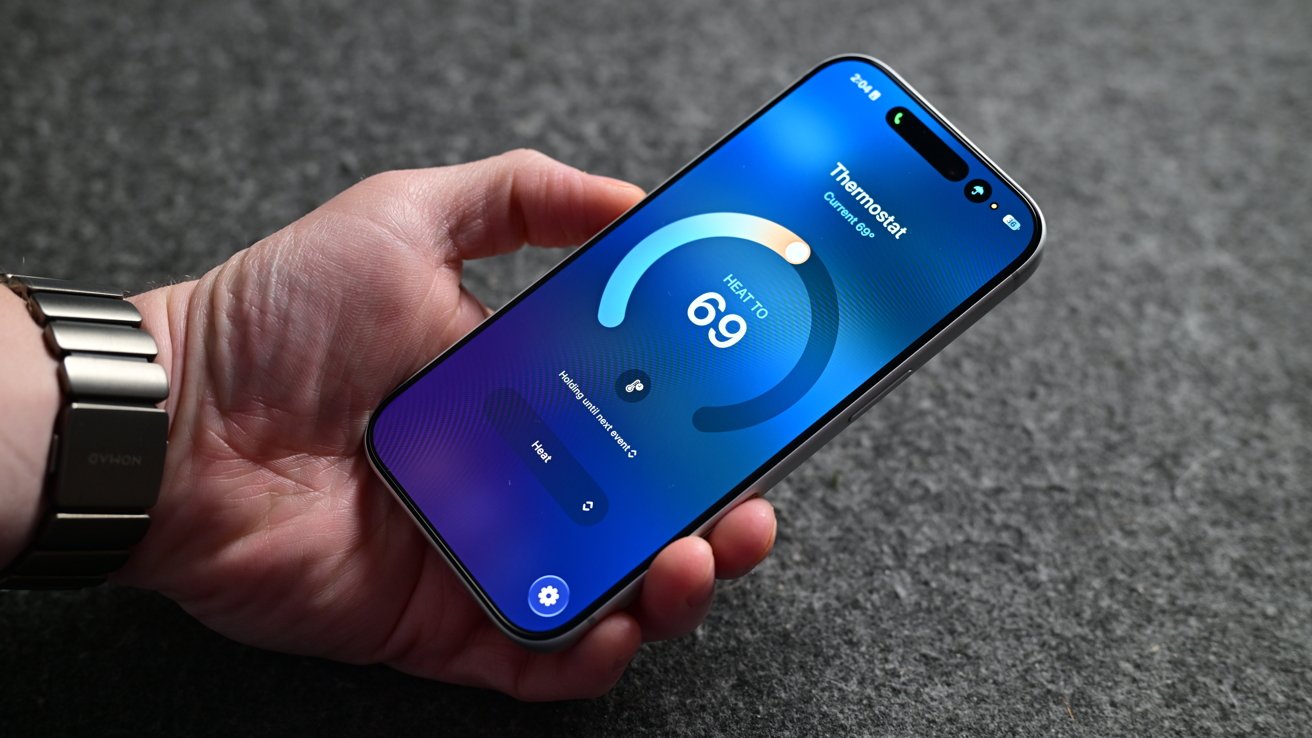
Aqara W200 thermostat review: Viewing the Aqara W200 in the Home app
When we arrived home to our Ecobee thermostat, it correctly switched to home mode and started heating our home back up to a comfortable temperature. The problem was that we were already standing in a cold home.
We had a baby who was only a few months old, who was tired, cranky, and ready to go to bed. The house was cold enough that we didn't want to put her down until the temperature had risen.
Not to mention my other half is always cold and was quite unhappy that the temperature was sub-60 degrees inside and below zero degrees outside. This is just one recent example of other thermostats being problematic for comfort.
Adaptive Temperature has largely solved these issues.
What happens is that Apple takes what it knows about you to proactively adjust the thermostat. Think about when you get into the car, and Maps seemingly already knows where you're going based on history.
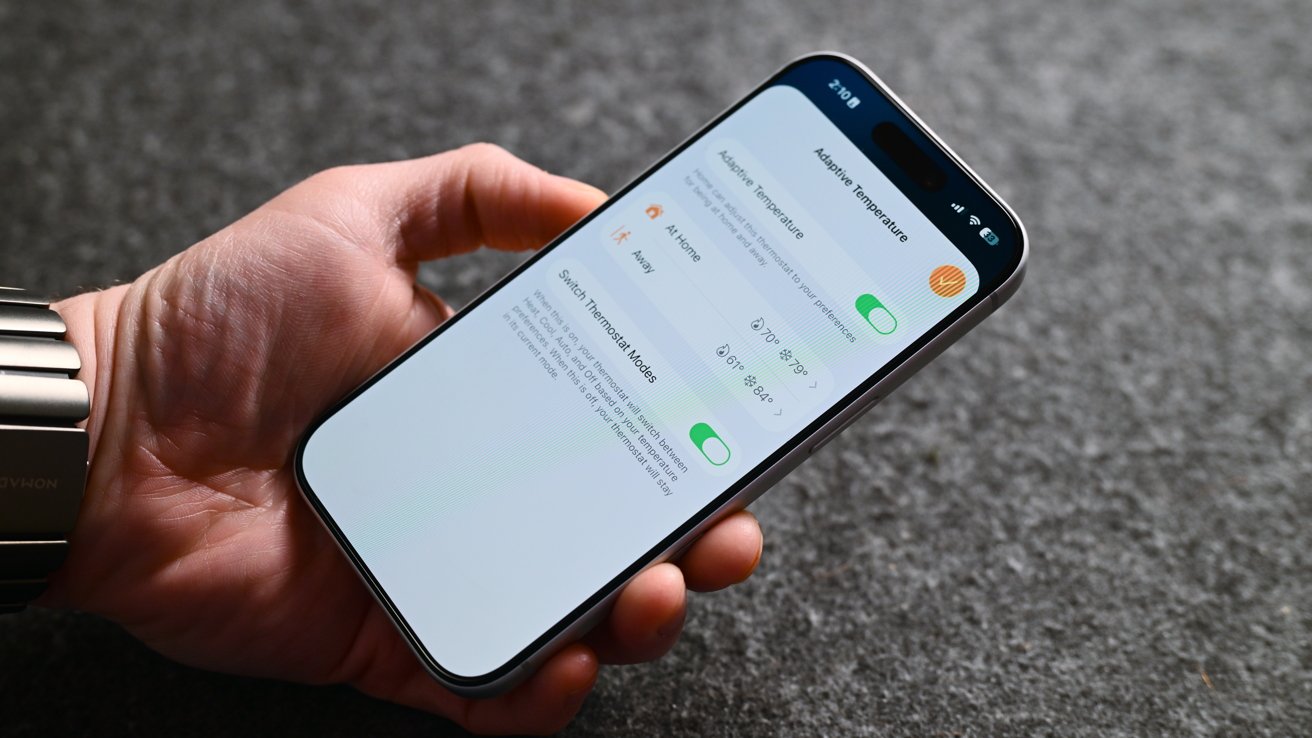
Aqara W200 thermostat review: Adaptive Temperature predicts when you'll be home
Your iPhone also has access to your map routing, your schedule, and more, so it can guess when you'll be heading home. This all gets processed locally on your device, making it very private.
Since installing the W200, our home has been far more comfortable, especially as we come and go. I've also got a lot fewer complaints from my partner.
Clean Energy Guidance is the other new feature here that we haven't seen implemented before now. For those who live where energy prices change based on time of day and who are using a supported energy provider, this can be toggled on in the Home app.
It will make small adjustments to your home's climate to reduce electricity usage based on the time of day to save money. You shouldn't even notice this is happening, as it is designed not to impact overall comfort.
Unfortunately, supported providers are very limited at the moment. If you live outside that area, you can potentially use Grid Forecast, which will try to reduce usage when energy is less clean, which is what I have enabled.
Aqara W200 thermostat review: The smart thermostat for Apple users
There's very little not to love about the Aqara W200 smart thermostat. It checks nearly every box I could ask for.
There are a few small features and changes I'd like to see rolled out, i.e., more screensavers and door sensors, but otherwise, it is an exceptional device. Apple users won't be able to find a more full-featured option.
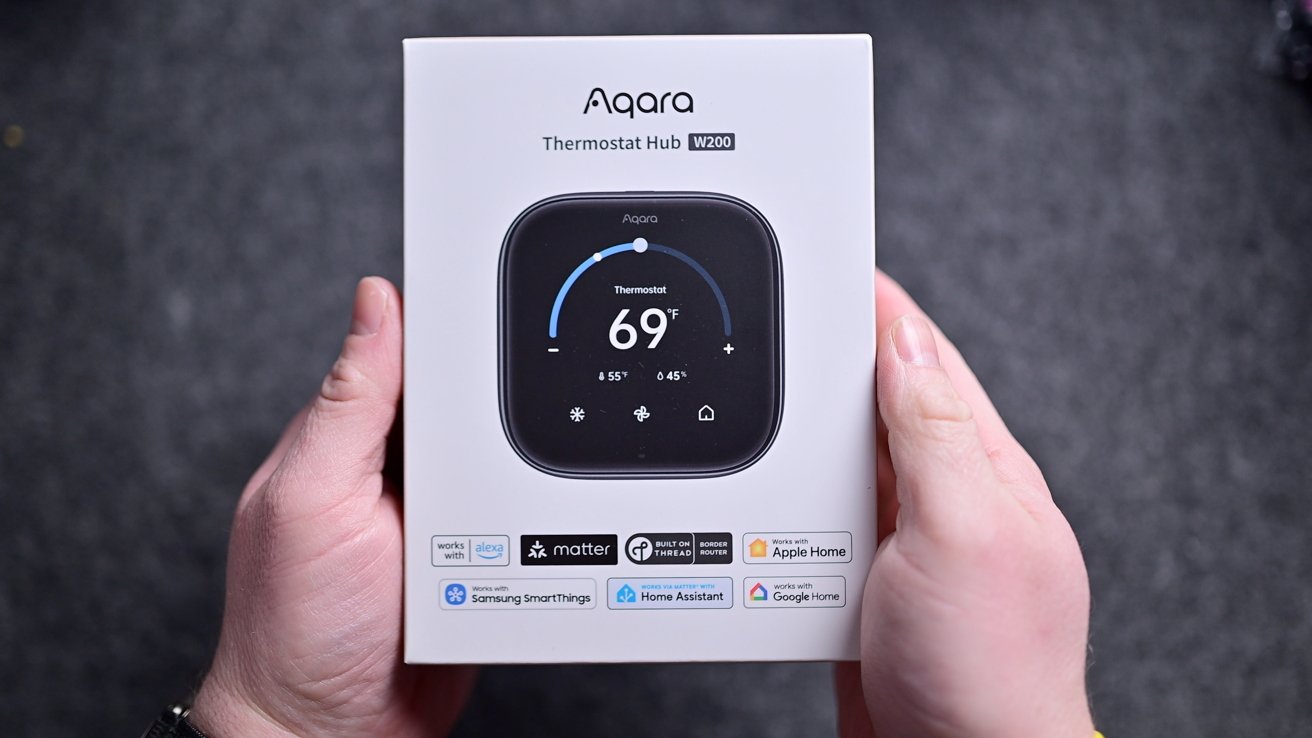
Aqara W200 thermostat review: Aqara W200 in the box
That's all before you consider the price. It's launching with a price tag of $159.99, barely above the Ecobee Essential thermostat.
The Ecobee Essential thermostat is priced at $139, but doesn't even include the trim plate. That's an extra $14.99, but it's included with the Aqara.
This costs close to the $129 Nest, but is closer to competing with the premium learning thermostat, Ecobee Premium, or Honeywell Home X8S. It's cheaper than its competition and offers more features.
Soon, we'll see other thermostats launching with Apple's Adaptive Temperature, but I'm unsure if any others will offer the value that Aqara is offering. Right now, this is the smart thermostat that Apple users should opt for.
Aqara W200 thermostat review: Pros
- Clean, simple design
- Aggressively priced
- First to support Apple Adaptive Temperature & Clean Energy Guidance
- Customizable appearance
- mmWave radar to trigger automation routines
- Support for Apple Home & Matter, plus works as a hub
- Easy install
- Supports Thread, Zigbee, & Wi-Fi (2.4GHz & 5GHz)
- Deep integration with other Aqara devices
Aqara W200 thermostat review: Cons
- No white model
- Limited screensavers and themes
- No auto-pause based on contact sensor state
Aqara W200 thermostat rating: 5 out of 5
The Aqara W200 thermostat hub is available now in North America for $159.99 on Amazon. It's launching in Apple Stores in September 2026 for $169.99 in an exclusive matte finish.