In spite of the AI-heavy WWDC, Apple Vision Pro still got plenty of attention with visionOS 27. Here's what Apple got right and where it still needs work.
I've been asked to provide my first impressions of visionOS 27, and honestly, I think it's a good release. The quality-of-life work continues in this release alongside some really interesting new features.
There was some talk about Apple basically abandoning Apple Vision Pro. However, visionOS 27 proves that it is a platform Apple is interested in developing, even if new hardware is years away.
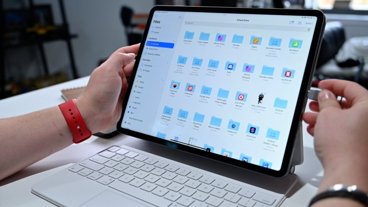
There are some obvious problems, like the continued lack of converting compatible iPad apps to native ones. Beyond that and Apple's developer relations issues, it's a feature-filled update.
Siri AI is here, but broken (for me)
The new Apple Foundation Models powering Siri AI and Apple Intelligence are here in visionOS 27. I've even gained access to the new Siri AI, but it's broken on my Apple Vision Pro in beta 1 and won't return anything but an error.

Siri AI gets to live in this orb on my desk
At least the little bauble you can set on your desk is neat.
Siri AI is a big part of visionOS 27 and yet it's totally ignorable like Apple's other AI features. You can use the Apple Vision Pro as usual, even giving commands through voice, without ever touching AI aspects.
However, the spatial computing platform is one that can benefit from AI the most. Being able to look at an object and speak to make things happen in mixed reality is a cool ability.
The demo in the WWDC keynote shows someone asking if objects on a table might fit into a bag they're looking to buy. Sure, this is possible through Visual Intelligence on an iPhone, but even more simple since you're wearing the camera and display.

Siri AI is broken in visionOS 27 beta 1
It might seem silly for a heavy headset, but imagine it for AI-powered glasses with an AR display. That product, one we've dubbed Apple Glass, could arrive by 2030.
I'll have time to cover the AI and Siri stuff another time. Let's get into the new features I was actually able to test.
What's new in visionOS 27 outside of AI
The WWDC 2026 keynote address had me a little worried that the Apple Vision Pro would be forgotten. But that page with 250 new features included several for visionOS 27 that were shared later.
Windows & Safari
First, native visionOS applications like Safari can be expanded into an ultra-wide view. It's really handy for viewing some kinds of content on the web.
The wider a window gets, the more curved and rounded it becomes, similar to the view in Mac Virtual Display. Just fill up your entire field of view with one giant app.
There's also specific upgrades to Safari with a new tab view. It breaks out all of your tabs onto a carousel. The windows are tall and skinny, almost iPad-like, but most of the web renders great at that size.

The new Safari tab view is very useful
I really like this view for Safari. It lets me browse multiple sources at once while writing in a Drafts window near my keyboard.
Also, Apple has added more spatial browsing functionality, though I'm not quite sure what websites are bothering with it. Websites in Safari can now render 360-degree backgrounds around the user for immersive experiences.
Spatial Panoramas & custom environments
Spatial computing is a different kind of paradigm that requires new ways of customizing and personalizing. While custom environments are kind of like giant desktop wallpapers, there's more dimensionality to it.

Custom spatial environments created with the new Spatial Panorama feature
You can add custom spatial environments by using panorama photos in your library. This works with photos you've captured or saved from the internet as long as the aspect ratio is wide enough and the resolution is high enough that the Photos app registers them as panoramic.
And if there's objects where depth can be applied in the foreground, there will be noticeable separation. One panorama I took at a Christmas tree farm really popped with all the tree tops nearby.
That new custom spatial environment feature is powered by Spatial Panoramas. It's an upgrade to the 3D image conversion feature in Photos that now works on panoramas.

Turn any panorama into a spatial scene in visionOS 27
Apple didn't forget about its regular environments either. It added the Thorsmork spatial environment, located in Iceland.
It's another snow-covered landscape with a rippling creek to your left. The daytime view shows the moon low to the horizon in the sky in front of you. At night, you're treated to a waving aurora and the creek is now frozen over.
Another new Control Center
Control Center has been rethought for a third time, but this one feels right. Instead of a single pane, you've now got three.

Control Center is now three panes
One pane shows now playing audio controls and a notifications pane link. The middle panel is all of the utility controls and features like Mac Virtual Display.
The third pane shows controls for the current spatial environment. A night/day toggle is present when using Apple's more advanced environments.
Since custom environments are named after the location data in your panoramas, the names are present in Control Center too. It's a nice little touch.
Refinements, widgets, & Mac Virtual Display
Apple also boasted about making Wi-Fi connection happen much faster during boot up. Your Apple Vision Pro should already be connected to the internet by the time you're able to navigate the interface.

New tiny widgets and a Mac Virtual Display widget
Notifications have been rethought again as well. When a notification dot appears above your head, looking at it will reveal a rich notification that can be interacted with.
Other changes include a new small widget size and a widget for initiating Mac Virtual Display. It's easier than going to Control Center for the function each time.
Finally, if you work from Mac Virtual Display and use a 3D object rendering app, you can pull the object into your spatial environment. It's a nice-to-have tool that removes the need to awkwardly send and receive the file between devices.
Continuing the spatial computing preview
Looking back at visionOS 26 for comparison, visionOS 27 is a comparably complete and rich update. Some features were expanded, like Spatial Photos to Spatial Panoramas, and others were introduced, like custom environments.

Apple Vision Pro is just the start of the visionOS platform
It's hard to top spatial widgets as a new feature last year, but Siri AI truly is a paradigm shift for spatial computing. At least, I think it will be when it's working.
I didn't mention it earlier, but Apple also expanded spatial controller support and added trackable objects. These are going to be huge for the future of the visionOS platform.
Apple Vision Pro is a relatively new platform with a small user base. There won't be a lighter or cheaper version for some time, so any work on the platform is a bonus for existing users.
Everything I've shared here is a clear sign of Apple's commitment to visionOS and Apple Vision Pro. Each new feature is a sign of what will be possible for the future of Apple AR devices like glasses.
The only thing missing that's always been missing is developer support. Apple seemingly did nothing during WWDC to push developers towards building natively for Apple Vision Pro.
It didn't need to happen during the keynote. The company could have just put out PR about some kind of evangelist program.

The unchanging compatible apps list is damning on its own
Perhaps Apple believes it will just grow organically. And in some ways, it has. There are still new apps and games launching on Apple Vision Pro, albeit very slowly and in low quantity.
Maybe we're all spoiled by the barrage of change and newness on iPhone. Apple even said that it gets 1,000 app submissions an hour.
Apple Vision Pro might be getting one app submission a day.
At least, I think that visionOS 27 should be enough to quell rumors of Apple abandoning the platform. Let's just hope that we see more feature updates through the year instead of having to wait for visionOS 28.