
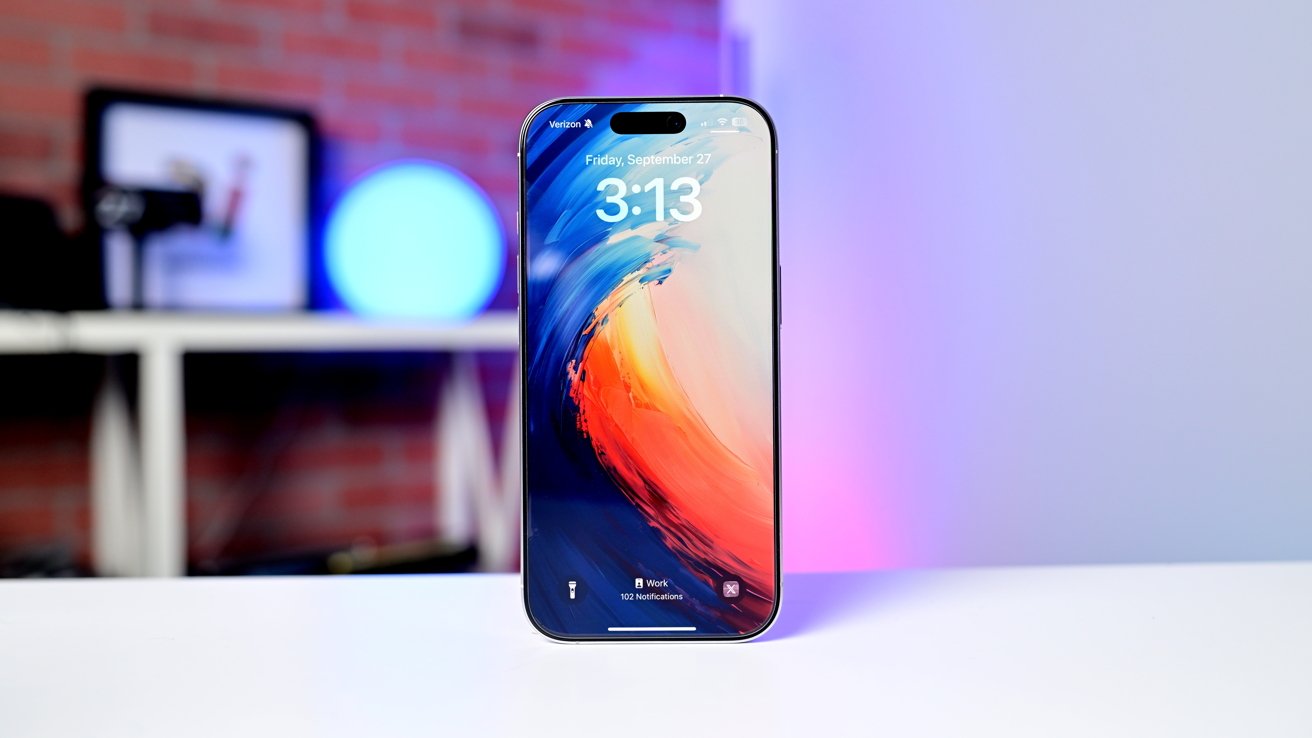
Minus Apple Intelligence, and in the shadow of the iPhone 17 family release, the iPhone 16 Pro is still an excellent phone, and will be even better at a steep discount soon.
I've said it before, the main fallacy of tech writing is that you get a bunch of stuff for free. Most of the things you review have to go back to a cooperative vendor within a few weeks.
As such, despite internet asks, we don't have a drawer of iPhones we can give out to the allegedly needy. Our personal devices tend to soldier on for a while, like my iPhone 13 Pro, and the iPhone X before that.
I wrote our first iPhone 16 Pro review a few weeks after it shipped. I liked it so much, I bought one.
And, like most, unless you're on the iPhone Upgrade Program, I'm sticking with it, and not worrying about it.
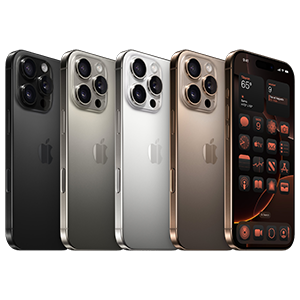
iPhone 16 Pro
iPhone 16 Pro review: Design and size
Apple reused the same case design it shipped with the iPhone 15. This design remains very similar to the previous model, which was close to the one before that, and so forth.
The iPhone 17 is probably going to be different. That's fine, of course. Ultimately, they're still slabs of metal and glass for now.
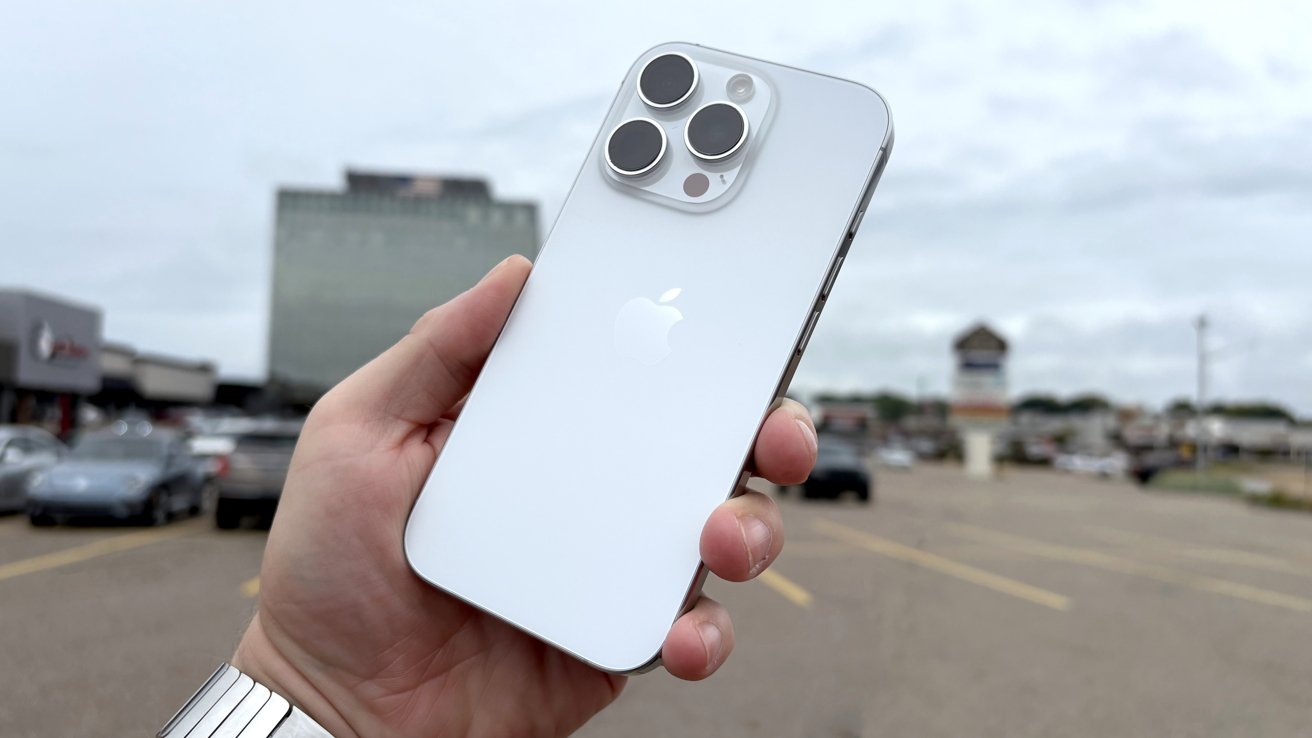
Carrying around the new iPhone 16 Pro for the past week or so
At 5.89 inches tall and 2.81 inches wide, it's a little bit bigger than the previous generation, but not by much. It'll feel a little bit bigger, but we're not talking iPhone 16 Pro Max unwieldiness here.
This does translate into a bit of a weight gain for the model, with it now tipping the scales at 7.03 ounces. The titanium and glass sandwich construction introduced last year certainly helps mitigate what could've been more serious gains.
Where you do gain is in resolution. Now it's an always-on display with a 2,622 by 1,206 image, maintaining Apple's preferred 460ppi pixel density.
The screen is still very high-specification, with its 2 million to one contrast ratio and 2,000 nits of maximum brightness guaranteeing great picture quality. ProMotion, drives 120Hz refresh rates and enablesthe always-on screen function.
Wide color (P3) support, HDR, and TrueTone are also present as usual, along with the Dynamic Island.
I'm willing to bet that most users of the Pro line of iPhones don't care that much about HDR. Dynamic Island is still under-utilized, a few years after release.
The new Camera Control button replaces the mmWave antenna on the lower-right side of the new phone
Apple is still continuing to use the Action Button instead of the mute switch. Though, with the inclusion of Camera Control, there's less need to make the Action Button summon the camera anymore.
More on Camera Control in a bit, though.
iPhone 16 Pro review: Cameras
The iPhone 15 Pro Max had the biggest camera changes in 2023. The iPhone 16 Pro caught up to the telephoto in the iPhone 15 Pro Max.
The Telephoto sensor is still a 12MP shooter, but now the 3x optical zoom it offered has increased to a 5x version, matching the Max.
In practice, in the last year, I haven't used it that much. Like I learned with the Moment lenses on the iPhone X and iPhone 13, I just didn't often have the need for it. All told, you can get a 25x zoom between the lens and the digital zoom.
15X versus 25X digital zoom comparison
That's fine, though. Given that this is my personal driver, I'm sure I'll use it more in the next two or three years.
The 48-megapixel Main sensor, rebranded the Fusion Camera, is the same as last time, all the way down to the f/1.78 aperture and the use of a second-gen sensor shift OIS system.
The high megapixel count enables the virtual fourth camera, a 2x "optical" zoom created by cropping, to resurface as well. It's a fake 12MP camera.
The Ultra Wide camera was upgraded from a 12MP sensor to a 48MP version, which still has an f/2.2 aperture and a 120-degree field of view.
Macro using the new ultra-wide camera comparison
Your ultra-wide close-range group shots or photos of landscapes will be in a lot more detail.
Ultra-wide comparison
Once more, there's LiDAR in the back, which is helpful for applications that offer depth mapping, as well as if you're trying to focus on a subject at night. Over the last year, I've used the feature to take 3D shots of my growing children, periodic vacation photos, and the like.
It's a helpful addition, particularly if you have an Apple Vision Pro — which for the record, I bought at launch too. Apple's Photos enhancements allow for this effect even on older photos, but it's a far higher quality when natively shot, versus interpolated with artificial intelligence.
That said... my daughter passed just a hair over four years ago. I have used this interpolation to dramatic effect for myself and the family.
If you have an Apple Vision Pro and haven't tried it, you should. Try it on those older photos too.
Anyway, all this imaging is still backed by Apple's persistent push for computational photography. The Photonic Engine and Deep Fusion are still at play, pushing pixels to make the perfect image.
When it comes to video, it starts off from the solid base that Apple started with the iPhone 15 family. The videography design decisions remain, and aren't likely to change much in the iPhone 17.
Primary camera comparison
The 2025 4K 60Hz Dolby Vision ProRes recording to an external drive has been upgraded to a new higher standard. Now, it's possible to do the same, but at 120Hz.
Things like recording in Log and support for the Academy Color Encoding System continue to be great elements for video producers, as is external recording. But the maximum frame rate for 4K footage could be the biggest change of all.
Consider Slo-mo in previous models, which is 1080p at either 120fps or 240fps. What Apple has done here is create the equivalent of the lower-speed Slo-mo but for the highest resolution it offers.
I don't do YouTube for AppleInsider. My children want to start a channel, though, and my oldest has started taking videos of fire trucks, trash trucks, police, ice cream trucks, you name it.
He hasn't started it fully yet, as I'm insisting on a level of parental oversight. He is using the iPhone 16 Pro and an external MagSafe SSD to great effect, though.
Beyond just that SSD, the USB-C connector has been more effective and productive than I had previously thought. It can be used for basic and cheap HDMI output, it can connect to an iPad as an external monitor, and the aforementioned SSD at about 10 gigabits per second.
And, it can be done through a USB-C hub. The USB-C iPhone accessory market was sparse in 2023 when the iPhone 15 Pro shipped. There are many choices now, and we've reviewed several.
And, we know more is coming soon.
Regardless, we still recommend sticking with higher-performing media. In our testing, slow media like SD cards, or generic SSDs induce dropped frames or can error out completely after a period of filming.
Speaking of something that's more oriented to teenagers than middle-aged men, the front of the iPhone 16 Pro still uses a 12-megapixel True Depth camera array for Face ID and selfies. This camera is equipped with an f/1.9 aperture, Focus Pixels, and a six-element lens, and depth mapping capabilities.
The onboard smarts aren't just for video, as sound gets a bump this time. Audio Mix will use Spatial Audio capture and AI to adjust the voices in a video to your preference.
Apple says that this includes only capturing the voices of people in-frame, or adjusting the audio to sound more professional. There's a cinematic mode so you can shift all voices to the center.
In the year that I've shot video on vacation, and at homes, I can't tell the difference between this and non-enhanced audio. That said, while I am absolutely a Pro Mac user, I am an above-average iPhone user, and use it as Jobs originally intended, as an accessory to my Mac, and not as a main device.
So, it's possible I'm just missing something. A quick Google search suggests that I'm not though.
iPhone 16 Pro review: Camera Control
Camera Control. In theory, it's a good idea.
As implemented, Camera Control is a touch-sensitive button that acts like the shutter for the camera. With half-presses or swipes, it also allows you to change camera settings.
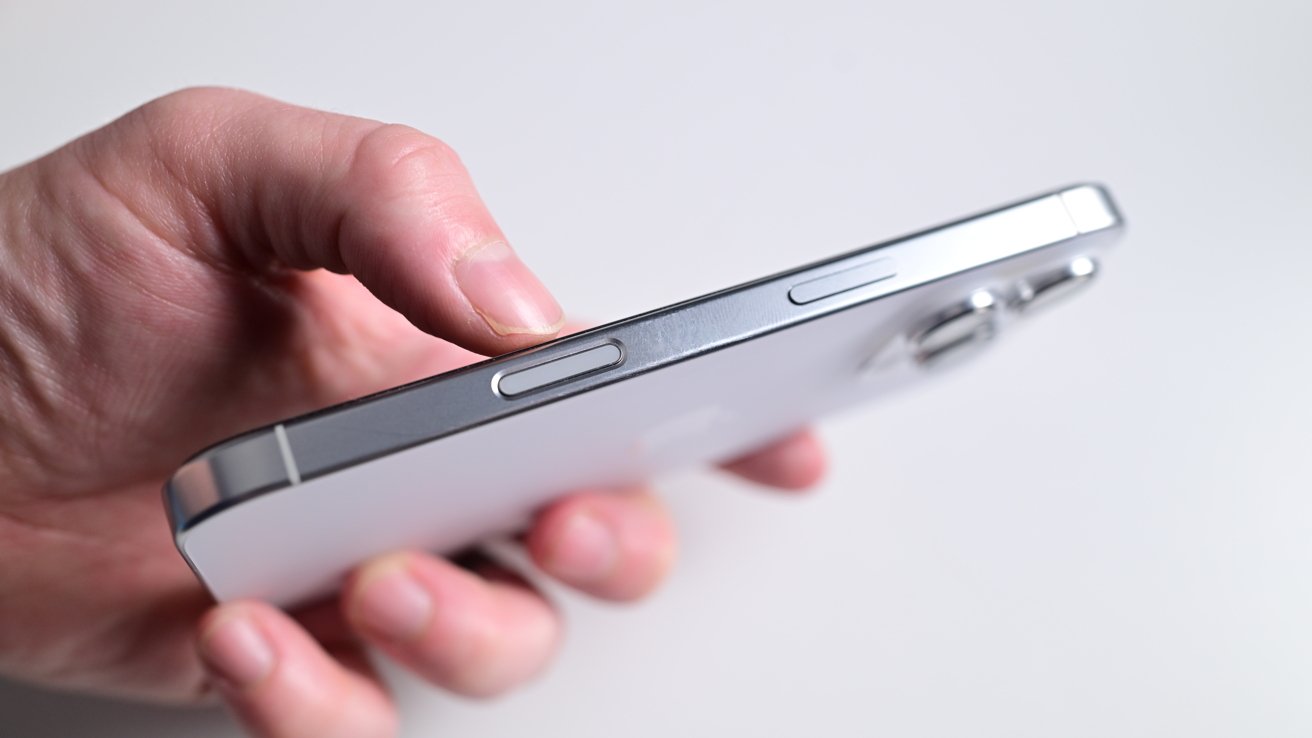
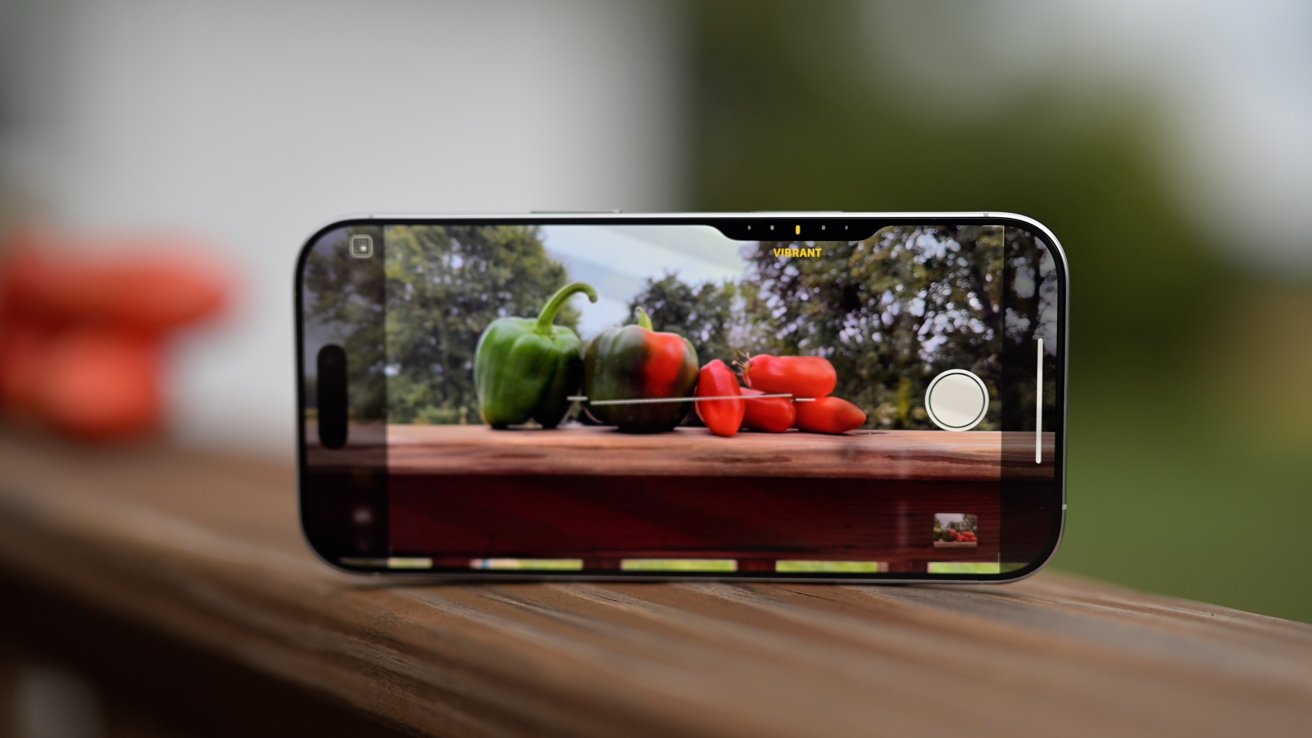
The new Camera Control button
Just about any exposure, magnification setting, or discrete adjustment can be adjusted with this button. We aren't going to get into the use of it so much here, as we've discussed this in some depth before.
Fortunately, as predicted, developers started using it immediately.
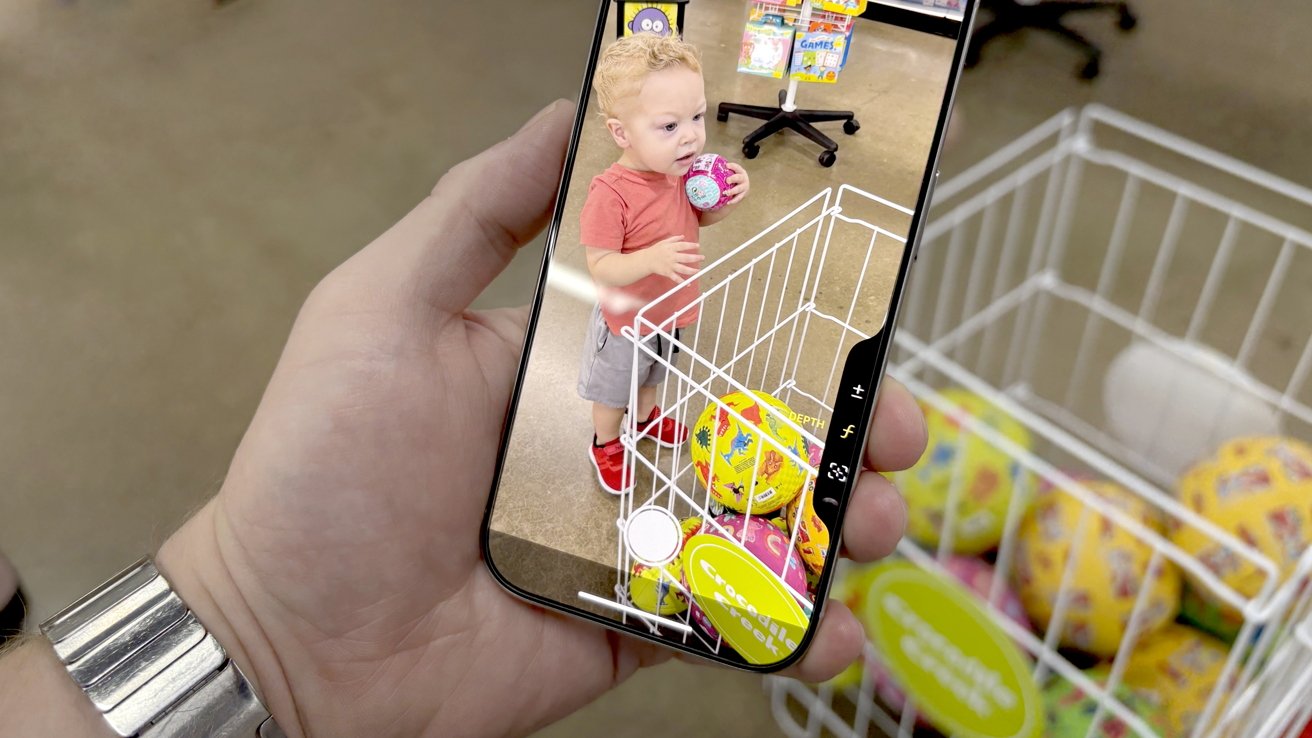
The Camera Control button has the potential to be useful
As its name implies, the Camera Control button offers new functionality related to photo and video capture. It can be used in both the horizontal and vertical device orientation. The Camera Control can recognize and respond to a multitude of different gestures and press types:
- Single click: Opens the Camera app or a compatible third-party app
- Single click, within the Camera app: Takes a photo
- Click and hold: Opens the Camera app and starts recording video
- Single light press: locks focus and exposure on a subject (available later in the fall of 2024)
- Double light press: Opens a minimal camera preview menu, which lets users select different controls such as exposure or depth of field
- Swipe along the surface: adjusts different parameters such as zoom, exposure, or depth of field
Originally, I thought it was just okay. As time as gone on, I like it less and less. It just didn't suit my workflow, and it got in the way more than it helped.
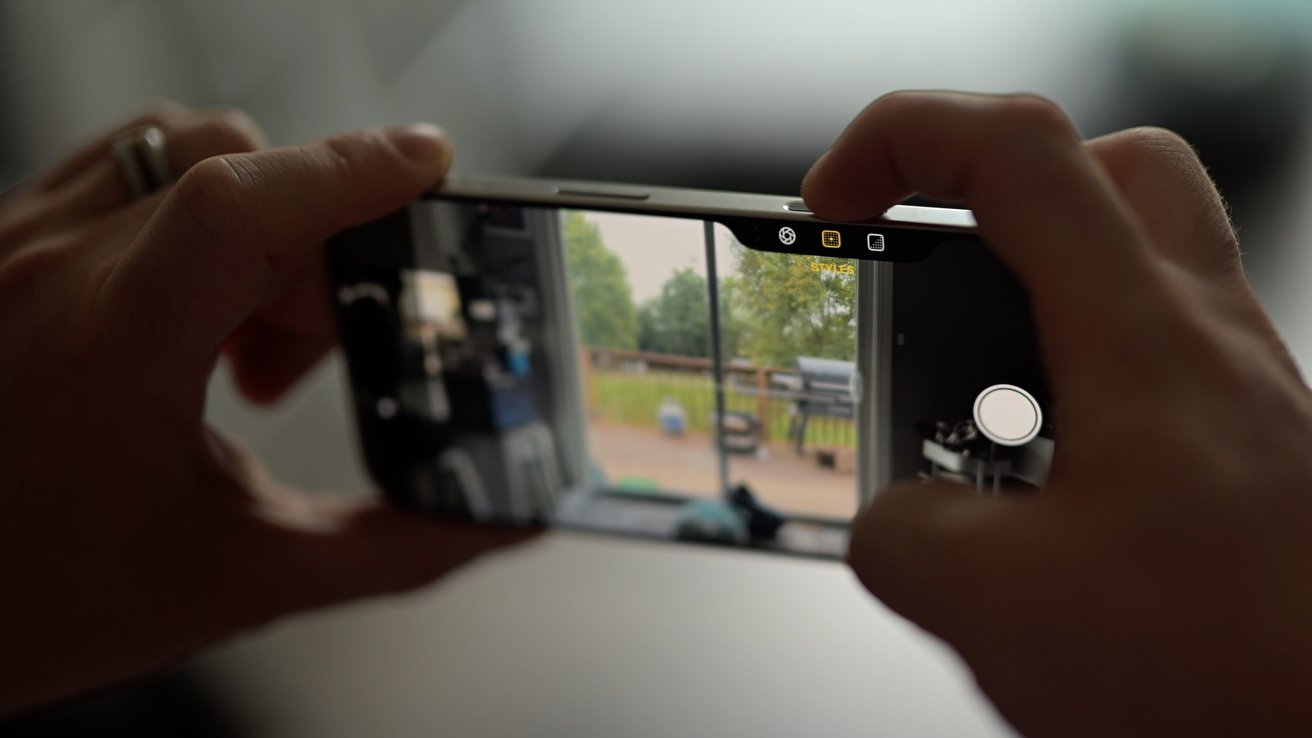
Taking a photo with the Camera Control button
In my original review, I said that opinions on the utility of the button as a camera adjustment tool were mixed amongst the AppleInsider staff.
I also said that it was a distraction to some, and crucial to others. As it turns out, the few devout rely on it, but most of us don't use it for its intended purpose at all.
iPhone 16 Pro review: Performance and Apple Intelligence
The A18 Pro isa six-core CPU, using two performance cores and two efficiency cores as usual, and is made from a second-gen three-nanometer production process. Apple claims it is up to 15% faster than the A17 Pro, but uses 20% less power. That feels right after a year of use.
There's also some assistance from new Machine Learning accelerators, which are optimized for Apple Intelligence too.
The GPU is a six-core version again, but Apple insists it is 20% more powerful than the A17 Pro. That includes hardware ray-tracing capability, which is twice as fast than in the previous version.
The Neural Engine is, yet again, a 16-core model. While the A17 Pro was a massive improvement over its predecessor, Apple insists the latest edition is faster and more efficient again.
It is, we're sure. It's just hard to quantify and benchmark from a practical perspective.
For end users, this is delivered in Photos. The faster cores will provide faster onboard processing of Apple Intelligence commands, compared to the iPhone 15 Pro models.
As far as CPU and overall performance goes, we do comparison pieces where we consider the new model versus the year-ago family of devices. In reality, most users are coming from a device that's three years old. In this case, that would be the iPhone 13 Pro.
Beyond the obvious iPhone 13 Pro not being able to use Apple Intelligence, there's a giant performance gap between that flagship model, and the best iPhone prior to the iPhone 17 release.
In short, the iPhone 16 Pro is roughly 25% faster in single and multiple core jobs. There's also ray tracing in (some) video games for the iPhone 16 Pro, which make those look even better.
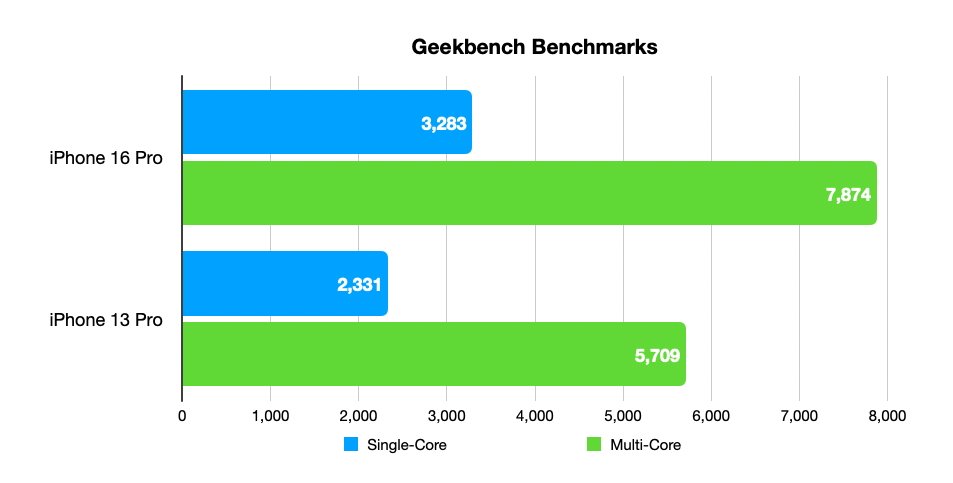
iPhone 16 Pro review: benchmarks versus iPhone 13 Pro
As it ever was, there was a lot of talk about thermal throttling on the new iPhones, from the usual — mostly YouTube — sources. As a reminder, every chip in mobile or desktop in every regard made in the last 20 years has some routine to slow down if it is in danger of overheat, or similar.
There hasn't been a rash of iPhone overheating. There aren't shocked face YouTubers still screaming about it, nor is there any indication of giant performance hits from it.
As we predicted, Apple didn't say anything about it, because like almost always, it's a non-issue.
What I can say about it is, the iPhone 16 Pro took longer from load to slow down than it did on the iPhone 15 Pro, or iPhone 14 Pro. Apple did a lot of work on the enclosure, battery, and cooling system of the phone.
The iPhone 16 Pro still doesn't and won't ever have a fan, but it takes longer to hit that thermal saturation on the device that the iPhone 13 Pro hits very fast.
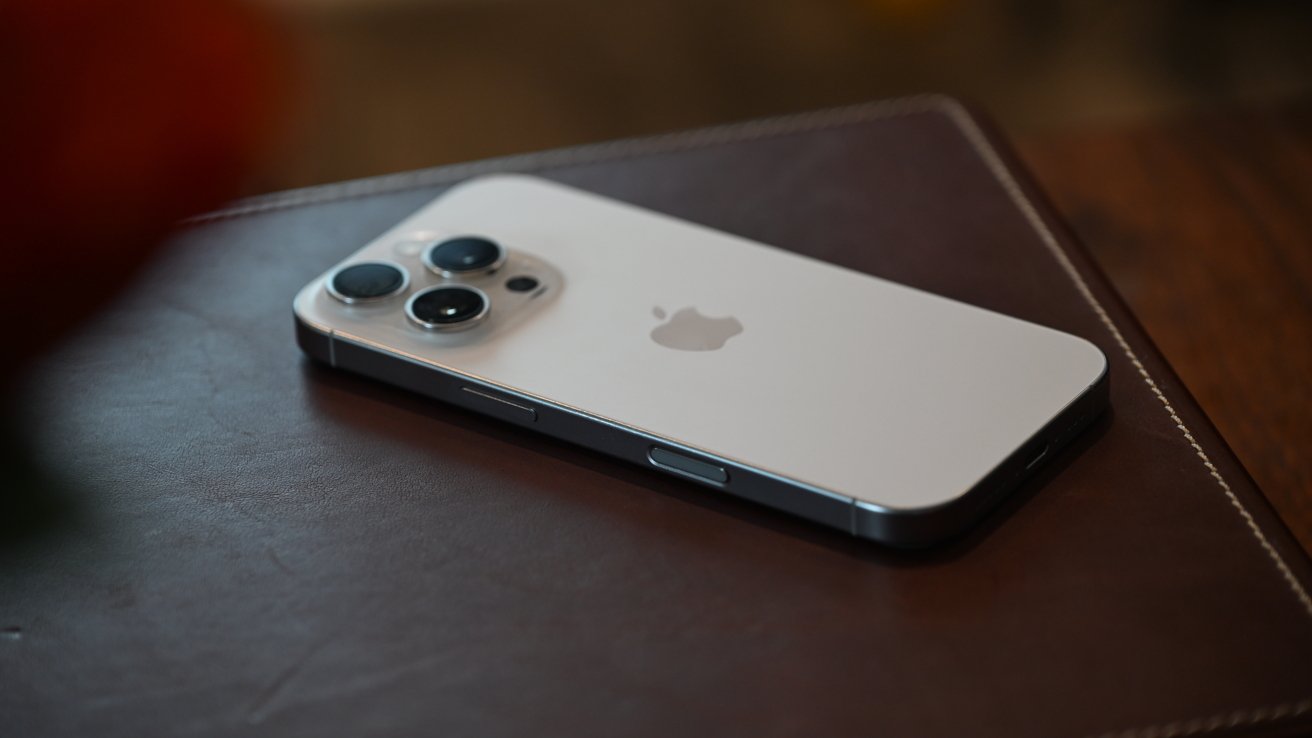
The new iPhone 16 Pro has a lot of notable upgrades
Most users, even Pro ones, don't push their iPhone very hard for very long. It's good to have that better cooling though, as it may matter for Apple Intelligence.
Another "it's coming next year" evergreen rumor is vapor chamber cooling. It remains to be seen if this is in the iPhone 17 Pro lineup. We'll see, but the iPhone 16 Pro has excellent cooling.
Well, as far as enclosed slabs of glass and metal go, that is.
iPhone 16 Pro review: Apple Intelligence.
Apple made a bad decision and leaned heavily on Apple Intelligence to market iPhone 16 Pro. That didn't work out great.
Some features arrived in iOS 18.1, and there were supposed to be more throughout the year, including the improved Siri.
Obviously, that didn't happen.
So far, Apple Intelligence is a borderline-dud. The highlight of it was supposed to be the improved Siri, which is now launching, we think, sometime in early 2026.
Apple can afford to wait, of course. It's just in bad taste to hinge an advertising campaign around it.
We've said it before. The Writing Tools are pretty good, and are an excellent replacement for services like Grammarly.
The other generative features are adequate.
As far as the future goes, we're not too concerned about the iPhone 16 Pro getting cut off from Apple Intelligence features early. We've already spoken about the processor in the unit, so perhaps other than RAM issues in about four years, we don't see a problem.
It remains a solid buy for the future, even in an iPhone 17 era.
iPhone 16 Pro review: Connectivity, Power, and Battery
Since the inclusion of 5G support, Apple has maintained offering both sub-6GHz and mmWave band coverage on its top-line iPhones in the US, but not elsewhere. There's no difference here at all, and you wouldn't expect there to be.
There is some shifting on the Wi-Fi side, as now the iPhone 16 Pro sports Wi-Fi 7. If you have the infrastructure to take advantage of it, at least.
We didn't initially, but we do now. Wi-Fi 7 is pricey, and it's hard to recommend in the home.
But if you do, there are big benefits, to even older gear. Given the US-average bandwidth situation, and boosting that for the kind of folks that we know read AppleInsider, the biggest issue in iPhone Wi-Fi remains total download as provided by the ISP.
I'd like to say that you should get Wi-Fi 7 gear now. I've had a great deal of fun with the reviews that I've done and am doing with Wi-Fi 7.
Most just don't need it. Yet. That said, given the about 40-month average iPhone replacement cycle for daily drivers that includes the devout annual updates, it's good that it's included in the iPhone 16 Pro.
Thread support is included, along with the second-generation Ultra Wideband chip. Searching for missing AirTags is still an option, and something that I've done a few times with my keys over the last year.
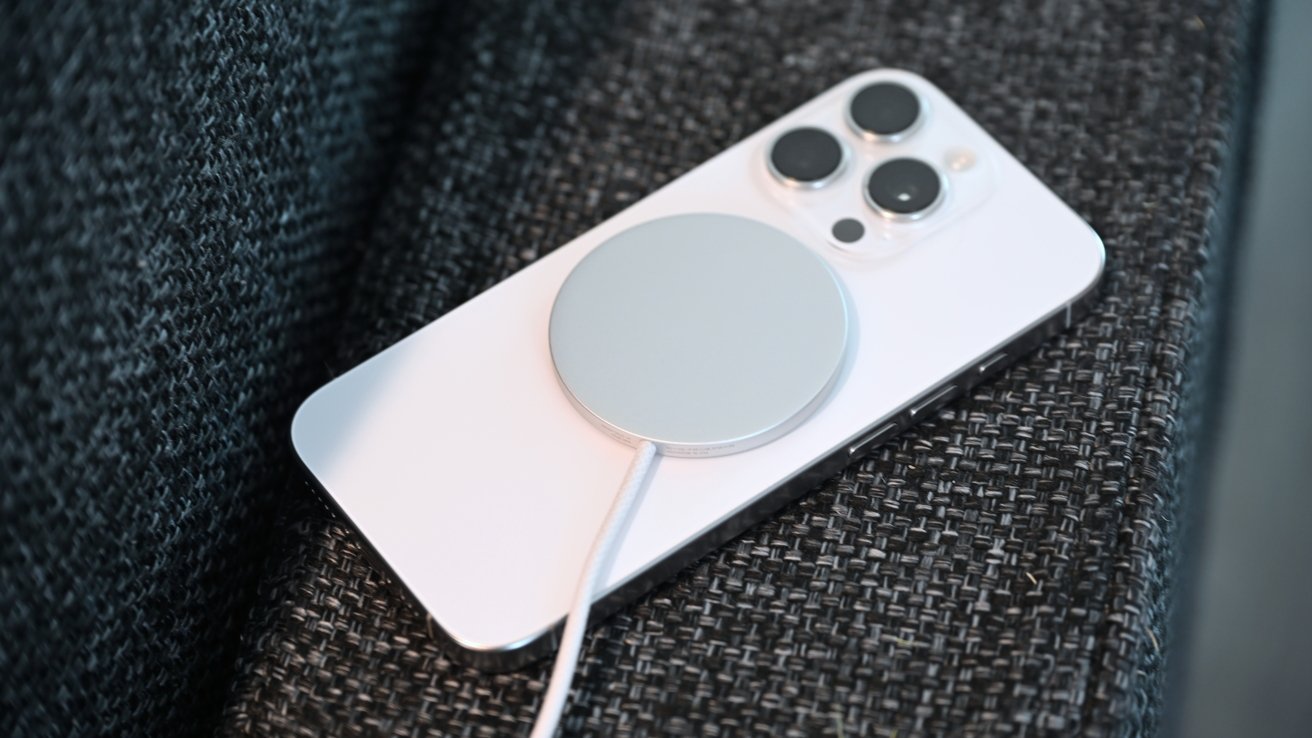
MagSafe is now capable of up to 25W of wireless power
Wireless charging now works at up to 25W using MagSafe, which is an exciting development. Wireless charging has always lagged behind wired charging, such as the 15W supported with Qi2 chargers or 7.5W with Qi.
At least now you could potentially see a significant uptick of power when you place your iPhone on a cafe's charging pads. That is, if they use the right tech.
Wired fast charging continues to provide a 50% charge within 30 minutes using a 20W charger. This is more than adequate enough for most people.
In our testing, we hit 34W of power with suitable wired charging gear, and we've seen reports of some users getting 39W while charging.
It's good to have both. Wired charging is more efficient, at about 94%. Qi is at best about 75% efficient, with the rest bled off in heat.
As for how much battery life you can get, Apple's boosted the capacity so you can now watch up to 27 hours of local video playback. Netflix-style streaming will last for up to 22 hours, while audio playback goes up to 85 hours.
After a year of heavy, heavy use, my battery is still in good shape. I've paid absolutely no attention to the battery life min-maxers, and just used Apple's algorithms.
Charging has mostly been on an Anker desktop stand delivering about 15W, and periodically on a USB-C cable.
As of August 18 when I started this review, I have 202 charging cycles on the battery, and Apple says my battery health is 99%.
I have no reason to disbelieve that.
Your mileage may vary, of course. Batteries are consumable. They are a chemical and physical process, and their longevity is very much out of your hands, and mostly dependent on how things went in battery manufacture on a microscopic level.
If you're worried about it, get AppleCare or add it as one of your three devices on AppleCare One.
iPhone 16 Pro review: Emergency SOS via Satellite
Yet again, Apple is making it so that you don't need phone signal to use your iPhone to contact others.
Emergency SOS via Satellite is back, alongside Roadside Assistance via Satellite. Whether you're lost, you're in medical trouble, or your car's been in an accident in the middle of nowhere, you can at least get some help.
In both cases, you're dealing with a largely text-based system, since bandwidth is an issue. However, there's also Messages via Satellite which lets you send and receive messages and tapbacks while in a blackspot.
If you happen to be somewhere with signal, there's now an option to share a live feed from your iPhone to emergency responders. This should give attendees more of an idea of what to expect when they actually turn up to the incident.
I had one occasion to use Emergency SOS via Satellite. I was on a long highway drive, and ran over some road debris from somebody else's steel-belted radial that was metal spaghetti in the road. The tire pressure lights came on about a half mile later, and I knew I had a problem.
One spare wasn't going to do it, it was 2AM, and there was zero 5G, let alone 4G. The Emergency SOS via Satellite allowed me to summon a AAA tire truck, and I was back on the road within two hours.
Crash Detection is back too. I had to turn it off at an amusement park, so I know it works.
Should you buy the iPhone 16 Pro in September 2025?
The iPhone 17 is imminent. With it is most likely the iPhone 17 Air, or slim, or whatever Apple will call it.
The folks that will buy the thinner iPhone 17 aren't the same group looking at the iPhone 17 Pro, so that's right out.
As a general rule, the Pro model from the previous year is a better buy as carriers want to unload it, in the X=X+1 year. This year is no different.
The iPhone 16 Pro is a great phone, one of Apple's best year-over-year Pro improvements. When carriers sort out deals to clear out remaining inventory, I think that it's going to sit at an excellent point in the lineup, and given trends, perhaps free with trade-in.
That's a hell of a deal for a hell of a phone.
iPhone 16 Pro review: Pros
- A18 Pro chipset remains incredibly powerful
- 5x optical zoom makes it to the smaller Pro iPhone
- Performance, and battery durability
iPhone 16 Pro review: Cons
- Marketing leans heavy on a feature that isn't available yet, and won't be for another six months
- Cameras Control is mostly a dud
Score: 4.5 out of 5
Where to buy Apple's iPhone 16 Pro at a discount
If you're looking for promotions on the iPhone 16 or iPhone 16 Pro Max, today's best iPhone deals on the entire product range are available at your fingertips.
iPhone 16 Pro deals
- AT&T Wireless: Get an iPhone 16 Pro on AT&T with qualifying trade and plan*
- Verizon Wireless: Get an iPhone 16 Pro at Verizon for as low as $0 per month with qualifying trade and plan.
- T-Mobile: Get an iPhone 16 Pro on T-Mobile with qualifying trade and plan.
- eBay: Grab deals on new, open box, and refurbished iPhone 16 Pro models *Terms and conditions apply. Please see the wireless provider for details.







