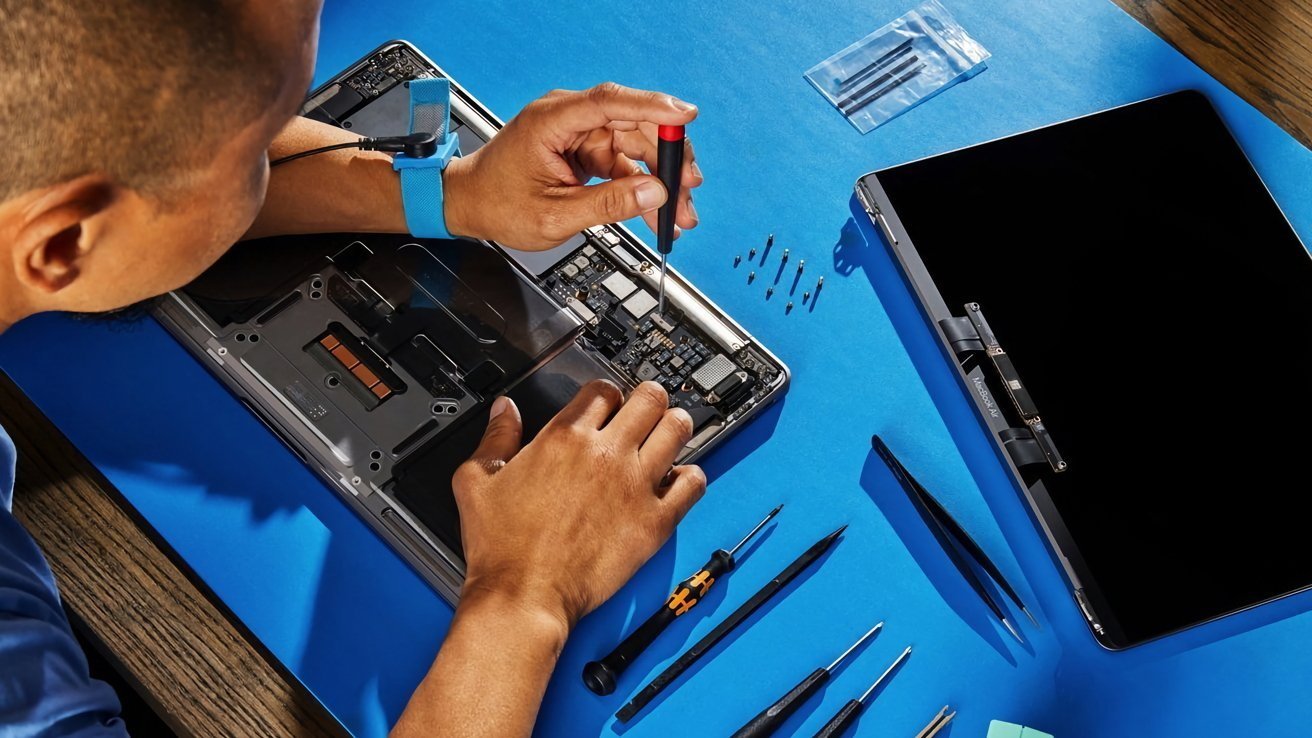
Apple's Repair Assistant is coming to macOS Tahoe, making it simple to pair and calibrate new and used device components.
The Repair Assistant feature debuted in 2024, with the public release of iOS 18 and iPadOS 18. Replacing an iPhone battery or a broken iPad screen with a genuine part was made easier, as users no longer had to contact Apple to resolve issues related to part pairing.
Now the same tool will make its way to the Mac as part of macOS Tahoe. Code related to the feature is already visible in the macOS Tahoe release candidate build Apple deployed on September 9. The operating system is set to receive its full public release with macOS Tahoe, which is when users will gain access to the Repair Assistant.
Repair Assistant on macOS will work the same way it functions on iOS and iPadOS. The tool installs calibration data once a repair has been executed and provides information on whether or not the replaced part is working as intended.
It will also be possible to swap parts between select Macs and to recalibrate the components as needed. Repair Assistant will only be usable on Apple Silicon Macs running macOS Tahoe or newer, meaning there's no support for Intel-based Macs.
Apple's Repair Assistant will be especially useful for the calibration of Lid Angle sensors on newer MacBook Pro and MacBook Air models. Many older Intel-based MacBooks used simple Hall effect sensors to detect whether the device was open or closed.
Newer models, on the other hand, use a more advanced Lid Angle sensor. It measures the exact magnetic field orientation and delivers a precise angle reading between zero degrees (when closed) and 180 degrees (when the MacBook is open).
While it's more advanced, the Lid Angle sensor is more difficult to replace on modern MacBooks. Without calibration software, which was initially only available through Apple Global Service Exchange or GSX, a replaced Lid Angle sensor caused display-related issues and visual glitches.
Thankfully, with the release of macOS Tahoe, users will be able to conduct self-service repairs more easily. It will be possible to reuse working parts from another Mac of the same model, as long as the component meets Apple's privacy, safety, and reliability standards, as verified by the Repair Assistant.
The Repair Assistant also encompasses Parts and Service History, with additional information on whether or not installed parts are used, genuine, or unknown. Mac Touch ID sensors will be protected by Activation Lock.
How to use Repair Assistant on macOS Tahoe
The new Repair Assistant will be available from the Menu Bar or via System Settings.
- In the Menu Bar, click the Apple logo and select System Settings.
- Navigate to General > About.
- If your Mac has recently been repaired, you'll see an option labeled Parts & Service. Click it.
- Choose Restart & Finish repair. You will only see this button if Repair Assistant was not used to calibrate the replaced part or parts.
- If you see a message telling you to update your Mac, update your macOS to the latest version before repeating the process.
- Your Mac should now boot into the Repair Assistant, which will display on-screen instructions you will need to follow.
Apple's Repair Assistant will become available to everyone with the full public release of macOS Tahoe on September 15. Independent repair professionals will also be able to order genuine Apple parts through third-party distributors in the fall of 2025.