
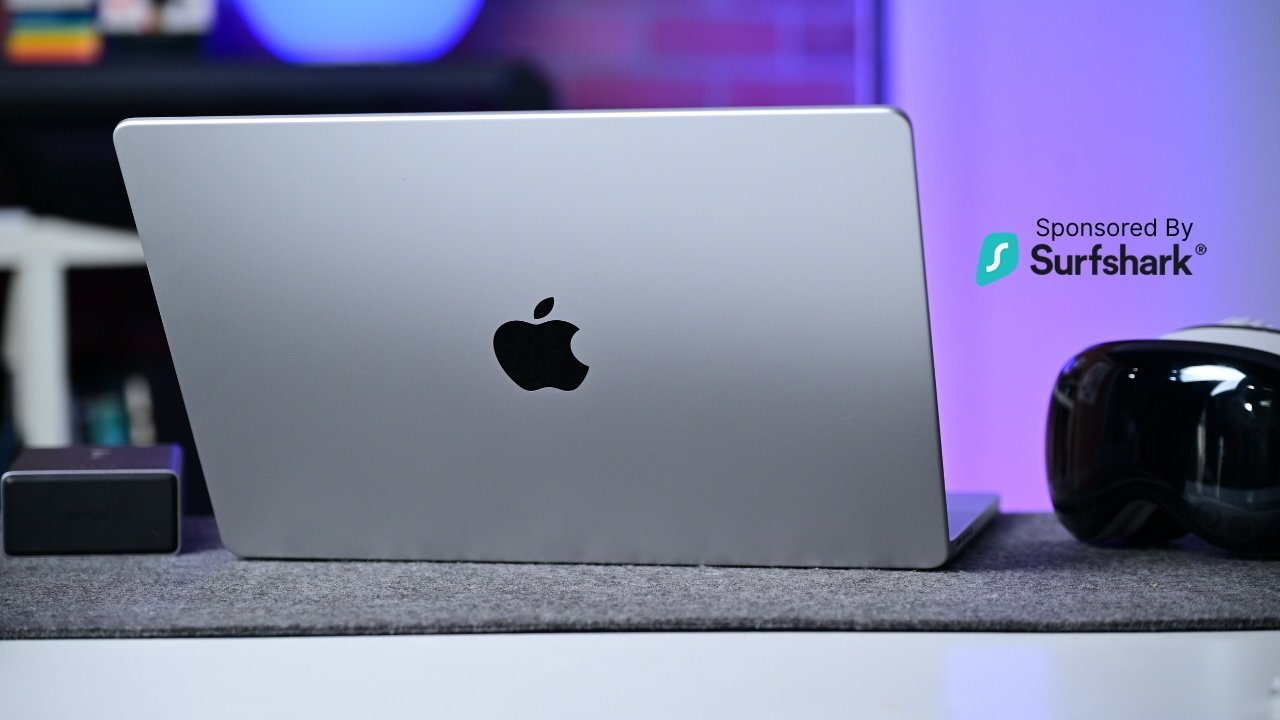
The new MacBook Pro with Apple's M5 chip is here, and while it doesn't look any different, the AI and GPU upgrades are worth the upgrade cost.
If you're at all familiar with Apple's MacBook Pro lineup, the design of the new M5 model won't shock you. Apple typically has different tiers for the pro laptops.
There is a base 14-inch model with the standard processor, followed by 14-inch and 16-inch models that come equipped with either the "pro" or "max" processor versions. It's the two higher-end models that usually see the design innovation.
That base 14-inch version, the one I'm looking at here, is usually last to be updated and occasionally sees features trickle down from its pricier brethren. Still, a lack of physical changes doesn't negate the reliable performance found here.

For this review, I have the new 14-inch MacBook Pro, with Apple's base M5 processor, 512GB of storage, and 16GB of memory in the studio. I was running macOS Tahoe 26.0.1 after the launch-day update was installed.
MacBook Pro (M5) review: Nothing to see here
As I mentioned, the design isn't new. Even after multiple generations, though, it still looks fantastic.
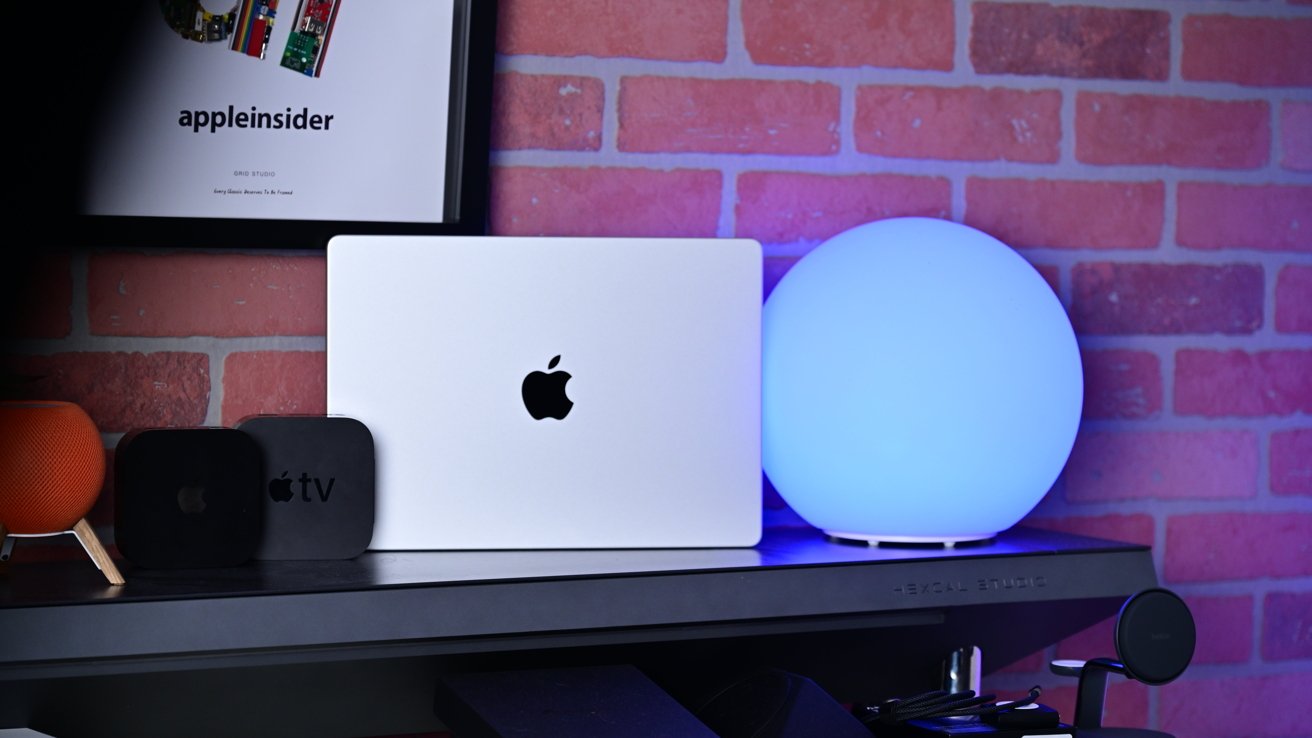
MacBook Pro (M5) review: The new MacBook Pro looks the same as before
The whole body is flat, and it lacks any taper. The edges are elegantly rounded, and it sits on four round feet that slightly extend from the bottom.
It comes in both Space Black and silver — I opted for the latter — and they both have polished Apple logos in the lid. Part of me still wishes those logos glowed.
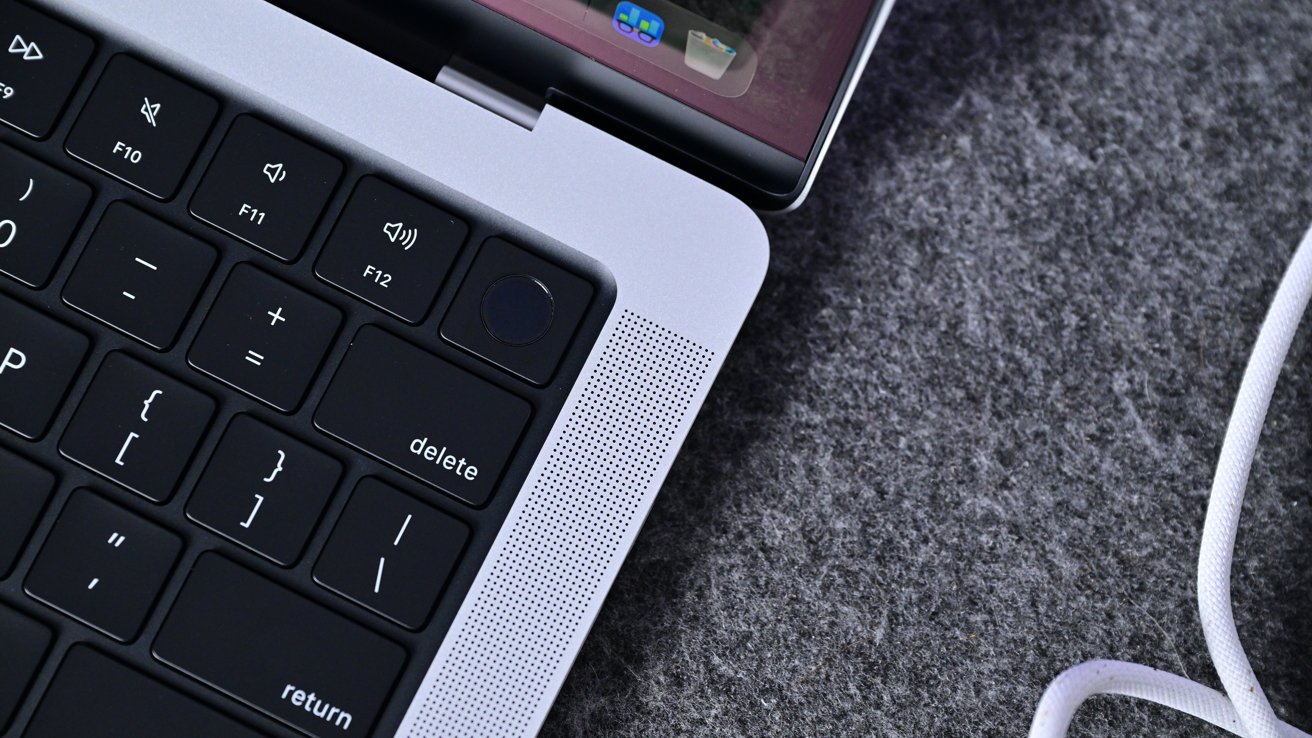
MacBook Pro (M5) review: Touch ID is still here instead of Face ID
When you open the machine, you'll see the Apple Magic Keyboard, largely unchanged, with Touch ID in the top-right corner. Apple did make a few minor tweaks to the printing on the keycaps.
The function key has the "fn" now lower-right justified instead of top-right. Control, option, and command also have their icons justified to the outer edge instead of the inner one.
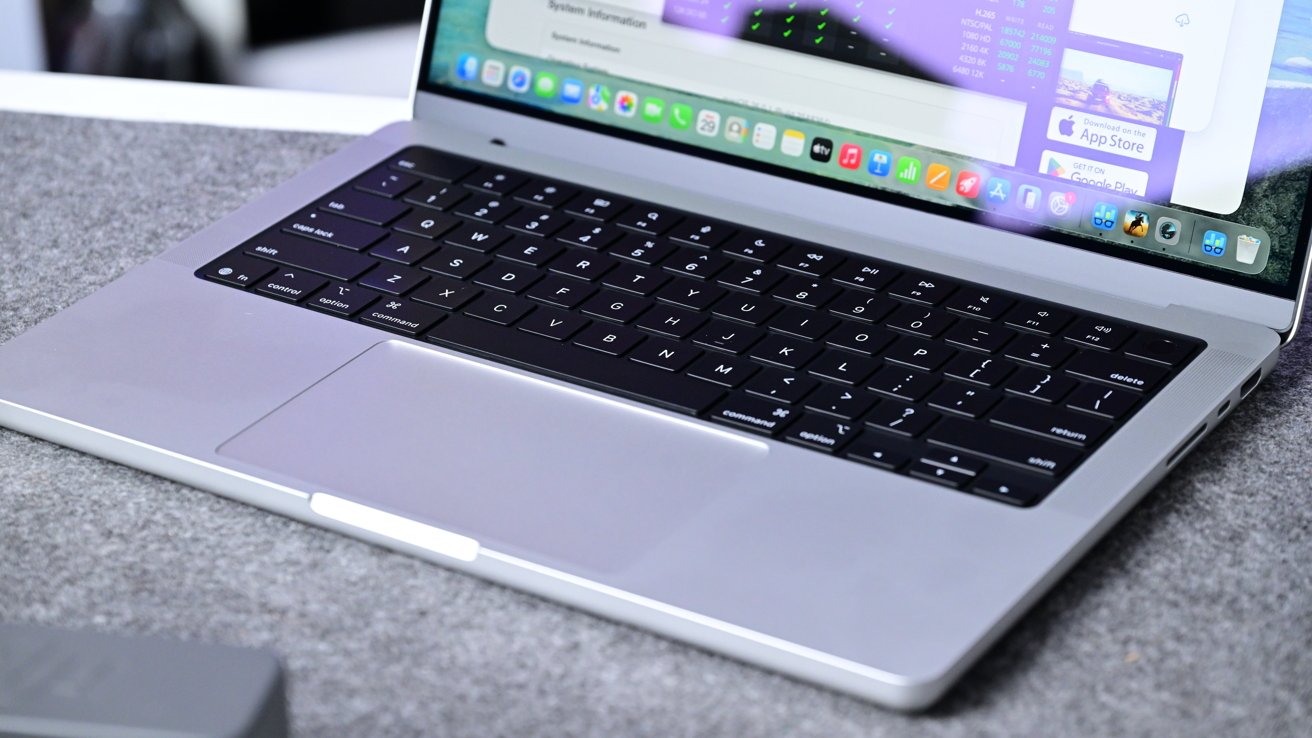
MacBook Pro (M5) review: The trackpad and keyboard are both lovely and reliably
Otherwise, it's the same responsive, clicky, reliable keyboard we've had for years. That's above the expansive multitouch Magic Trackpad that is also unchanged and covered in a smooth sheet of glass.
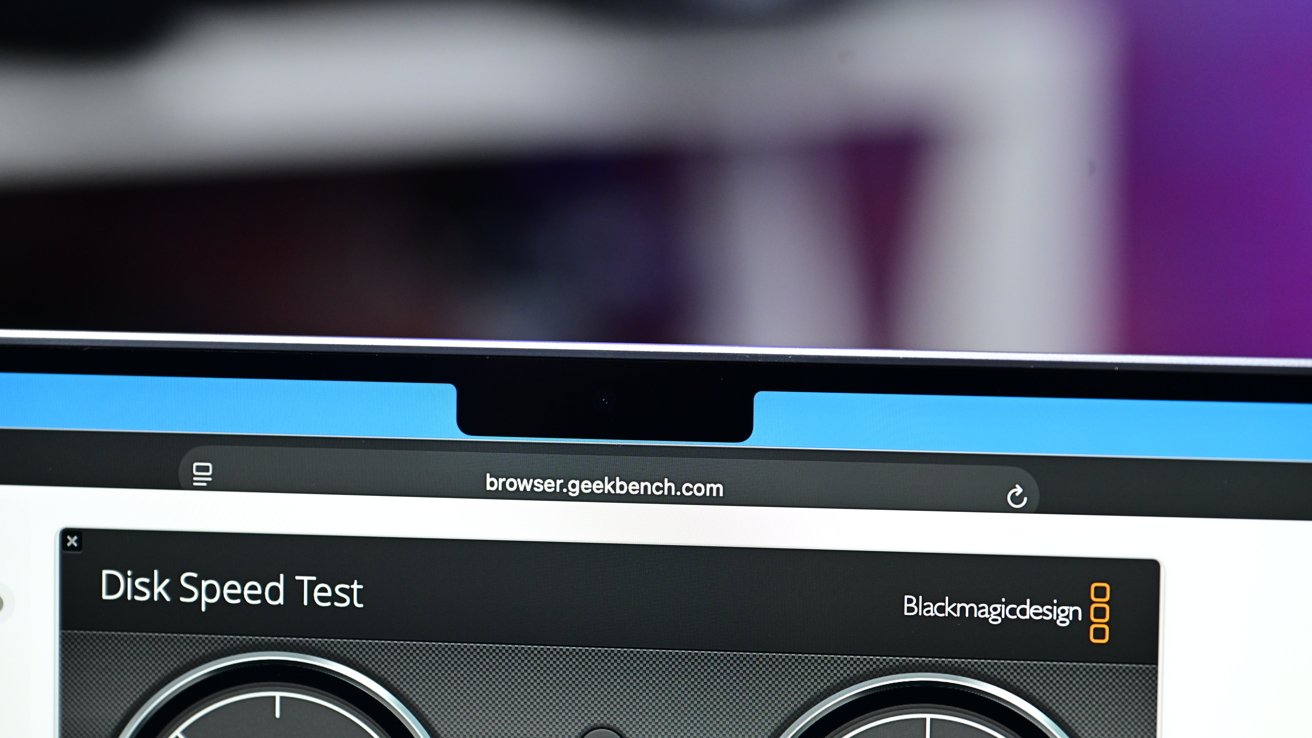
MacBook Pro (M5) review: Notch at the top to house the camera
The display is Apple's Liquid Retina XDR display with rounded top corners and a notch in the center for the 12MP Center Stage camera. It measures in at 14.2 inches on the diagonal with a resolution of 3024 by 1964.
It yields a pixel density of 254 pixels per inch (PPI) with a million-to-one contrast ratio, support for the P3 wide color gamut, and 1600 nits of peak brightness during HDR content and a typical brightness of 1000 nits in full sun.

ProMotion offers adjustable refresh rates that automatically adapt to what is on screen, going up to 120Hz when necessary. My model is the regular display, but a nano-texture version is also available.
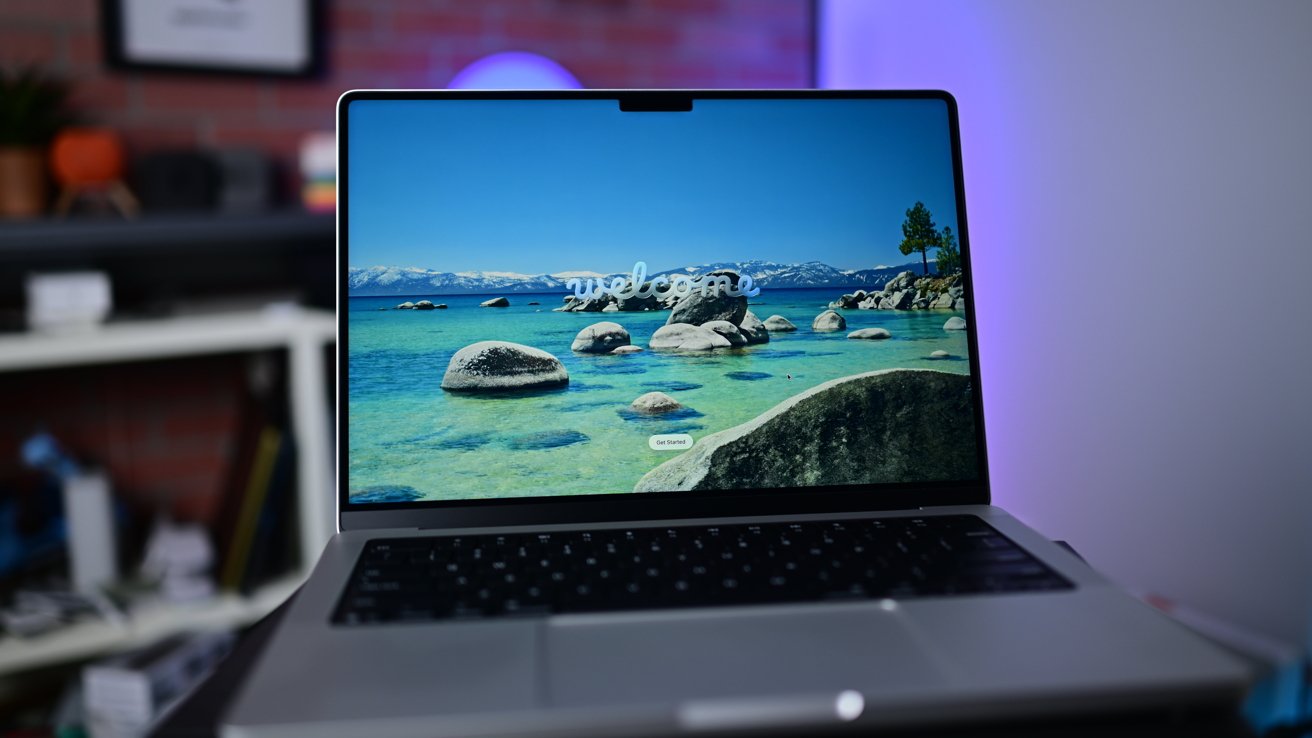
MacBook Pro (M5) review: The welcome screen to macOS Tahoe with Liquid Glass looks amazing on the Liquid Retina XDR display
I want to mention how amazing the nano-texture is. If I had a choice back when I was in college, studying outside on The Oval, I'd opt for the nano-texture in a heartbeat.
There is a slight lack of sharpness that comes from any matte finish, but it's the best antireflective display I've ever used. I did opt to get it on my iPad Pro for that very reason.

14" MacBook Pro M5
If you plan to use this outdoors, the nano-texture is at least worth considering, even if it is an upcharge. It's $150 on top of the regular purchase price.
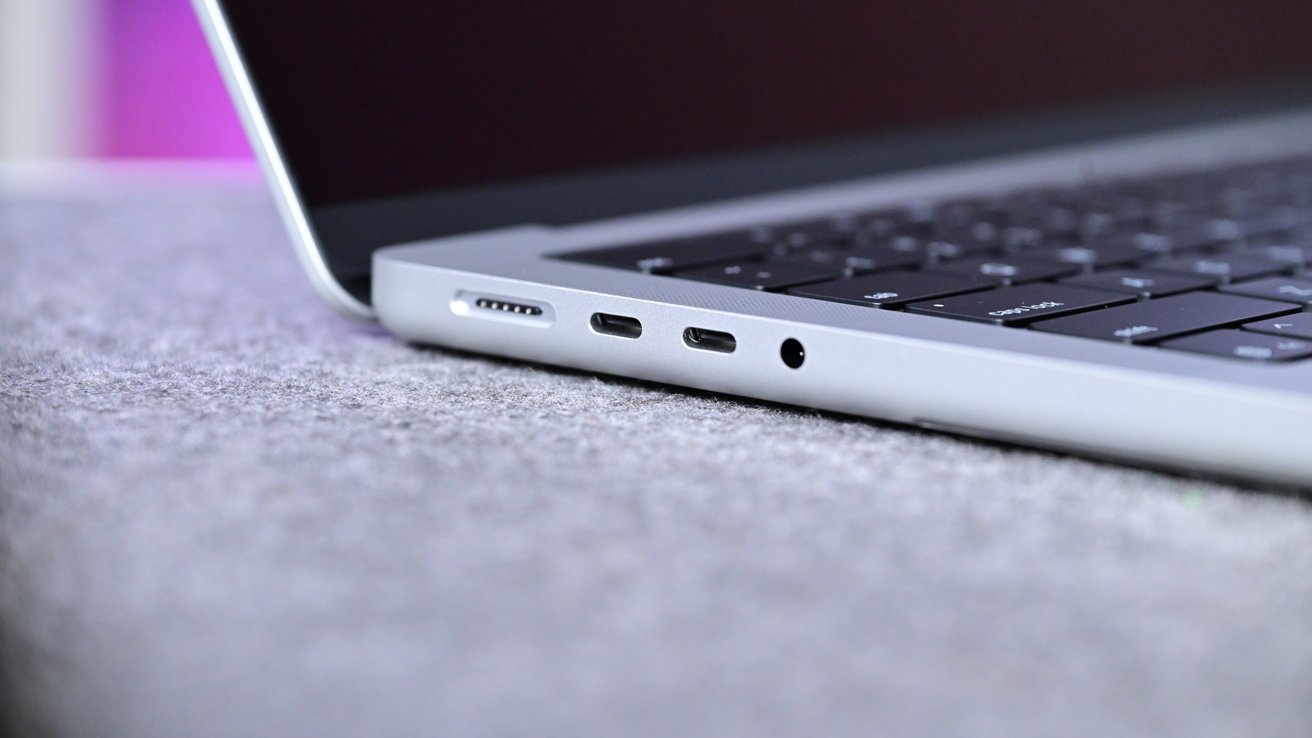
MacBook Pro (M5) review: There are three Thunderbolt ports on the 14-inch MacBook Pro, alongside HDMI, audio, and an SD card reader
The left side of the machine has a MagSafe 3 charging port, two Type-C Thunderbolt 4 ports, and a headphone jack. On the right, you'll find a full-size HDMI output, another Thunderbolt port, and an SD card reader.
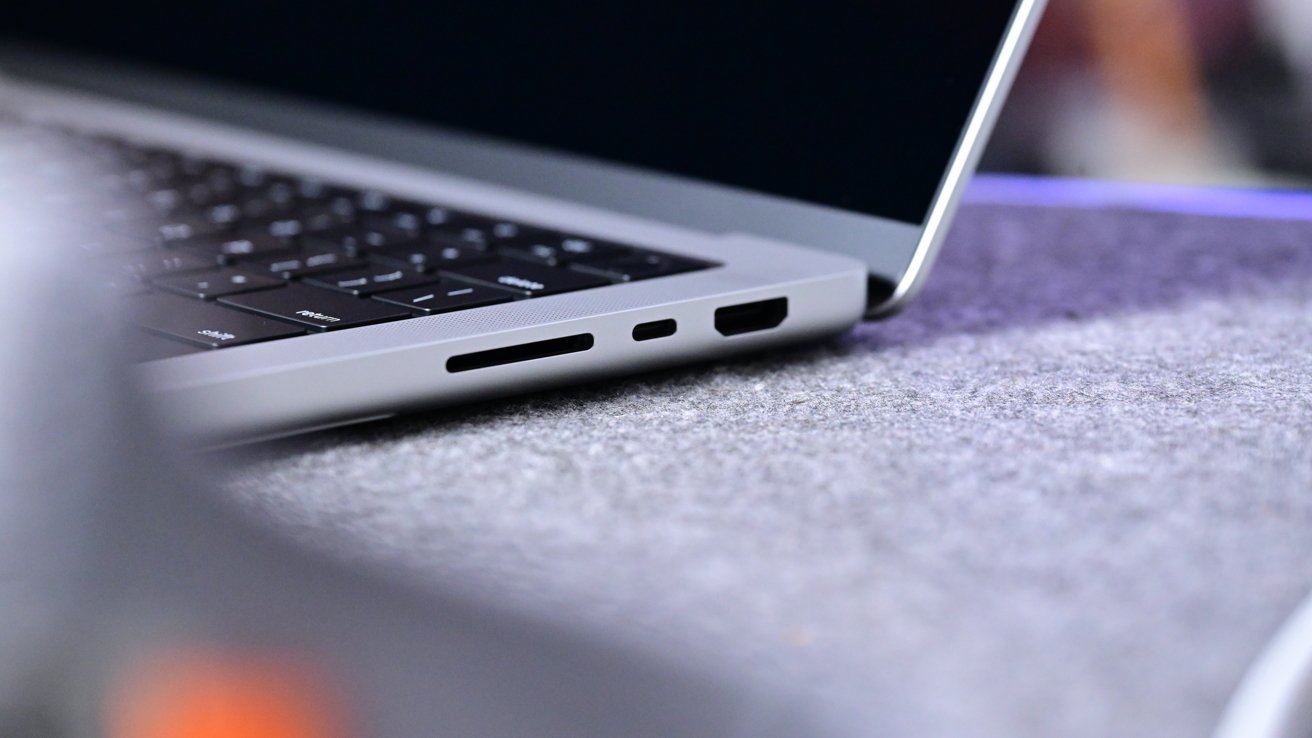
MacBook Pro (M5) review: You can charge with any of the USB-C ports, or MagSafe
Speaker grilles bookend the keyboard, and the sound is decent considering their size. Overall, this design is familiar and comfortable with all-day battery life.
MacBook Pro (M5) review: M5 on the inside
The story of the new MacBook Pro revolves almost entirely around the freshly minted M5 chip. The MacBook Pro was one of three new products to get the faster processor, with the others being the iPad Pro and Apple Vision Pro.
The M5 has a 10-core CPU paired with a 10-core GPU. It has new third-generation ray tracing, a more powerful 16-core Neural Engine, and increased memory bandwidth that's built on third-generation 3-nanometer technology.
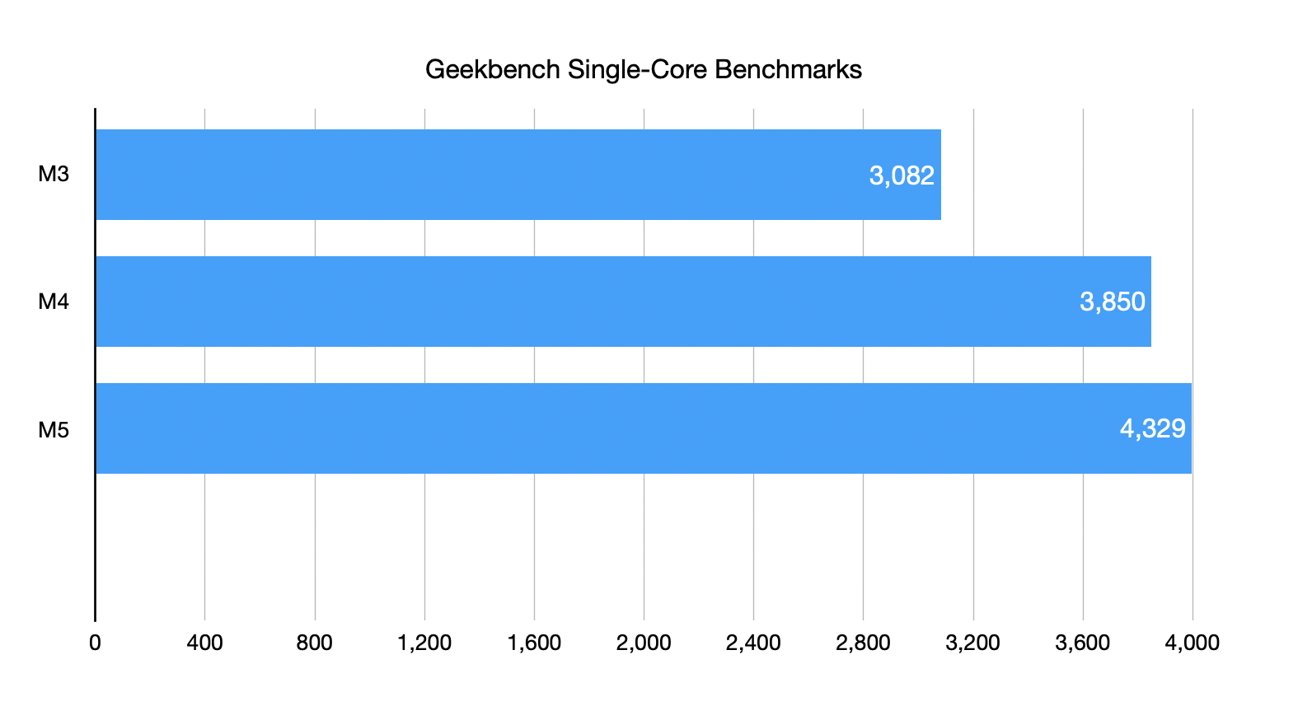
MacBook Pro (M5) review: The new M5 has only modest single-core gains
In my testing, the chip shows only modest gains for the CPU in single-core and multi-core tests. While the M4 had almost a 25% gain, the M5 manages a modest 16% improvement.
While using it for my daily work, I ran into no speed issues. Dozens of tabs in Safari, a few tabs in Chrome, Affinity Photo, Notes, Mail, Slack, and more all run simultaneously without a hitch.
Editing reasonable 4K YouTube videos was also fine. You wouldn't edit a whole film here without some increased load times, but Apple Silicon continues to be impressively powerful for most work.
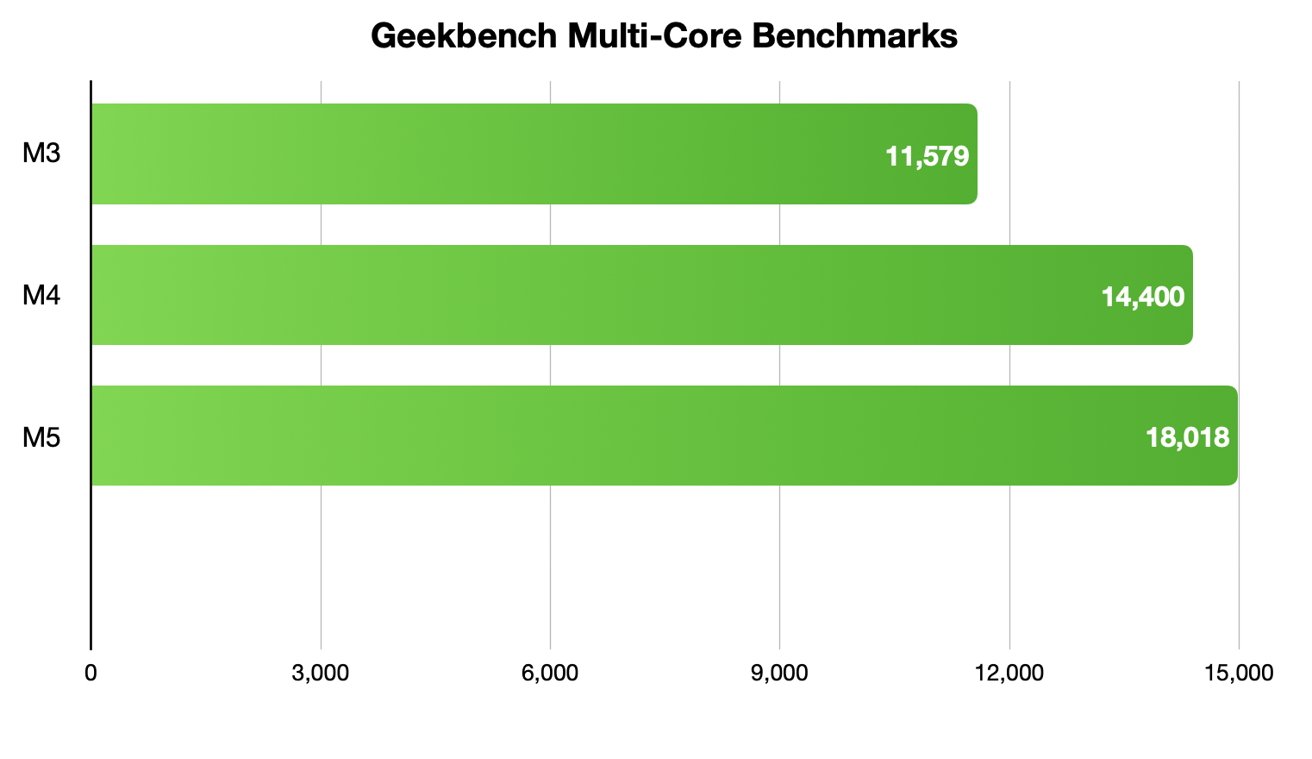
MacBook Pro (M5) review: The new M5 has fair multi-core gains, but does better on graphics
As the entry-level pro machine, I think there is ample power here. I still know many users sitting on M1 or M2-powered devices that have no desire to upgrade as they're still running just fine.
The M5 shines particularly well when it comes to graphics and AI. Both of these saw significant boosts thanks to the new GPU.
The jump from 57,933 to 76,459 on Geekbench Compute testing running with Metal was much more than the improvement from the M3 to the M4 was. As a videographer and photographer, I appreciated this in my workflow.
Games should also perform better. Recently, we saw the launch of Cyberpunk on Mac, which will see higher frame rate and graphics, as will other similarly intensive games.
MacBook Pro (M5) review: AI performance
Combined with the GPU, the AI compute performance should be a massive leap for the M5. Apple put neutral accelerators into each of the GPU cores, akin to Nvidia's tensor cores, to help speed up various parts of your AI workflow.
With any AI abilities, it will very much depend on the task, the app, and the workflow. For example, if you are relying on cloud compute for tasks, there won't be nearly as much improvement locally on-device.
Largely using Apple Intelligence, Image Playgrounds, or conversing with ChatGPT took the same amount of time between my other Macs and the new M5 model.
As we get into other apps, it becomes a mixed bag. Most apps will need to be updated to fully take advantage of the new performance.
Some, though, I found to already be much faster. For example, running Draw Things with the FLUX.1 model running locally generated images quickly.
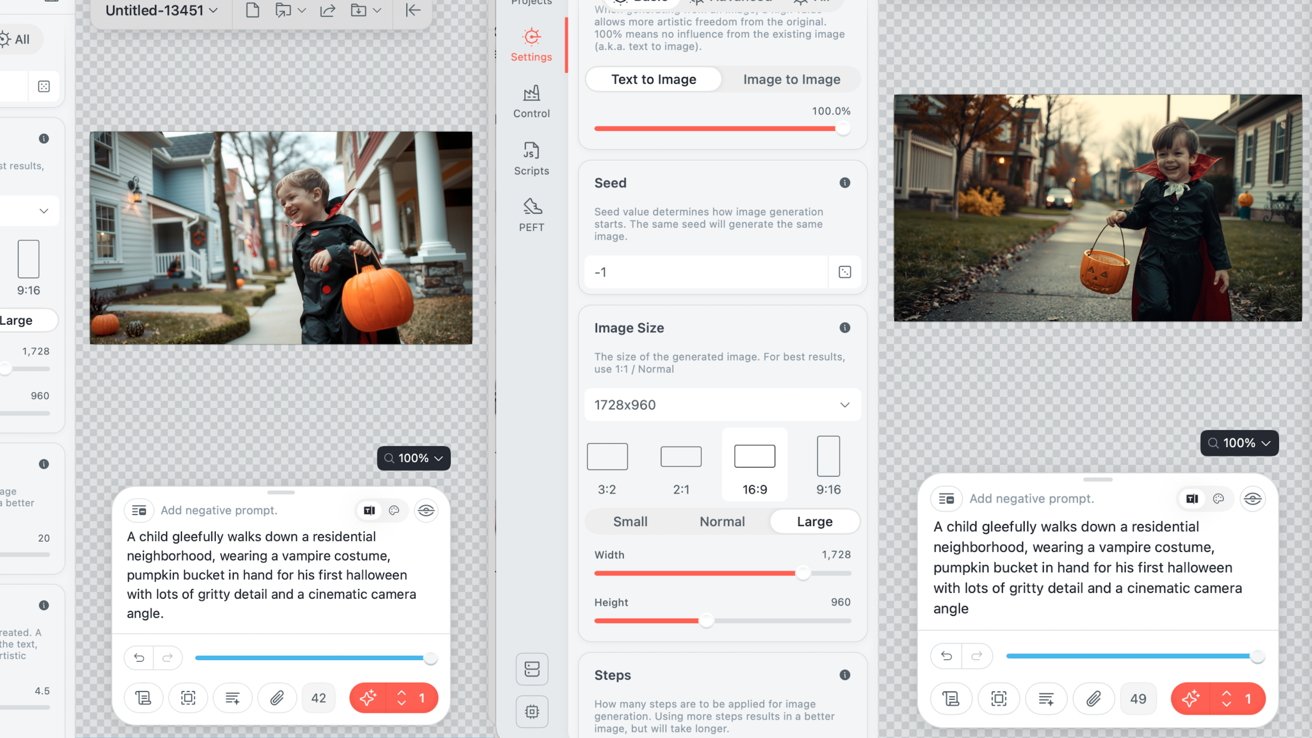
MacBook Pro (M5) review: Running a test locally with Draw Things on the M3 Max (left) and M5 (right)
Because it's what I had on hand, I ran the same large image prompt on both my M3 Max 16-inch MacBook Pro and the new M5 MacBook Pro to see how long each took. The far-pricier M3 Max with a 40-core GPU took one minute and 44 seconds, while the M5 took just over five minutes.
Considering the GPU core difference, I'm happy with those numbers. As apps get updated for the M5, I'd expect that performance to increase.
MacBook Pro (M5) review: A few more internal tweaks
Aside from the M5 directly, there are at least a couple more internal changes to touch on. Specifically regarding the memory and storage.
I mentioned once that the memory bandwidth had increased. It now has 153GB/s of throughput compared to 120GB/s on the M4 and is available in the same 16GB, 24GB, and 32GB configurations.
For the SSD, Apple upped the maximum capacity, going from 2TB to 4TB. Previously, if you wanted 4TB, you'd have to opt for the M4 Pro or M4 Max models.
One of the ways Apple used to limit the base models was to offer significantly slower read and write speeds on the storage. It was a problem, especially for creators.
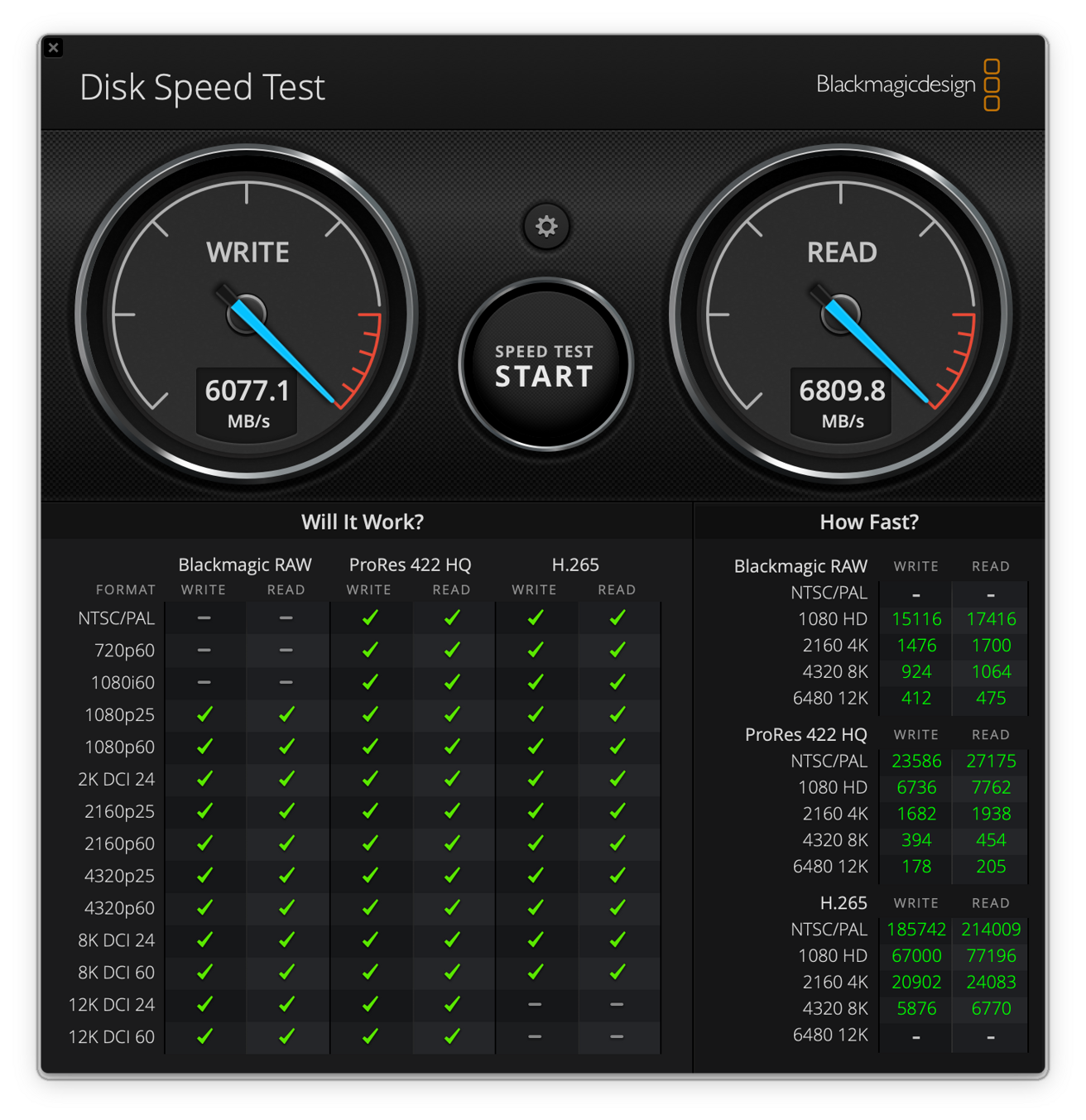
MacBook Pro (M5) review: Testing the SSD speeds on the new MacBook Pro
That is in the past, as Apple has pushed these drives to the limits. My M3 Max MacBook Pro, which I talked about, can hit just over 5000MB/s in its write speed and equally as much for the read speed.
When I tested the new M5 MacBook Pro, I got speeds of over 6000MB/s for the write speed and almost 7000MB/s for the read speed. These were outstanding numbers and should put any prior qualms to rest on SSD performance.
MacBook Pro (M5) review: Don't knock it till you've tried it
The lack of redesign takes a bit of air out of the room. Everyone wants something new and flashy.
That wasn't this model, though. It's meant to be the workhorse that millions of users rely on, that has iterated and perfected a design over multiple generations.
Apple has also continued to push with its own silicon on the inside. Even if Apple Intelligence hasn't seen the big feature increases users had hoped for, the silicon is continuing to evolve and will be there as apps and software get updated.
For me, there is only one downside to this model. That is the lack of Apple's new N1 networking chip.
I have no doubt the N1, or a subsequent version of it, will end up in the Mac one day, but it isn't here. The N1 is found in the entire iPhone 17 lineup, the iPhone Air, and the new iPad Pro.
It unlocks Bluetooth 6 and Wi-Fi 7, while the M5 MacBook Pro is still on Wi-Fi 6e and Bluetooth 5.3. In testing the M5 iPad Pro, the Wi-Fi 7 speeds were incredible. More than 50% faster than my M4 iPad Pro on Wi-Fi 6e.
On the flip side, I am fully aware that those buying the base machine perhaps don't have Wi-Fi 7 networks yet, as it is still new. Still, these machines are built to last, and I'd love to have the latest Wi-Fi spec on board for it to be relevant for years into the future.
This Mac is near perfect. It's been refined to the point where, other than the processor, there is very little to change.
It may be one of the last base MacBook Pros we see with this design, as Apple is expected to introduce a redesign in the coming year or two for the high-end models. It will probably trickle down to the base model at some point, as this one did.
Historically, I'd usually recommend the MacBook Air to most users. Especially with Apple Silicon being as powerful as it is.
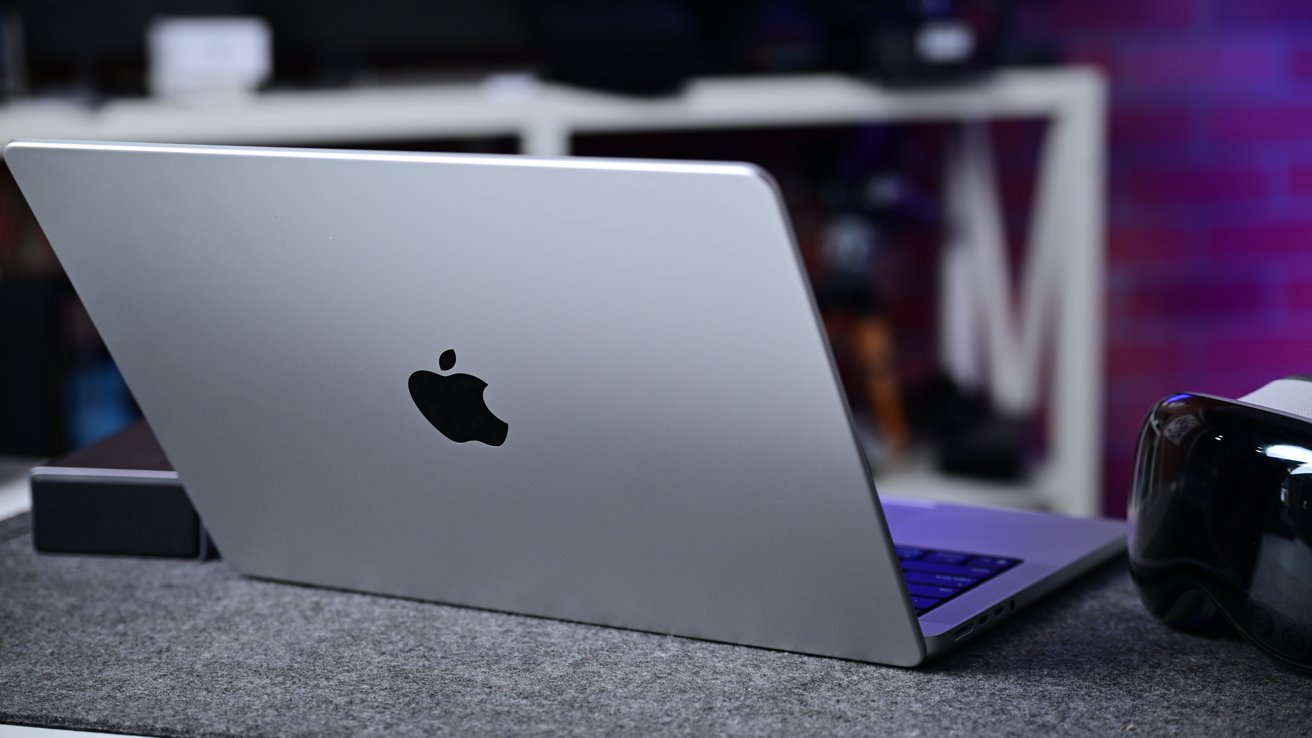
MacBook Pro (M5) review: The new MacBook Pro is great, if boring this late in the product cycle
Here, though, I think this is a fantastic choice, especially as the only M5 Mac available at the moment. It's a great balance between price and performance in the current lineup.
When an M5 MacBook Air comes around, it may be a different story, but as of now, this is easily the mid-range Mac to buy. For high-end pros, this has me even more excited for what Apple has coming.
MacBook Pro (M5) review: Pros
- M5 has notable increases for GPU and AI performance
- SSD speeds are blazing fast
- Quicker memory
- Tried and true design still looks good
MacBook Pro (M5) review: Cons
- No Wi-Fi 7 or Thunderbolt 5
- Apps will need updated to fully utilize AI abilities
MacBook Pro (M5) rating: 4.5 out of 5
MacBook Pro (M5) review: Where to buy
Our M5 MacBook Pro 14-inch Price Guide reveals there are already discounts in place on the 2025 models. You can compare the best MacBook Pro deals on the new models against the closeout M4 line in our Mac Price Guide all season long.
At press time, B&H Photo is offering $50 off the standard M5 configuration, while Amazon is offering double-digit markdowns on the retail models as well.







