
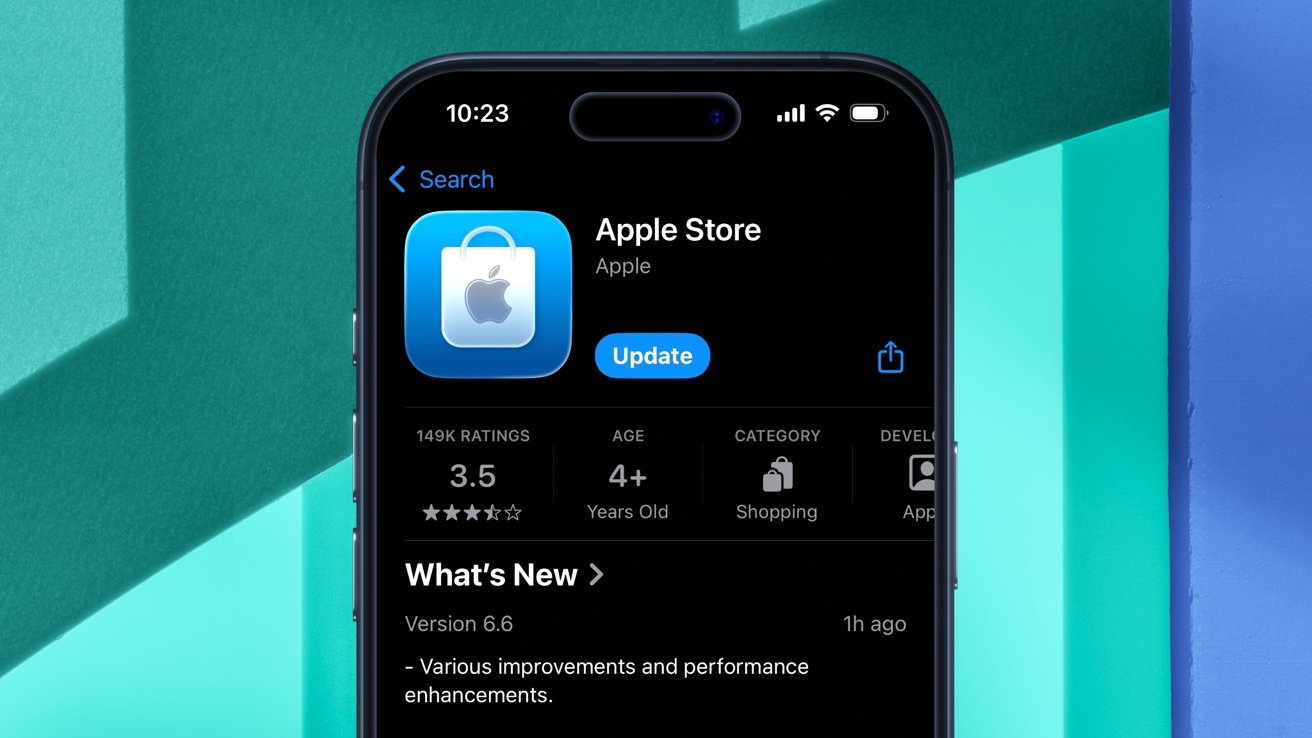
The Apple Store application has been updated to utilize the Liquid Glass material Apple introduced with iOS 26.
On Thursday, following the release of iOS 26.2 beta 2, the official Apple Store iOS app received a design refresh. With a new icon and revamped user interface, the application no longer looks out of place on a modern iPhone.
To be more specific, the Apple Store app now takes advantage of the controversial Liquid Glass design language, originally previewed at WWDC. Apple inverted the colors of the app's icon, meaning it now features a white bag with an Apple logo on top of a blue background.
The change also extends to in-app buttons, which have now been replaced with a Liquid Glass tab bar at the bottom of the screen. The options themselves — For You, Products, Go Further, and Bag — remain unchanged, though.
Version 6.6 of the Apple Store app also contains "various improvements and performance enhancements," as per Apple's release notes.
The move to update the Apple Store app follows Apple's decision to refresh the Apple TV icon and the branding of its streaming service. The company even went so far as to use real glass in the creation of the restyled Apple TV logo.
GarageBand also got a Liquid Glass app icon, but the same can't be said for the iWork suite just yet.
iOS 26 represents a significant design change from the preceding flat aesthetic, used from iOS 7 through iOS 18. It will take time for Apple to update all of its optional applications, and it might take even longer for third-party apps to catch up.







