It was such a bold change to a keyboard that Apple championed the Touch Bar — for a while. Then it quickly started to fade away before vanishing completely. Here's what happened, and why.
Stop us if you know this one. Apple launches something new or changes something significant in a device, and it gets briefly ridiculed. Then as shortly as rival manufacturers can copy it, they do, and now it becomes the standard.
It might not be that Apple invents this new change, but it is routinely the case that it is first to market, or that it is first to popularize whatever it is.
Wi-Fi. USB-C. Trackpads. Keyboards pushed the back of notebooks. Killing off the floppy drive. Ditching the headphone jack on iPhones.
The list goes on and if you were Apple, you'd have to be pretty smug about that. It doesn't always claim to be "courageous," but it did this time.
But there was this one time when Apple went all-out to emphasize its history of firsts with notebook computers. It was an extremely rare case of Tim Cook expressly listing Apple's historic innovations, and concluding with the words "and today, we're going to do it again."
It was October 27, 2016, which as it happens — and as Cook emphasized — was the week of the 25th anniversary of Apple's first notebook. Cook skipped over the Macintosh Portable which was more of a luggable, really, but enthused about 1991's PowerBook 100 instead.
And then introduced the 2016 MacBook Pro with a Touch Bar.
Definitely a first in the industry, definitely a dramatic departure for notebook computers — but unfortunately, a failure.
You saw it here first
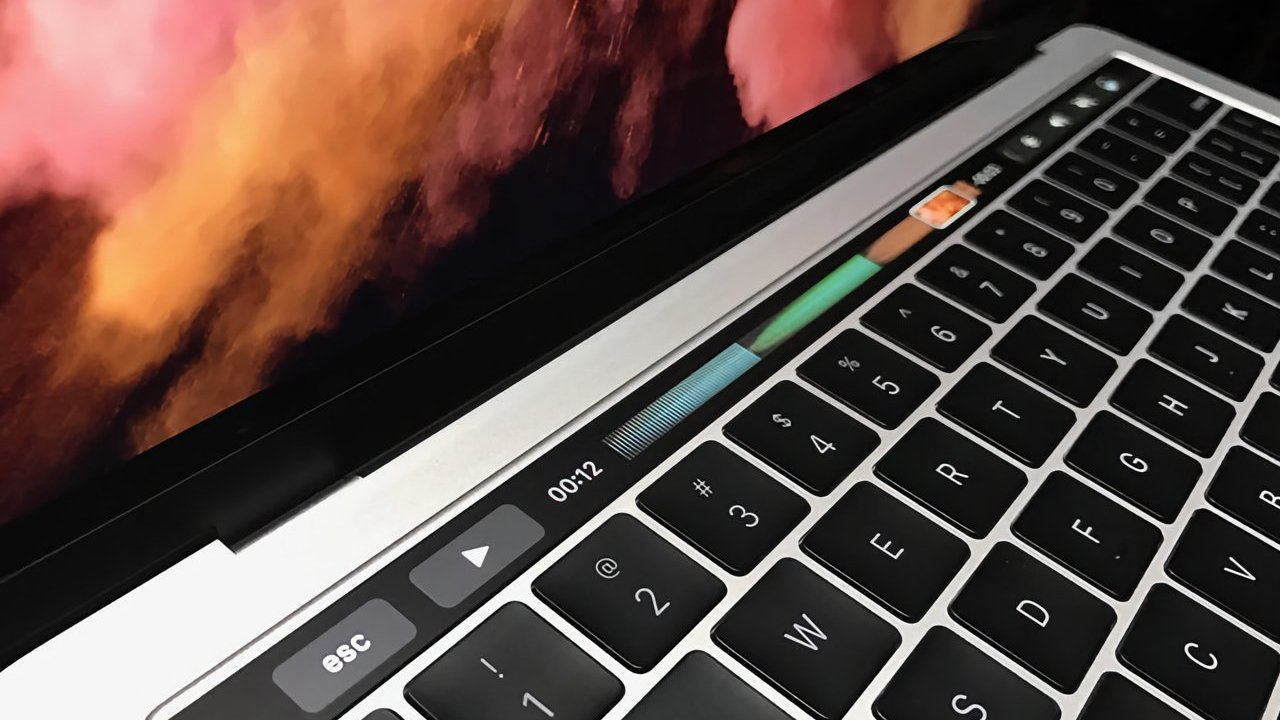
The Touch Bar was a strip across the top row of the MacBook Pro keyboard. It was a multitouch OLED strip that let you swipe, tap, and do other gestures.
It was a bright little screen that would display different context-sensitive controls depending on what you were doing.
No question, it looked great. In his introduction, Schiller made a point of detailing just about everything else he could about the MacBook Pro, before saying, "I think you're probably looking at that area just above" the keyboard.
That area was where function keys used to go, and Schiller talked about how we had been used to them for so long. And yet that we never actually use them.
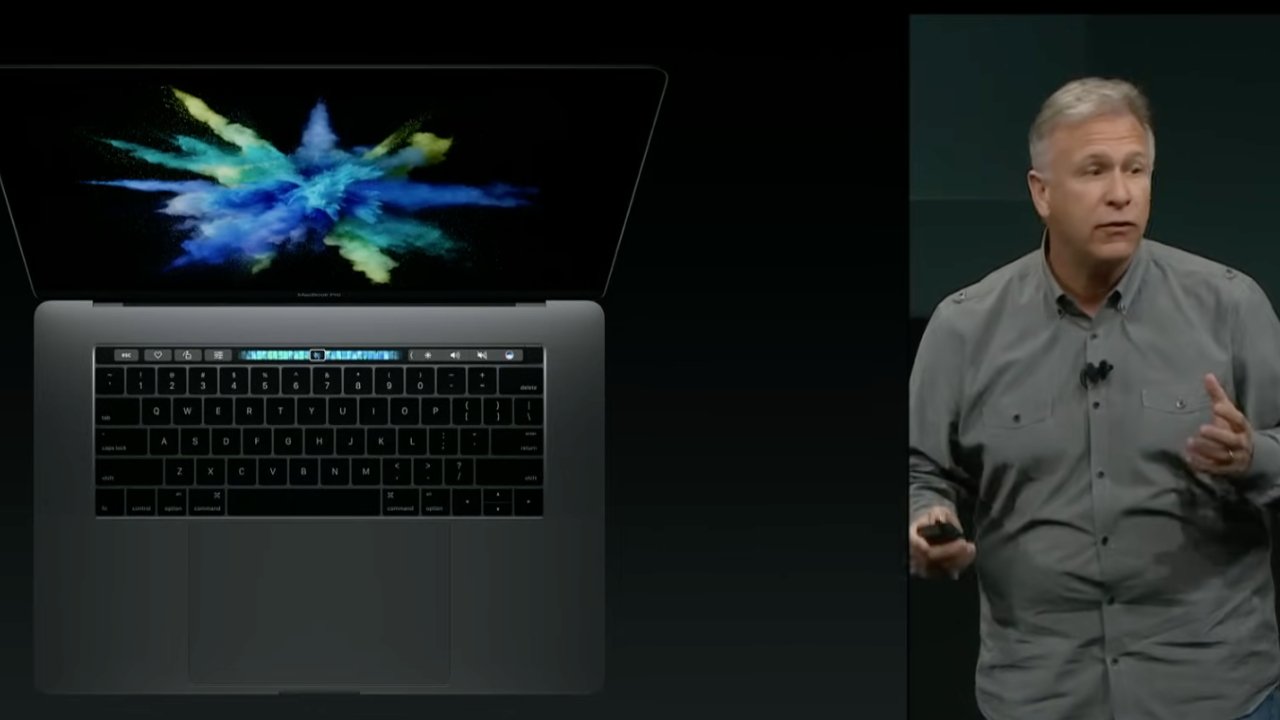
Apple's Phil Schiller doesn't look convinced in this shot from the Touch Bar launch, but was clearly genuinely enthused — image credit: Apple
"Over 45 years, we've been using function keys — well, actually for the last who knows how many years, we really haven't been using them anymore," he said. " It's been a while, right? So we've mapped other functions onto these keys. We've put volume and brightness on them."
"But this is crazy, keeping 45-year-old technology around and mapping other things to them," he continued. "Our design team has taken on the challenge to move forward and say, what if we get rid of them?"
Schiller was right that Apple and all other manufacturers had mapped functions like volume or brightness onto function keys. And he said that this wasn't necessary any more, because such system functions were now on the Touch Bar.
You could tap on part of the bar and have all of the regular controls such as volume up and down, appear as buttons on the screen. But unlike with real function keys, the Touch Bar changed to suit what you were doing.
Schiller showed how in Safari, for instance, the Touch Bar could display a series of bookmarks. Or in a photo editor, it gave touch controls to let you, for instance, rotate an image.
"It's a perfect experience, and since it's near the keyboard, it's also really helpful when you're typing," said Schiller. "It is incredibly useful, and intuitive, and really fun to use."
Since you now how this ends, with Apple abandoning the whole idea, it's curious how convincing Schiller is during this launch.
Perhaps it's because the Touch Bar was such a vividly bright screen that it drew your attention. But this was a case of a feature looking fantastic — rather than being fantastic.
Touch Bar in the real world
Not to sound like it was obvious the Touch Bar would fail, but even before it shipped, there were questions. There were prescient questions and concerns, particularly over what else was being lost.
That row that includes function keys also typically includes an Escape key. Apple removed that, putting Escape as a touch-sensitive part of the Touch Bar.
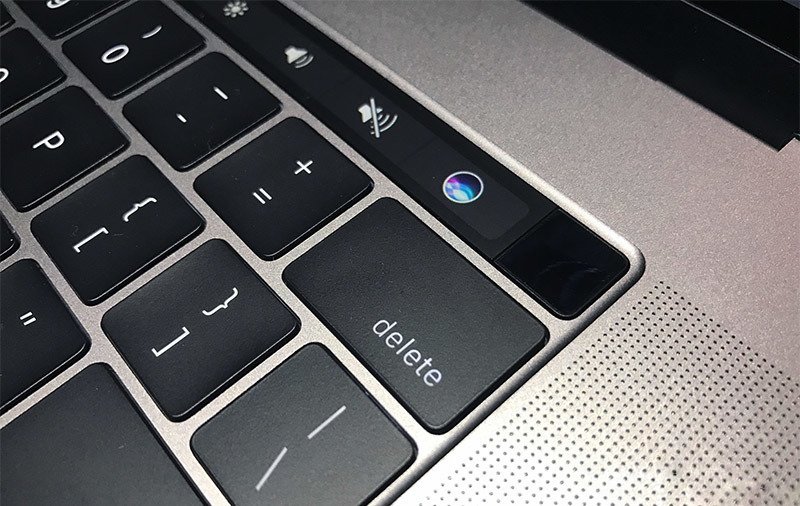
Touch ID came to the MacBook Pro with the Touch Bar — and has outlasted it.
Which made people wonder what would happen if an app crashes and takes the Touch Bar controls with it. The answer was that there's a very good reason why you need a physical Escape key.
Apple caved on that first, bringing back the physical key. Although it waited until November 2019.
That was with the launch of another generation of MacBook Pro, and at the time CNET questioned Schiller about changes including to the Touch Bar.
"We questioned everything in this new MacBook Pro... [that] includes the Touch Bar," said Schiller. "There is a fairly large number of customers who use the Touch Bar and see great benefit in some of its features, but there were also some complaints."
"If I were to rank the complaints, No. 1 was customers who like a physical Escape key," he continued. "It was just a hard adaptation for a lot of people."
"We decided that rather than just remove the Touch Bar and lose the benefits some people get, we could instead add the Escape key," he added. "[The] decision was made to keep the Touch Bar [and] also to create room on either side for the Escape key and Touch ID key."
Schiller described this as being the best solution for answering people's complaints, while retaining the innovative Touch Bar. He was right about Touch ID — that has survived the end of the Touch Bar.
Out of touch
If the Escape key as a clear, physical issue, there were other issues. There were ones that while less specific, probably proved to be what doomed the Touch Bar.
Most specifically, if you were any kind of touch typist, the Touch Bar slowed you down. Where you might have muscle memory to tell you where a physical brightness key is, you can't with a touch screen.
You had to look to see first whether the control you wanted was on the Touch Bar, and then when it was. Only then could you tap it and get back to work.
That was true regardless of what control you wanted, so those functions were always slower to perform than before.
But then with some, it was just slow in general. For instance, you could smoothly scrub through a Final Cut Pro timeline by dragging a finger across the Touch Bar.
It worked and it was very visual, but there were so many faster ways to move around. Plus once you had got to roughly the part of the timeline you wanted, you then had to go back to the trackpad to be more precise.
Apple didn't back up the Touch Bar
Unless Phil Schiller is practically an award-worthy actor, there is no doubt that he believed in the Touch Bar. Yet from early on, there was reason to question whether Apple as a whole was all that fussed about it.
That's because for such a great idea, Apple didn't ever roll it out to more Macs. It never made it to desktop Macs, and perhaps more surprisingly, no MacBook Air never got it.
That was unusual for Apple, since it generally rolls down features in software and in hardware from the MacBook Pro down to the Air. But in this case, it was more of an issue because of where it left developers.
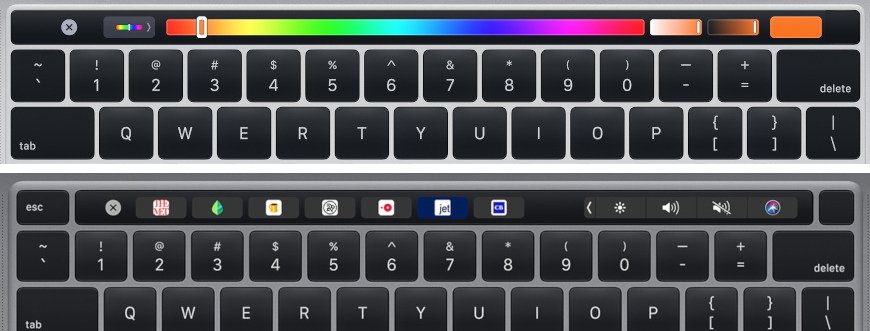
Top and bottom: two examples of the context-based Touch Bar in use
An app could adopt the Touch Bar and offer specific controls through it. But the developer could never assume that even a majority of users would have a MacBook Pro with a Touch Bar.
So it was extra development time that was far from guaranteed — or even likely — to benefit users.
Taken in context
There was one other issue that damaged the Touch Bar. For a feature that expressly replaced keys, it was lumbered by being paired with Apple's most disliked keyboard.
People's experiences with the Butterfly keyboard varied enormously, but for those who had problems with this keyboard, they really had problems. So much so that Taika Waititi took time in his speech at the Oscars to slam the keyboard.
There are users who liked the butterfly keyboard, and statistics we gathered showed a slightly higher failure rate in the beginning of the keyboard's life, amping up over time. So the Touch Bar had an foundational uphill battle.
And it didn't prove to be good enough that people put up with the rest of the keyboard.
The end
In 2021, Apple brought out a new 16-inch MacBook Pro with many features and updates and improvements, but also one omission. The Touch Bar was gone.
At that point, you could still buy a MacBook Pro with a Touch Bar, but the remaining model with it was so clearly on death row.
It took another two years to finally put that Touch Bar to rest, but in 2023, it was over. And plenty of people missed it.
The funeral dirge wasn't loud enough, though, that we'll ever see it come back. Not, that is, unless a 2022 Apple patent comes to market.
We're not holding our breath for that, though.