The new MacBook Air with M5 is no longer the entry-level MacBook in Apple's catalog. It's still the one most people should buy.
The new M5 MacBook Air launched into in era when Apple is taking big steps to adjust its lineup. With the introduction of the MacBook Neo, Apple has widened the potential customer base.
This repositions the MacBook Air in the process. That's not a bad thing, though.
Before the MacBook Neo was released, the MacBook Air was the best-seller in Apple's Mac lineup. And, the reason is not just because it was the least expensive Mac laptop.

M5 MacBook Air review: Externally static
For Apple, the 2026 MacBook Air refresh looks exactly like the previous design language that the M2 Air started. But, of course, its faster and more powerful.
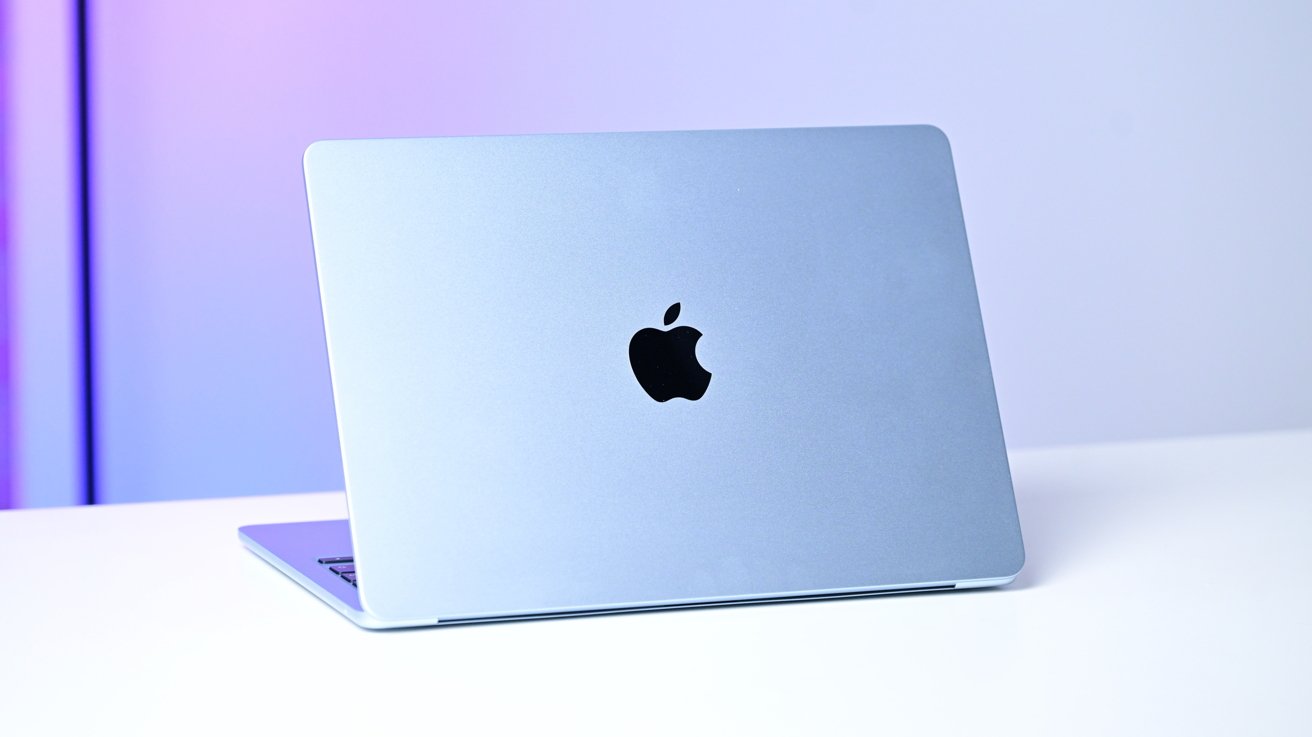
M5 MacBook Air review: The outside is the same as the M4
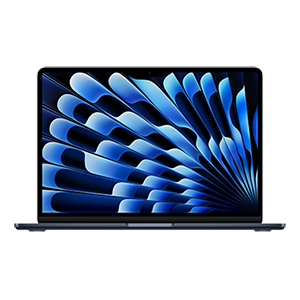
Apple ships the MacBook Air in a choice of 13-inch and 15-inch varieties. The two models are identically sized to their M4 predecessors, at 11.97 by 8.46 inches for the 13-inch model, 13.4 by 9.35 inches for the 15-inch version.
At 0.44 inches and 0.45 inches thick, and At 2.7 pounds and 3.3 pounds respectively, the MacBook Air remains an easy carry, in either size.
M5 MacBook Air
The styling is very typical Apple, retaining the aluminum slab motif of the MacBook Pro once again. At a glance, without seeing the logo, it's not hard to identify which manufacturer it's from. There will be some questions about whether it's an Air or a Pro without closer inspection.
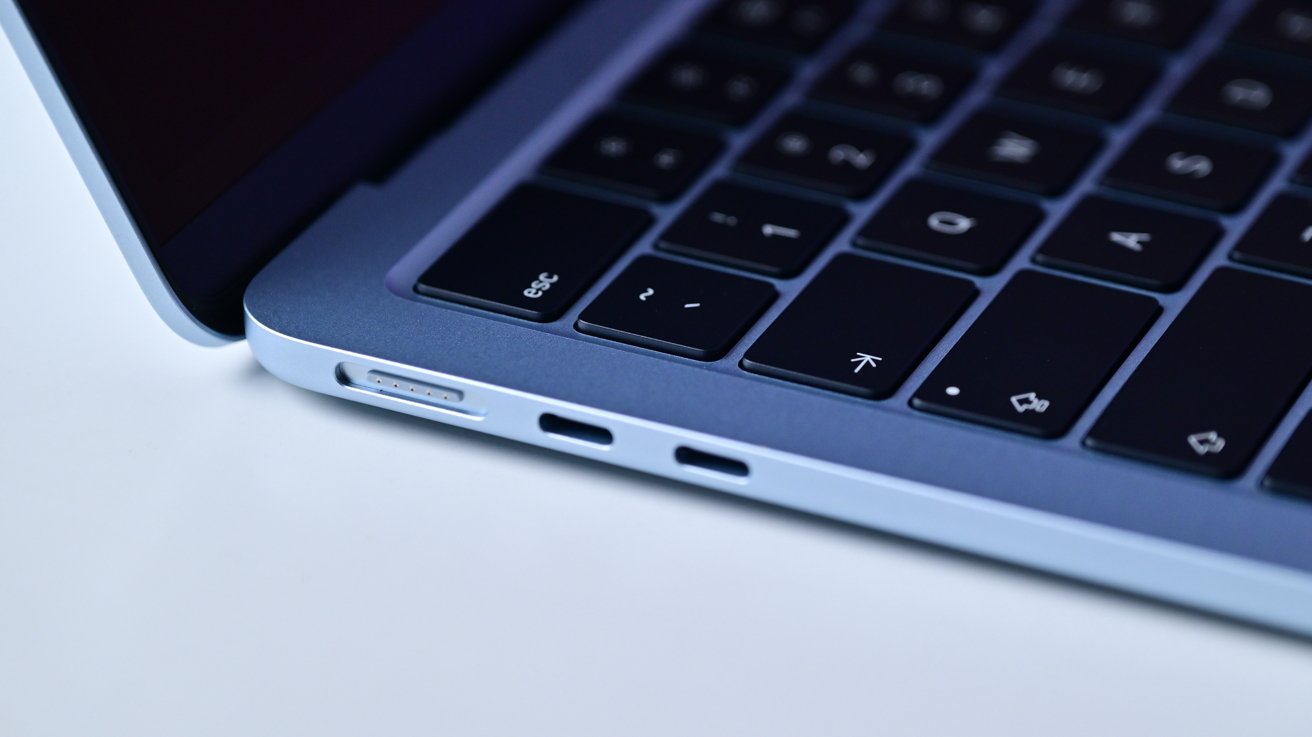
The biggest clue on that front is the side ports, which are considerably fewer than those of the MacBook Pro. The body is slim enough that putting that many on the side would be difficult anyway.
M5 MacBook Air review: The ports are also unchanged.
Those ports haven't changed, with there being two Thunderbolt 4 connections and MagSafe on one side. The other has the headphone jack.
Maybe next year on Thunderbolt 5.
Like last time, you still have four color options available, with Silver and Midnight joined by Starlight and Sky Blue. There's no Neo Citrus here, but that's fine.
The smaller 13-inch model has a 13.6-inch Liquid Retina display, while the 15-inch, as you may expect, has a 15.3-inch version. At resolutions of 2,560 by 1,664 and 2,880 by 1,864, it's still Apple's Retina definition, sitting at 224 pixels per inch.
These panels do benefit from Wide color (P3) support, as well as Apple's True Tone environment light compensation function. At 500 nits, the displays are more than bright enough to do the job of displaying your work.
M5 MacBook Air review: Same video and audio
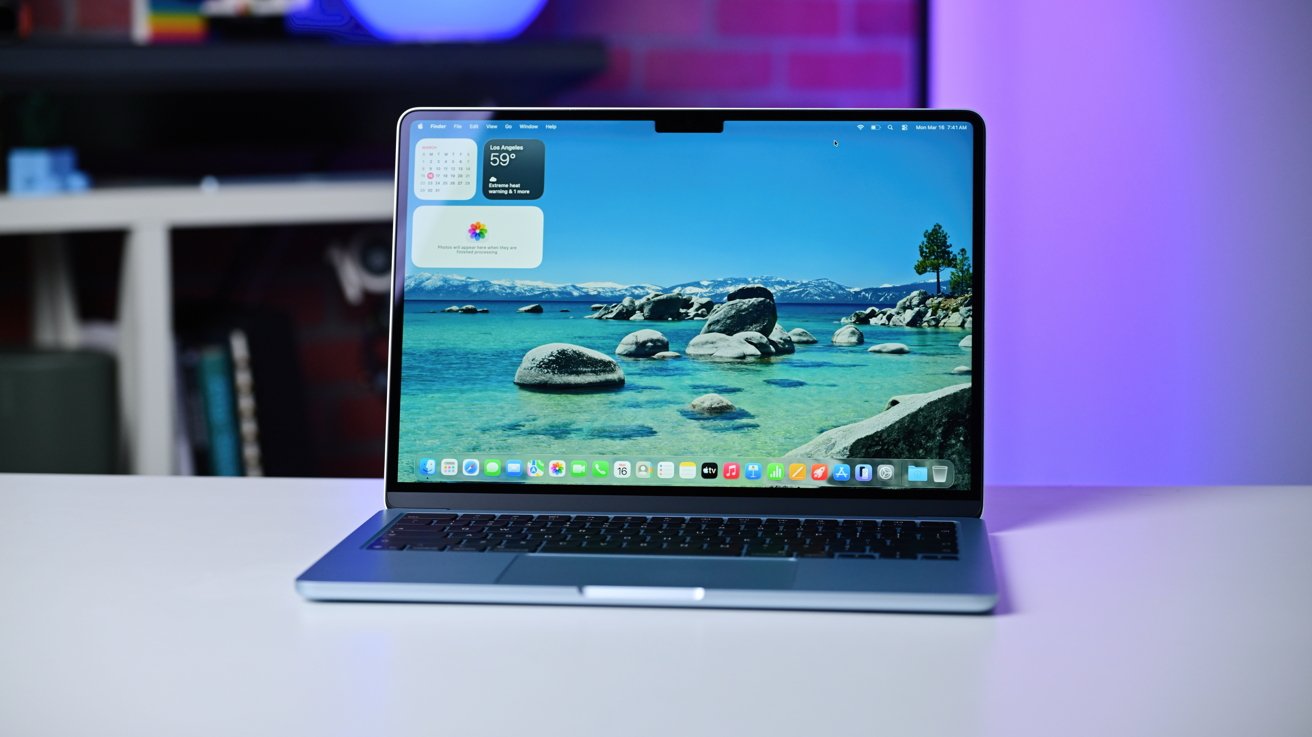
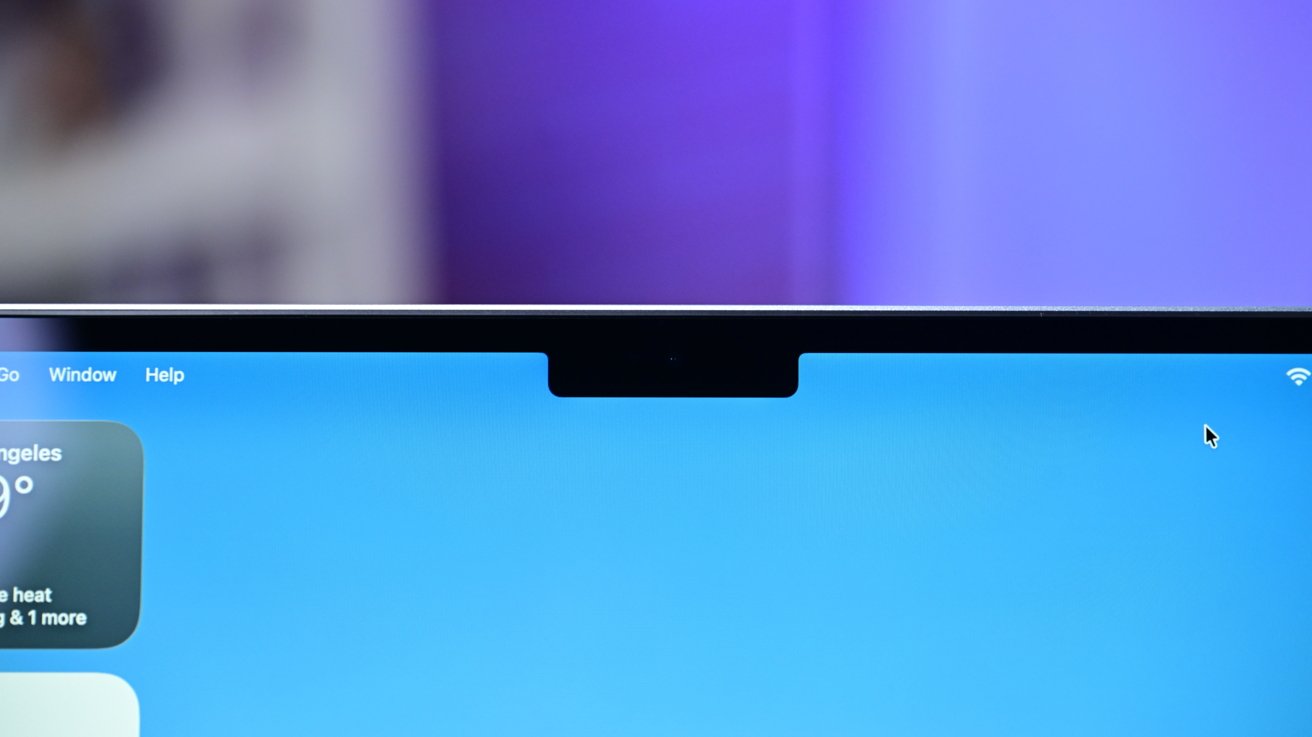
At the top, Apple's decided to retain the notch for another year, which isn't really as horrible as everyone makes it out to be. It cuts a little out of the menu bar that isn't really used, and it's hidden when you watch full-screen videos.
And of course, on an external display, there's no artificial notch.
If it bugs you that much, third party developers have brought Dynamic Island there, if you're so inclined.
Inside that notch, Apple has put in the same 12MP Center Stage camera as last time. It's supported by an advanced image signal processor with Apple's computational video improvements to perfect its 1080p video feed.
M5 MacBook Air review: The notch is still there...
That feed also includes Desk View, Apple's attempt to make a quasi-top-down view of the user's desk. It works enough to show something off in a call.
It doesn't fully replicate the streamer's proper top-down camera setup, but it's not really designed to. Get the right tool for the right job if you need that.
On the lower half of the assembly is the backlit Magic Keyboard, which again is unchanged. You get your 78 or 79-key keyboard, depending on if it's ANSI or ISO layout where you are.
It remains a great keyboard. Apple didn't change anything significant here, it didn't need to, and it probably won't need to for years to come.
The Touch ID of the previous model makes a return, too, right where you'd expect it to be.

M5 MacBook Air review: The keyboard and Touch ID.
The Force Touch trackpad is similarly identical to the previous version, with Force Clicks, pressure-sensitive
Rounding out the externals is audio, with Apple including the same speakers as last time. The 13-inch has a four-speaker system, while the 15 has six speakers, including force-cancelling woofers.
They're pretty good. They're not as good as the MacBook Pro model, but that's to be expected, given how Apple handles its pricing ladder.
Both have support for Spatial Audio if you're listening to Dolby Atmos music or shows. It's even better if you have AirPods with support for dynamic head tracking.
Of course, if you have high-impedance headphones, that's supported by the headphone jack on the side.
For getting audio in, there's the standard three-mic array, which includes directional beamforming. There are the Voice Isolation and Wide Spectrum modes borrowed from the iPhone, if you need more vocal clarity in calls.
Battery life is identical between the generations. Apple's still using a 53.8-watt-hour or 66.5-watt-hour lithium polymer battery in each respective size.
For end users, that means up to 15 hours of wireless web usage or 18 hours of video streaming, by Apple's estimations. In our testing, we can say that Apple's pretty much on the ball here, and it will certainly last for an all-day intensive work session.
M5 MacBook Air review: M5 is better than M4
The main point of the spec-bump update is the performance improvement. As soundly demonstrated in other M5 refreshes, there's a lot of bang for your buck here.
For the MacBook Air, there are two versions of the chip in the 13-inch model, and one for the 15-inch.
All include the new 10-core CPU with four "super cores" and six "efficiency cores." Apple refers to it as using the world's fastest CPU core, which is a nice boast to make.
The differing factor is the GPU, as there is an 8-core version and a 10-core variant in the 13-inch range, but only the 10-core in the 15-inch.
Again, Apple says the GPU is faster than last time, with it including enhanced shader cores and a third-generation ray-tracing engine.
A bigger improvement is that the cores all have Neural Accelerators. What that means is that all the GPU cores are capable of helping with AI workloads, assisting the existing 16-core Neural Engine.
With Apple and the rest of the industry pushing for an AI future, it makes sense for Apple to include all of this machine learning-assistive tech in the MacBook Air. Since Apple is keen to do a lot of on-device processing, the extra assistance certainly furthers Apple's interests here.
The chip is rounded out by an improved memory bandwidth at 153GB/s, and the ever-present Media Engine for video encoding and decoding duties.
The memory options are the same as last time, with a base of 16GB with 24GB and 32GB options also available.
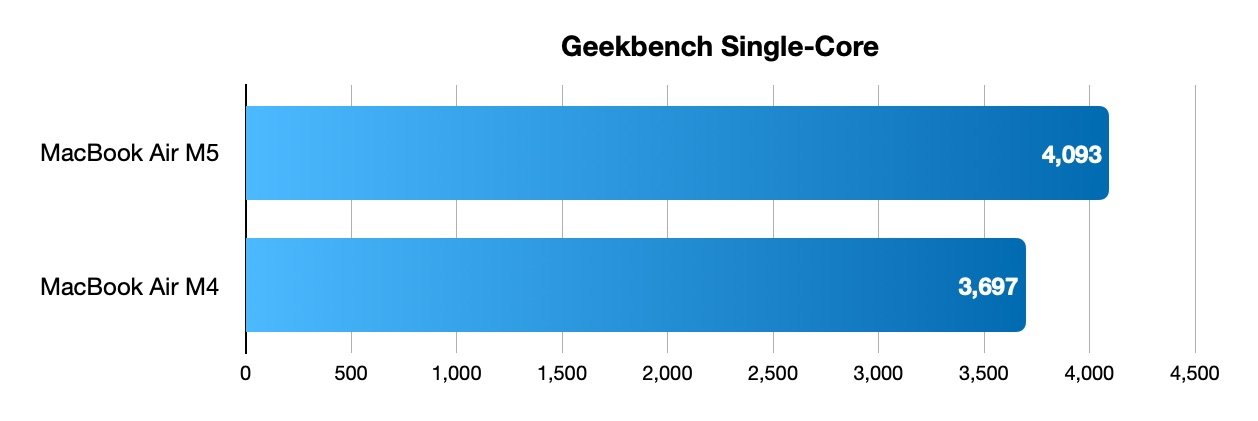
Turning to how much performance you get for your money, the Geekbench results certainly speak for themselves.
M5 MacBook Air review: Geekbench single-core results
On the single-core side, while you'd get around 3,700 for the M4 MacBook Air, the M5 goes up to nearer 4,100. That's just shy of an 11% improvement for single-core tests, which should account for the majority of tasks it will undertake.
When it comes to multi-core, there's a similar-sized jump, from about 14,700 for the M4 to over 16,800 for the 10-core M5. Again, that's about 14% better between generations.
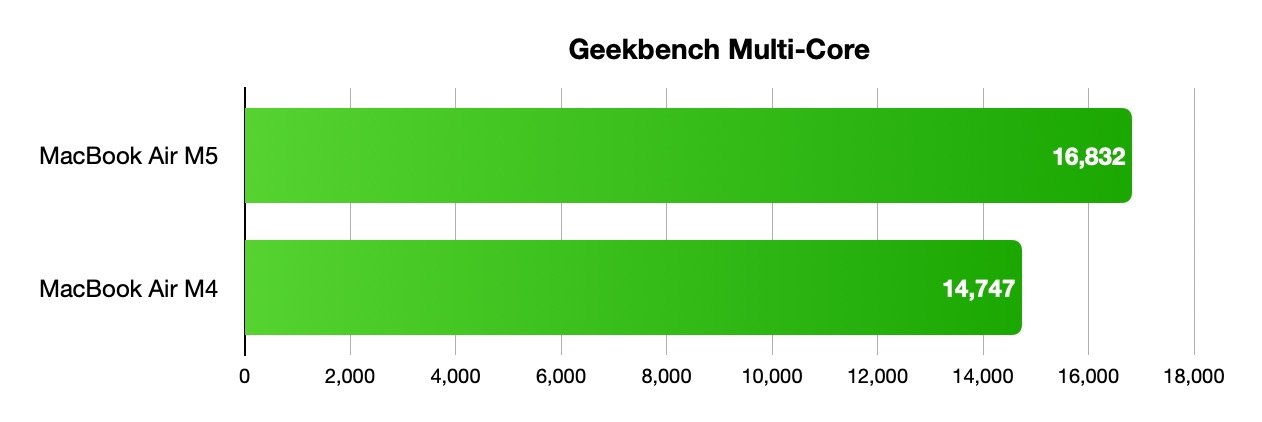
M5 MacBook Air review: Geekbench multi-core results
On the Metal side, the M4 MacBook Air gets very close to 55,000, while the M5 Air is just about touching 64,000 with its 10-core GPU.
Let's be clear about this performance. This is as fast as single-core performance gets, but is M3 Max MacBook Pro performance, albeit without active cooling.
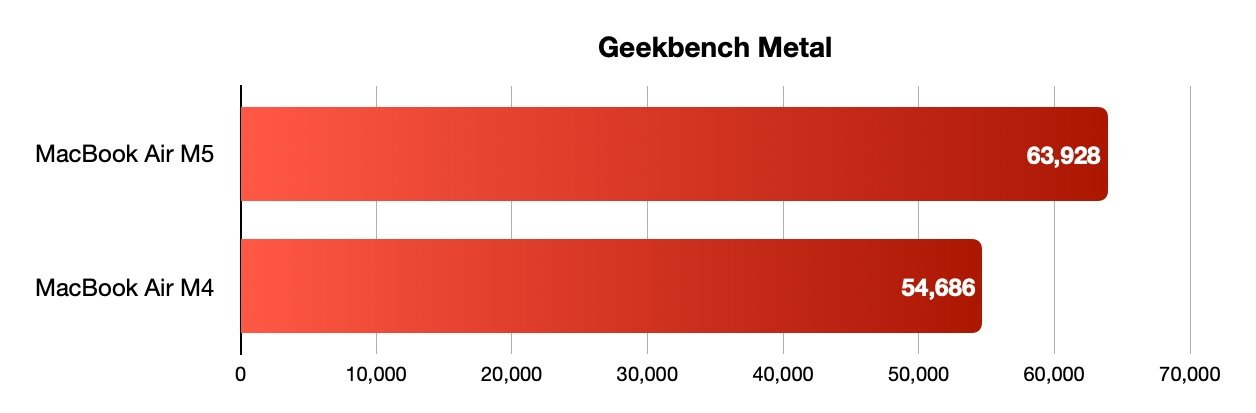
M5 MacBook Air review: Geekbench Metal results
Sticking with the internals for the moment, the change in chip also allowed Apple to upgrade the wireless connectivity. This time, it's the faster Wi-Fi 7 and Bluetooth 6.
Though you will only really benefit if you have the right Wi-Fi infrastructure or accessories, it's still a nice bit of future-proofing.
M5 MacBook Air review: Storage and pricing
Price is always a sensitive topic, especially in an industry that's currently affected by memory chip shortages. Apple has raised the base price of the MacBook Air, and in doing so, has hidden RAM price increases inside of a base storage jump.
The M4 MacBook Air has a minimum storage capacity of 256GB, with options to upgrade to 512GB, 1TB, or a maximum of 2TB.
With the M5, Apple has shifted the base storage up by a step. The minimum amount you can get in a configuration is 512GB, but you can also go for a much bigger 4TB storage capacity too.
The SSD is now also much faster, with double the read and write performance of the M4 counterpart.
These and other M5-specific updates has led to Apple to raise the price of the base model from $999 for the 13-inch model and $1,199 for the 15-inch to $1,099 for the 13-inch and $1,299 for the 15-inch.
This $100 increase seems a lot, but really it's not. It's less than what you would've paid Apple for the upgrade from 256GB to 512GB of storage.
RAM is expensive. SSD prices are higher than they were, but it's not as bad as RAM.
So, yes, it's an increase but not as much as it could've been. Reseller discounts are also available to bring the cost down below MSRP.

M5 MacBook Air review: Thin styling, few essential ports.
The real sting comes in at the other end of the storage scale. That 4TB is a hefty upgrade, both in capacity and in cost.
Going from 512GB to 2TB, the old upper limit, is relatively small at $600. But it's another $600 on top if you want the 4TB option.
That means you're paying practically twice as much as the base cost of the device to get eight times the base storage capacity.
AppleInsider usually recommends looking elsewhere, or building your own external storage rather than pay nosebleed fees.
M5 MacBook Air review: A repositioned favorite
In recent years, the MacBook Air or a used older machine was the best entry-level Mac portable. Since Apple introduced the bargain-priced MacBook Neo, we certainly cannot say that anymore.
The reason for going for the MacBook Air against the MacBook Pro is now more nuanced than before, since the MacBook Air now fits into the line up as the middle option. It's the bridge between the two extremes.
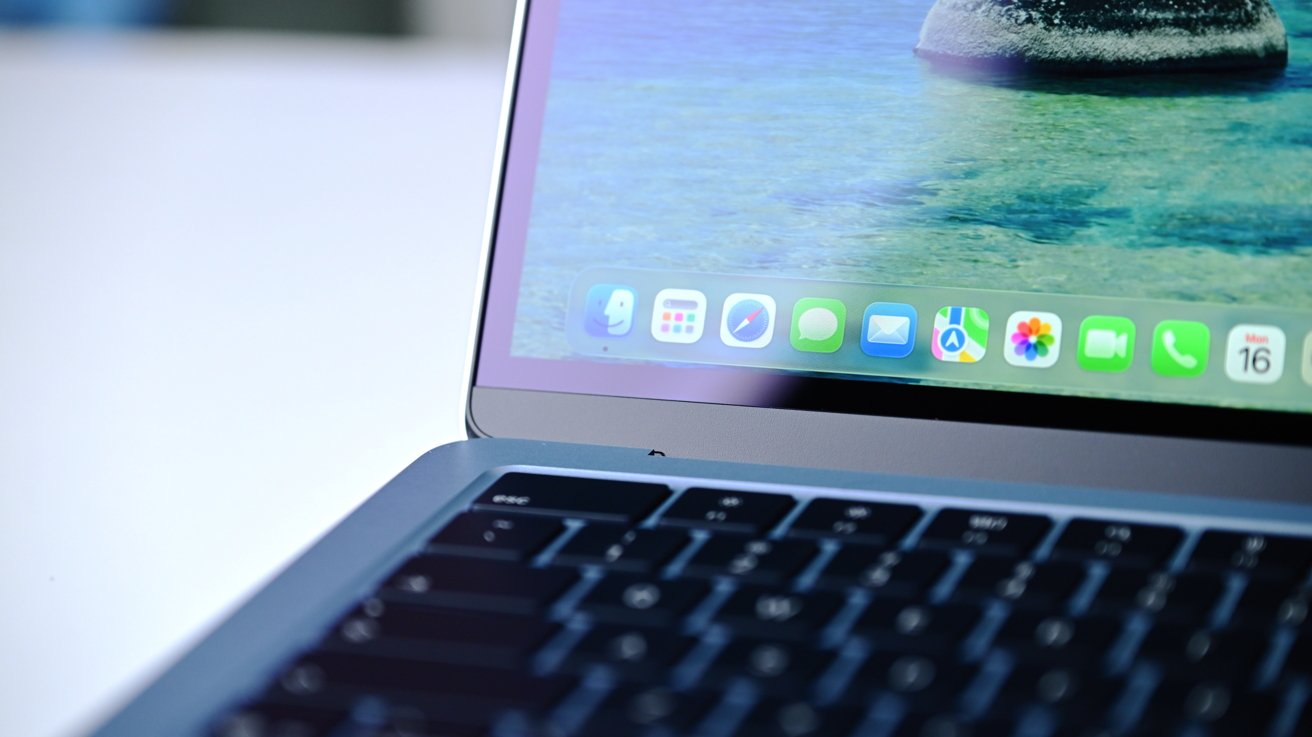
M5 MacBook Air review: A compromise between the low-spec MacBook Neo and the full-fat MacBook Pro
The MacBook Neo is now the device you get if you want a very basic Mac experience. Not much memory, not much storage, but enough to get light tasks done, cheaply.

MacBook Neo
The MacBook Pro remains as the premium option, if you need mountains of memory and masses of performance from the Pro and Max chip variants.
Anyone who wants a good amount of performance, memory, storage, and a typical MacBook experience should really look at the MacBook Air. It's a workhorse MacBook that you can carry around, knowing it will get things done faster than the Neo.
It doesn't have the performance headroom of the MacBook Pro, but the average user doesn't need it. The Air is fast enough in its own right, without going nuts.
The positioning of the MacBook Air has changed, but its soul as the portable Mac you should choose is still there.
M5 MacBook Air review: Pros
- M5 performance boost
- Faster storage
- Good all-rounder notebook
M5 MacBook Air review: Cons
- No external changes
- Minimal ports
- Passive cooling
Rating: 4 out of 5
Where to buy Apple's M5 MacBook Air at a discount
The 13-inch and 15-inch MacBook Air with Apple's M5 chip are on sale now, with a breakdown of offers in the Price Guides linked below. At press time, Amazon and B&H Photo are both competing for your business with price drops on numerous configurations.
Closeout offers are also in effect on remaining M4 MacBook Air inventory, with a roundup of the best MacBook Air deals at your fingertips in our MacBook Air Price Comparison Guide. This M4 15-inch spec with 512GB of storage is $300 off while supplies last.