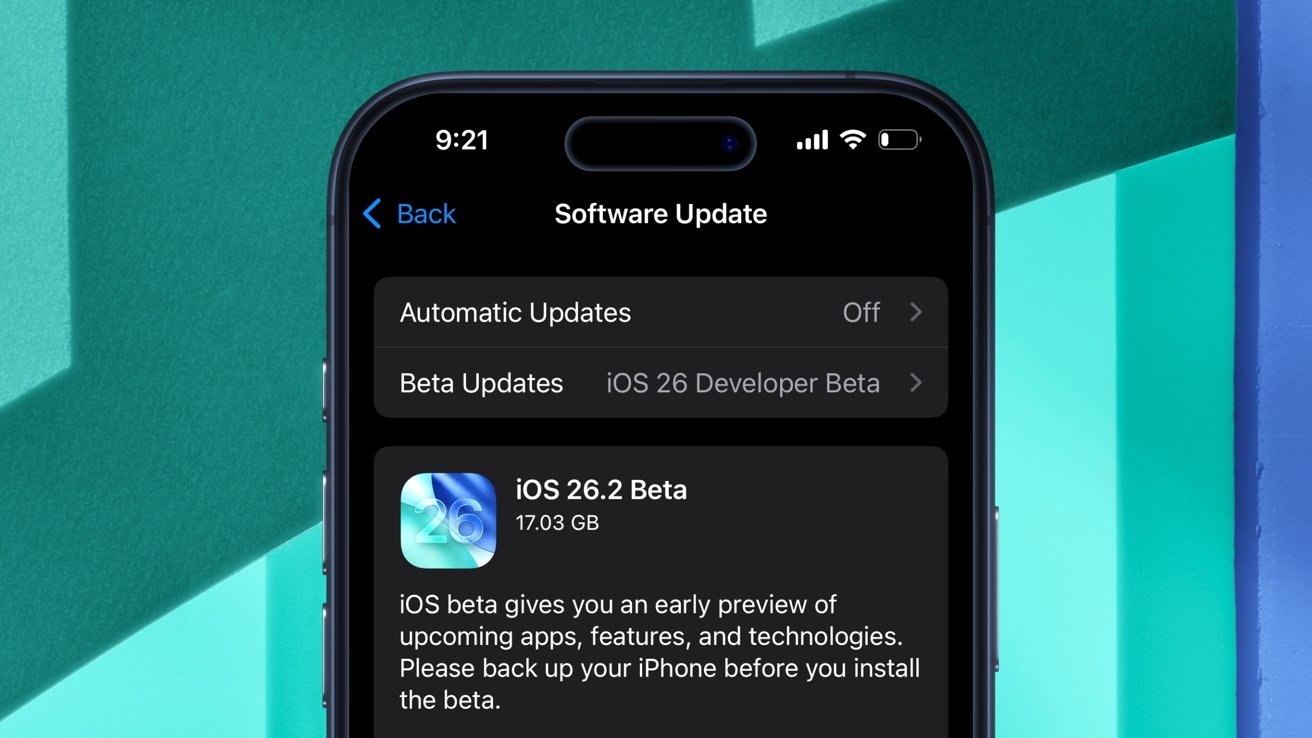
The first developer beta of iOS 26.2 is finally here with Liquid Glass customization options and improvements for built-in apps. Here's what's new.
On Tuesday, following the public release of iOS 26.1, Apple rolled out iOS 26.2 developer beta 1. The iOS software update bears the build number 23C5027f, as does its iPadOS counterpart.
As a whole, iOS 26 introduced a variety of enhancements, including Apple's controversial "Liquid Glass" design language. The following update, iOS 26.1, brought additional customization options for Liquid Glass, as well as new toggles.
The first developer beta of iOS 26.2, meanwhile, offers even more ways of personalizing the Liquid Glass material. The operating system also features enhancements for several built-in applications, including Health, Apple News, and Podcasts.

Liquid Glass gets a Lock Screen slider
Liquid Glass is now more versatile than ever, thanks to yet another dedicated toggle. This time, however, it's more precise.
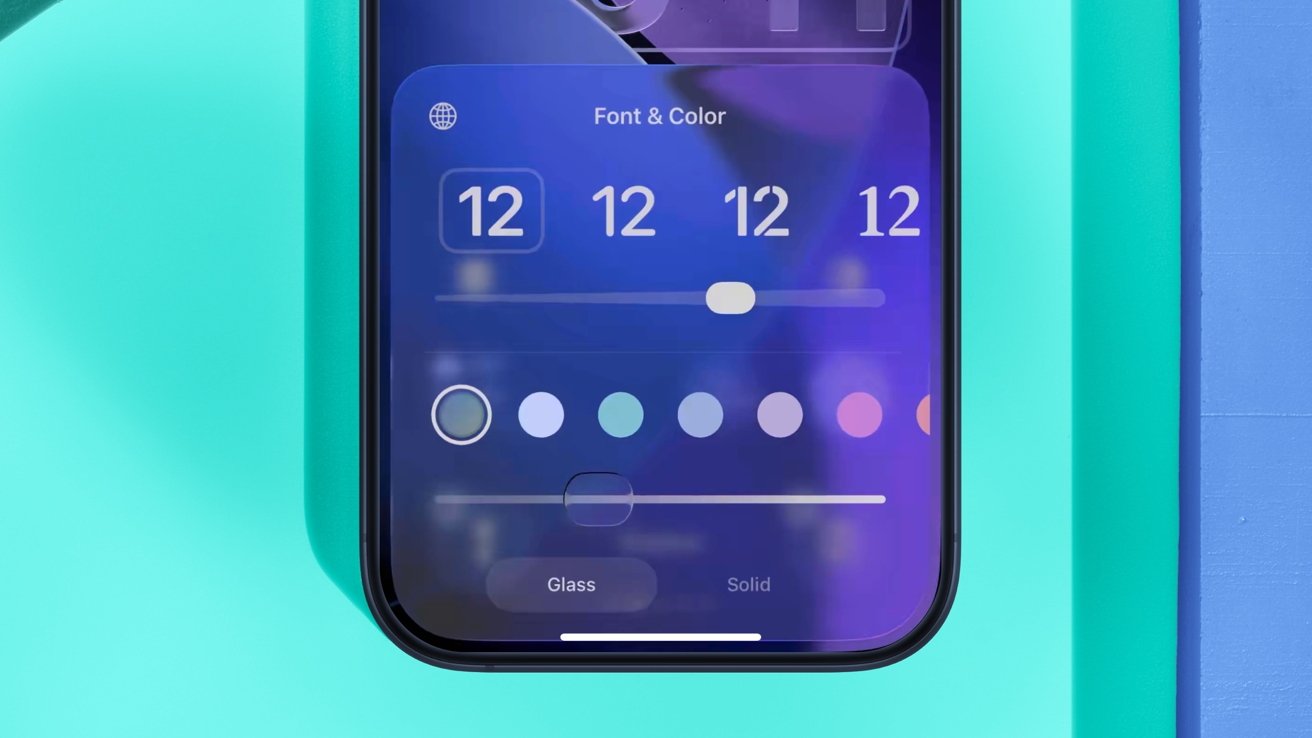
Apple has added a new slider for the Liquid Glass material of the Lock Screen clock.
iOS 26.1 made it possible to make the Liquid Glass material Clear or Tinted. There were only two options, and the setting affected all areas of the operating system that utilized Liquid Glass.
With iOS 26.2 developer beta 1, however, users have gained the option to customize the look of Liquid Glass on the Lock Screen clock. When adjusting the appearance of the Lock Screen, users will see a new slider for the opacity of the clock.
Apple's Liquid Glass design language has faced mixed reactions and reviews ever since it launched, and iOS 26.2 is a step towards mitigating that. The added customization option in iOS 26.2 beta 1 is sure to make some of Apple's critics happy.
Apple News updated with additional buttons
With Tuesday's developer beta, Apple streamlined the user interface of its News application.
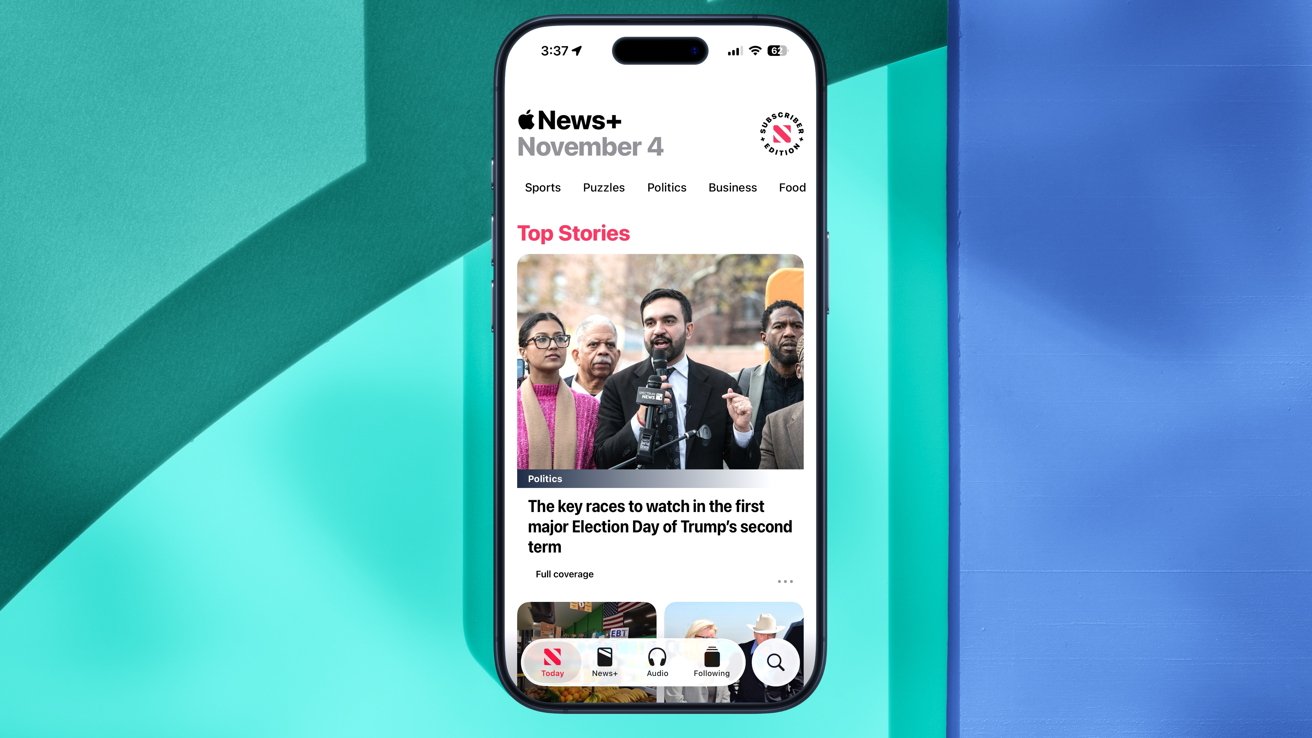
iOS 26.2 beta 1 makes the News app easier to navigate.
While the look of the app remains largely unchanged, relative to previous iOS releases, it will now be much easier for users to find what they're looking for.
The company has improved in-app navigation by adding several new buttons at the top of the screen:
- Food
- Politics
- Puzzles
- Sports
Notably, the Sports section has been moved from the bottom of the app's user interface to the new top row. There's also a dedicated Search button, as well as a new Following tab.
Podcasts — automatic episode chapters, mentions, and links
With Tuesday's iOS 26.2 developer beta, Apple also made several useful changes to its Podcasts application. For starters, Apple says that users can now "easily navigate more episodes with automatically created chapters."
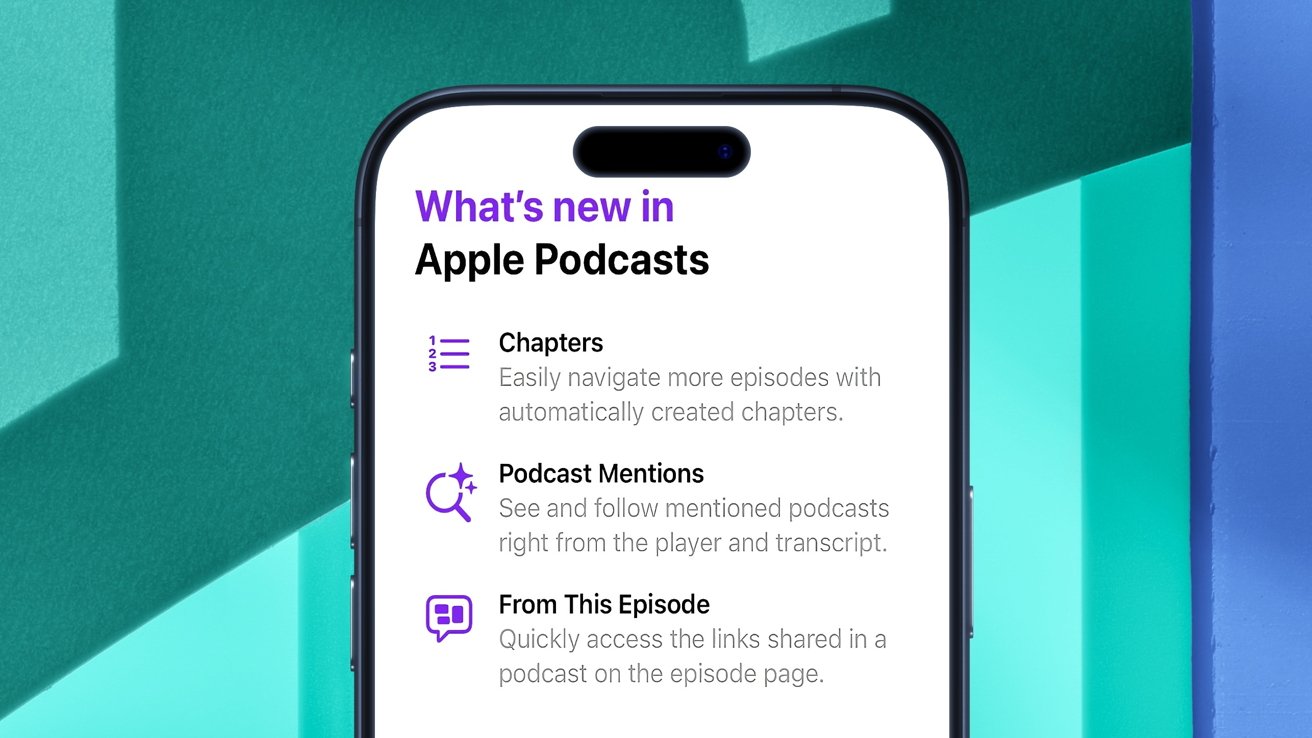
The Podcasts app features three new features, along with a Splash Screen that explains them.
While it was previously possible to manually create chapters for podcast episodes, the Podcasts app can now create chapters without requiring user input or action.
Another change to the Podcasts application will let users "see and follow mentioned podcasts right from the player and transcript." In practice, this makes it possible to view all the podcasts referenced in a particular episode without having to search for them manually.
The first developer beta of iOS 26.2 also gives users the option to "quickly access the links shared in a podcast on the episode page." In short, the From This Episode feature will help display links relevant to a particular podcast episode, such as those highlighted by the author.
Alarms in Reminders
Just as Apple integrated the Calendar and Reminders apps with iOS 18, the iPhone maker has now done the same with its Calendar and Clock apps.
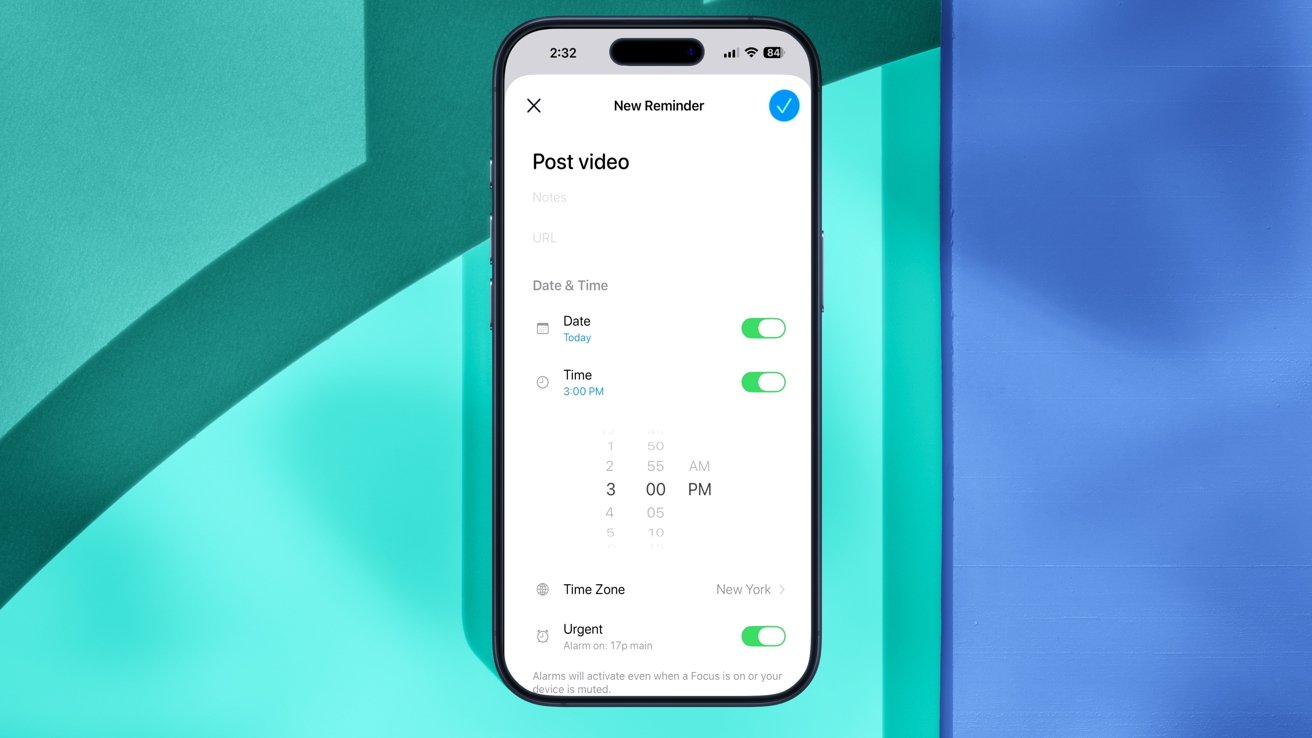
Alarms can now be used with the Reminders app.
To be more specific, alarms created in the Clock app can now be integrated into Reminders. This can only be done with the user's permission, though.
When creating a reminder, users will see a new Urgent setting. Toggling this setting asks the user if they want to let Reminders "schedule alarms and timers."
"This will allow the app to schedule alarms and timers that can play sounds even if a Focus is active," the description reads. "When an urgent reminder is due, an alarm will activate."
This new feature may leverage Apple's existing AlarmKit framework, which was introduced as part of the iOS 26 update. In any case, the ability to set alarms within Reminders is a welcome change, if possibly overdue.
Sleep Score adjustments
With Tuesday's assortment of developer betas, Apple has also made some alterations to a relatively new Apple Watch feature.
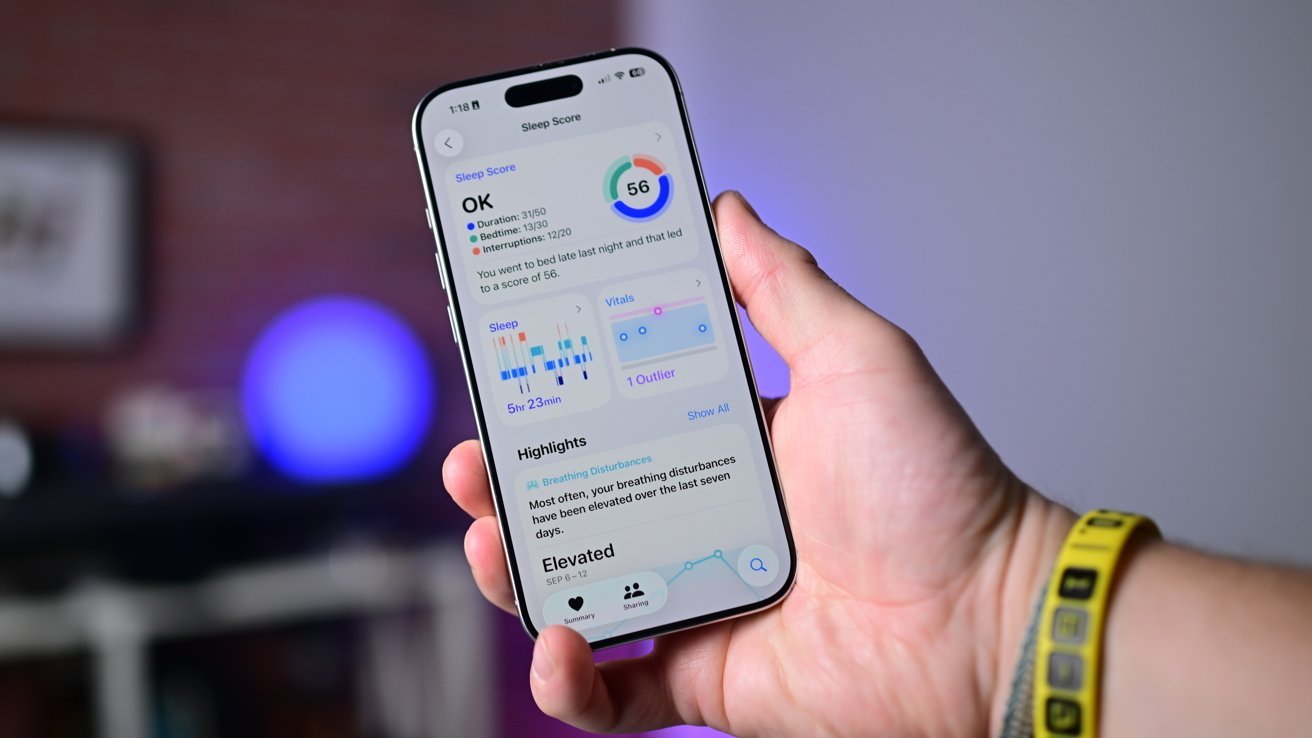
Apple has adjusted Sleep Score ranges with iOS 26.2 developer beta 1.
Specifically, the iPhone maker has adjusted the numbers for its Sleep Score feature. In the simplest terms, your Sleep Score is a numeric representation of how well you slept each night. The closer you are to your goals, the higher the Sleep Score.
Sleep Score effectively displays the quality of a user's sleep, based on metrics such as sleep duration, bedtime, and interruptions.
Duration accounts for up to 50 points, while bedtime and interruptions account for 30 and 20, respectively. The combined total presents the user's Sleep Score, which is now classified as follows:
- Very Low — 0-40 (formerly 0-29)
- Low — 41-60 (formerly 30-49)
- OK — 61-80 (formerly 50-69)
- High — 81-95 (formerly 70-89)
- Very High (previously "Excellent") — 96-100 (formerly 90-100)
Apple previously said it worked in partnership with the American Academy of Sleep Medicine, the National Sleep Foundation, and the World Sleep Society in developing this feature. It also relied on 5 million nights of sleep data that it had garnered as part of the Apple Heart and Movement Study.
Sleep Score looks specifically at how late you went to bed, how long you actually sleep, bedtime consistency, interruptions, and how long you spent in each stage. Then it is compared to your own historic data.
In terms of other changes in iOS 26.2, Apple has explained that its Live Translation feature will be available in the European Union starting December 2025. This is, presumably, when we could see the full public release of iOS 26.2.