
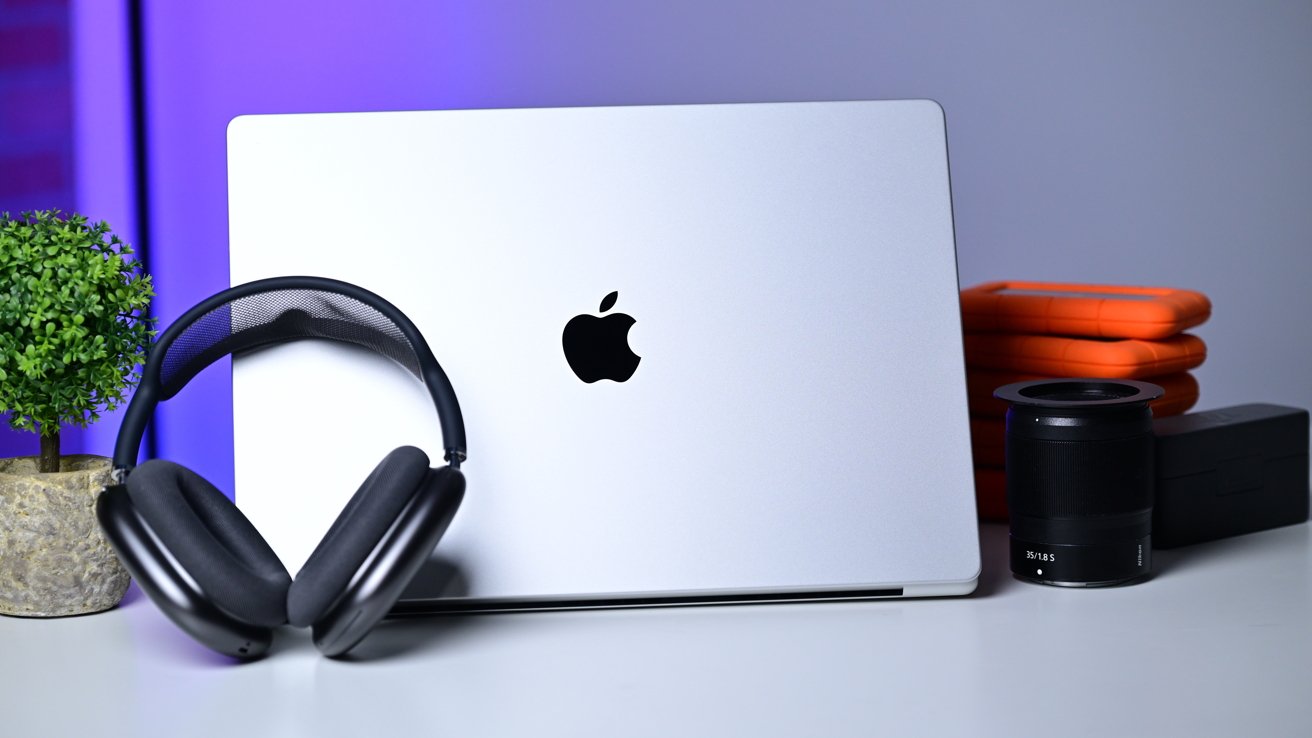
Months after it launched the first M5 chip, Apple has released its top-of-the-line 16-inch MacBook Pro with the M5 Max. Visually, it looks the same, but Apple Silicon performance continues to shine.
The MacBook Air has always been one of my favorite machines. It's so thin, light — perfect for hauling anywhere you need to go.
Most of my work, though, is in video production and image editing. The MacBook Air is extremely challenged when I need to export an hour-long 4K video podcast. It's why, for probably the last two decades, I've spent the majority of my time using a MacBook Pro.
My last upgrade was in 2023, so I was very eager to see how the M5 Max performance clocked in. I picked one up and have been testing it for a couple of weeks now after seeing them unveiled at the Apple experience in New York.
Specifically, this review focuses on the 16-inch MacBook Pro in silver, with 2TB of storage, 48GB of memory, and a 40-core GPU. You can up the storage to 8TB, and the memory can go up to 128GB — but that will cost you.
I've been using the Space Grey version for several years, and I'm very much liking the iconic classic silver this time around. It's bright, and if you've liked its classic Apple vibes for the past 20+ years, you'll like it here too.
M5 Max 16-inch MacBook Pro review: My old Space Gray machine is showing its age
On the edges of the ports and front lip, I've noticed some wear marks on my M3 Max model. The silver is more of a natural finish and won't show those signs of wear as easily, as there is no darker color to scratch off.

16" MacBook Pro M5 Pro & M5 Max
M5 Max 16-inch MacBook Pro review: Design
Apple's product cycles are fairly predictable. It launches a new enclosure, then iterates on that design for three or four years. Over that time, Apple has focused on speed improvements, perhaps some connectivity, fixing bugs, and so forth.
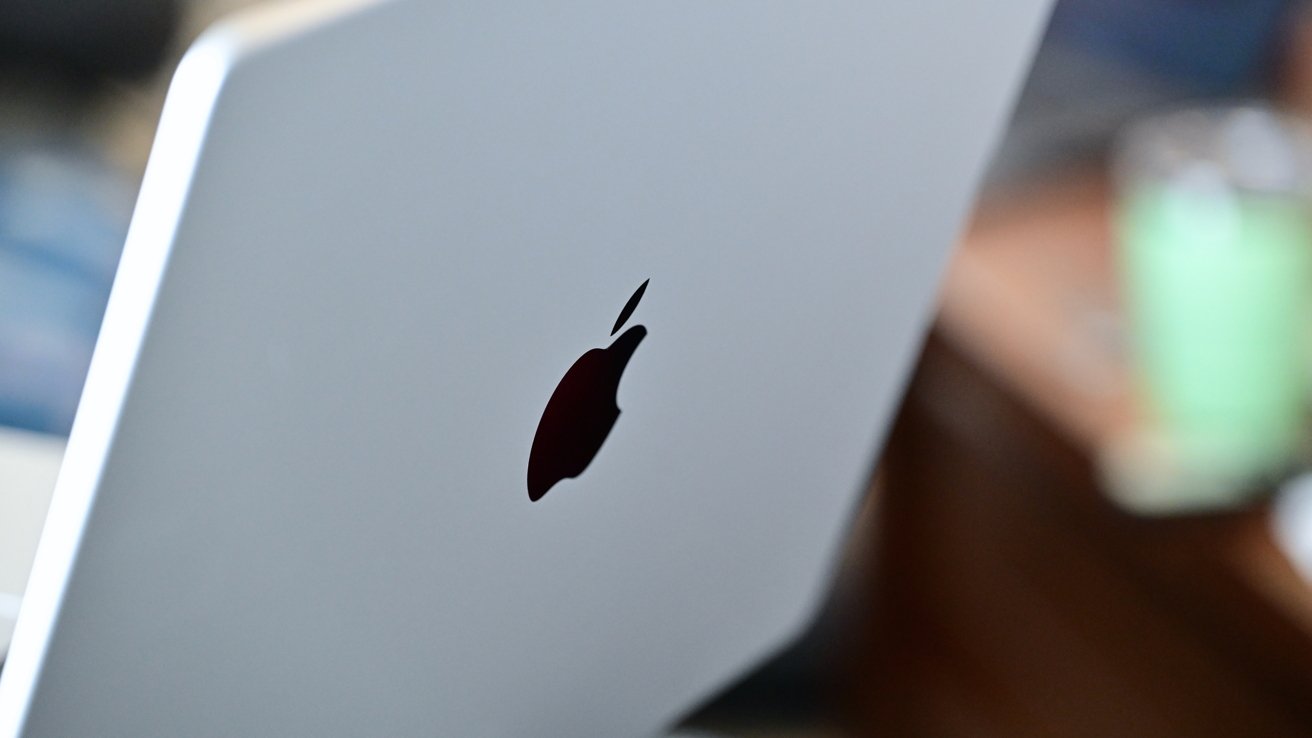
M5 Max 16-inch MacBook Pro review: The design is aging, but still looks great
We're near the end of that cycle with the 2026 M5 Max MacBook Pro. The design is nearly unchanged from its predecessor.
The 2026 MacBook Pro refresh still has a squared-off aluminum body that comes in either Space Black or silver colorways. You can choose either the 14.2-inch version or the 16.2-inch, with the latter reviewed here.
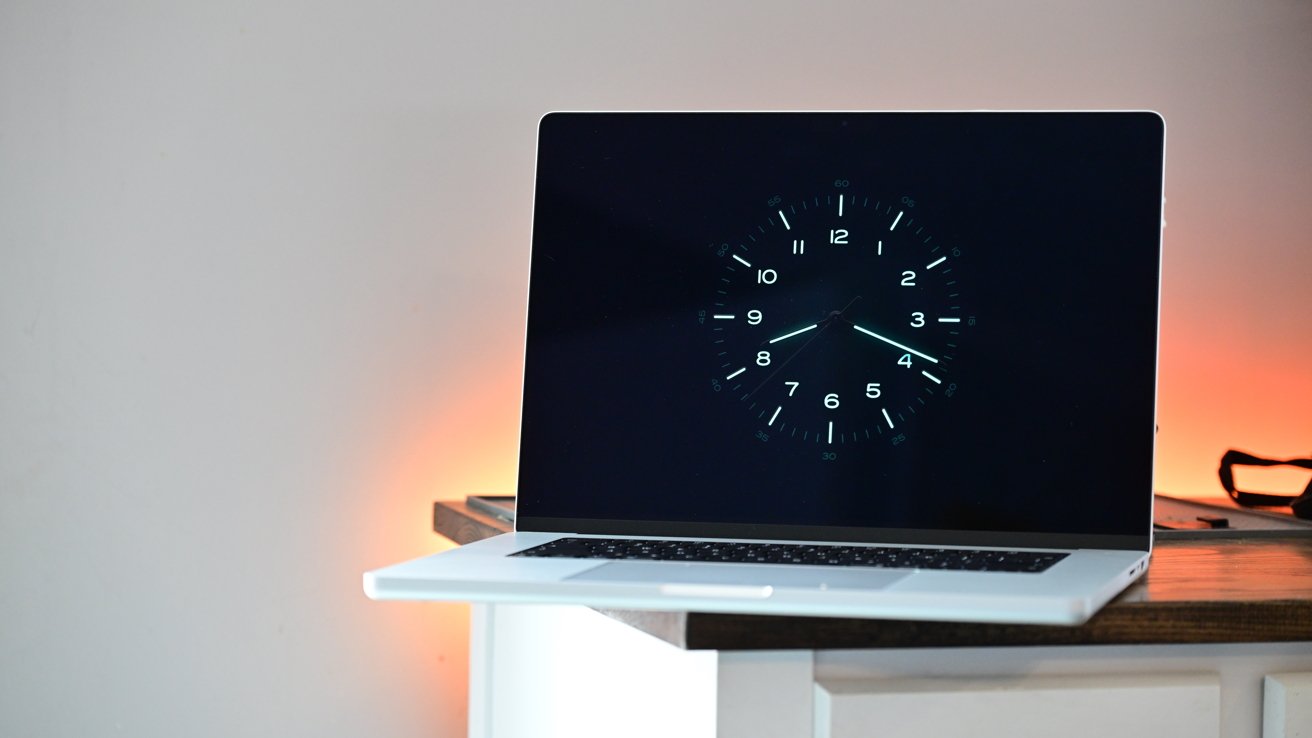
M5 Max 16-inch MacBook Pro review: The mini-LED display looks fantastic
The 16-inch version features a resolution of 3456 x 2234 with a pixel density of 254 PPI. This mini-LED display has a 1,000,000:1 contrast ratio, 1000 nits of sustained brightness, support for the P3 wide color gamut, True Tone, ProMotion, and has a nano-texture option.
I think the nano-texture finish looks fantastic, shows fewer fingerprints, and is great if you work on the go.
As with any matte finish, you lose just a tiny bit of sharpness as it's not as bright with the light being diffused, so that may be a deal-breaker for you. At launch, the nano-texture version was in short supply, so I may not be alone in my appreciation.
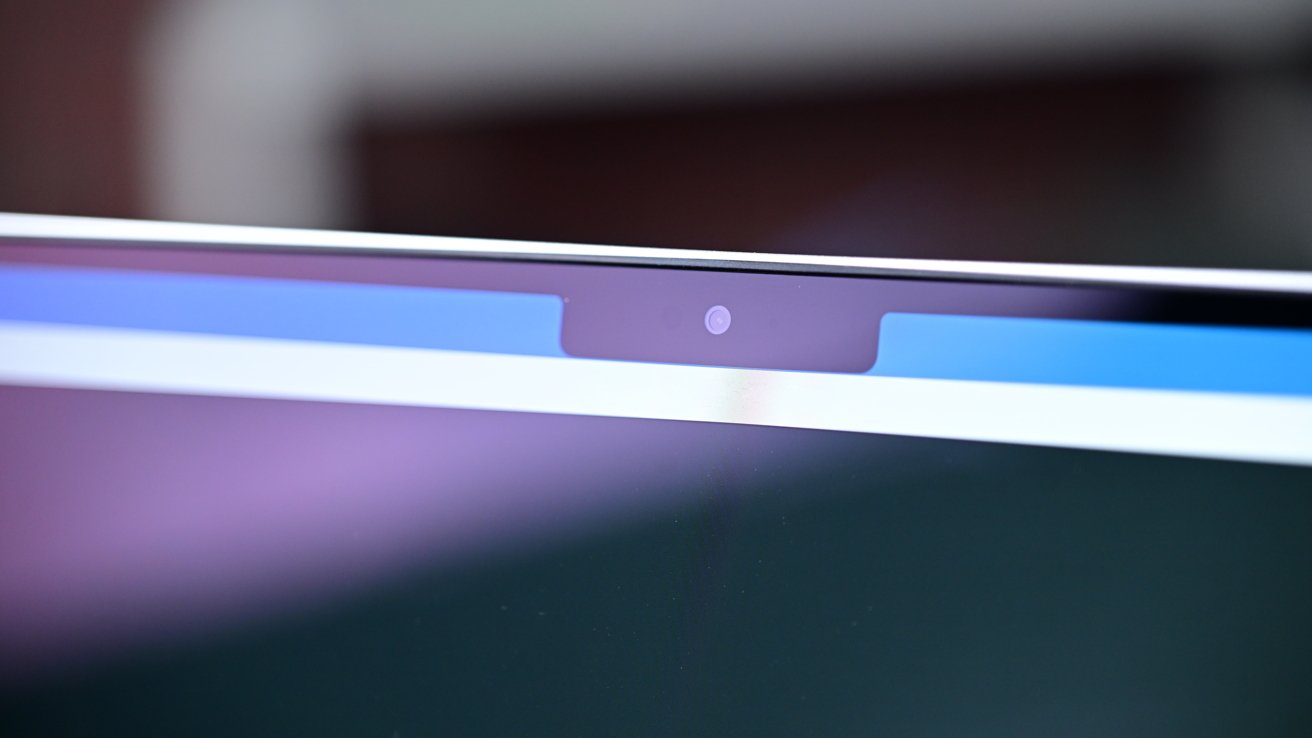
M5 Max 16-inch MacBook Pro review: The camera supports Center Stage and Desk View
The display still has the notch at the top, hiding the 12MP Center Stage camera with Desk View. I've never been bothered by the notch, though I know people have their own opinions on it.
And, as always, if you're working on an external display, there isn't a fake notch. There have been some fun Mac utilities that do a bit more with the space, in much the same way that an iPhone does, so maybe play around with those if the "feature" bothers you.
Or wait until the OLED MacBook Pro. It'll probably be gone then.
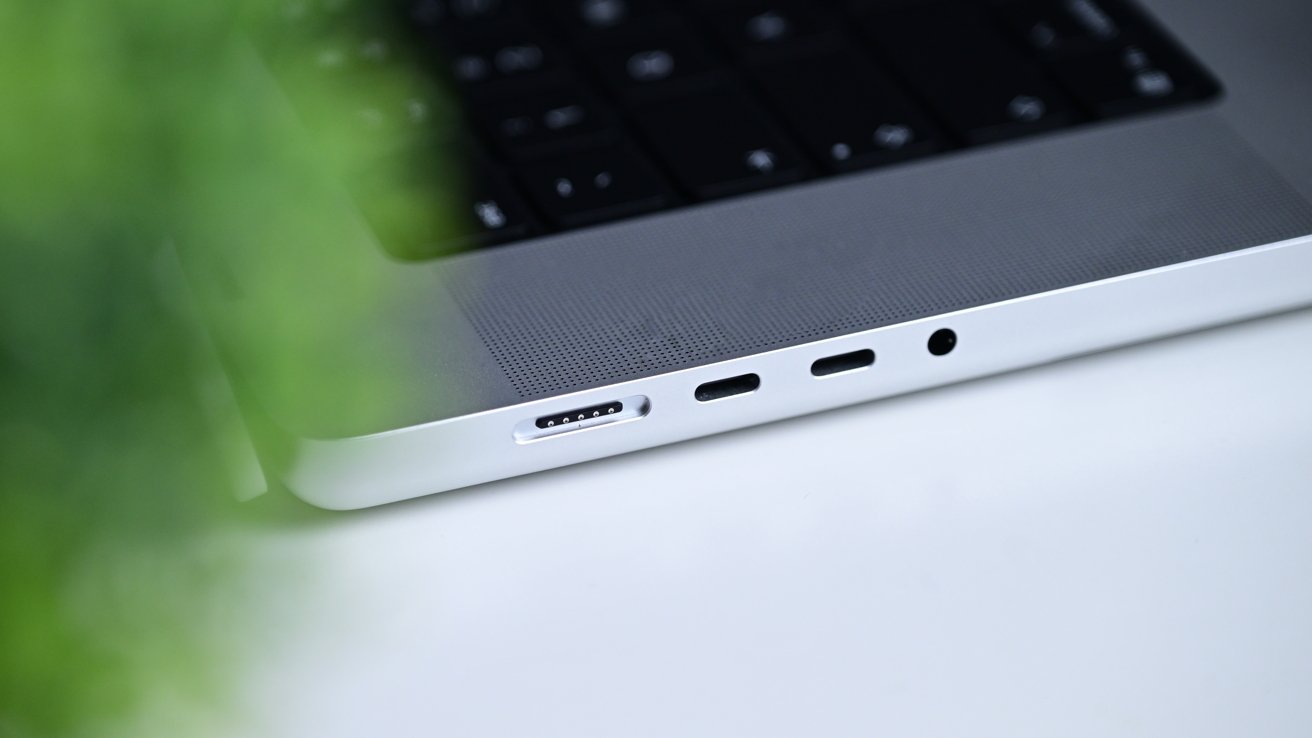
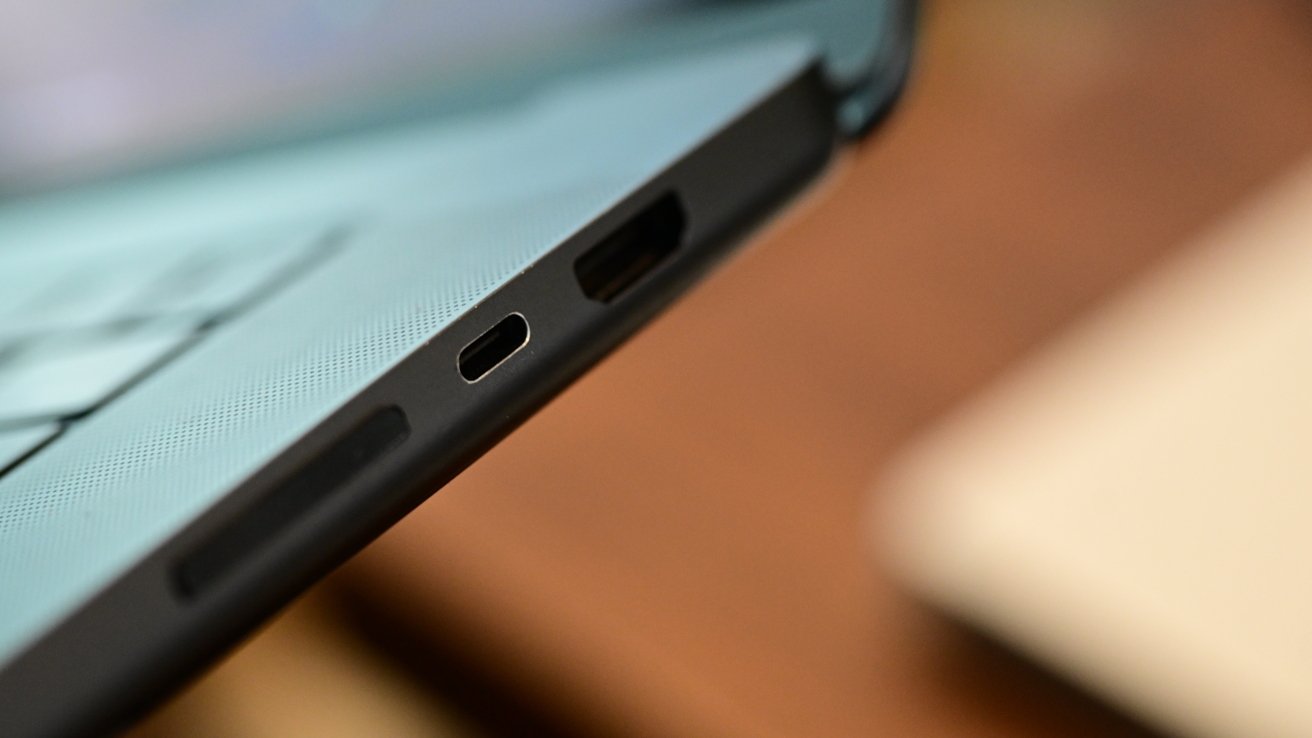
M5 Max 16-inch MacBook Pro review: MagSafe, Thunderbolt, and headphone ports
On the left side of the machine, Apple has a MagSafe 3 charging port that supports up to 140W of power for fast charging. It also has two Thunderbolt 5 ports and a 3.5mm high-impedance headphone jack.
Moving to the right-hand side, Apple has another Thunderbolt 5 port plus HDMI and an SDXC card reader. All of these ports are solid choices, and the complaints on connectivity options have largely dried up since Apple brought some of them back with the current design.
The M5 Max version supports up to four external 6K displays at 60Hz or 4K at 144Hz. If you need higher resolution, you can do two simultaneous 8K external displays.
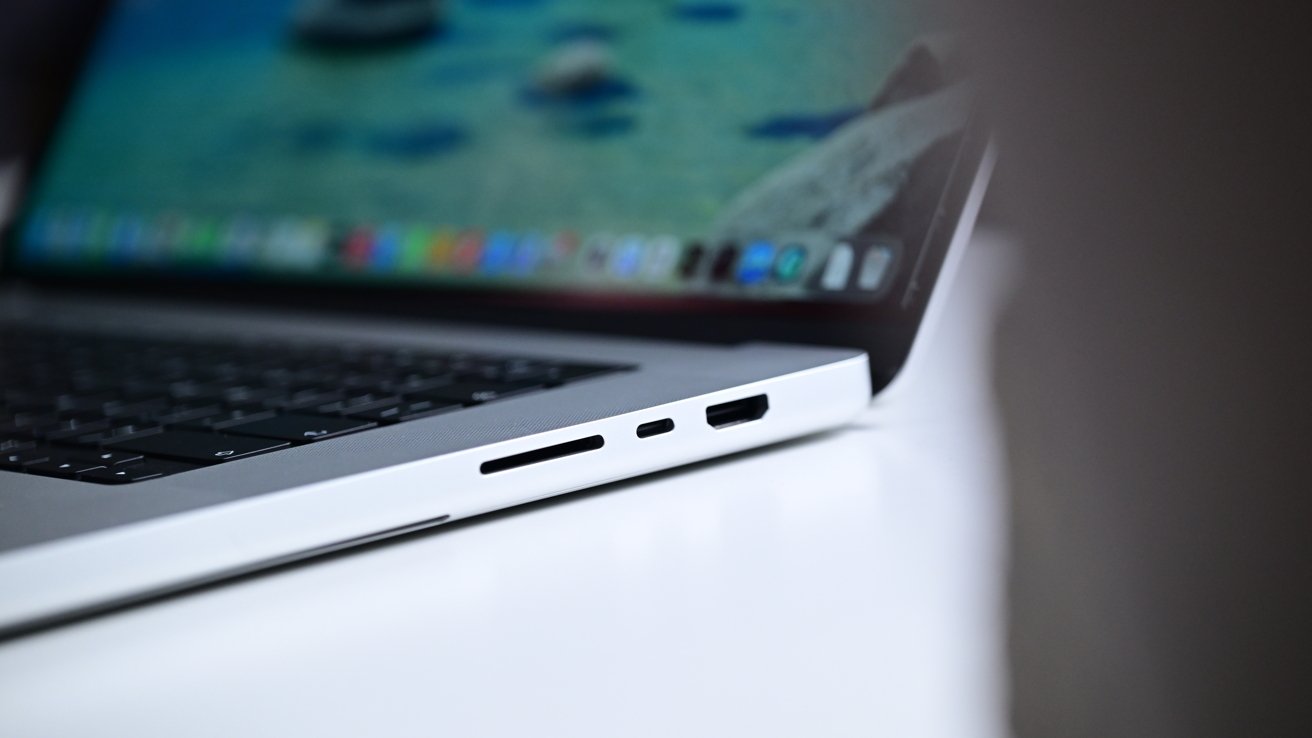
M5 Max 16-inch MacBook Pro review: HDMI, SDXC card reader, and a Thunderbolt port
Those four 6K displays are supported via a single Thunderbolt 5 connection, which is phenomenal. That includes the all-new Studio Display or Studio Display XDR that launched alongside.
Physically, the only difference you'll see with the new MacBook Pro is with the keyboard. Apple has updated the iconography and labels on certain keys.
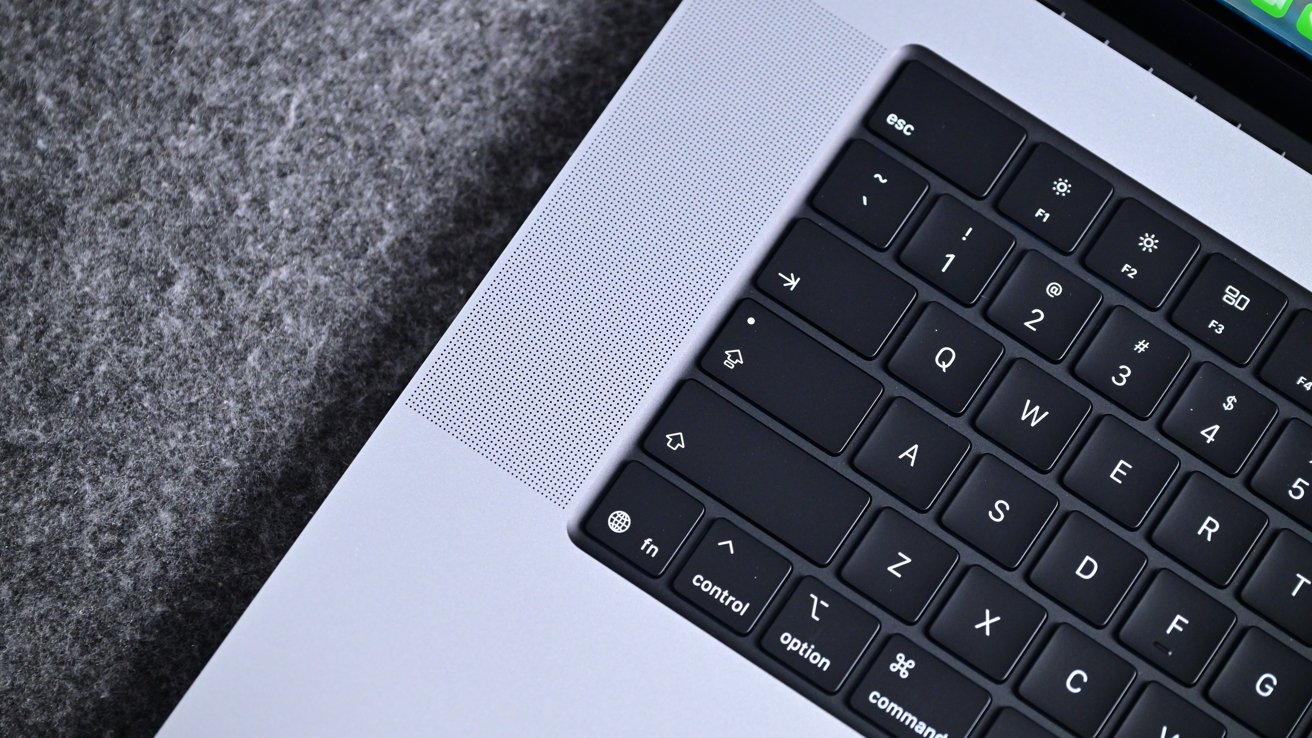
M5 Max 16-inch MacBook Pro review: The new keyboard is more minimal
A close look at the shift, return, caps lock, and escape keys reveals Apple has removed all the words from these keys. Instead, they are left with only icons representing their function.
I personally prefer the new approach as it is more minimalistic. Over many years of use, it should also prove to be more durable. With fewer cutouts on the backlit keys, there is less area for the black color to start to fleck away, as can sometimes happen. Ultimately, we'll see with time.
Aside from the backlight, this keyboard also has Touch ID in the top-right corner. To the dismay of many, Apple has still opted not to bring Face ID to the Mac — at least not yet.
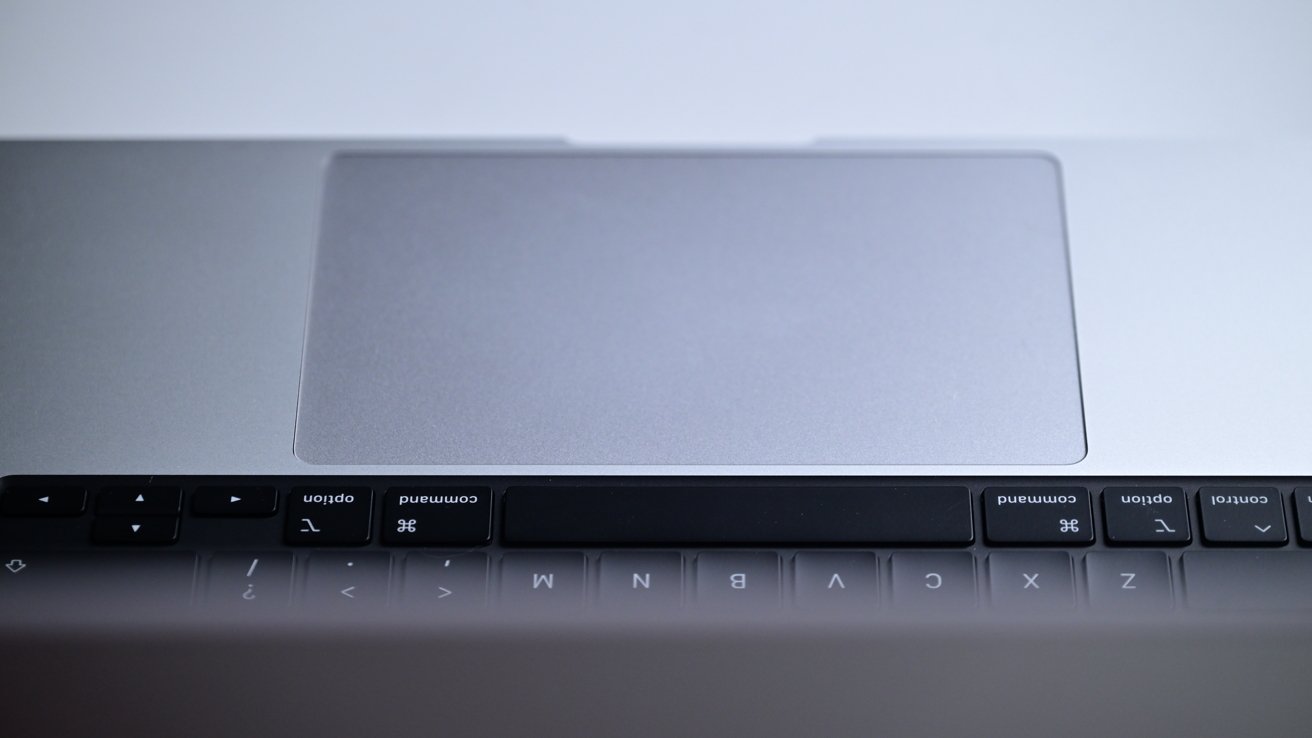
M5 Max 16-inch MacBook Pro review: The large glass trackpad
Apple has led the market with trackpads for decades. So, as you'd expect, the MacBook Pro has a large and spacious glass Force Touch trackpad with multitouch. As always, it feels smooth, comfortable, and very responsive.
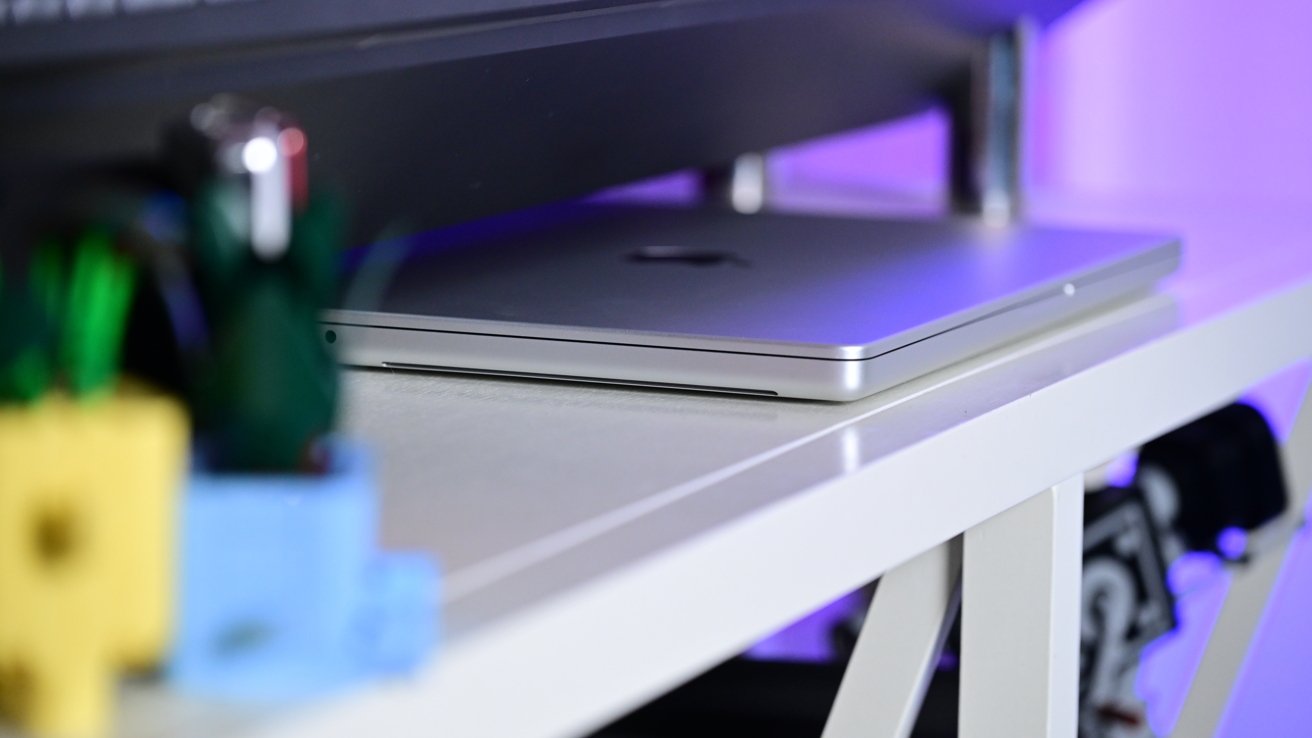
The speakers outline the edges of the keyboard on both the left and right. On the underside, there are two vents that can help with heat, while also aiding the bass response.
Compared to the MacBook Neo, the bottom feet of this Mac have started to feel dated. They're the same as they have been, but the MacBook Neo has a new color-matched design that feels more polished and curves into the body of the case, versus sticking straight out.
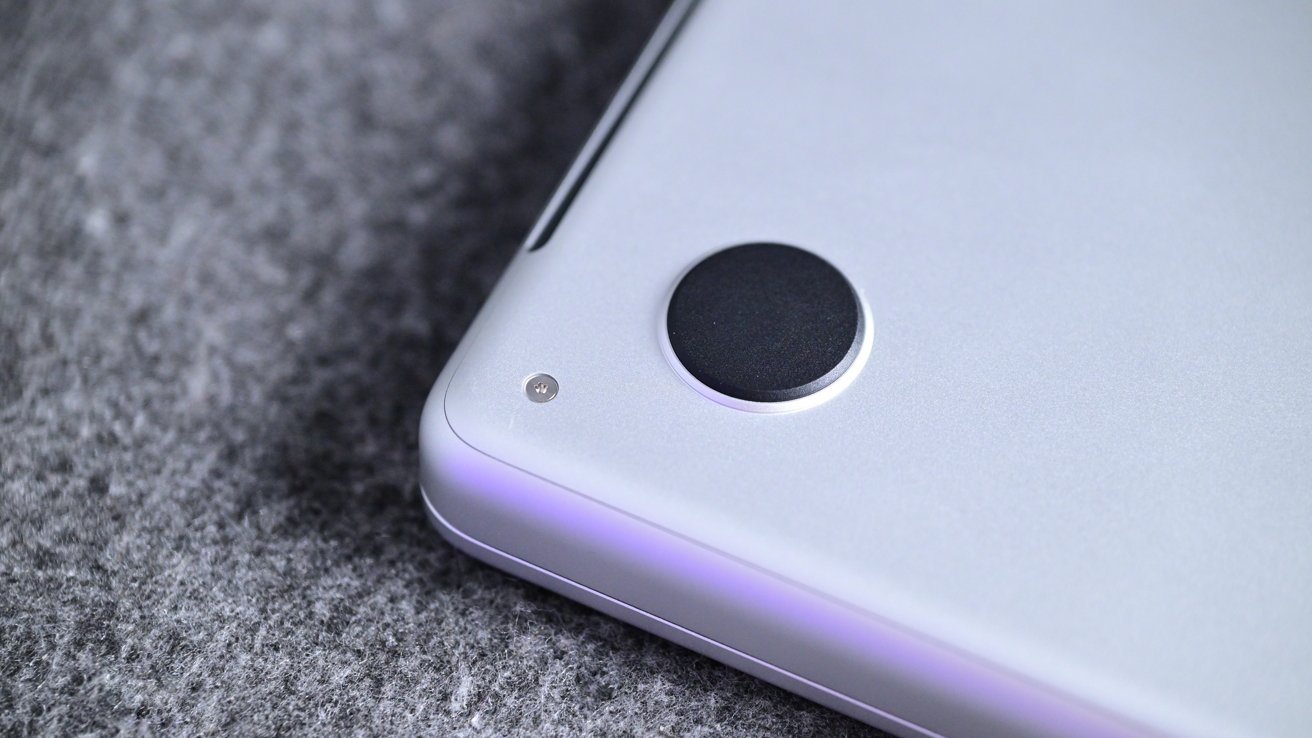
M5 Max 16-inch MacBook Pro review: The feet aren't as seamless as on the MacBook Neo
Maybe on the next redesign, Apple will tweak them, too.
With this 16-inch version, the weight is definitely noticeable. At almost five pounds, hauling it around can be taxing. And, it doesn't fit on airline trays that well. It barely fits on Amtrak long-haul train trays.
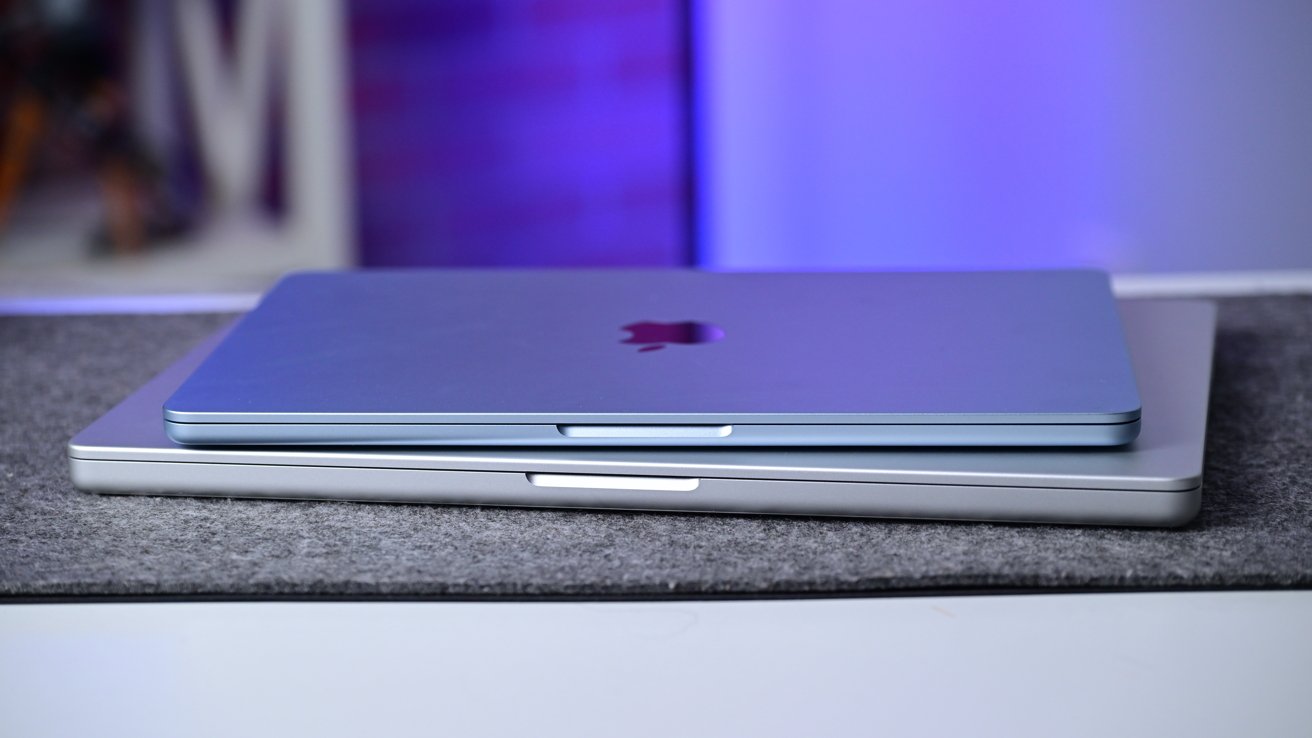
M5 Max 16-inch MacBook Pro review: MacBook Air on top of the MacBook Pro
If you've seen any of my content for the last several years, it's been done on an earlier version of this laptop. In a backpack with other tech, the weight wears on me compared to trading down to a lighter 14-inch MacBook Pro or a 15-inch MacBook Air.
I'll admit I have been told by my other half on multiple occasions that my backpack is too heavy. So even though it's portable, a 16-inch metal laptop can be a lot to carry around.
M5 Max 16-inch MacBook Pro review: Camera, speakers, and microphone
Audio and video are unchanged on the latest iteration of the MacBook Pro.
There are still six high-fidelity speakers with force-cancelling woofers that support Spatial Audio when listening to Dolby Atmos content. I think they sound good, especially as I've been listening to the smaller speakers on the MacBook Neo and MacBook Air so much.
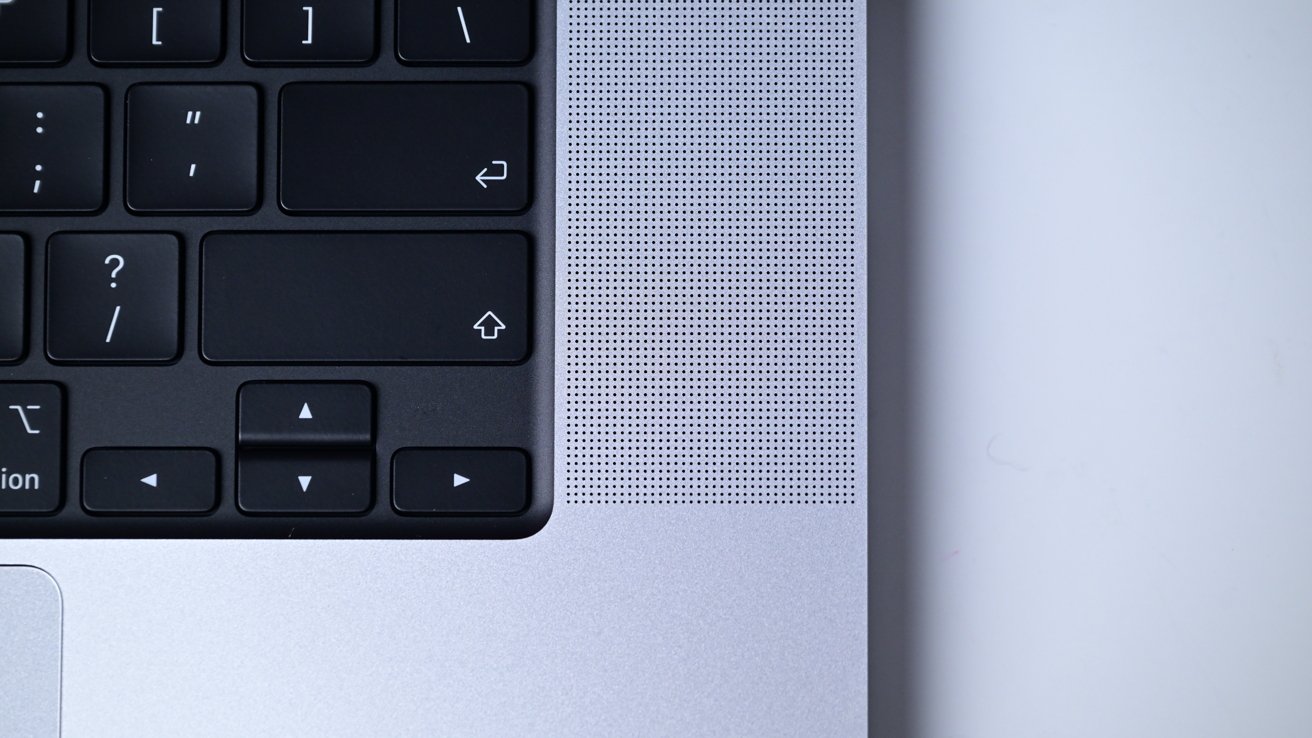
M5 Max 16-inch MacBook Pro review: The speakers sound great, for a laptop
The spatial effect is great and works well — for a laptop. Putting in earbuds or over-ear headphones is better, but I'm glad Apple doesn't cheap out on subpar speakers.
There is a three-mic array on board that Apple calls "studio quality," but let's not get carried away. The mics sound excellent, especially the Voice Isolation mode, but they are in no way "studio quality."
If you need that, you already know you need to buy better microphones.
Voice Isolation gets enabled in the menu bar and can remove unwanted background noise.
To test them, I played some generic noise on a set of stereo speakers around the sides of my MacBook Pro and recorded a voice memo. Listening to the recording, all the faux restaurant noise was removed in the isolated recording.
So, not studio quality, but still impressive if you have to use the mic in a loud environment.
Wide spectrum mode is available too, which can collect more sound if, say, a group of people all wanted to get in on a FaceTime call. None of this seems any better than my older MacBook Pro, but that's a testament to Apple's software.
The camera is fit for the task, and I do use it frequently for my podcast recordings. Using a dedicated 4K webcam or an iPhone with Continuity Camera or the Camo app still looks better if you can swing it.
M5 Max 16-inch MacBook Pro review: Internal changes at a minimum
With the design largely iterative, even the internals failed to significantly evolve. For example, the memory capacities stayed the same, starting at 36GB on the M5 Pro and 48GB on the M5 Max. Regardless, both models max out at 128GB if you want to shell out for that.
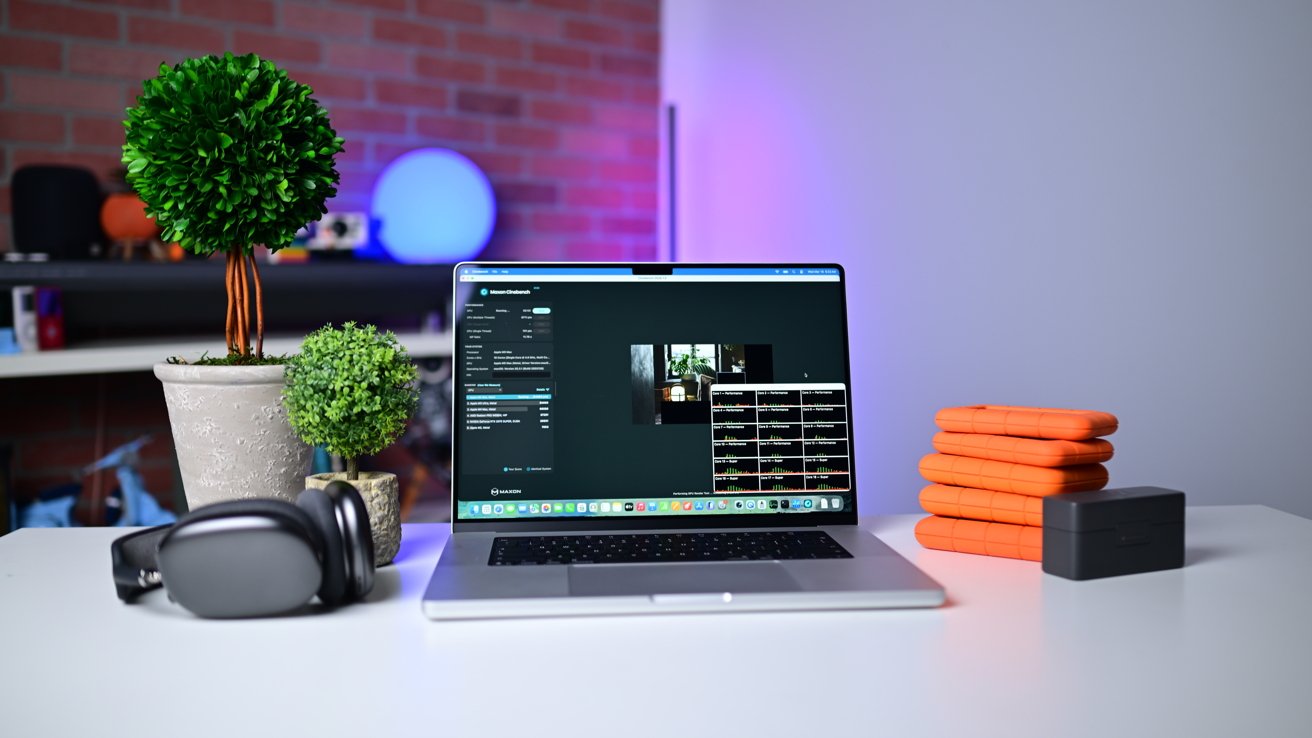
M5 Max 16-inch MacBook Pro review: This machine is more powerful than ever
The memory bandwidth saw a modest increase, rising from 546GB/s to 614GB/s. It's largely negligible for most tasks but can benefit certain local AI workflows.
Apple quotes battery life as hitting up to 22 hours of video playback compared to only 21 hours before. Apple also says that you can expect 16 hours of web browsing, up from 14 hours.
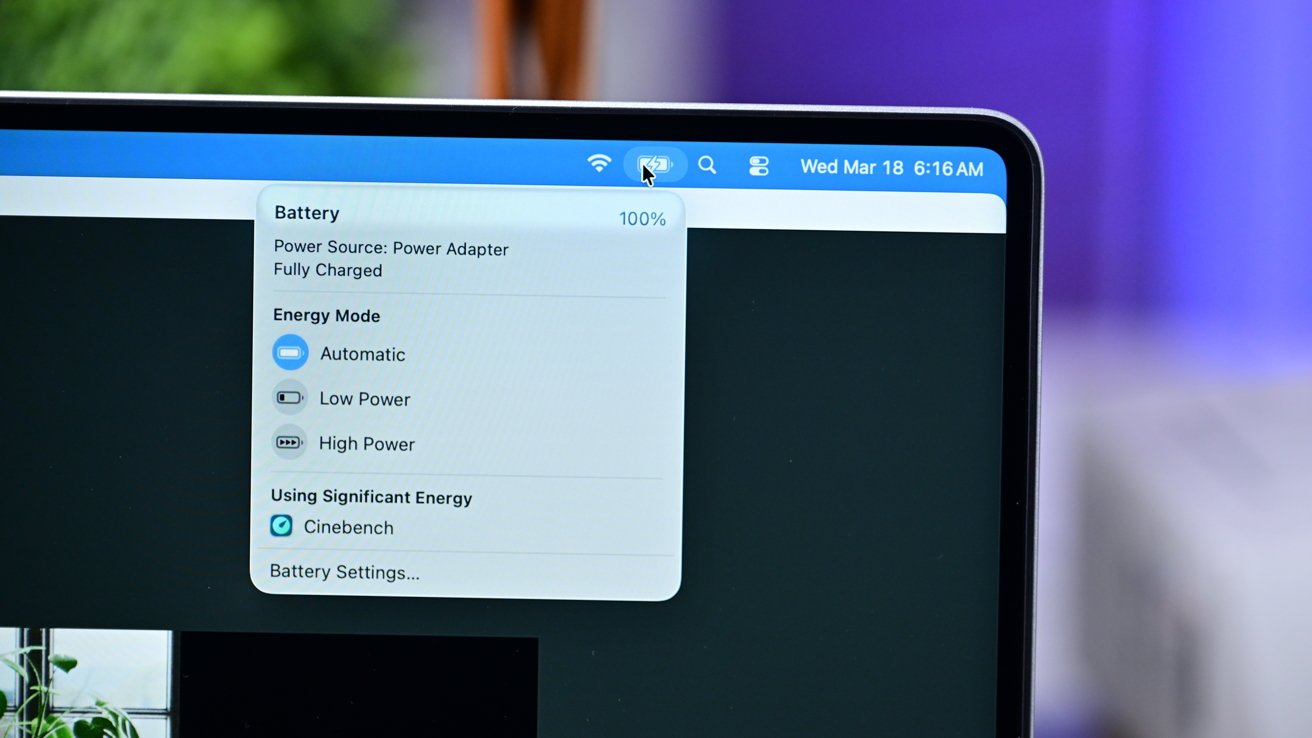
M5 Max 16-inch MacBook Pro review: You can manually change battery performance modes
In my time using the new Mac, I didn't notice any battery life boost. It's still great and will largely get me through an entire day of work — just writing, not video editing — without issue.
Throw something more taxing, like multiple projects in Final Cut Pro with two external SSDs connected, and that battery life is shorter. It's wild to me how Apple can maintain its performance on battery, though, compared to Windows PCs.
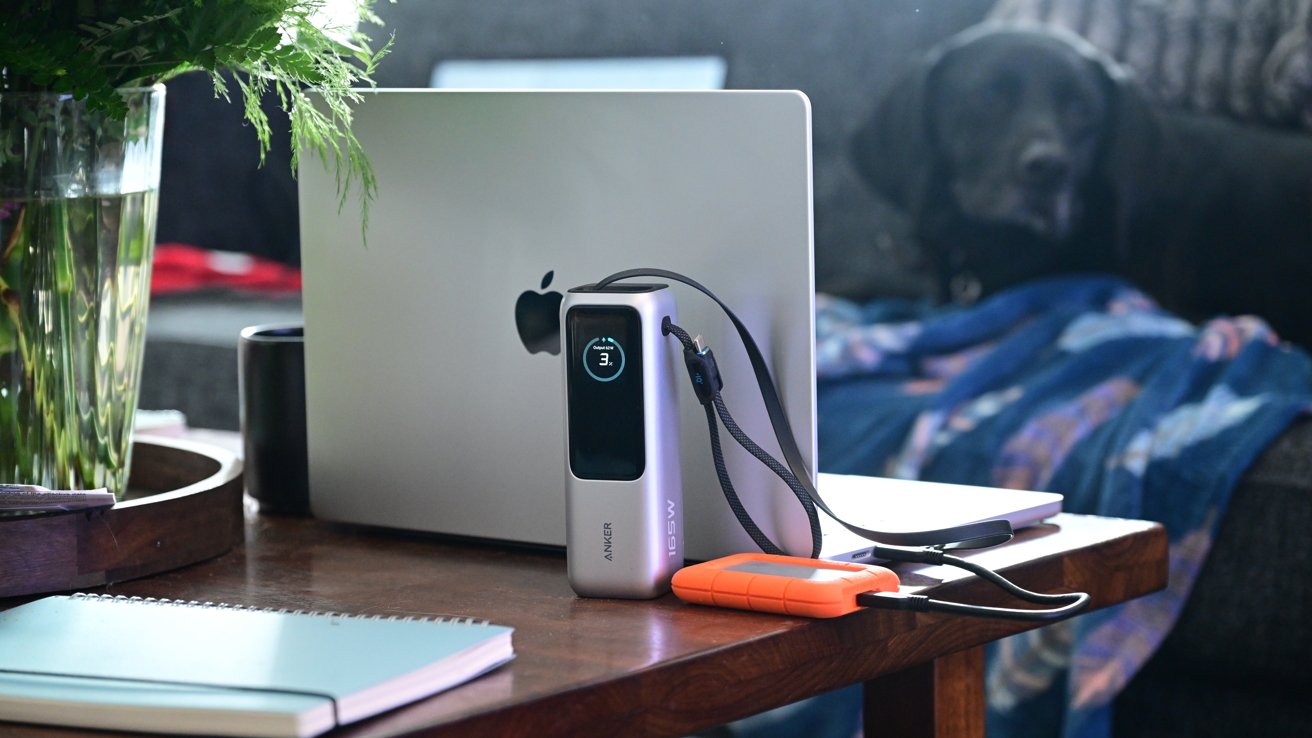
M5 Max 16-inch MacBook Pro review: It's convenient to charge with a USB-C battery pack
If you want to try to stretch it out, Apple gives users the choice of low-power or high-power modes in a toggle. Ultimately, battery life is still excellent, and USB-C allows me to charge up with any USB-C cable or battery I have on hand.
M5 Max 16-inch MacBook Pro review: Faster speeds for Wi-Fi and storage
On the M4-series MacBook Pro, I saw speeds averaging around 6700MB/s and 5400MB/s for the write and read speeds, respectively. My new 2TB base model was incredible, reaching 12122MB/s and 12574MB/s in the same test.
If you move a lot of files around as I do to and from external storage, this is great, as is launching certain applications. Some of my projects can be hundreds of gigabytes, so doubling the last-gen speeds with the right external drive is incredible.
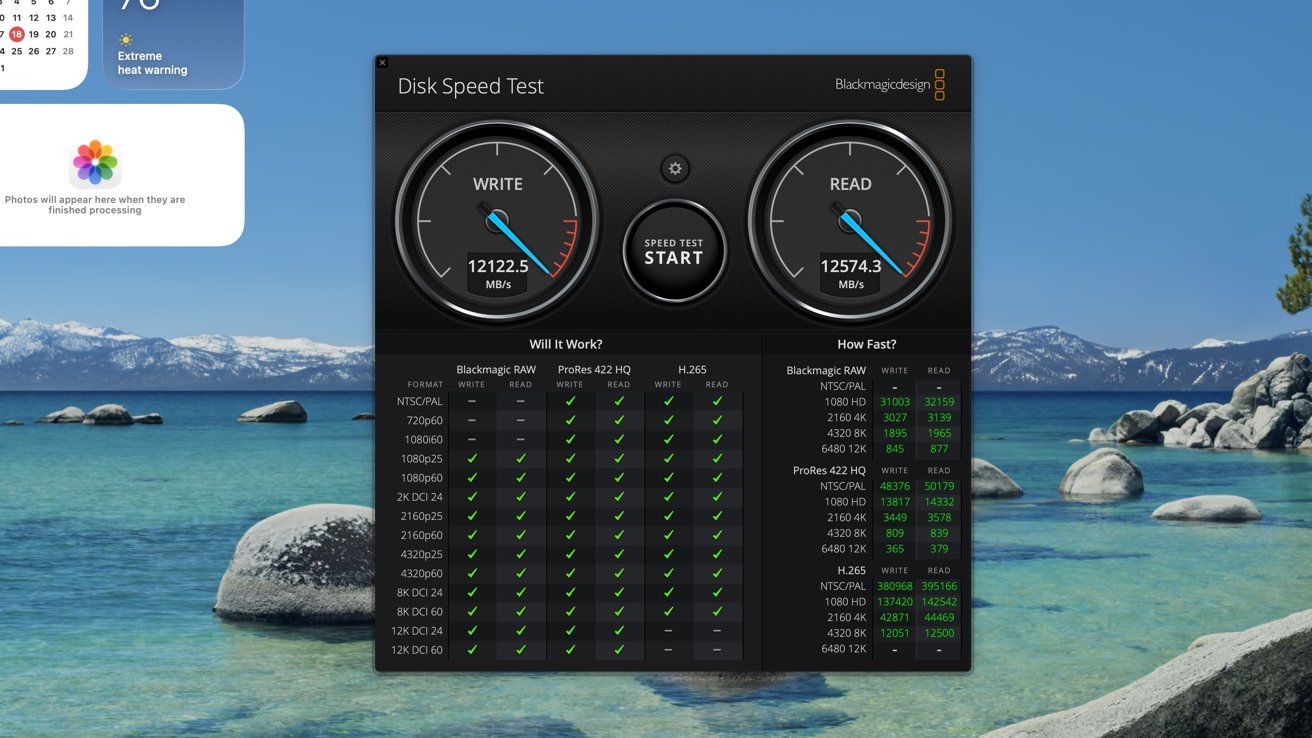
M5 Max 16-inch MacBook Pro review: SSD speed tests
Apple says it can reach up to 14.5GB/s, so if we're splitting hairs, this fell just below that but is well within the range of the company being right. Perhaps in certain situations, it can reach that benchmark, but I'm not going to complain.
For me, easily the biggest change was the addition of the Apple-designed N1 networking chip. This brings three changes with real-world improvements.
Bluetooth has gone from version 5.3 to version 6. Bluetooth 6.0 has improved security, faster pairing, and lower latency for audio on supported devices, which are still few and far between.
Then there is Wi-Fi, which has finally made the leap from 6E to Wi-Fi 7. I've been looking for this addition for a couple of years now.
I believe that if you're buying an expensive machine like this and want to get years of use out of it, it should not ship out of date. Wi-Fi 6E on the last model was out of date.
Especially when we're talking about a high-end pro-level machine where people are more likely to adopt the latest standards.
Wi-Fi 7 has big performance improvements, and I've been running Wi-Fi 7 routers in my home and studio since it launched. With gigabit internet from my ISP and a job that involves a lot of uploading and downloading media, this was a must-have.

M5 Max 16-inch MacBook Pro review: Wi-Fi 7 speeds are amazing
Running multiple speed tests on Eero Pro 7 mesh routers, I was seeing just under 700Mbps on Fast.com using my older MacBook Pro with Wi-Fi 6E and an average of 1.5Gbps on the new MacBook Pro with Wi-Fi 7.
This made a massive difference across my workflow, from uploading videos to transferring old projects to my local NAS. I continue to be thrilled with the wireless performance.
Obviously, this is entirely dependent on your network. Without a Wi-Fi 7 router, your benefits will be limited, but if you made the jump or will soon, this is some exceptional performance.
The N1 brings Thread along, too. This is an emerging wireless mesh technology, largely used by the smart home.
Apple has added Thread to many of its devices over the years, including iPad, iPhone, HomePod, and Apple TV. It's not clear what specific advantage Apple has given the MacBook Pro.
On iPhone or iPad, they can communicate directly with Thread devices. On HomePod, HomePod mini, and Apple TV 4K, these devices act as Thread border routers, bridging them to your home network.
Apple didn't activate the Thread radios on iPhone and iPad for years, so it's hard to say if a Mac can act as a Thread router or even communicate directly with smart home devices.
M5 Max 16-inch MacBook Pro review: M5 Max performance
The new MacBook Pro can be configured with either the M5 Pro or M5 Max processor. I'm testing the M5 Max, as I've said far, far above. Congrats on making it this far.
It maxes out as an 18-core CPU that is split between 6 super cores and 12 performance cores. That naming differs from the last-gen machine that used performance and efficiency cores.
Ostensibly, the new "super" cores are representative of the old performance cores. The new "performance" cores are a new core type that is more powerful than the old efficiency cores.
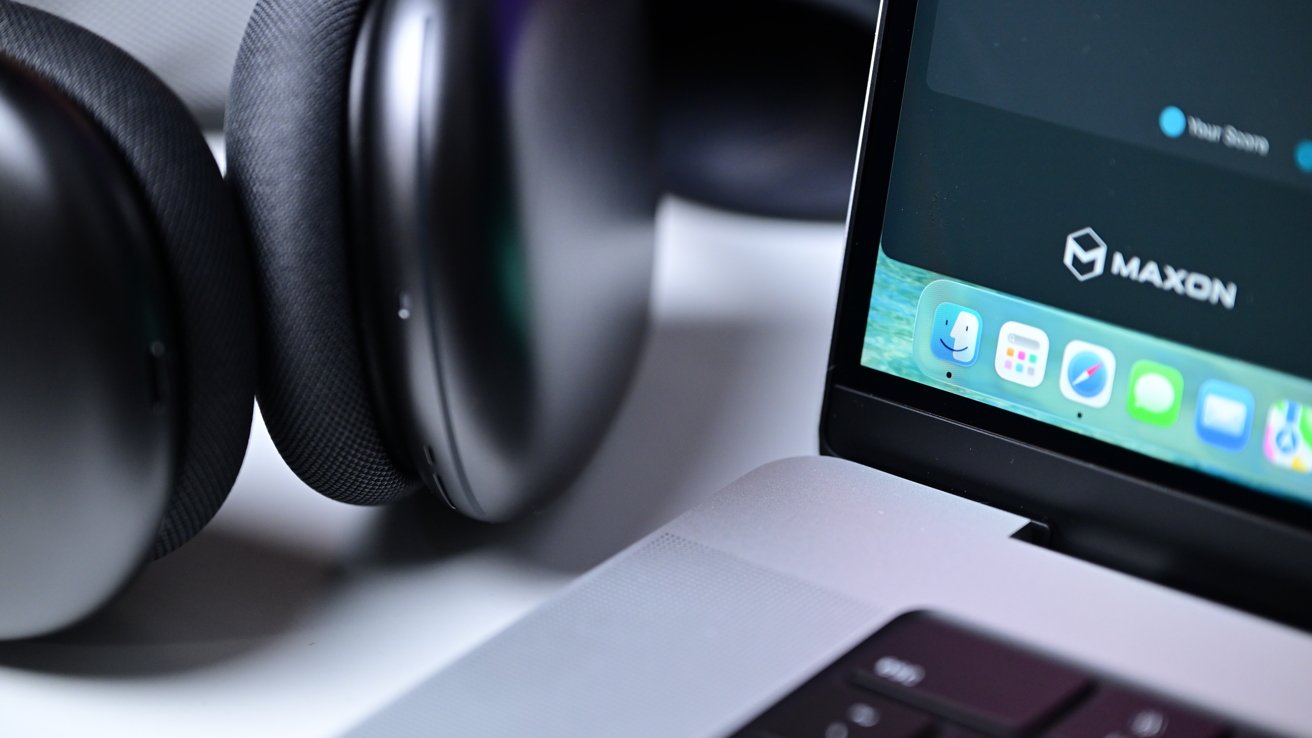
M5 Max 16-inch MacBook Pro review: It's hard to find fault with Apple's pro laptop
Only the base M5 chip found in the MacBook Air and entry-level MacBook Pro come with efficiency cores. The concern is that Apple dropped the core count for its highest-performing CPU cores.
The M4 Max shipped with up to a 16-core CPU, counting 12 performance cores — now super cores — and 4 efficiency cores. Even though the M5 Max is an 18-core CPU, it only has 6 super cores and now has 12 performance cores.
There's no real way to make a direct comparison between the new super cores and the old performance cores. The M5 Max's new super cores are using a new packaging technique, making them more powerful than the prior performance cores.
The bigger concern is for high-performance apps that are designed to specifically utilize performance cores.
The biggest example of this that comes to mind is Logic Pro, which didn't tap into the efficiency cores at all, instead taxing the performance cores heavily. If the new machine all of a sudden has fewer of the top-tier cores, the question is whether or not performance will take a hit.
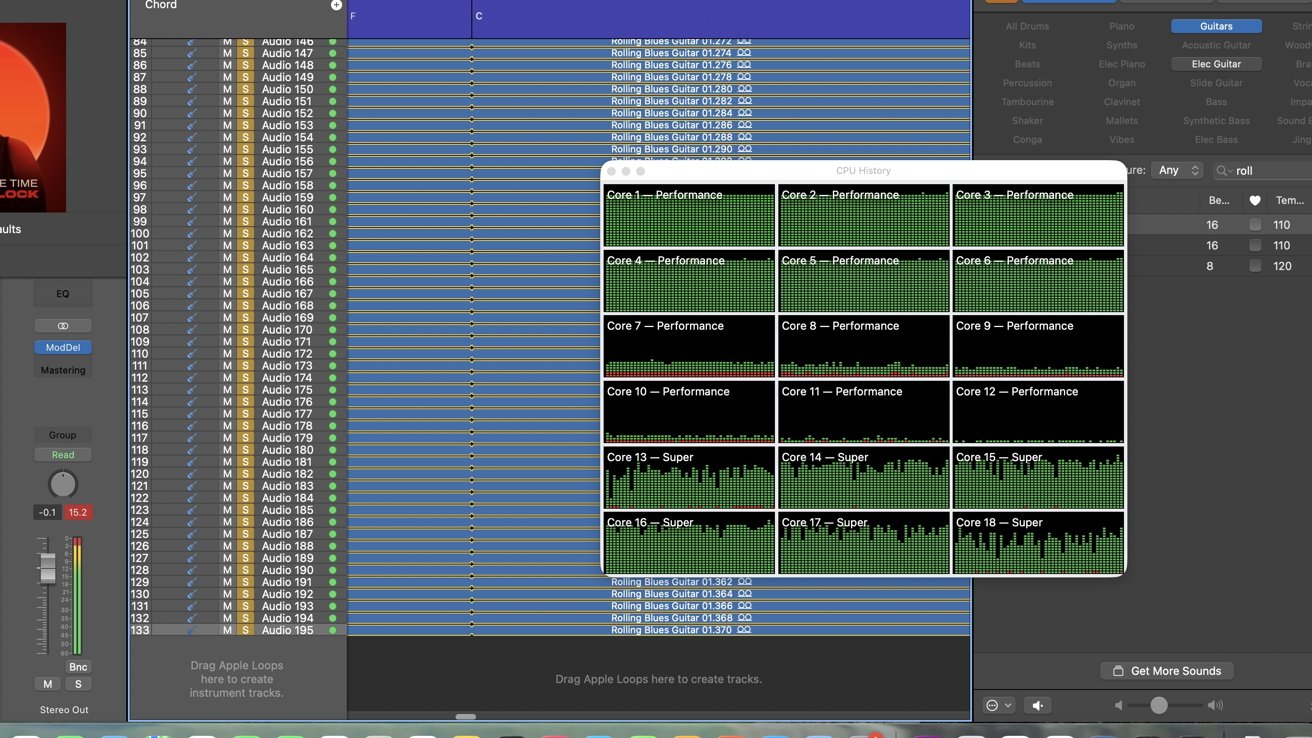
M5 Max 16-inch MacBook Pro review: Testing Logic Pro's core performance
To test this, I opened a test project in Logic Pro via Creator Studio. At the same time, I opened Activity Monitor to monitor the CPU performance.
I then added an instrument track, applied a native ChromaGlow preset, and duplicated the track repeatedly until Logic Pro was unable to play the project, which was around 130 of this specific guitar track. The goal was to tax the system as much as possible.
I then removed tracks one at a time until Logic could resume playing back the project, and I found out the maximum number of tracks this particular project could play. I then repeatedly played the project for about 15 minutes.
This gave ample time for the system to heat up, and I could monitor the real-time performance of the CPU. Activity Monitor breaks down the CPU history by core type visually, so I could see what was being utilized during the test.
Unlike with previous versions of Logic and Apple Silicon, Logic was able to fully tap into six of the performance cores and considerably tax all six of the super cores.
But similar to other versions, it did not take full advantage of the remaining six performance cores. Still, the takeaway is that the reduction of the new super cores did not hinder the performance.
Notably, I also didn't notice the fans spinning up, though they did kick in after several minutes. The machine got slightly warm in the center behind the keyboard, but nothing concerning.
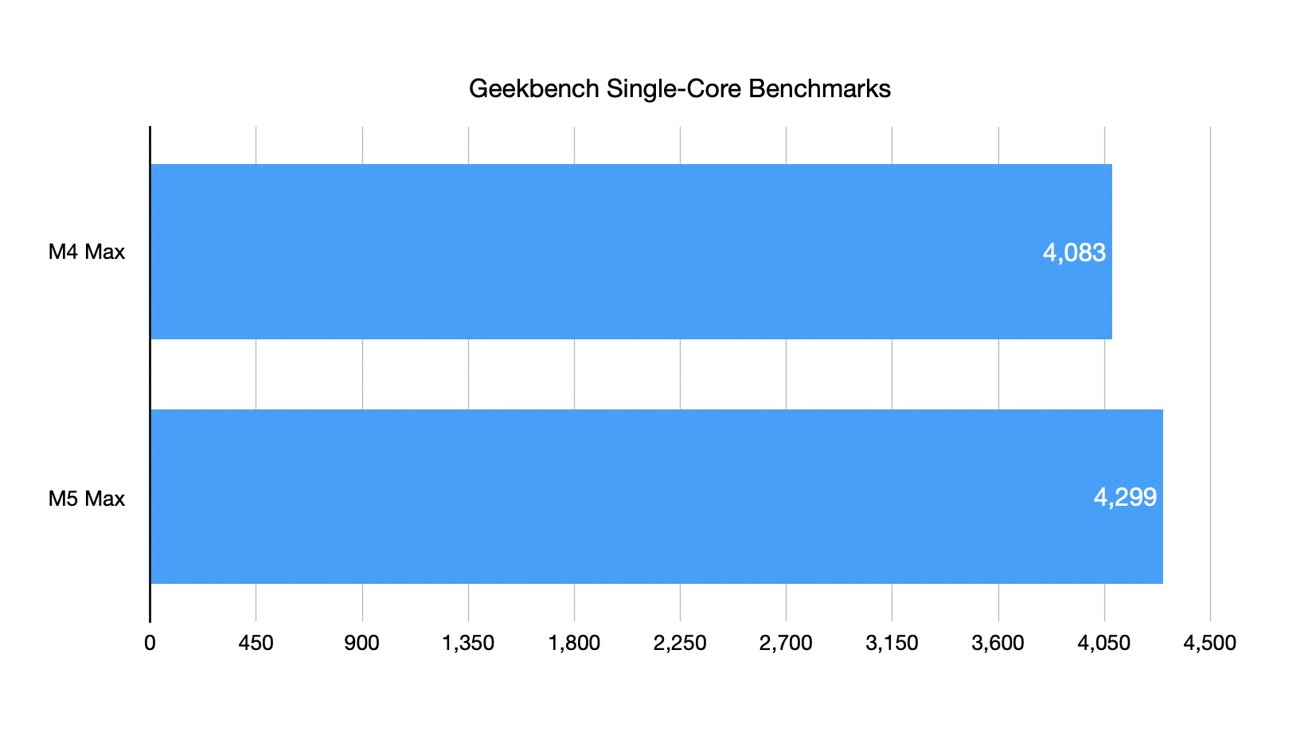
M5 Max 16-inch MacBook Pro review: Geekbench results are solid
In other metrics, I ran Geekbench 6. The single-core score was 4299, and the multi-core score was 29147.
For comparison, my M4 Max 16-inch MacBook Pro scored a 4083 and a 26629, respectively, on the same test.
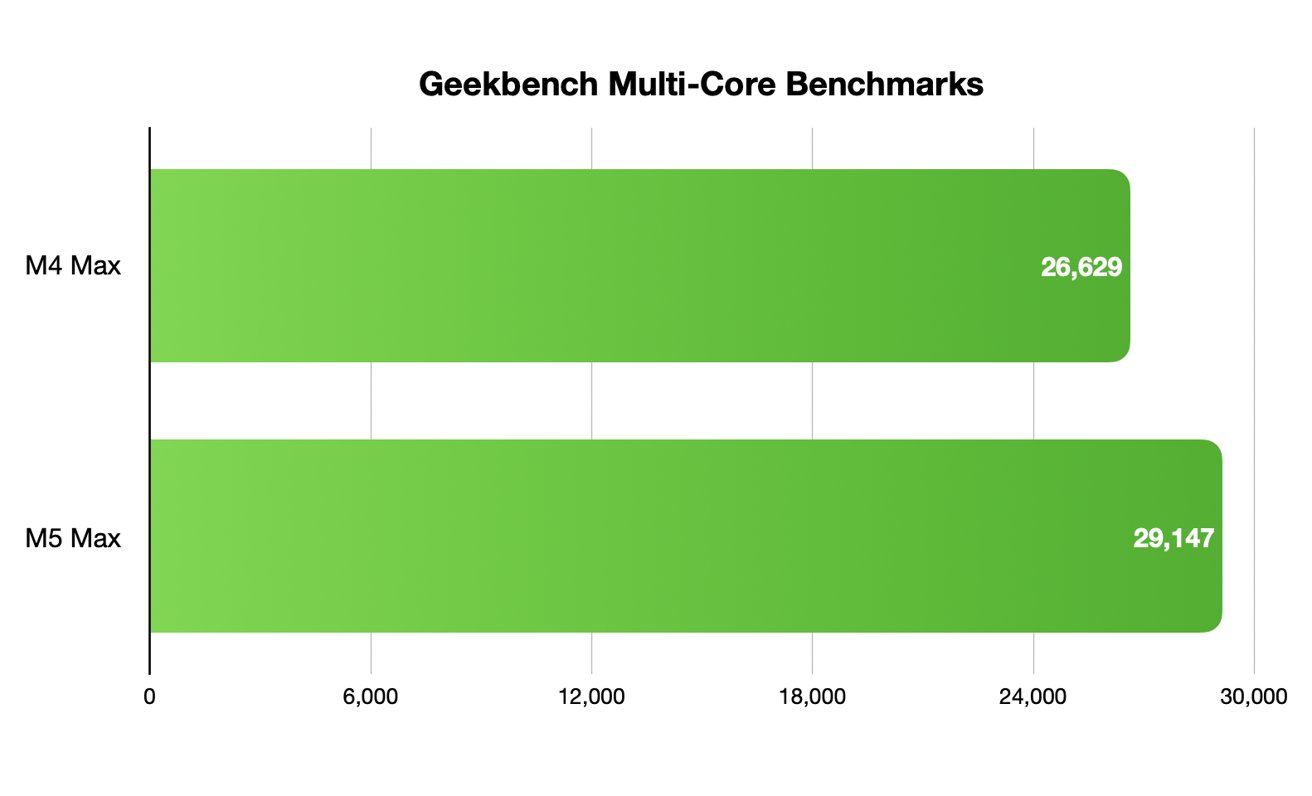
M5 Max 16-inch MacBook Pro review: Multi-core results
That's nearly a 10 percent jump on the multi-core score, and just over 5 percent improvement on the single-core. As a general rule, humans need to see about a 10% increase in speed to see a day-to-day improvement. Where it's felt is in time to complete a job.
I also ran several repeated Cinebench 26 benchmarks. As one test finished, I immediately ran another to make sure the processor was stressed enough and if there were any issues with throttling during sustained use. My results were in line with my first run results.
The new machine garnered 8711 for the multi-core score and 741 for the single-core score. For relative context, my 2023 M3 Max MacBook Pro pulled 6168 for the multi-core score and 541 for the single when I retested it on Cinebench 2026.
For the GPU, not only is it more powerful, but Apple baked in new neural accelerators for on-device local LLMs and image generation. Apple says this results in 4X faster AI performance compared to the M4 Max.
M5 Max 16-inch MacBook Pro review: The new Cinebench results are awesome
In Cinebench, the GPU scored 95269. This is compared to 53031 on my M3 Max GPU, which was blown away.
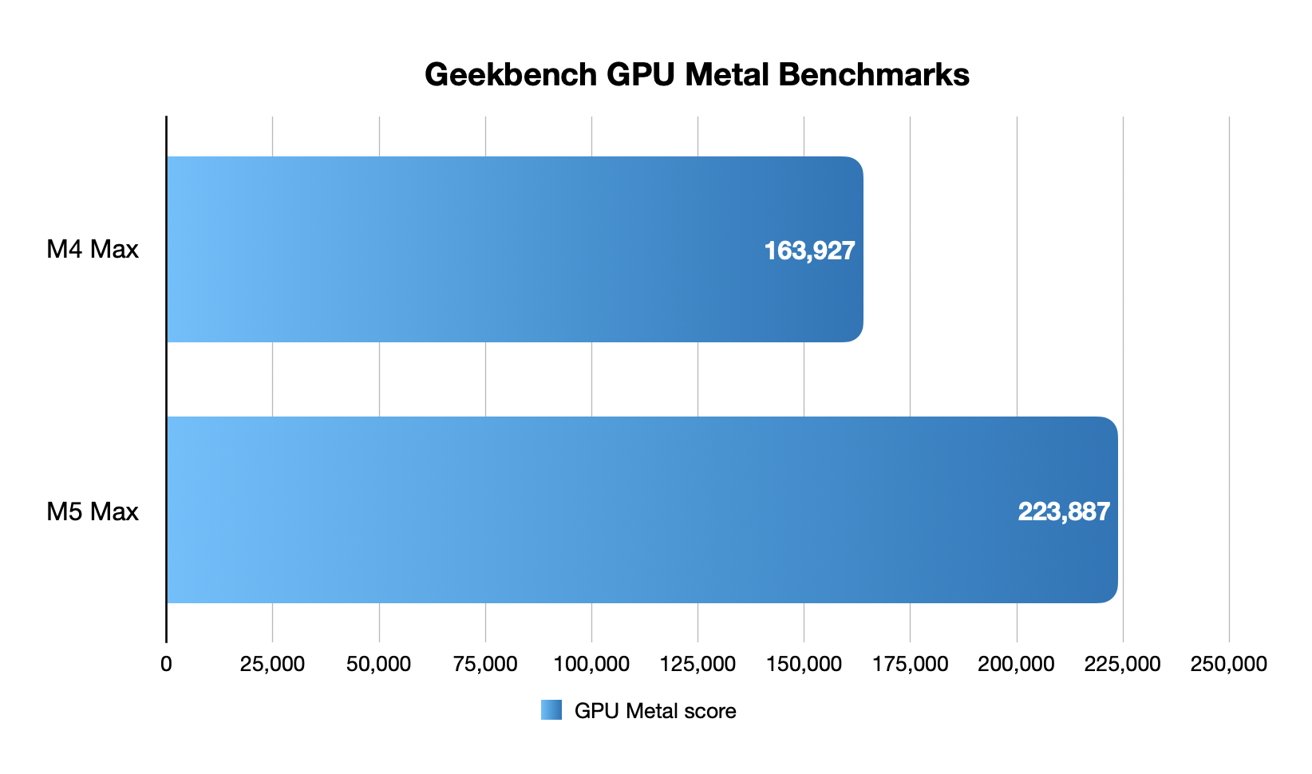
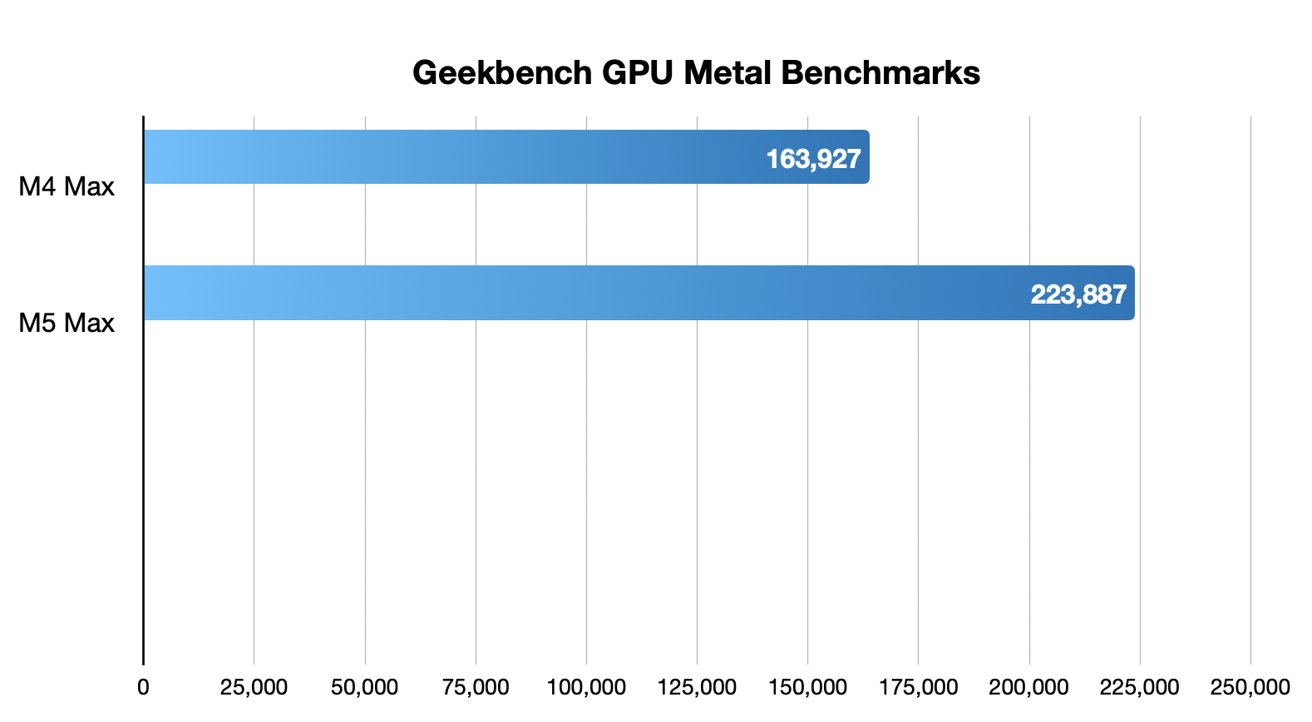
For Geekbench, the Metal compute score was 223887. That's 18 percent improved from the 40-core M4 Max's score of 163927.
M5 Max 16-inch MacBook Pro review: Metal results in Geekbench Compute
The last generation only had a 15 percent improvement, so this time it's a larger graphics jump. Apple is definitely leaning into the creatives and AI performance, which is great to see.
Due to its importance in my workflow, I also tested an export from Final Cut Pro. It was about an 8-minute 4K video exported at full quality and took 4 minutes and 17 seconds to finish.
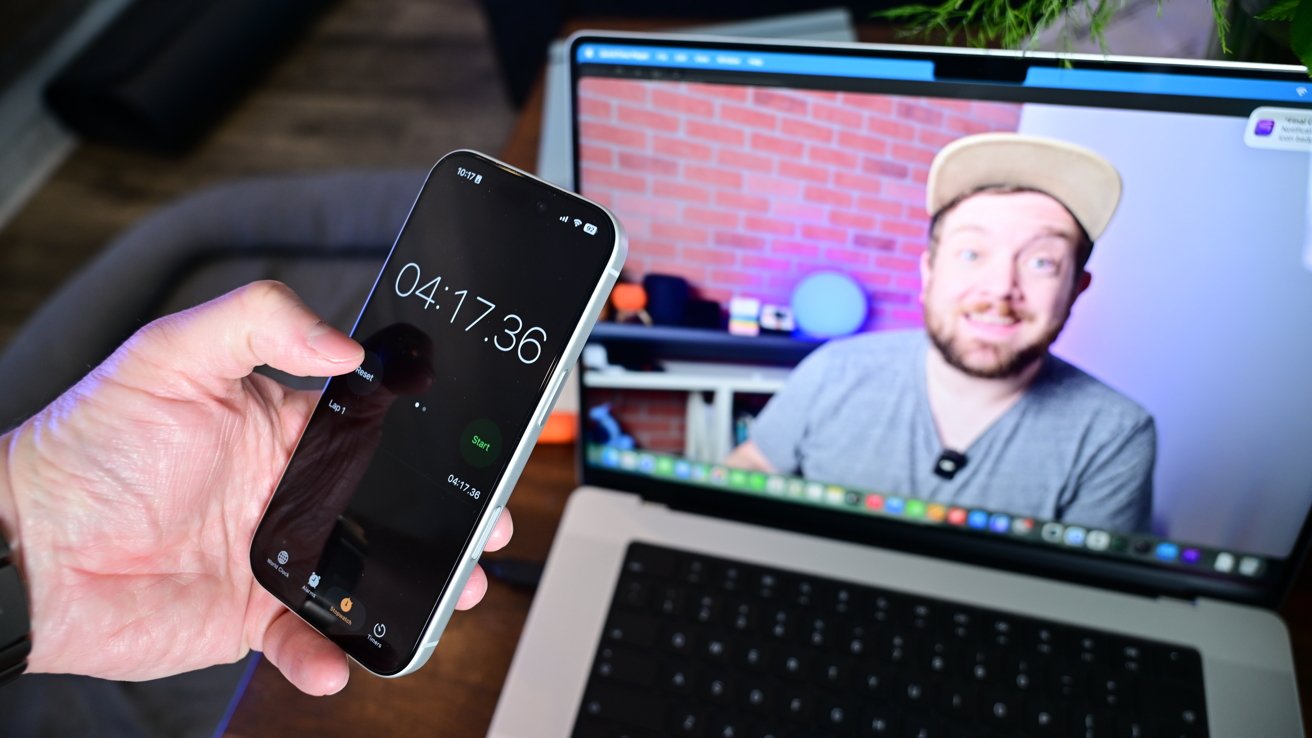
I wasn't able to do a comparative export on my M3 Max MacBook Pro due to an ongoing storage issue plaguing some users — like me — on macOS Tahoe. I was very happy with that export time, and using a compressed version for YouTube would be even faster.
M5 Max 16-inch MacBook Pro review: Should you buy now?
As we get closer to the point when Apple redesigns a model, it's an interesting proposition on whether or not one should upgrade. I've already seen ample comments asking "why should I upgrade now when a new model is coming late 2026?"
That rumor is something that has been floated by multiple sources. A new, OLED touchscreen MacBook Pro could launch by the end of 2026 or early 2027 with M6 Apple Silicon.

M5 Max 16-inch MacBook Pro review: This Mac is great for work in and out of the office
You can't always control when you need a new machine. There isn't much you can do if you're starting a new job or your toddler used your old one as a skateboard.
If you are in the market now for something portable and powerful, then this is the machine you have to consider in Apple's lineup.
Not only that, but the rumored model is likely to be a new high-end tier with a higher price tag to match. This M5 Max machine is likely to stick around alongside a redesigned M6 version.
The reality is that there is always going to be a new machine coming. It doesn't hurt to be aware of rumors, but that doesn't take away from what Apple has released now.
And this machine is nearly flawless in design and execution. For this kind of money, it better be.
The design still looks clean and fresh. Performance is amazing — especially Wi-Fi 7, Thunderbolt 5, and the internal SSD speeds.
M5 Max 16-inch MacBook Pro review: Mac Studio performance in a portable package
It's hard to argue with anything about this Mac. Perhaps the only problem is that Apple was forced to raise the prices.
The new M5 Max model saw a price hike of $400 from the previous model, but to help compensate for that, Apple doubled that base storage from 1TB to 2TB.
This was an upgrade I did every time without fail, so the price difference for me is a non-issue. I think most pros agree that 2TB is a better starting point.
M5 Max 16-inch MacBook Pro review: Pros will love the new MacBook Pro
Other than the price delta, this machine is fantastic. People will surely roll their eyes at the recycled design, but the new M5 Max 16-inch MacBook Pro is an incredible workhorse that is firing on every cylinder.
M5 Max 16-inch MacBook Pro review: Pros
- M5 Max is blazing fast with great graphics & AI performance
- New SSD speeds are roughly double the last-generation
- Base storage options are doubled
- Wi-Fi 7 finally arrives
M5 Max 16-inch MacBook Pro review: Cons
- No design changes
- Price increased
M5 Max 16-inch MacBook Pro rating: 5 out of 5
Where to buy Apple's M5 Max 16-inch MacBook Pro at a discount
The M5 Max 16-inch MacBook Pro is on sale now, with Amazon marking down retail configurations at press time.
16-inch MacBook Pro M5 Pro and M5 Max deals
- M5 Pro, 18C CPU, 20C GPU, 24GB, 1TB, Standard Display: $2,649 ($50 off)
- M5 Pro, 18C CPU, 20C GPU, 48GB, 1TB, Standard Display: $3,049.99 ($50 off)
- M5 Max, 18C CPU, 32C GPU, 36GB, 2TB, Standard Display: $3,849 ($50 off)
- M5 Max, 18C CPU, 40C GPU, 48GB, 2TB, Standard Display: $4,349.99 ($50 off)
You can find the lowest prices across models in our M5 Pro and M5 Max 16-inch MacBook Pro Price Guide, along with a roundup of the week's best MacBook Pro deals across new and closeout models.