Most of the conversation around iOS 26 got lost behind social media's need for it to be as controversial a change as iOS 7. The bigger story is the lack of a revitalized Apple Intelligence.
My iOS 26 review is going to focus on the changes that actually affected our day-to-day use of the iPhone. There are a lot of new features, app updates, and the Liquid Glass material, but the elephant in the room is the ongoing delays in AI.
If you're here for me to pile onto the Apple failure bandwagon, this isn't the review for you. In fact, I am still fully of the opinion that Apple's admittedly embarrassingly slow start in artificial intelligence might be one of its biggest victories in tech in decades.
Apple didn't plan for it to go this way, but boy is it shaping up to be quite the coup. The true winner of the AI race was the one that waited to start the race after all of the others paved the track and painted the finish line.
I'll get to the AI of it all and my thoughts at the end of this review, but for now, let's actually discuss what iOS 26 actually gave us.
iOS 26 one year later review: Liquid Glass
As I sit here and write this on an iPad Pro connected to an external display, my Slide Over window of Drafts has a clear glass edge. The YouTube video playing underneath of the 2025 WWDC keynote bleeds through colors splashing across the edge of the video.
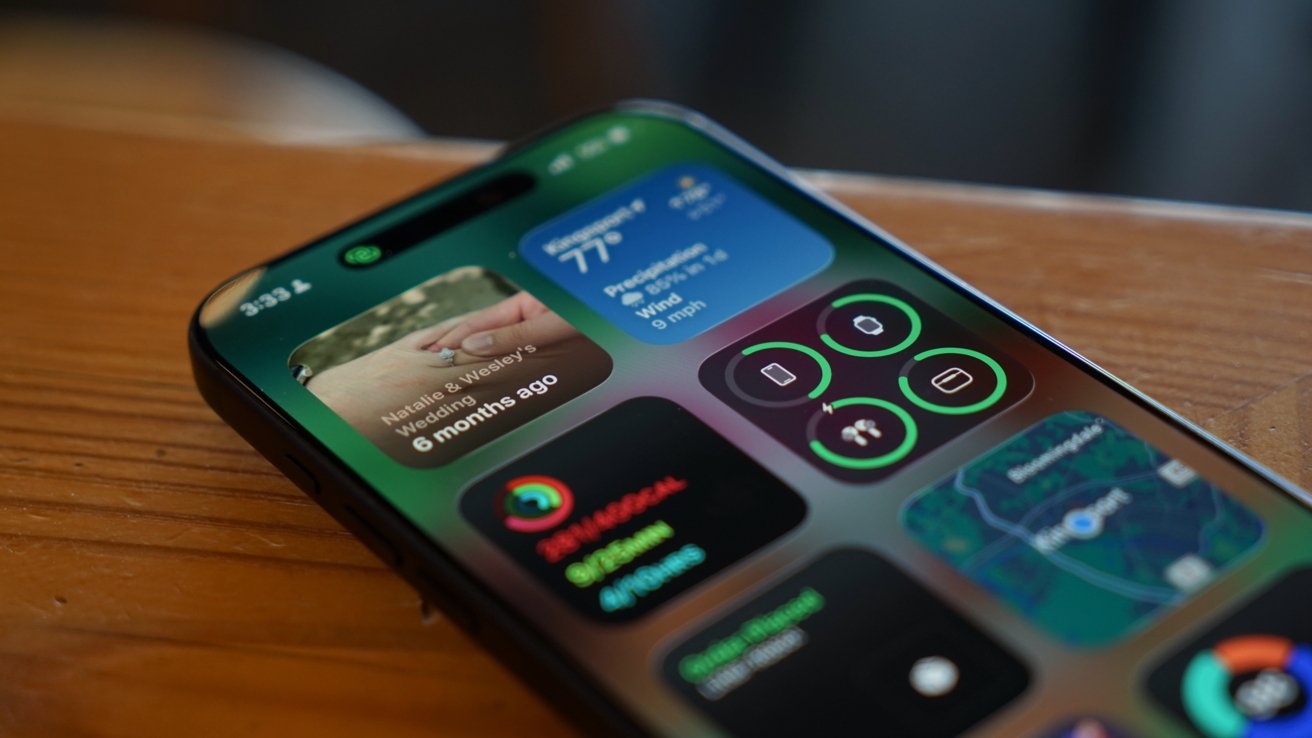
iOS 26 review: Liquid Glass is more obvious in some places, less in others
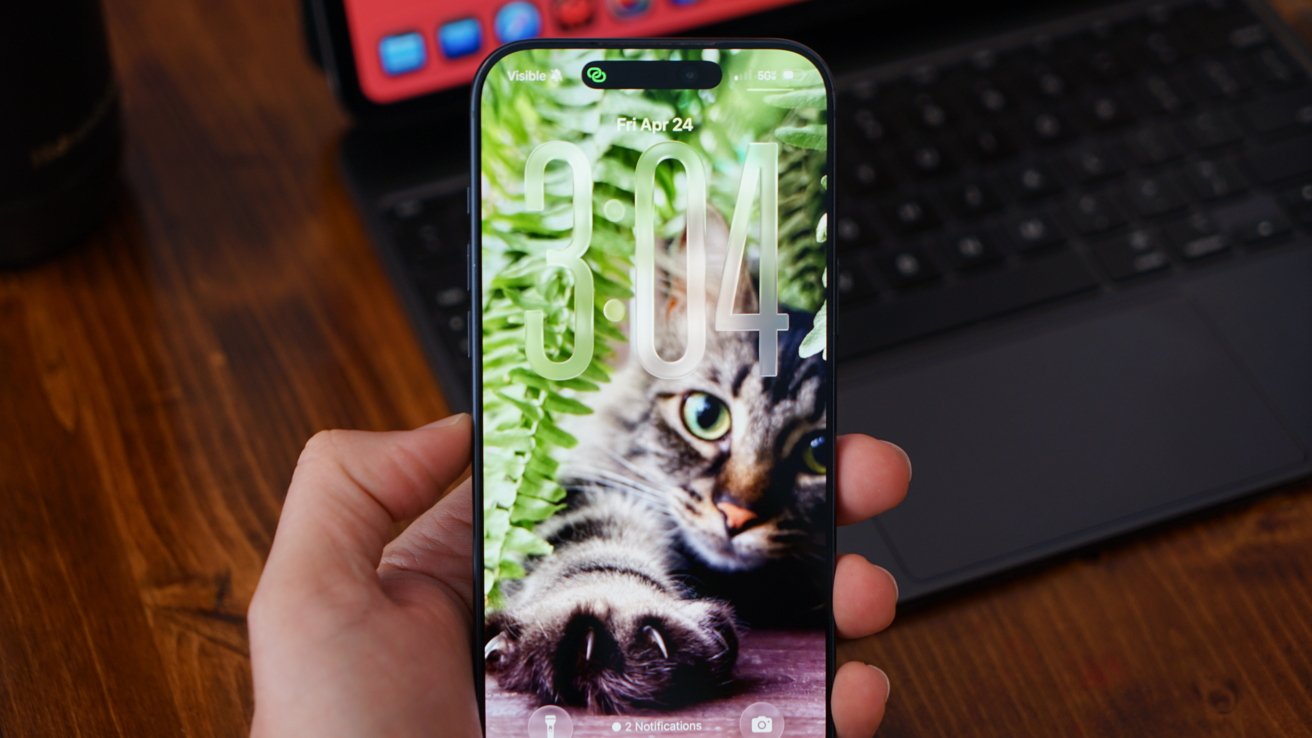
Liquid Glass wasn't limited to iOS 26, but I'll keep my conversation about it limited to that platform. The new material stands out most on the Home Screen and Lock Screen.
Every Apple app quickly adopted the new material throughout. Popover lists are a smoky glass, icons and buttons have a distinct glassy edge, and everything is reflective.
If an object moves in front of another object, some of the underlying layer peeks through. Grab an element and it warps and moves as you interact with it.
Sliders behave like bubbles while more elements move into menus. The entire design philosophy focuses on minimalist presentation with flashy visuals.
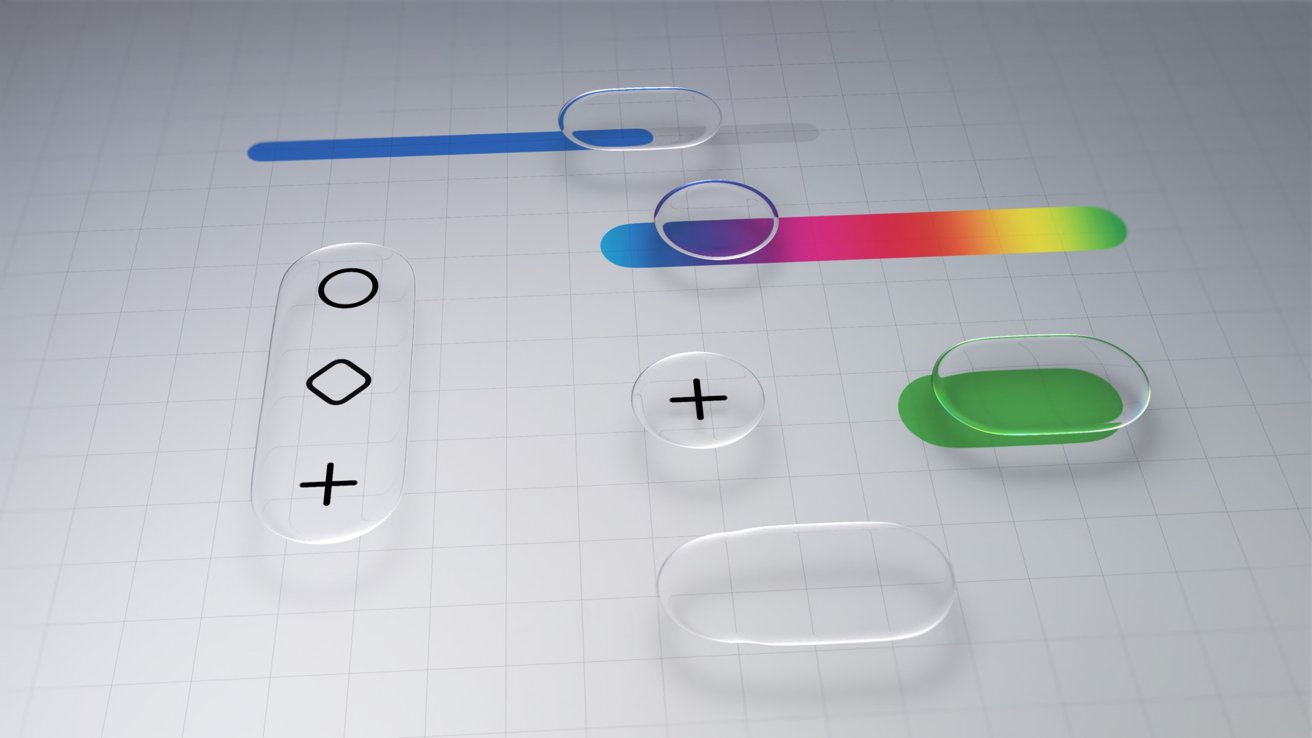
iOS 26 review: Liquid Glass changed how elements looked across the platform
The driving force behind Liquid Glass is Apple Silicon. I have no doubt that Apple's claims about other smartphones being unable to replicate the material are true.
I personally enjoyed the introduction of Liquid Glass. It had its flaws, and still does, but it was an interesting departure from the flat and boring state iOS was in.
The biggest winner of Liquid Glass was the intuitive UI interactions. When you tap a button, the menu appears where the button was tapped, for example.
The Lock Screen and Home Screen really take advantage of Liquid Glass too. You can either have a completely transparent set of icons or tint everything to be a specific color.
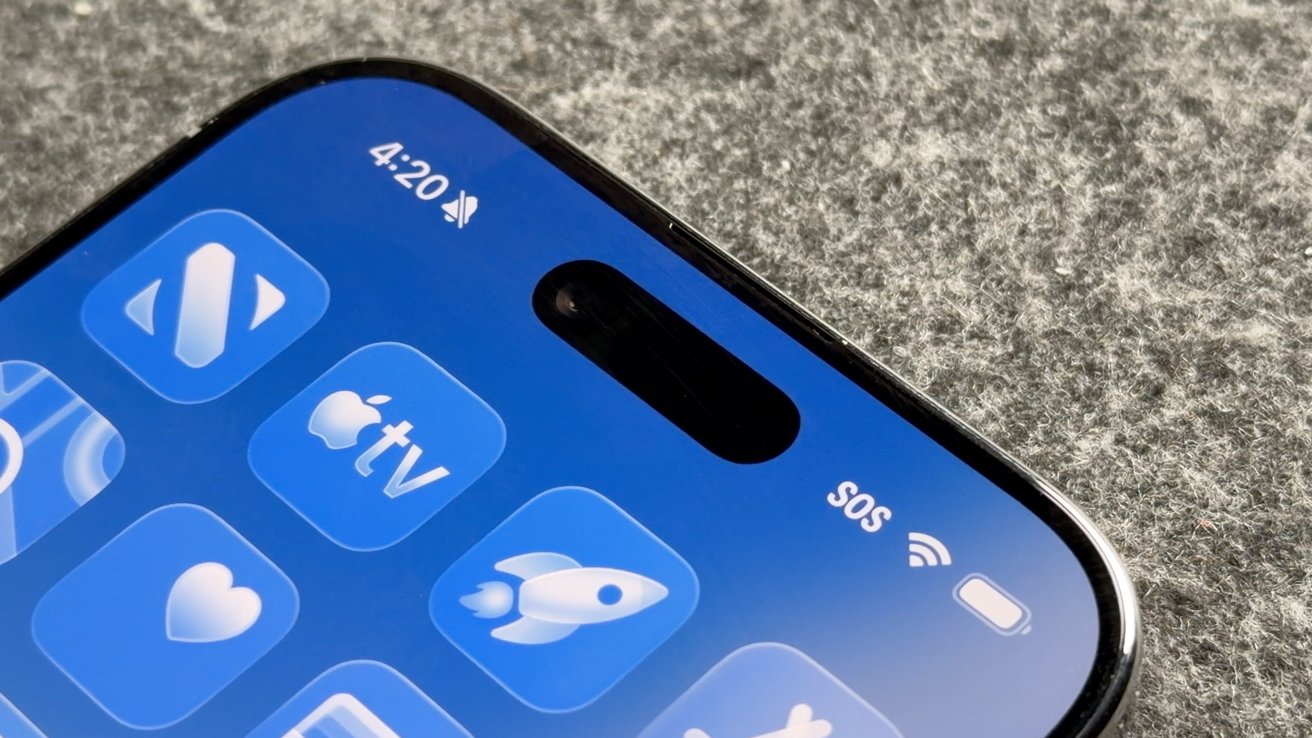
iOS 26 review: Liquid Glass isn't going anywhere
Apple's slow evolution of Liquid Glass is apparent throughout the iOS 26 release cycle. Small changes have been made with each update, but it has fallen short of giving users the ability to turn the material off entirely.
If you're holding your breath for such a button, it is best to stop waiting. Apple has made it clear the Liquid Glass will be mandatory for all apps soon and it isn't going anywhere.
Expect more refinements over time, but this Apple Silicon-driven UI is here to stay.
Of course, this is a review of iOS 26 after a year of dealing with it, so let's move past the refresher.
iOS 26 one year later review: customization
One of the more surprising aspects of iOS 26 and Liquid Glass is just how many people in my life noticed it. Not only did they notice, but they were genuinely happy with it and utilized the new customization features.
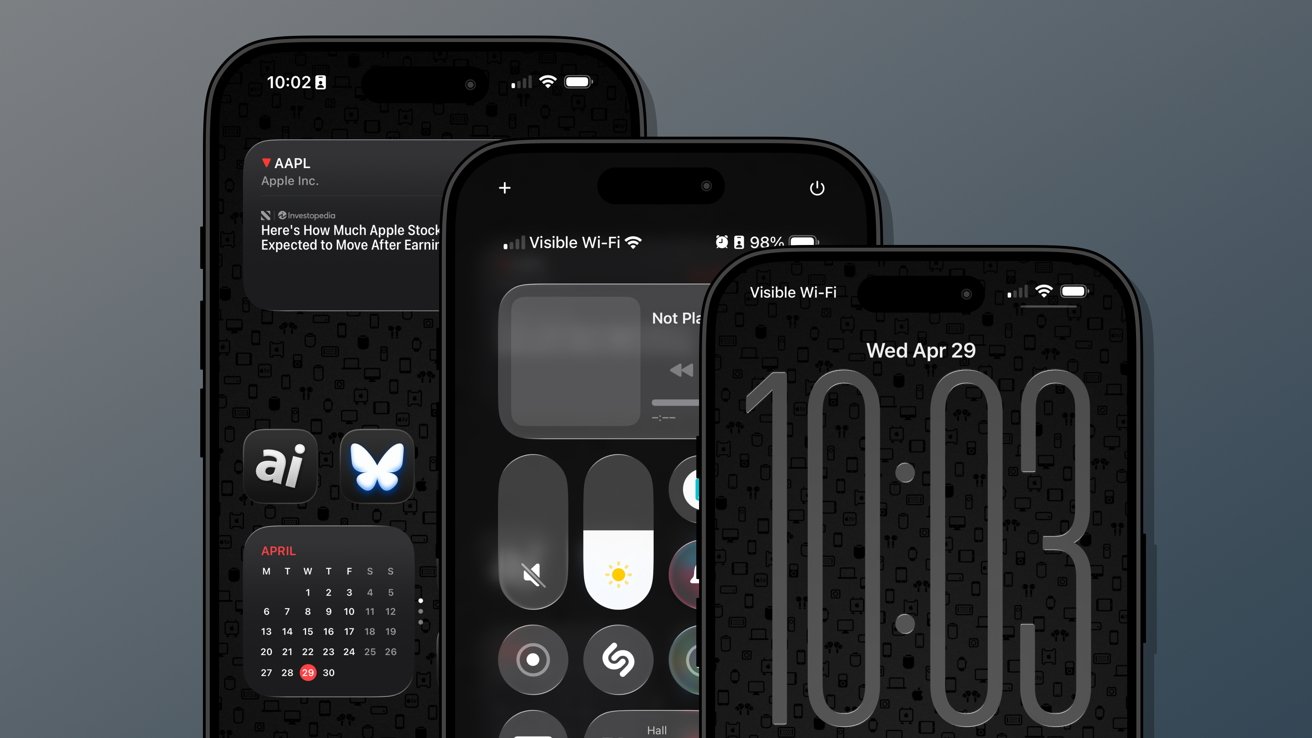
iOS 26 review: Customization options from the Home Screen to the Lock Screen
Several jumped on the new transparent icon setting for the Home Screen. Though, beyond that and the new clock on the Lock Screen, there's not much else to speak of.
That isn't to say these aren't significant changes, but just fewer overall compared to previous years. I'm happy that Apple is still committed to pushing customization forward each year, but iOS 26 was the bare minimum.
The new material likely took up any attention Apple might have otherwise had to develop new customization options. I expect iOS 27 will have more and likely have a focus on any Liquid Glass improvements.
Since Liquid Glass was more of a reskinning of iOS than a full redesign, I didn't feel the need to rethink my Focus Modes or Home Screens as much as I might have usually. I tried the transparent icons on a fitness Focus, but otherwise didn't bother.
I'm quite happy with the dark icons and tinted wallpaper options.
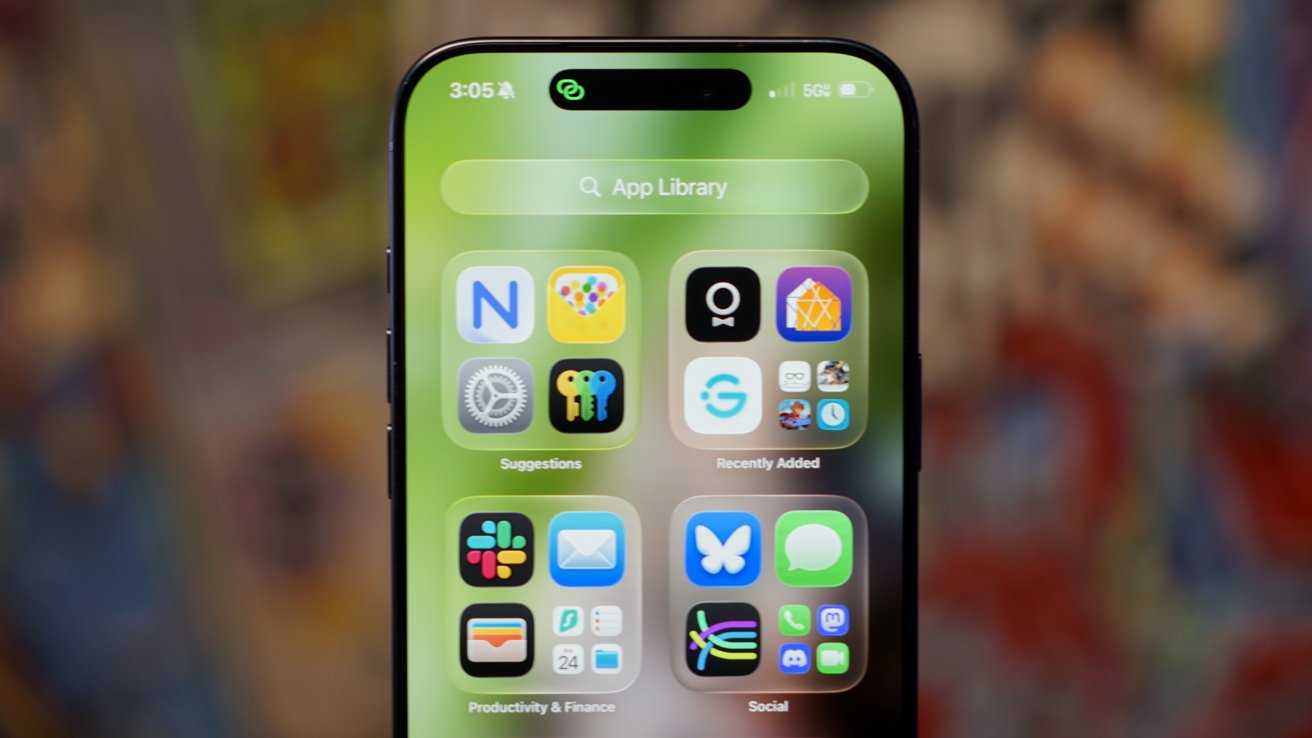
iOS 26 review: Liquid Glass affects how everything looks
The new clock on the Lock Screen is the star of the show and perfectly showcases Liquid Glass. I never grow tired of it shrinking as I scroll the notifications.
I'll also give a special shout out to all of the Apple Music design updates. While these aren't customization options, they make the iPhone look better with animated Lock Screen art.
I do wish that Apple had gone a little further. There shouldn't be such a small limit to Focus Modes (currently 10), and there needs to be way more Focus Filters available for system actions.
Apple should also have a much better wallpaper, icon, and widget management system. What we have today works well enough, but it would be better as an independent app.
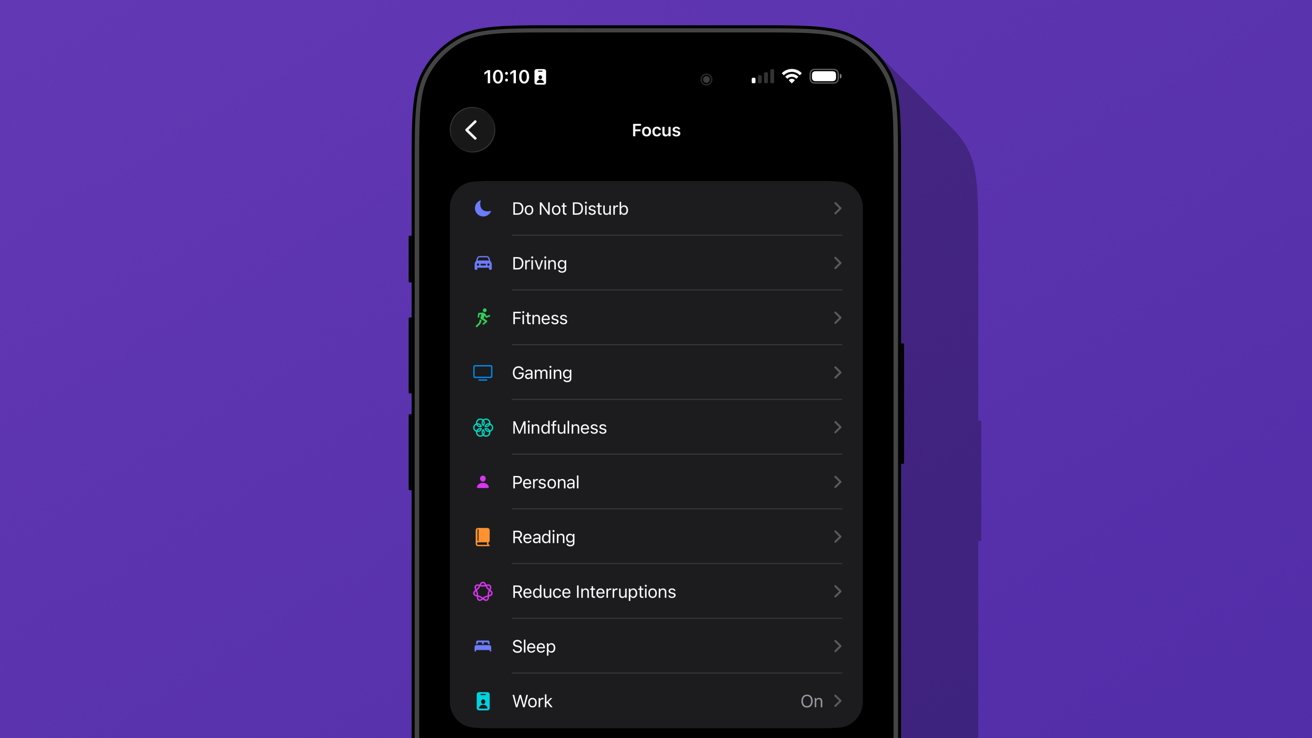
iOS 26 review: we're gonna need more Focus Modes
I love having unique wallpapers and icons, but implementing them requires too many menus. Plus, I wish I didn't need to have the images in my Photos app to use them as a wallpaper.
Ideally, everything should be going through Files or a separate repository in this theoretical iPhone design app. Perhaps we'll get some of that soon, as rumors continue to point to iPhone customization via AI.
iOS 26 one year later review: social
The new unified Phone app layout is one of those changes that annoys people at first, but you can't go back once you've used it. Spam no longer clogs my recents list, and I no longer accidentally dial someone by simply tapping the screen.
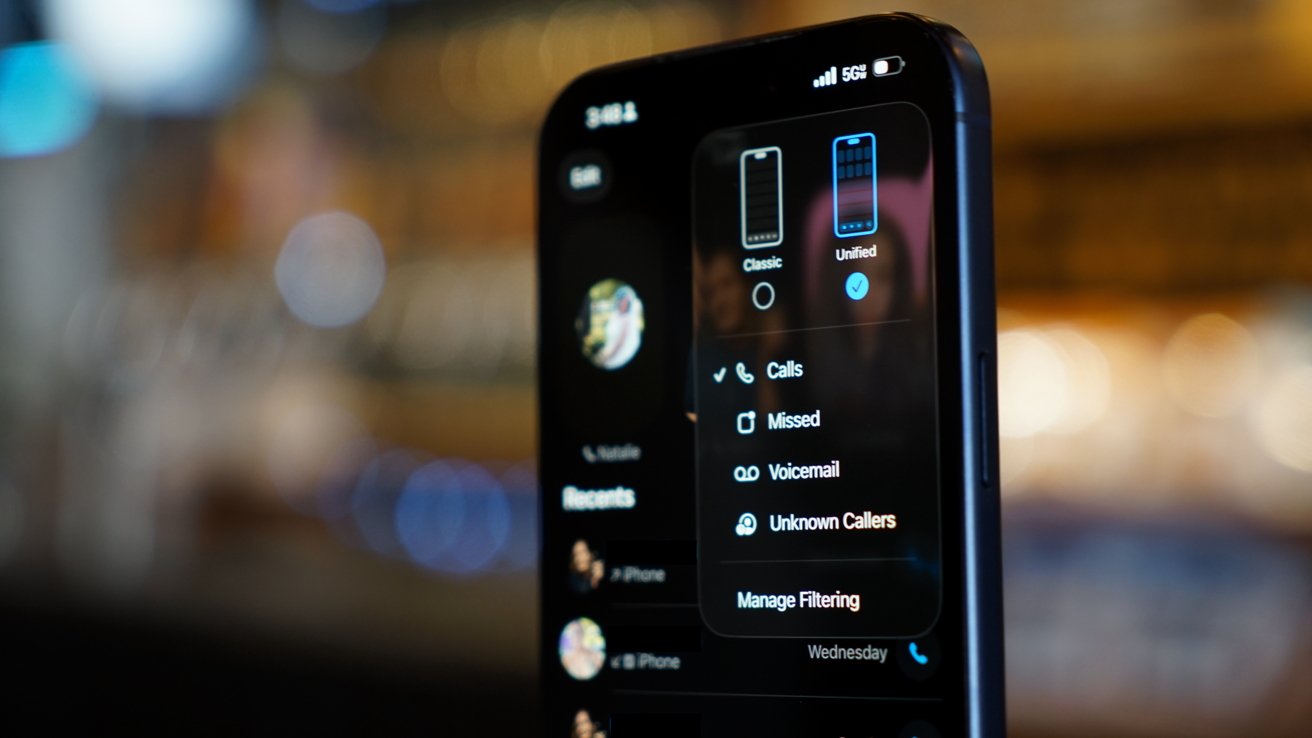
iOS 26 review: a new unified view in the Phone app
While some of my family were reluctant to change the layout, they gave it a shot. The new setup takes great advantage of Contact Posters and makes it simple to access various functions of the Phone app.
I'm still of the mind that there are too many apps in Apple's social sphere. Ideally, everything would be run through Contacts so there wouldn't be a need for Phone, FaceTime, and Contacts apps.
Messages makes sense on its own, but more on that app later.
I make this assertion because the Phone app has the entirety of the Contacts app embedded within a single tab. Perhaps it would be too confusing to suddenly have two very important and prominent apps disappear, but I find the redundancy odd.
The unified layout is a step in the right direction. It puts contacts front-and-center since the contact card is what is shown when you tap on a recent call.
You can even jump straight to a video call or iMessage chat with a long press. Perhaps Apple is heading towards a unified social experience, but it is sure taking its time getting there.
The changes to the Phone app aren't all iPhone users got with iOS 26. Perhaps the most impactful updates are Call Screening and Hold Assist.
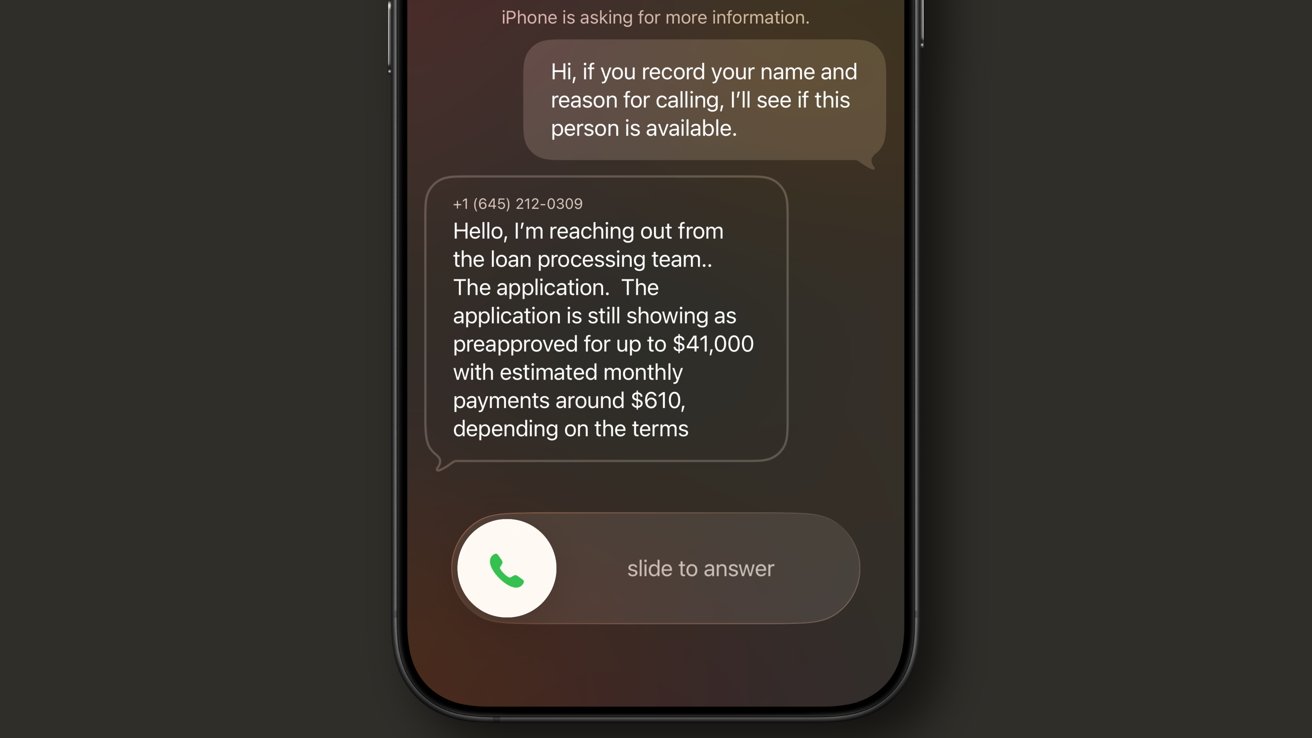
iOS 26 review: Call Screening is a very useful spam filter
Call Screening does what it sounds like. Incoming calls are filtered by Siri and the caller is asked to provide a reason for the call. The user can see this interaction from the Lock Screen and decide whether to answer or not.
It isn't a perfect system. My phone number got onto one of those call lists that seems to call from a near-infinite set of phone numbers each day to "update you on your loan application status."
For whatever reason, the spam filter doesn't catch this, nor does the Siri Call Screening. It's a robot, not a human, but sounds human enough to make it through.
My phone inevitably rings, and I have to dismiss the call, block the number, then report it as spam. Rinse and repeat this each and every day, and it gets old.
I like this feature and don't want to turn it off, but the previous "send unknown callers direct to voicemail" was much more efficient. If the call was important, they'd leave a voicemail.
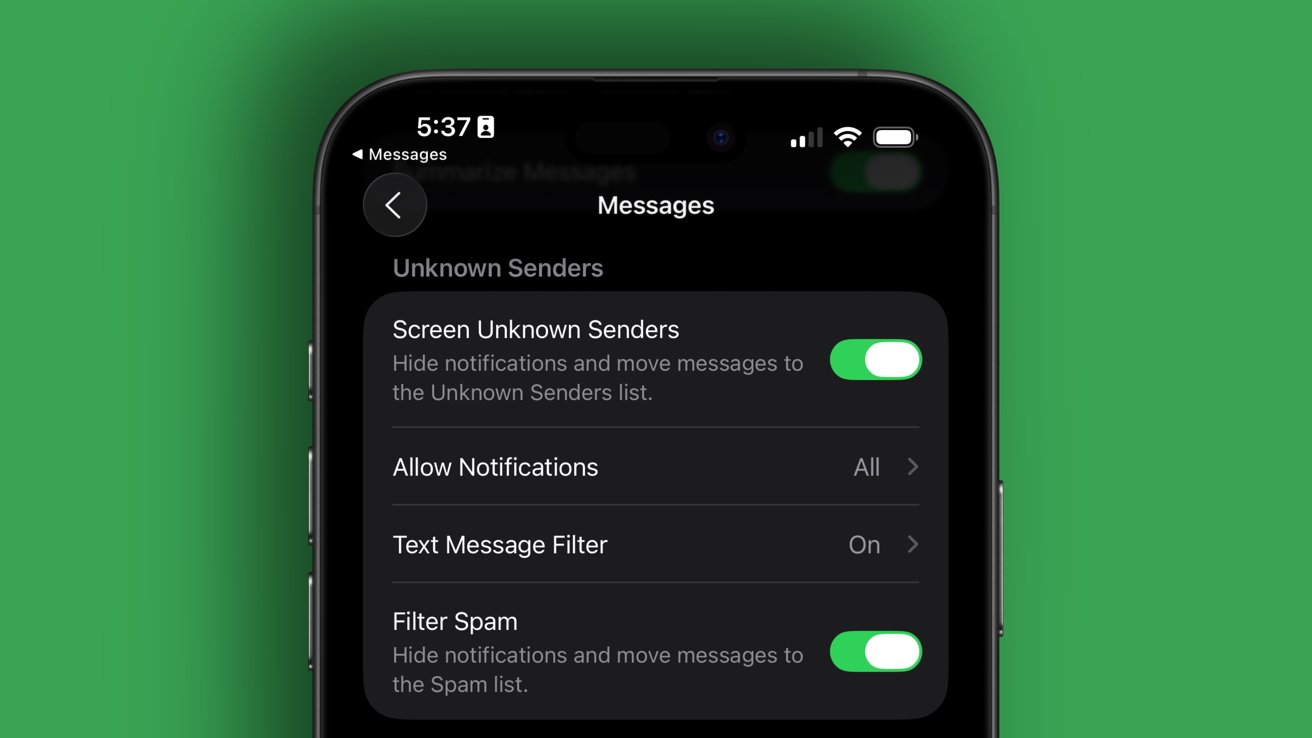
iOS 26 review: Call Screening needs more aggressive options
Something in the middle would be much better. Siri should screen calls, but only from numbers that fall into the "might be known" category. All unknown numbers I've never interacted with before should be immediately dismissed.
The FaceTime app got a similar redesign to the Phone app where it features Contact Posters in a grid. If someone ever left you a FaceTime video message (think voicemail, but video), a thumbnail of that video is shown instead.
I'm not sure anyone in my life knows this feature exists or has ever tried to use it. I really like what Apple has set up here, but I find it annoying that it can only be used if the person you've called doesn't answer.
I think it would be way more fun if I could choose to send a video message on a whim. Like, instead of texting "can I FaceTime you," let me send a video that shows up in the FaceTime app in the moment I'm trying to share via the call.
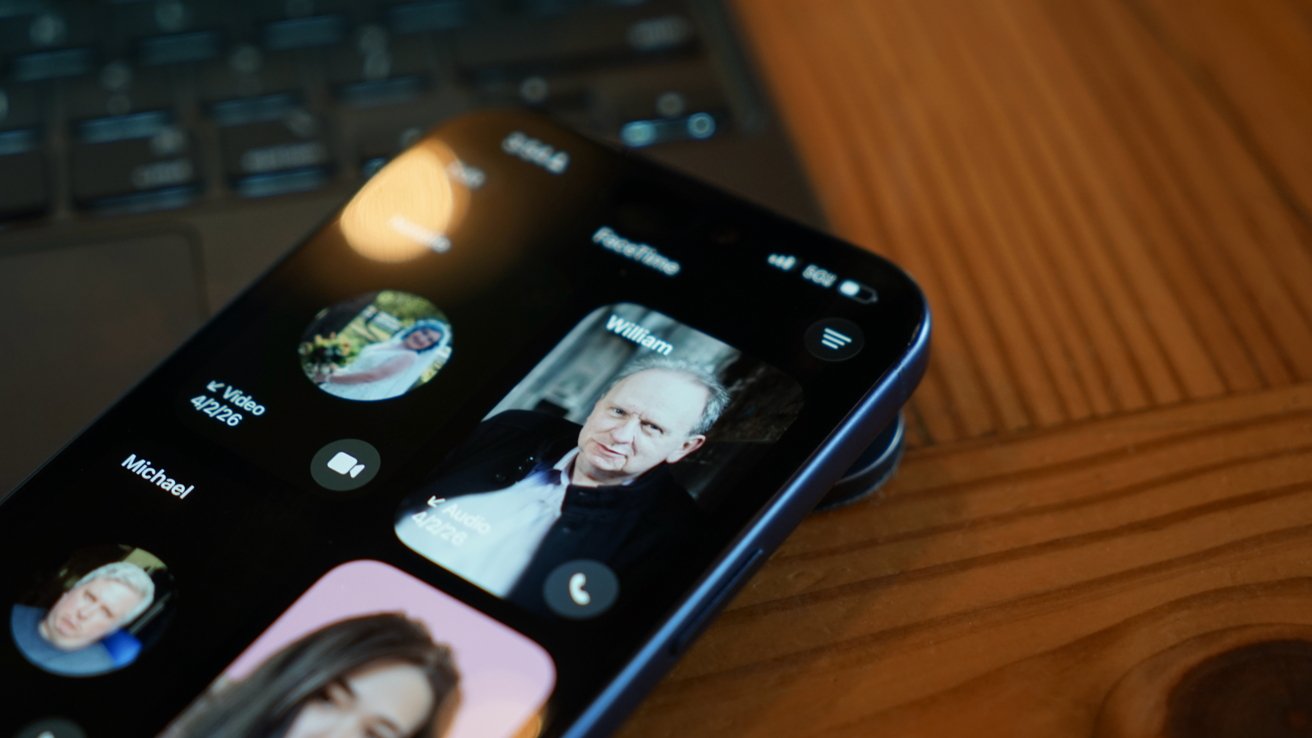
iOS 26 review: FaceTime also got a new unified view
It would also be nice if FaceTime was part of a unified social app, but I'm not sure Apple will ever actually do that.
Finally, the Messages app saw some pretty good upgrades this time around. These might be the ones most users notice and use since they're a bit more in their face.
The Messages app has a new layout that separates unknown texts, promotional messages, and potential spam into separate categories. There's also the ability to add backgrounds to every chat.
Group chats gained typing indicators, and all chats also can utilize polls to get votes from participants. Small, but welcome changes.
The background feature has been quite a lot of fun, especially in group chats. I love that they act as an extra layer of verification that you're typing into the correct chat.
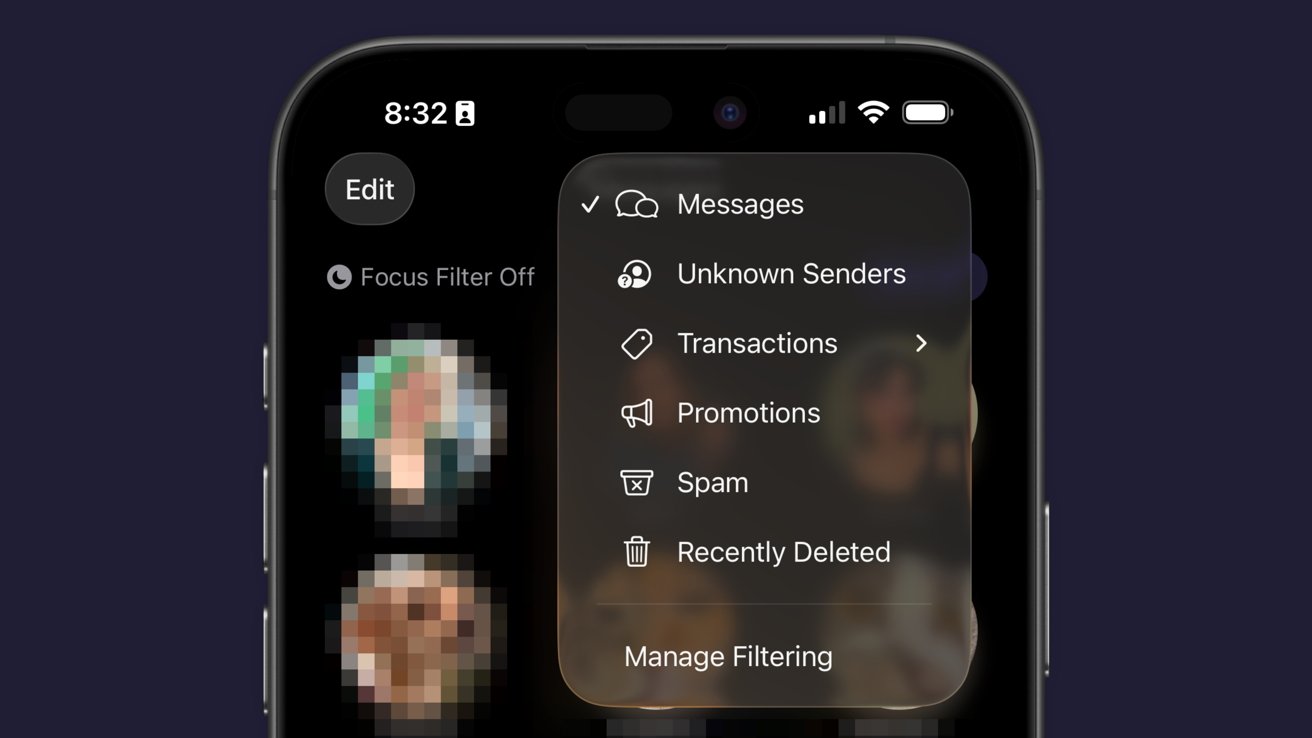
iOS 26 review: Messages has new filtering options
Just an aside, Apple Vision Pro places the background on a separate layer as the chat bubbles, so it adds an extra cool effect to Messages.
Some images work better than others as backgrounds. Solid colors and abstracts will always be winners, but the occasional photo or meme works too.
The effect might be a bit overwhelming for some users, so the plain black or white backdrop is still an option.
Outside of Liquid Glass, Apple's biggest upgrades in iOS 26 focused on social. I'm happy to see that Apple has continued the trend of improving social aspects of its experience with each release.
I'm going to continue to hope for more half-steps into a full-on Apple social media, but these are few and far between. The biggest thing we're missing today beyond public profiles (i.e. making your Contact card into a public profile) is some kind of public feed. Maybe next time.
iOS 26 one year later review: apps
There are three apps that Apple released or updated specifically for iOS 26. There's been a lot of other updates since, and the new Apple Creator Studio, but that's beyond the scope of this review.
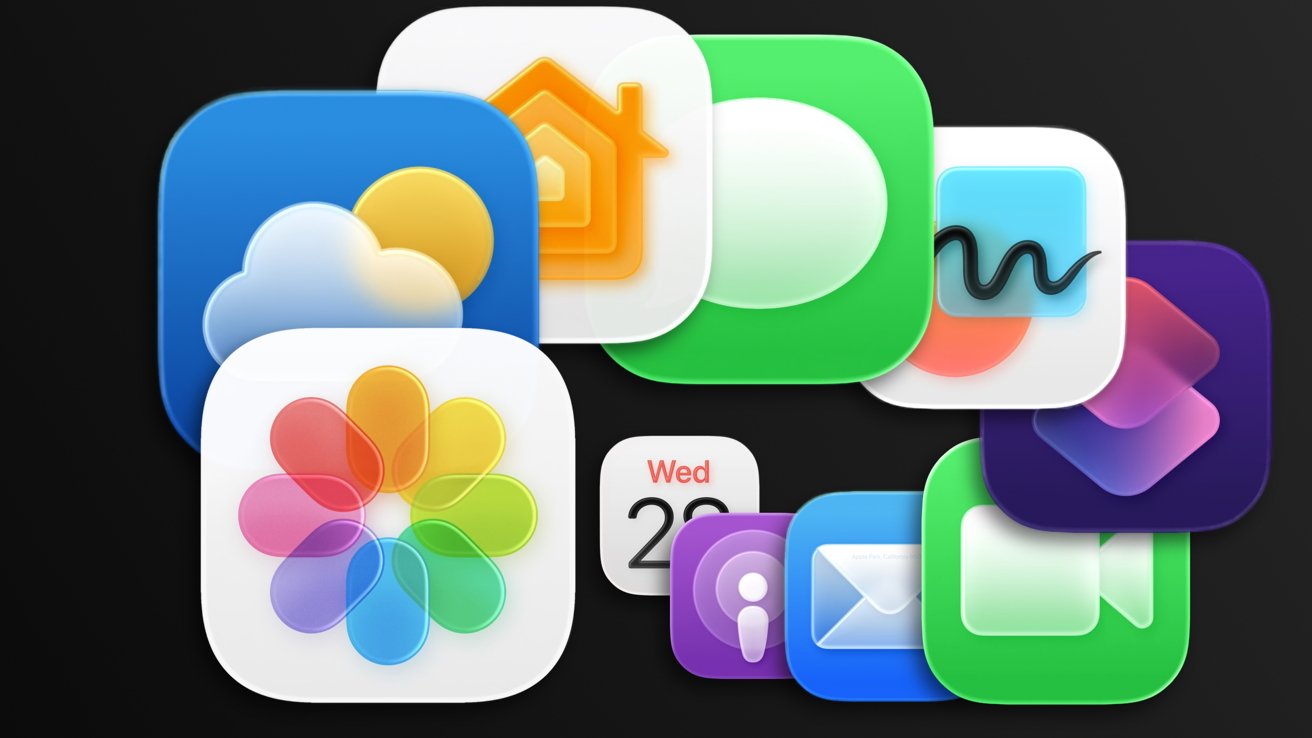
iOS 26 review: Apple's apps got some updates too
I think we've all grown accustomed to Apple's new Camera app and the two tabs in Photos. And while some might like Preview, it has become an addition to the "other" folder for many.
I feel like those features have been tread enough over the past year, so I'm going to discuss four main apps in iOS 26: Apple Games, Apple Journal, Safari, and Wallet.
Apple Games
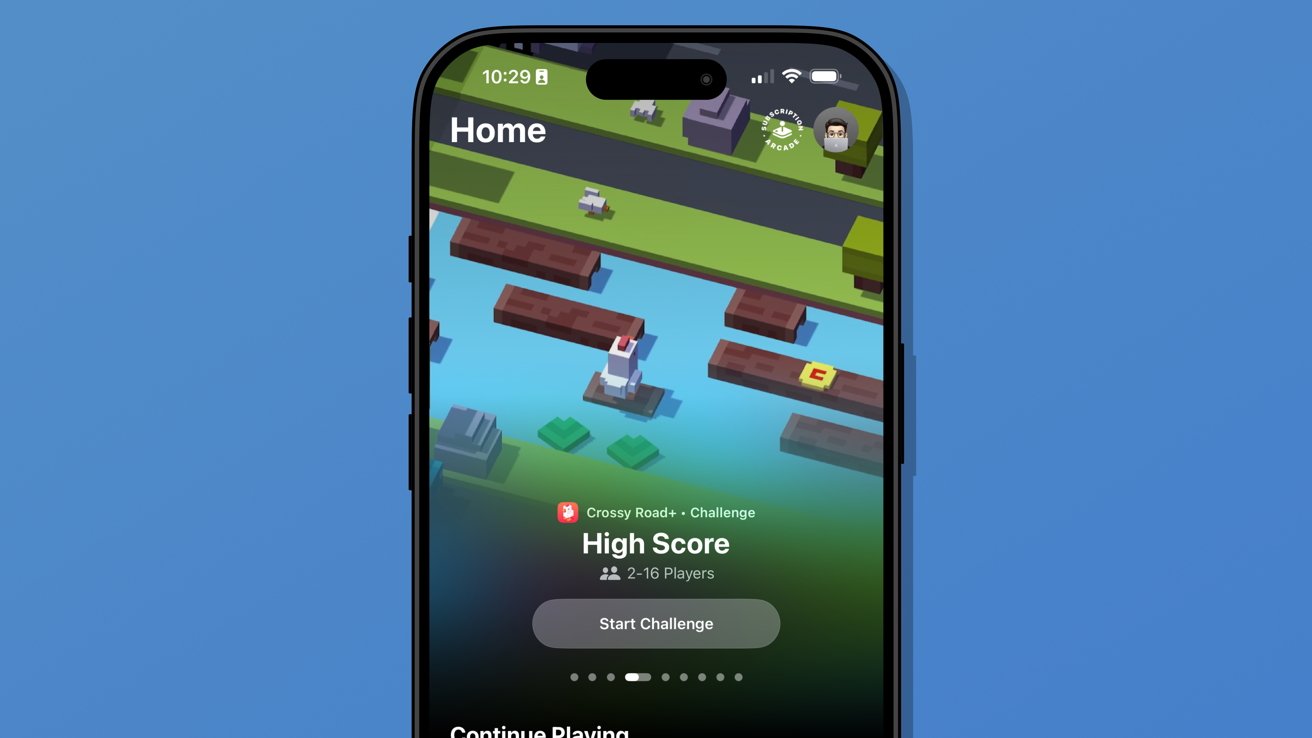
Never bet on Apple doing something right in gaming. Apple Games sounded like an interesting idea when it was announced, but like other new Apple apps, it kind of fell flat.
Apple Games has all of the necessary parts to be great. It integrates with Apple's social features like SharePlay, FaceTime, and Messages, and it shows Game Center data.
iOS 26 review: Apple Games isn't well thought out
However, it has failed to become the go-to game hub that it could have been. Like Invites and Journal, Apple kind of released the app into the world without much fanfare.
It's better in some ways than something like what Backbone offers. There's less of a spammy collection of icons and no paid subscription, but it also feels like it is missing something.
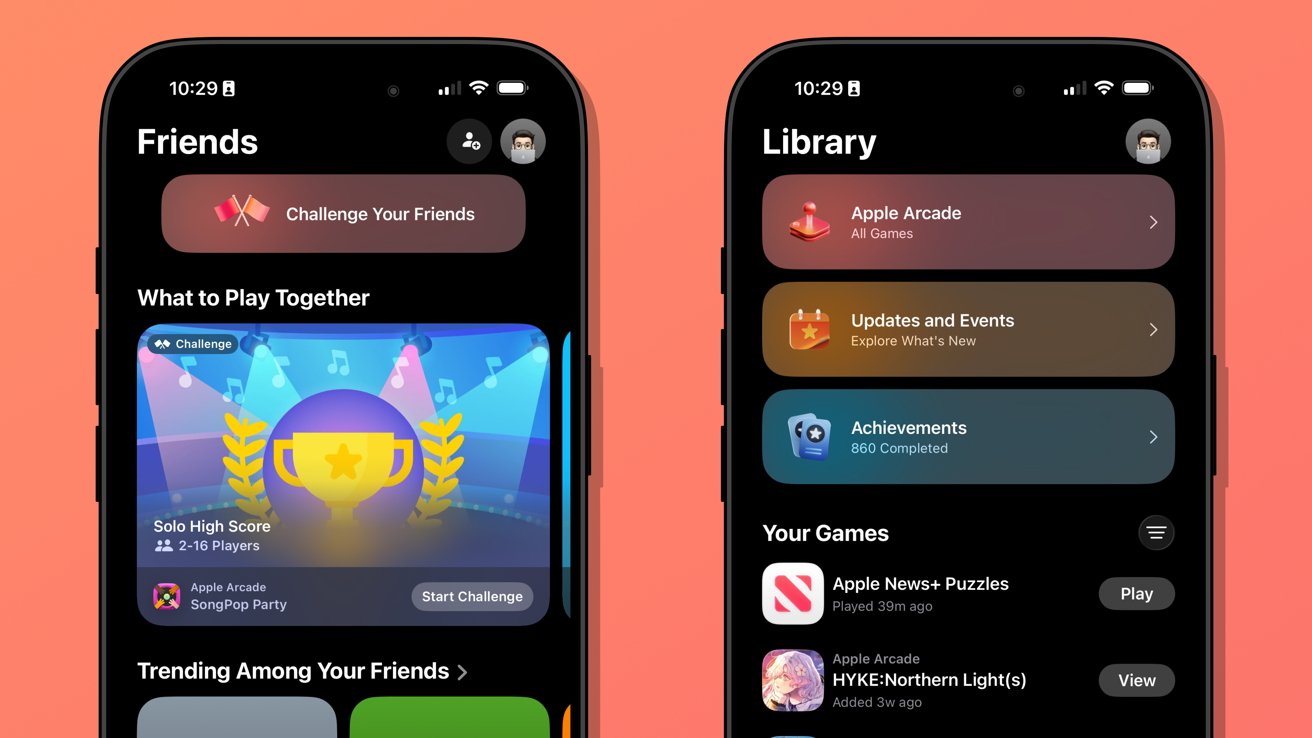
When I open Apple Games, it feels like I'm browsing someone else's iPhone. It seems to have little real awareness of the games I play or what I might want to launch in that moment.
There's also a notable absence of emulation or streaming apps. If it isn't from the App Store or Apple Arcade, it doesn't exist.
iOS 26 review: Apple Games could learn from game consoles
When I launch my PlayStation 5, I'm met with my most recent games in descending order. Below that list is a selection of news from games I follow.
Apple Games opens to a score a friend beat in a game I haven't touched in months. It offers to continue playing Apple News, which is where I play the Emoji Game each day.
The social aspects are also lacking. There don't appear to be any matchmaking tools, nor any way to generate iMessage group chats or SharePlay sessions on the fly.
Apple Games could be a go-to destination for iPhone gaming in the future. Today, it's a barely functional catalog without direction.
Apple Journal
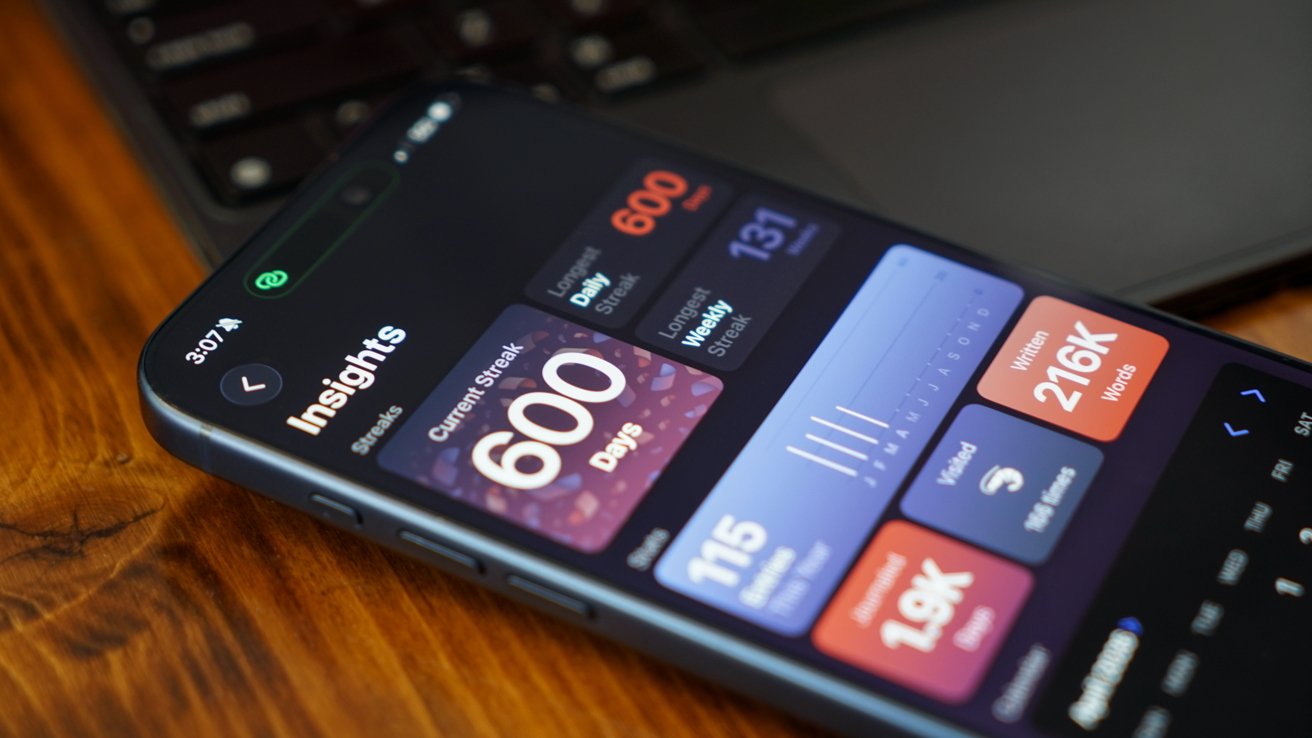
There were some much-needed updates to Apple Journal. First, it is now available across iPadOS and macOS, and it has the ability to have multiple journals.
iOS 26 review: Apple Journal got quite the expansion
Journal might appear to be a simple app on its surface, but it has the ability to get details from your device to generate entries. The biggest limitation it has today is that these suggested entries are only tied to Apple-based events.
Maps can see where you've been, Fitness shares your recent workouts, Music shares what you've been listening to, and Photos can donate what you've captured. It's all quite nice, but lacks a few details I'd like to see in iOS 27.
First, there's still no good way to get an archive of journal entries from a third-party app into Apple Journal. I've got my Day One backed up through various options to ensure I still have those entries, but Apple hasn't provided an official way to sync them.
I once tried a trusted person's shortcut to generate each entry with images and text, but it only half worked. It did get on foot in the door for covering my 1,000+ entries, but a lot went wrong too.
So, I've spent my spare time going through each day in Apple Journal alongside my Day One journal to see what synced and what didn't. The parts that are wrong or broken are edited, then the original entry is deleted in Day One.
iOS 26 review: multiple journals was a must-have feature
I've knocked out chunks, but Day One shows I've still got about 962 entries to check. Not ideal.
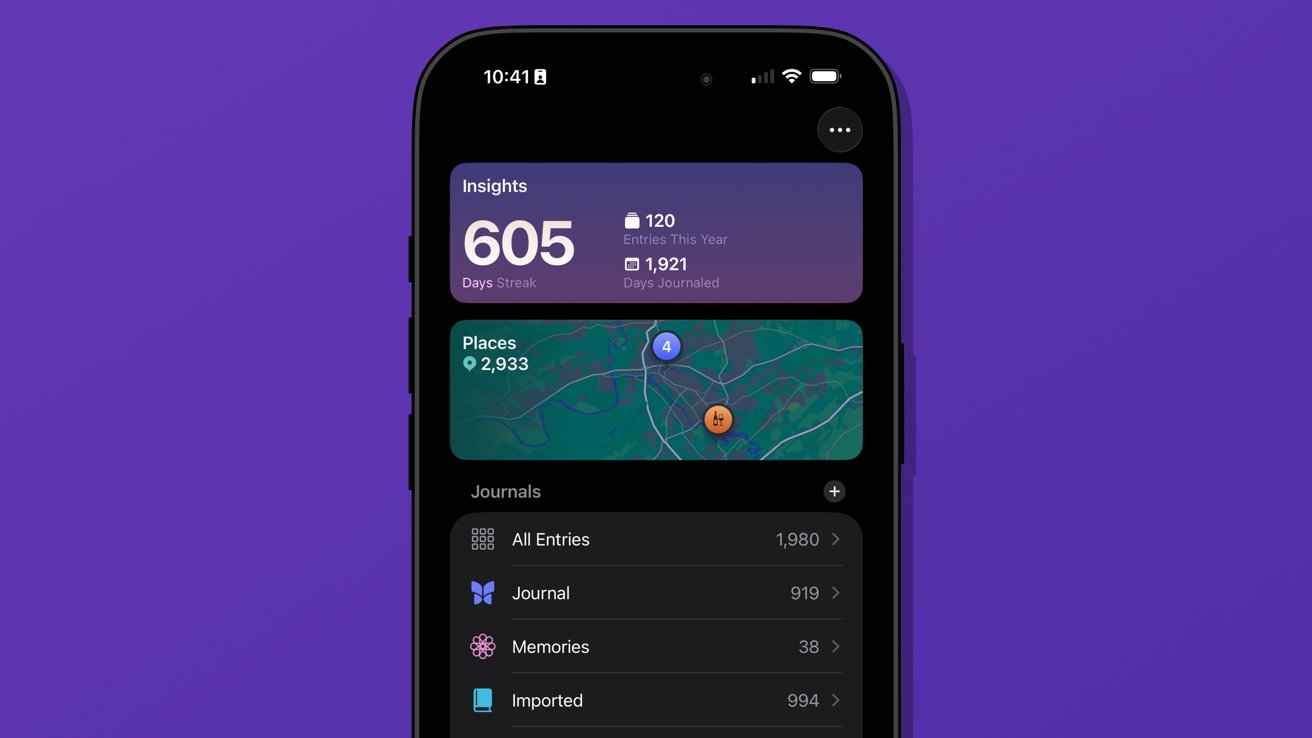
The only reason I can do this at all is because of the ability to generate multiple journals. I've got several.
Journal is the default and where everything goes each day. Imported is my Day One list of entries.
I've also got a Memories journal that consists of any entry I want to make based on photos or other information pertaining to a date in the past. For example, if I want to write about something I did on deployment in the Navy, it would go into Memories.
I have a little-used Dream journal. It's one of those things that when I need it, I need it, because I can have some pretty surreal dreams.
And finally, I've experimented with writing about video games that require a little more thought and planning. I made a Minecraft journal to catalog things I'm building or exploring along with a few screenshots taken that day.
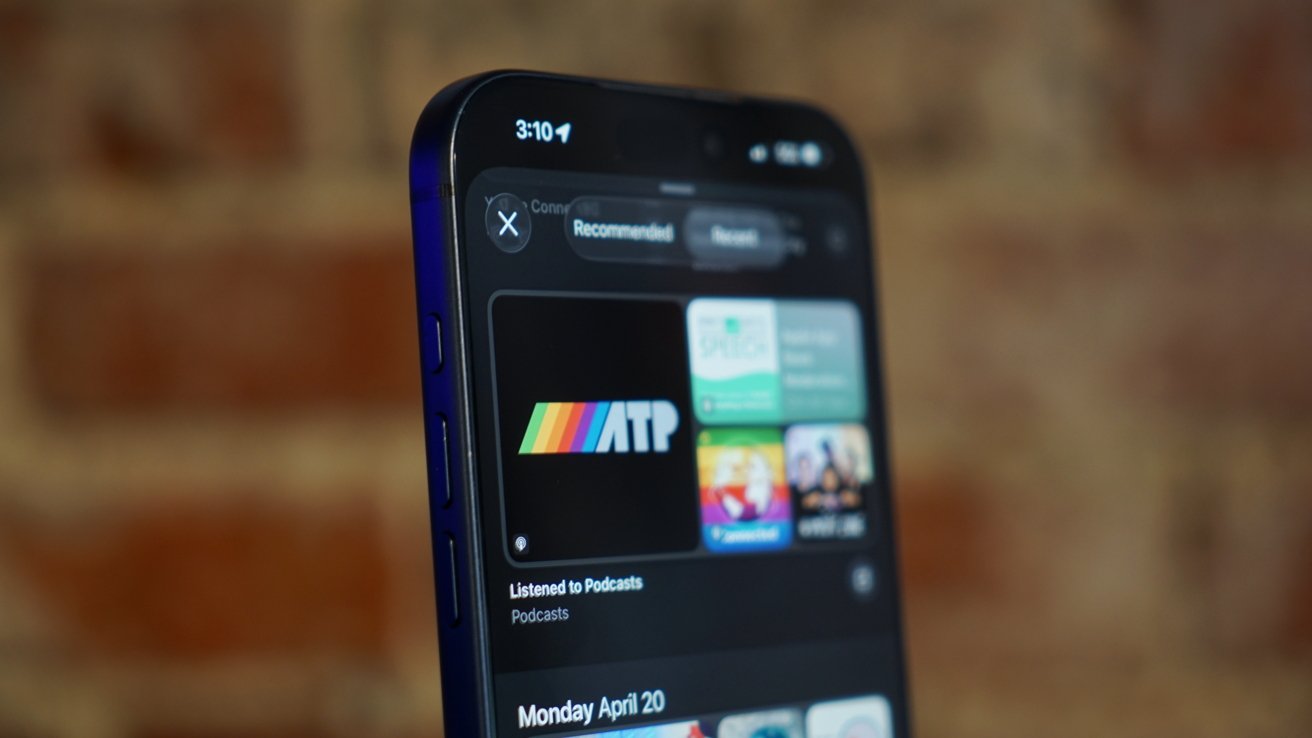
iOS 26 review: Journal suggestions need third-party apps in a future update
Journal is a fun app, and I think everyone should be using it. There's no need to worry about data scraping for AI use, at least.
I've discussed what I'd like to see from Apple as a social platform in the future, and I think Journal could weirdly be a part of that. Imagine shared journals where each member could submit entries containing the same data that's available to regular entries.
A friend could create an entry about going out in town with a friend along with map pins, photos, and music they heard. The other members in the shared journal could react and comment to the entry and post their own entries.
Yes, a social media feed, but micro-social. Private, local, free of ads, chronological, and only the people and things you care about.
Come on, Apple, it's right there.
My more realistic request is for Apple to let users name the location pins in the map entries. Every time I make an entry at home, I have to go in and change the address to read "Home" instead. It should be automatic.
Safari
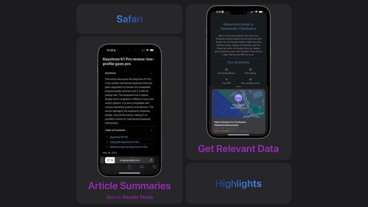
Safari benefited from several design upgrades centered around the introduction of Liquid Glass. I heard of many tech nerds looking for a toggle to reverse the changes immediately, but I liked the change and embraced it.
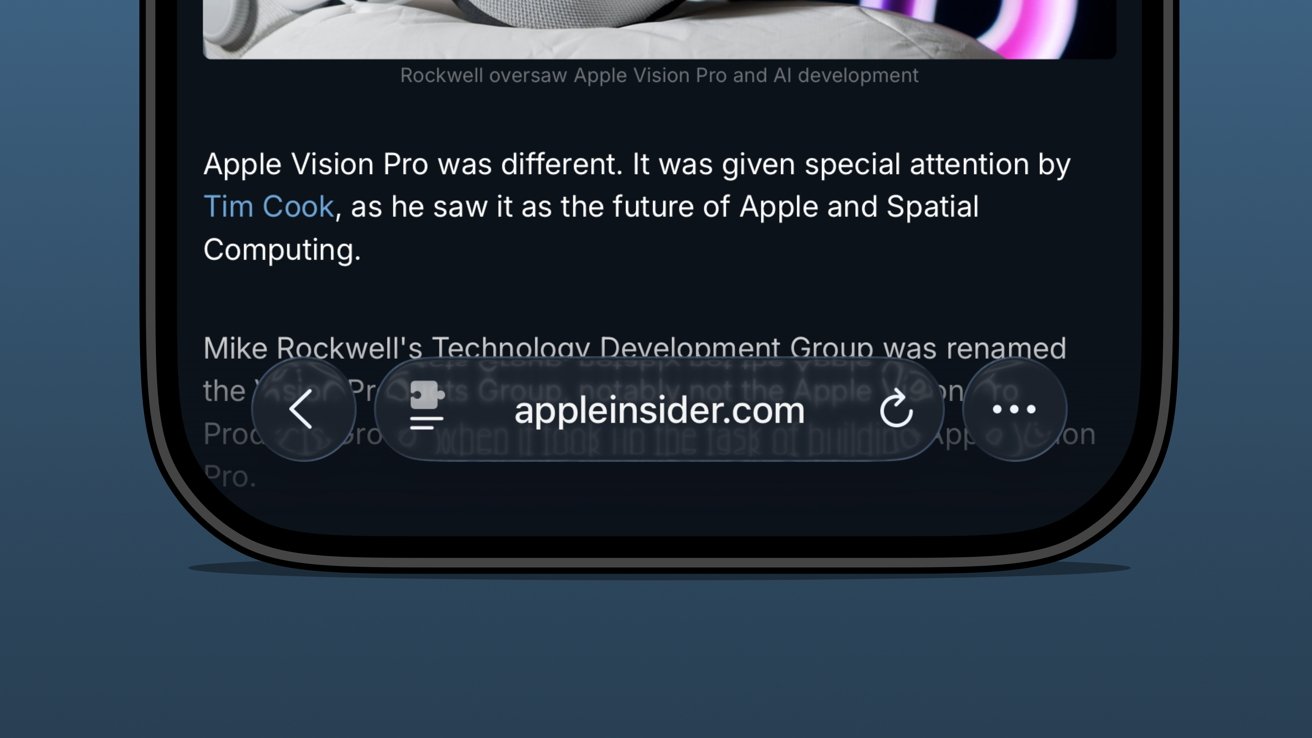
iOS 26 review: the bottom address bar is compact and easy to use
I was already a bottom address bar user, so the move to Liquid Glass and even more limited UI was a natural transition. The content gets to own the display while the tools get out of the way.
There are plenty of screenshots showing that the address bar is unreadable when some images or text are behind it. The thing is, that's never really a problem because you can just keep scrolling.
There are three distinct control areas in this bottom bar setup. The forward and back buttons are self-explanatory, then there's the address bar, and finally an ellipsis.
In pure Apple fashion, each of these items has various shortcuts, long presses, and more. For example, long press on the forward/back buttons to see a recents popover.
The ellipsis is very simple as it just opens the tab controls, bookmarking tools, and Share Sheet. It's not ideal that the Share Sheet button is hidden, but I'm not overly upset.
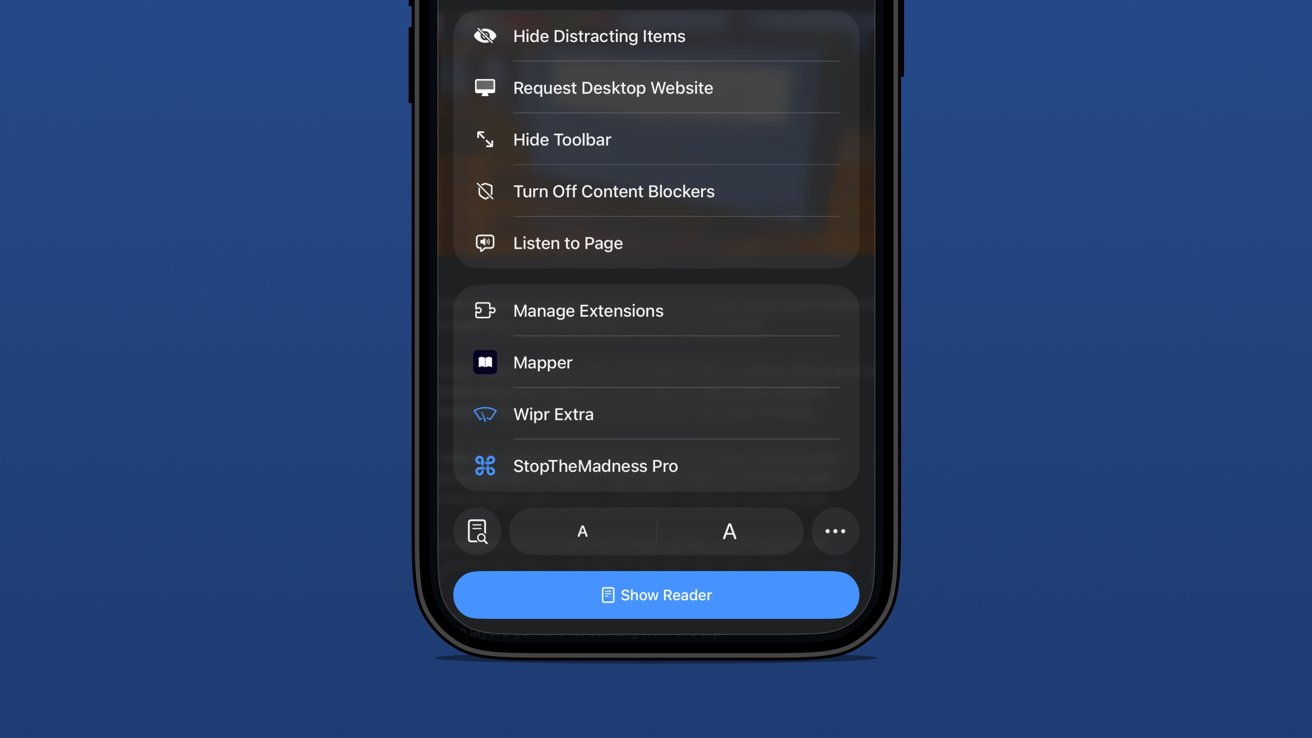
iOS 26 review: extension and tab options in one menu
The address bar is perhaps the most complex and sometimes frustrating part of the setup. Long press gets you some window controls, a copy command, the Share Sheet, and a Voice Search option.
In case you've never used it, tapping Voice Search just triggers speech to text in the address bar and does a web search with your default engine.
Tapping the address bar lets you type in a URL or search query. There's also the refresh button on the right.
Then there's the tricky left side button that is a puzzle piece with two lines below it. Long press that and you're in Reader Mode or tap it and it's a long list of actions.
Be careful though. That button is highly variable as it might briefly show a shortcut to the translate tool or Reader Mode. That's right, a simple tap doesn't always perform the same action.
The menu itself is filled with your Safari Extensions and various configurable controls.
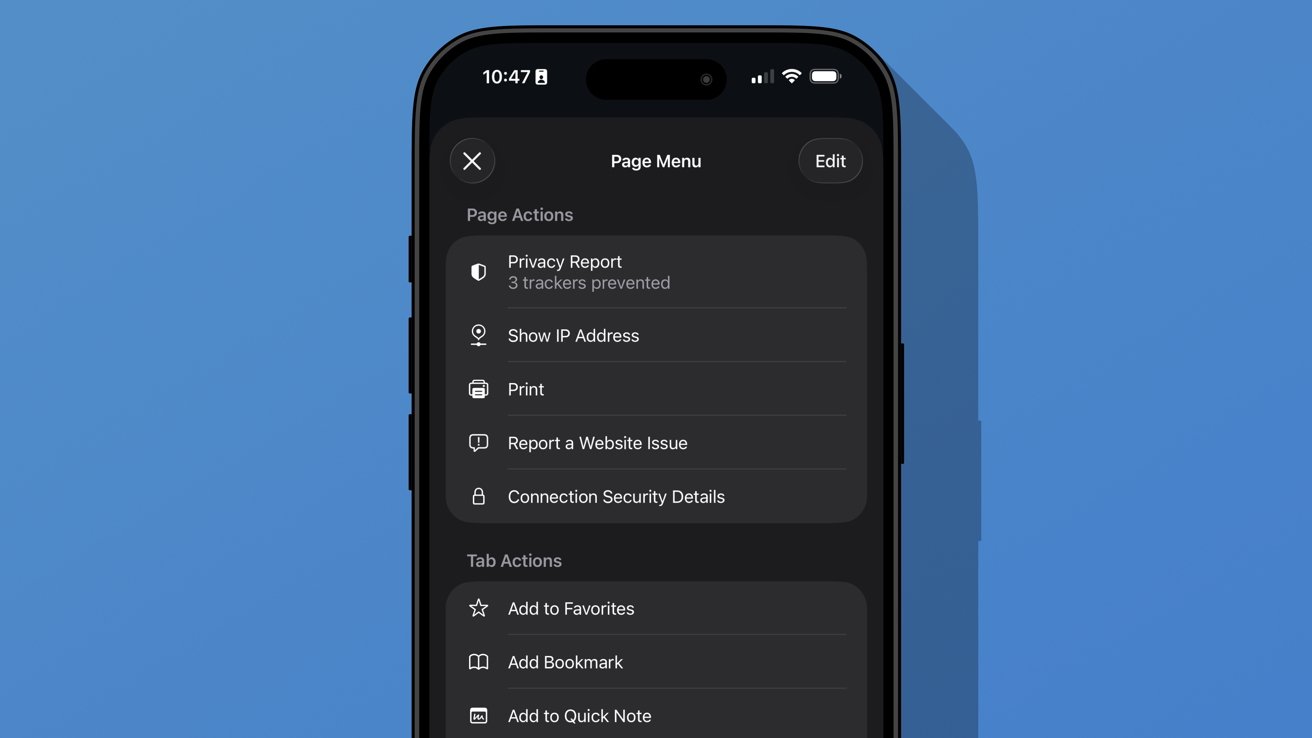
iOS 26 review: additional options found in the ellipsis menu
A new ellipsis at the bottom right of the menu will open an even more complex Page Menu. This section has specific options for the website or page you're viewing and includes an edit function for customizing the controls in the previous menu.
I don't think Safari on iPhone has reached its permanent form just yet. It feels a little too fidgety for my liking, though the configuration I'm using is my preference.
The address bar's ability to shrink and get out of the way while scrolling is excellent. The transparency helps amplify the full-screen effect of the webpage too.
Apple introduced a new Immersive Browsing experience for Apple Vision Pro with visionOS 26. It feels like a combination of the Apple News format (sans ads) and Reader Mode. I'd love to see that evolve and come to iOS Safari.
Sure, Immersive Browsing would lack the 3D effects found in Apple Vision Pro, but I think it could create quite the interesting experience. I'm already a fan of the simplicity of Reader Mode, so something designed specifically to enhance the browsing experience might be fun.
iOS 26 one year later review: artificial intelligence
Apple may have pulled back on Apple Intelligence during WWDC 2025, but it was peppered throughout the keynote. There wasn't anything overpromised this time.
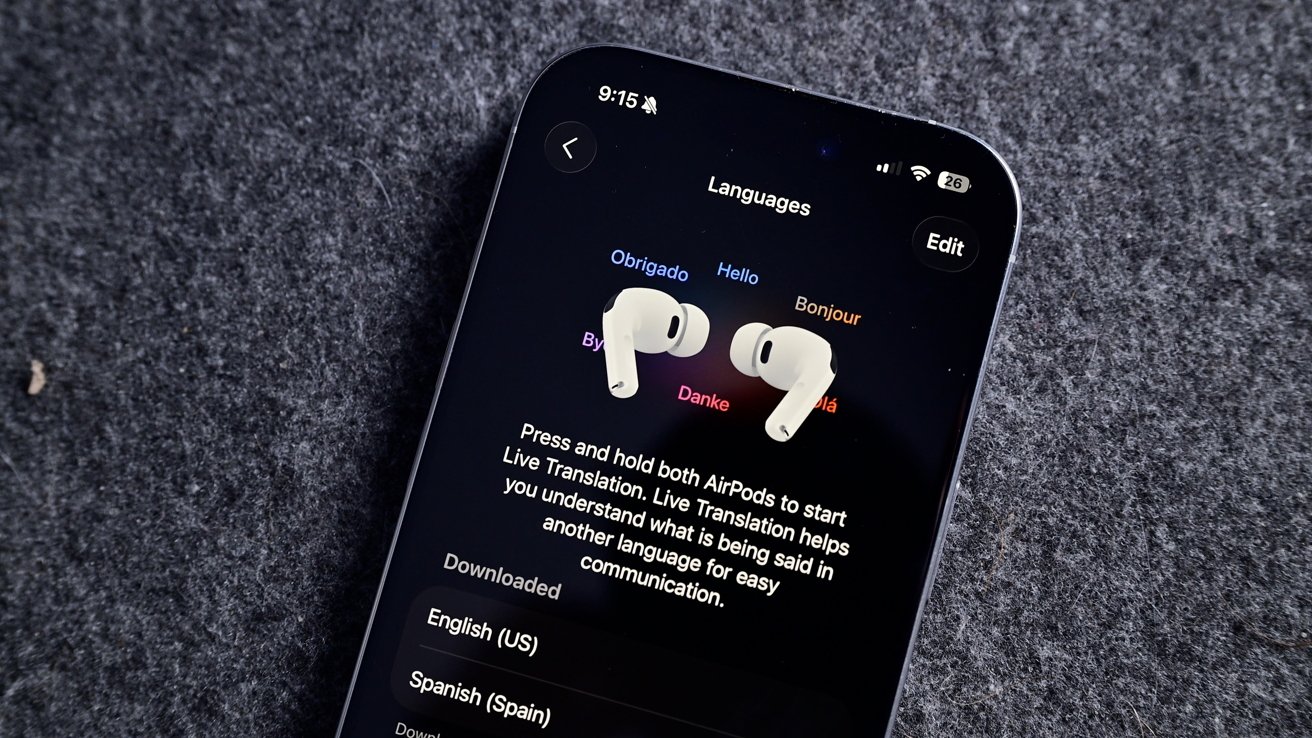
iOS 26 review: Live Translation is an excellent example of a useful AI-powered tool
I haven't encountered a situation where I might need Live Translation, but I'm glad it is there. The real-world demos I've seen of the tool all seem quite promising, and it will only get better over time.
Visual Intelligence is now part of the screenshot tool. It's not something I've used often, but it has come in handy a few times. Particularly, I like that reverse image search for Google is right in the interface.
Image Playground and Genmoji gained ChatGPT support, which hasn't proven useful really. Of course, ChatGPT can make better images, but it requires sending your data off device. Even with the added privacy promises between Apple and OpenAI, it still feels icky.
Then of course there's also the problem with OpenAI clearly having used copyrighted material for references. Every anime-filtered prompt is unmistakably close to a style from a favorite film or show.
I'm not sure Apple can escape that problem even when its own models are better at image generation. However, at least those supposed future models would be on-device or in an Apple server running on renewable energy. It's not much, but those thoughts help the tools feel a little less gross.
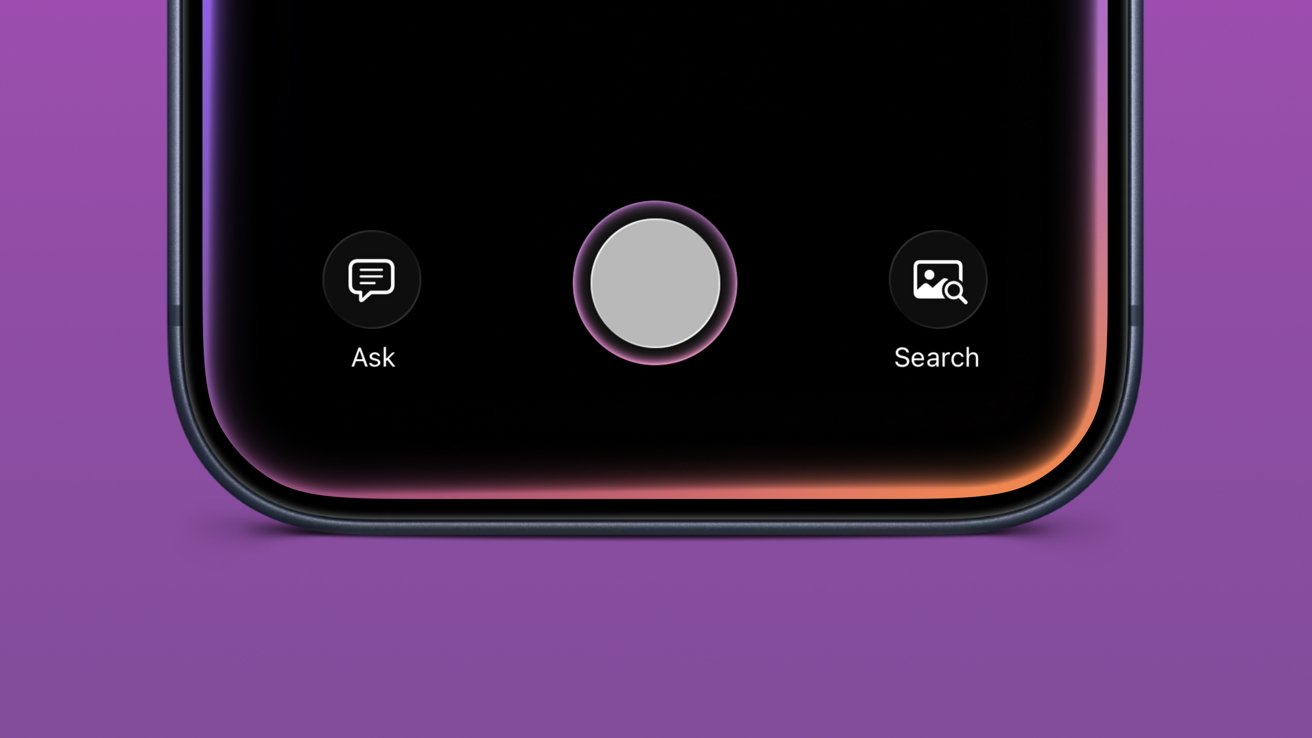
iOS 26 review: Visual Intelligence got a small upgrade
Apple also opened up third-party access to Apple Foundation Models, including in Apple Shortcuts. I'm going to be completely honest here and say I've basically missed this entire aspect of iOS 26.
I mostly use Apple apps and don't really deal with AI in any aspect. I don't use ChatGPT, Claude, or the others, nor do I even have an account with them. I've never spent money on a token or done "research" with AI.
I've seen some clever adaptations, like Carrot Weather and others utilizing Apple's models for chatbot experiences and the like. It's just not for me.
The closest thing to AI that I use in my day-to-day beyond Proofread in Writing Tools is an app called FoodNoms. It uses OpenAI's models to scan photos of food or food labels to generate estimated nutritional values.
Package tracking in Mail added to Wallet
I had honestly forgotten that the new Deliveries in Mail (beta) had begun in iOS 26. In preparation for the new feature, I deleted my other package tracking tools and went all in.
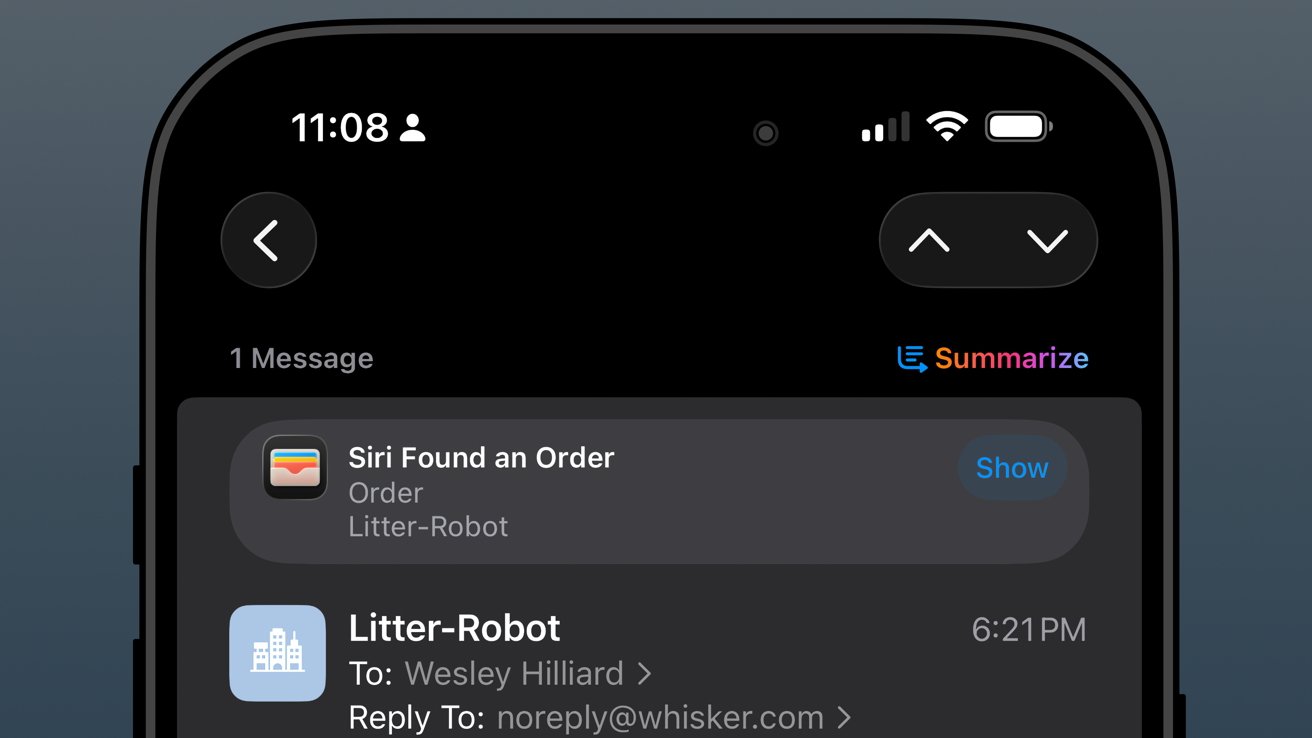
iOS 26 review: orders found in Mail are sent to order tracking in Wallet
The past year has been filled with quite a lot of packages from all kinds of places: Amazon, SimpleHuman, Best Buy, and a variety of stores that use Shopify.
As usual, the Shopify purchases go into Apple Wallet natively. Some others support Wallet, but most, like Amazon, appeared when Mail was synced.
The system worked, more or less, but I wish it was 10% more intelligent. For example, if an incoming email has been identified as a delivery update, automatically move that mail to a deliveries folder and mark it as read while adding the data to Wallet.
I could write a mountain on Mail categorization and sorting, but that's not a part of this review.
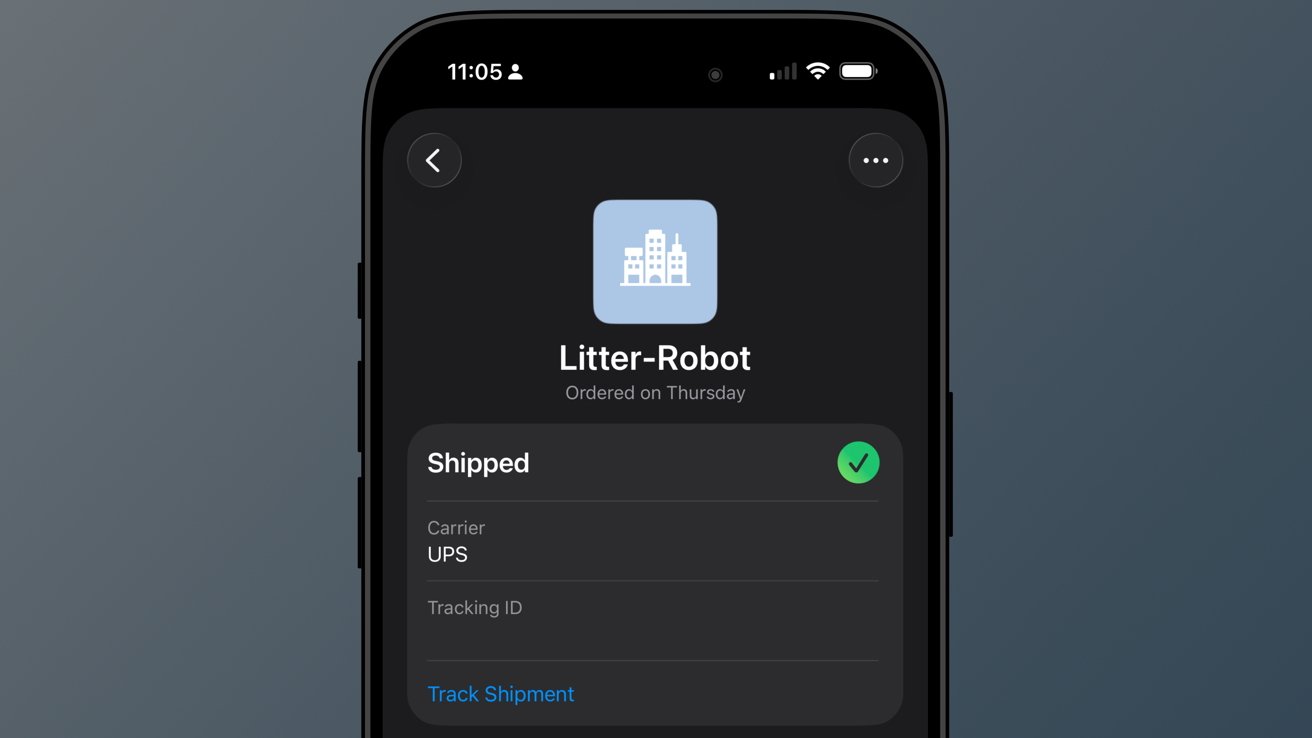
iOS 26 review: a good-enough tracking tool buried in Wallet
So far, I've not really missed my other delivery tracking tools, and I like the automatic nature of Apple's implementation. However, it is far from perfect.
When I buy a game from PlayStation Network, a digital product, I sometimes get a delivery tracking notification in Wallet. Obviously, I can just delete it, but it seems odd that it can't differentiate between that and an actual delivery.
The feature will improve with time, though there are two significant problems I have with it today.
First, Apple still doesn't support Wallet order tracking natively. It does now via the Mail tracking option, but that's silly. Apple should be showing my orders and receipts in Wallet.
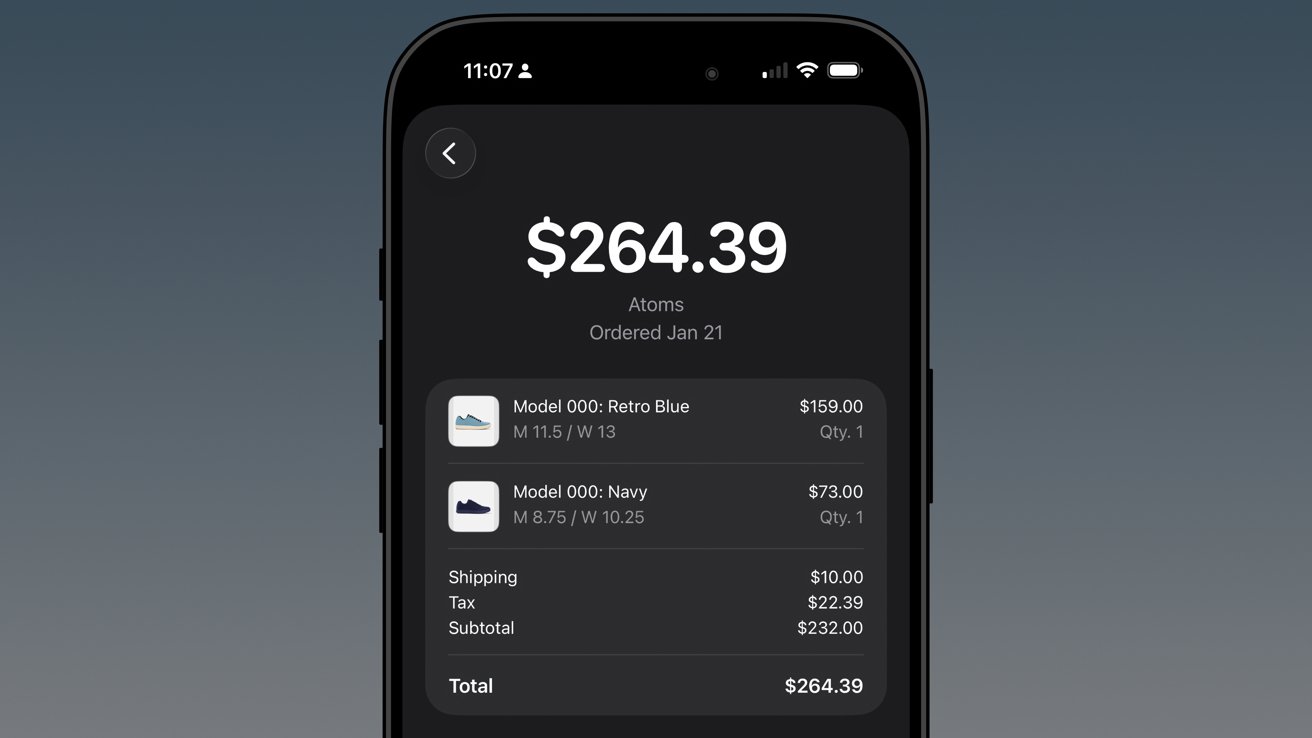
iOS 26 review: native order tracking like what Shop supports even provides in-Wallet receipts
Second, Apple has buried the feature in an ellipsis in Apple Wallet. It is beyond time that Apple Wallet gets a tabbed interface.
The payment cards could be the main tab, then the passes in a second tab, and a third tab for order tracking. I'd even take it a step further and add a special App Store section for the fourth tab, which would showcase apps and services that utilize Apple Wallet.
In any case, there's work to do.
Apple Music Playlist Playgrounds
Playlist Playgrounds arrived late in the cycle, but it is still a part of iOS 26 and a bit of a surprise. Apple didn't mention the feature once prior to its release, so that shows the restraint the company is having post-AI embarrassment.
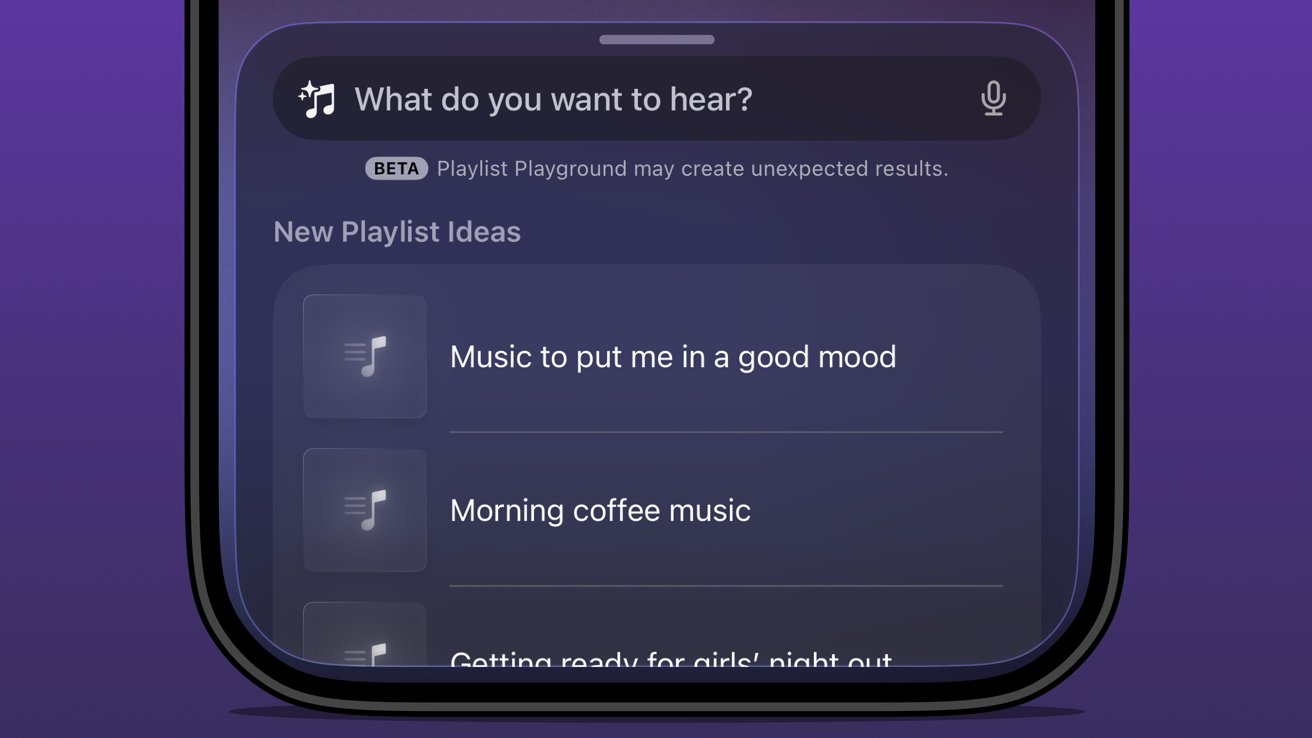
iOS 26 review: Apple Music Playlist Playground produces mixed results
Music playlists are a bit of an art, and I'm not entirely excited to hand their creation over to AI. I'm not particularly talented at putting playlists together either, but I do enjoy Apple Music's human-curated selection.
I did like Beats Music's The Sentence, which let you generate a playlist based on presets like activities and moods. It was very clearly machine learning and kind of worked.
The problem with Playlist Playground is that it lacks understanding and specificity. You can make the prompt as long as you like (at least I didn't hit a limit), and yet it is clearly looking for very specific keywords.
If you want to generate a playlist that's based on a genre, era, artist, or song, it will do the job. But something about it seems off.
Honestly, it just feels easier to type in search terms and grab the dozens of playlists already available. I'm not sure AI is solving anything here, but perhaps it'll get better and more nuanced with time.
The Apple Intelligence problem
Apple obviously made a mistake when it pre-announced an Apple Intelligence that would be proactive and personal in 2024. It believed that the results they were seeing internally could be improved and become shippable by the spring.
iOS 26 review: the promise of Apple Intelligence still hasn't been kept
I'm not sure where the fault lies, but clearly the engineers working on Apple Intelligence didn't account for the inherent failures built into all AI systems. Apple has a high standard, and hallucinating details approximately 30% of the time just wasn't an option.
There was another problem that Apple seemingly didn't foresee — Siri.
The aging smart assistant that created an entire software category still runs with a machine learning backend. Apple hoped to just drop Apple Intelligence on top and have the logic sort out the details, but it introduced too many opportunities for error and hallucination.
That 30% hallucination rate was being multiplied across every exchange between the AI and ML systems. The only option was to scrap everything and build it with AI from the ground up.
Here we are two years later, and Apple is on the cusp of being ready to release what it originally announced, and then some. However, the timing was knocked off kilter once again by unforeseen circumstances.
iOS 26 review: rebuilding Siri with an LLM backend took some time
All signs pointed to a spring release of something until another strategy shift changed plans. Apple seemingly, until very recently, thought it could use Gemini to train Apple Foundation Models and implement it across its systems before WWDC.
Cooler heads prevailed, and more restraint has been shown, though to the annoyance of Apple fans that are looking forward to the AI upgrades. It seems, as of this review, that Apple won't touch anything related to Apple Intelligence or Siri until after iOS 27 launches in the fall.
WWDC 2026 is on June 8 and will reveal the upgrades, but what will follow is a summer of beta testing. There's actually a fairly good chance that these new AI models won't even be available until after iOS 27 launches to the public.
Apple doesn't upgrade its models via the software updates. Those go out via a background process, so there is no telling when such updates could go out.
The only way they might arrive sooner is if Apple lets developers test against them during the summer.
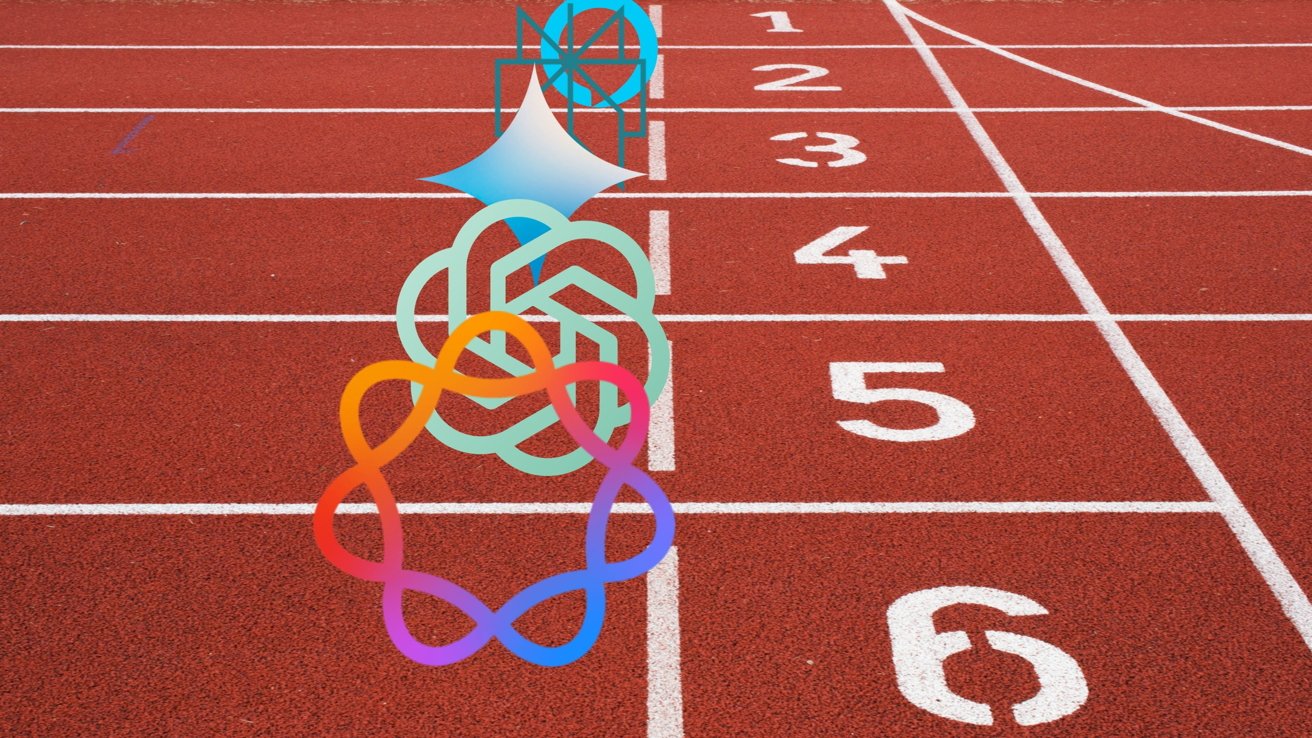
iOS 26 review: Apple doesn't need to participate in the AI race
I've been talking about Apple Intelligence and its place in the artificial intelligence "race" since its inception. There has been talk about how Apple is behind and could likely never catch up. As if it somehow missed out on a revolution.
The reality is that Apple dodged a bullet.
Had Apple launched the personalized Siri and Apple Intelligence features it revealed in 2024 that October, it would have been ten times worse in terms of PR and backlash. Imagine if Apple's models had been set loose in that state to parse personal data and provide proactive, contextual actions.
Every hallucination would have become ammo. We saw a tiny version of this with the poor notification summaries that sparked a backlash from publishers.
In the time since Apple's AI delays, we've seen a bubble grow to its absolute limit. Instead of a violent pop that would have ruptured the global economy, we've seen more of a slow deflation in recent months.
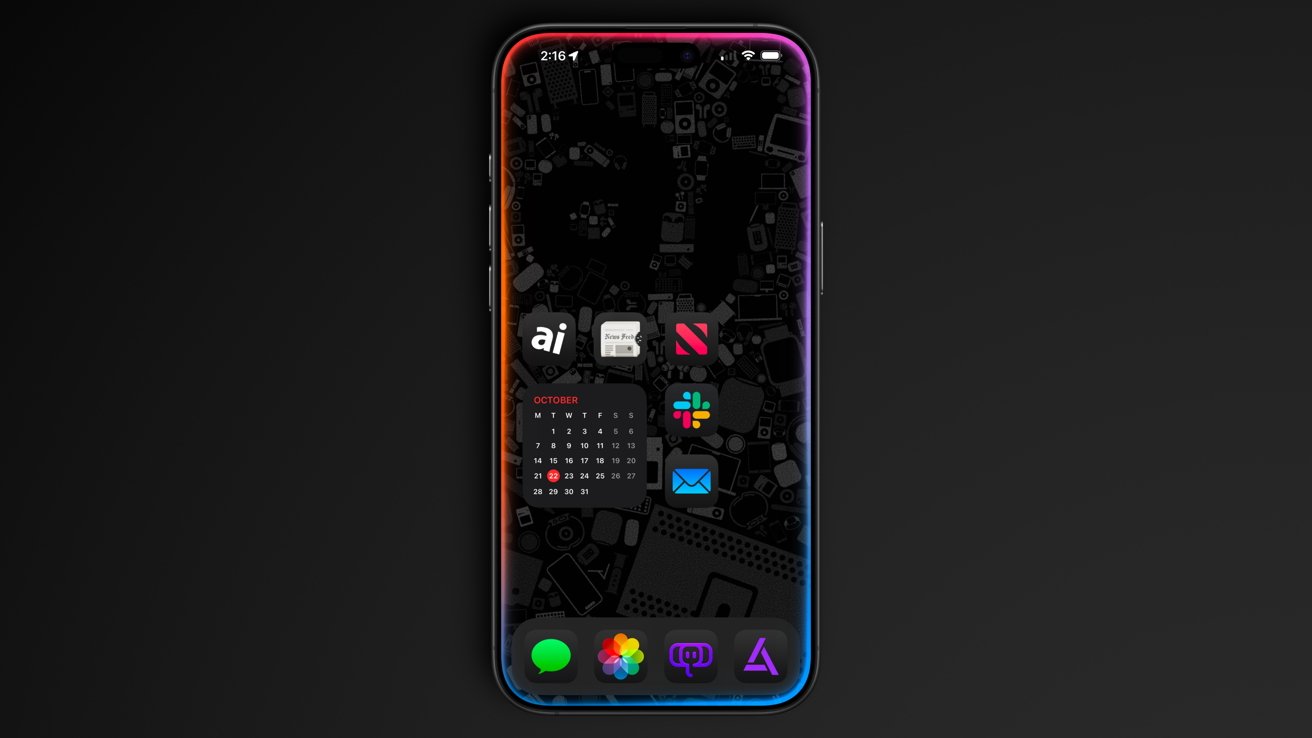
iOS 26 review: Apple could release a whole new AI platform backed by its upgraded models
Sure, the grift is going harder than ever, but the public is more jaded than it has ever been so far. And as odd as it might sound, I think Apple's missteps and delays have led it to stumble into the perfect release window for its new offerings.
While time will tell if I have to eat these words, I expect Apple will finally launch the AI platform we've been waiting for. A private, secure, local-first set of proactive and personalized AI tools that can interact with third-party models of the user's choosing.
Apple has always been the only company truly capable of executing this, even though others have tried to claim that they've done it already.
As soon as fall 2026, iOS 27 users should see Apple Foundation Models powering Siri and Apple Intelligence. Too bad this review is about iOS 26.
iOS 26 one year later review - Pros
- Liquid Glass is a new, if divisive design
- Smart changes like having menus appear where a button was tapped
- A thoughtful rollout of AI features
- Separating people from spam in social apps
- Excellent upgrades to apps like Journal and Safari
iOS 26 one year later review - Cons
- Continued lack of AI features promised in 2024
- Liquid Glass makes some elements difficult to read
- Some apps remain neglected and untouched, like Apple Home
Rating: 3.5 out of 5
Overall, iOS 26 was a solid release with minimal issues across the board. You'll find plenty of loud, angry people online, but they're the vocal minority.
Apple changed the system-wide UI into live-rendered material that showcases Apple Silicon without completely frying the system. It's an impressive feat, even if not everyone is a fan.
It is frustrating that a company the size of Apple continues to be stuck in this flip-flop app update cycle. The apps that got attention in iOS 26 will likely be virtually ignored until iOS 28, while others will see some changes in iOS 27.
I expect iOS 27 will be one focused on tweaks and adjustments considering the upheaval that occurred in iOS 26. That, and Apple Intelligence could dominate the WWDC 2026 keynote, for better or worse.