Apple has updated the 14-inch MacBook Pro with the M5 Pro chip. Here's how it compares to the preceding model with the M4 Pro.
Following the debut of the standard M5 chip in October 2025, the more powerful M5 Pro has made its way to the MacBook Pro. The early 2026 launch of the M5 Pro chip was to be expected, as product identifiers provided to AppleInsider back in July 2025 indicated the hardware was in the works.
Though Apple's latest high-end laptops look identical to their M4-based counterparts, there's more to it than meets the eye. Per Apple's website, the M5 Pro delivers significant performance improvements, making it an even better option for users who need plenty of processing power.
With the M5 Pro 14-inch MacBook Pro already available for pre-order starting March 4, it's time to compare it directly to its predecessor. That would, of course, be the 14-inch MacBook Pro with Apple's M4 Pro chip.
M5 Pro 14-inch MacBook Pro vs. 14-inch M4 Pro MacBook Pro — Specifications
| Specifications | M5 Pro 14-inch MacBook Pro | M4 Pro 14-inch MacBook Pro |
|---|---|---|
| Starting Price (launch) | $2,199 | $1,999 |
| Dimensions (inches) | 12.31 x 8.71 x 0.61 | 12.31 x 8.71 x 0.61 |
| Weight (pounds) | 3.5 | 3.5 |
| Display type | 14.2-inch Liquid Retina XDR Wide Color (P3) True Tone ProMotion Nano-texture (optional) |
14.2-inch Liquid Retina XDR Wide Color (P3) True Tone ProMotion Nano-texture (optional) |
| Resolution | 3,024 x 1,964 at 254ppi | 3,024 x 1,964 at 254ppi |
| Brightness | 1,000 nits sustained fullscreen 1,600 nits peak HDR 1,000 nits SDR |
1,000 nits sustained fullscreen 1,600 nits peak HDR 1,000 nits SDR |
| Processor | Apple M5 Pro 15-core CPU 18-core CPU |
Apple M4 Pro 12-core CPU 14-core CPU |
| Graphics | 16-core GPU 20-core GPU |
16-core GPU 20-core GPU |
| Memory | 24GB 48GB 64GB (with 20-core GPU) |
24GB 48GB |
| Storage | 1TB 2TB 4TB |
512GB 1TB 2TB 4TB |
| Battery | 72.4Wh lithium-polymer | 72.4Wh lithium-polymer |
| Connectivity | 802.11be Wi-Fi 7 Bluetooth 6 |
802.11ax Wi-Fi 6E Bluetooth 5.3 |
| Camera | 12MP Center Stage camera with Desk View | 12MP Center Stage camera with Desk View |
| Biometric Authentication | Touch ID | Touch ID |
| Audio | Six-speaker sound system Force-cancelling woofers Three-mic array with directional beamforming and high signal-to-noise ratio Headphone jack with high-impedance headphone support Dolby Atmos support with Spatial Audio |
Six-speaker sound system Force-cancelling woofers Three-mic array with directional beamforming and high signal-to-noise ratio Headphone jack with high-impedance headphone support Dolby Atmos support with Spatial Audio |
| Ports | Three Thunderbolt 5 (USB-C) ports SDXC Card SlotHDMI 3.5mm headphone jack MagSafe 3 |
Three Thunderbolt 5 (USB-C) ports SDXC Card SlotHDMI 3.5mm headphone jack MagSafe 3 |
| Colors | Space Black Silver |
Space Black Silver |
M5 Pro MacBook Pro vs M4 Pro MacBook Pro - Design, weight, size
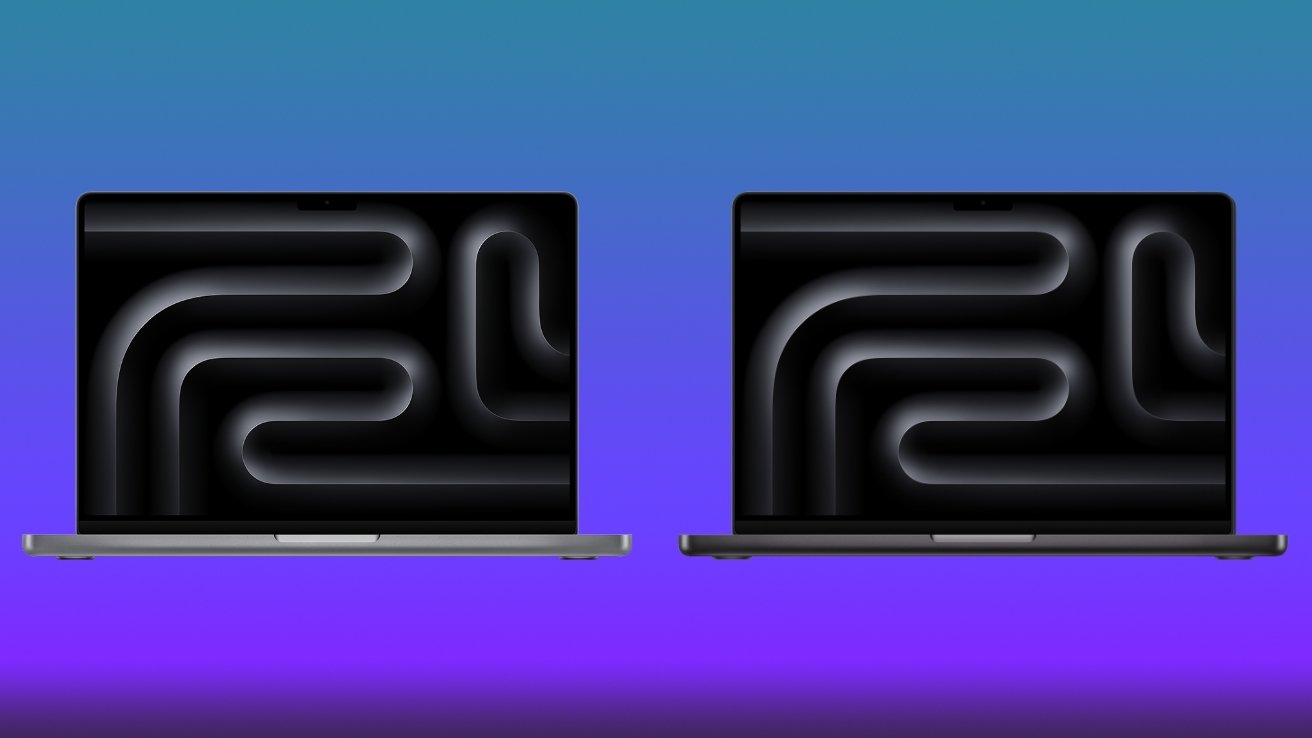
The design of the 14-inch MacBook Pro, regardless of the chip inside, has remained virtually unchanged since 2021, when the M1 Pro and M1 Max models debuted. As such, the M5 Pro and M4 Pro models of the 14-inch MacBook Pro are identical and practically indistinguishable.
M5 Pro MacBook Pro vs. M4 Pro MacBook Pro: The 14-inch MacBook Pro design hasn't changed since 2021.
Both models use an aluminum case, colored in Space Black or Silver. Flat edges characterize the tried-and-true 14-inch MacBook Pro design, making the notebook effectively resemble a precision-cut aluminum slab.
The area around the keyboard is still black, and the added ports help distinguish the MacBook Pro from the MacBook Air.
The thickness of the 14-inch MacBook Pro has remained the same in 2026, with both the M5 Pro and M4 Pro models being 0.61 inches thick. In terms of footprint, both variants of the 14-inch MacBook Pro are 12.31 inches long by 8.71 inches wide.
There's no change in weight, either, with the M4 Pro and M5 Pro MacBook Pro variants weighing 3.5 pounds each.
The MacBook Pro is expected to receive a design overhaul in late 2026 or early 2027, which is when Apple will likely unveil its OLED-based notebooks. For the time being, however, the 14-inch M5 Pro MacBook Pro maintains the existing 2021 design.
M5 Pro MacBook Pro vs. M4 Pro MacBook Pro — Display
The 14-inch MacBook Pro with Apple's M5 Pro chip is equipped with a 14.2-inch XDR display, featuring a display resolution of 3,024 by 1,964 pixels. That equates to 254 pixels per inch.
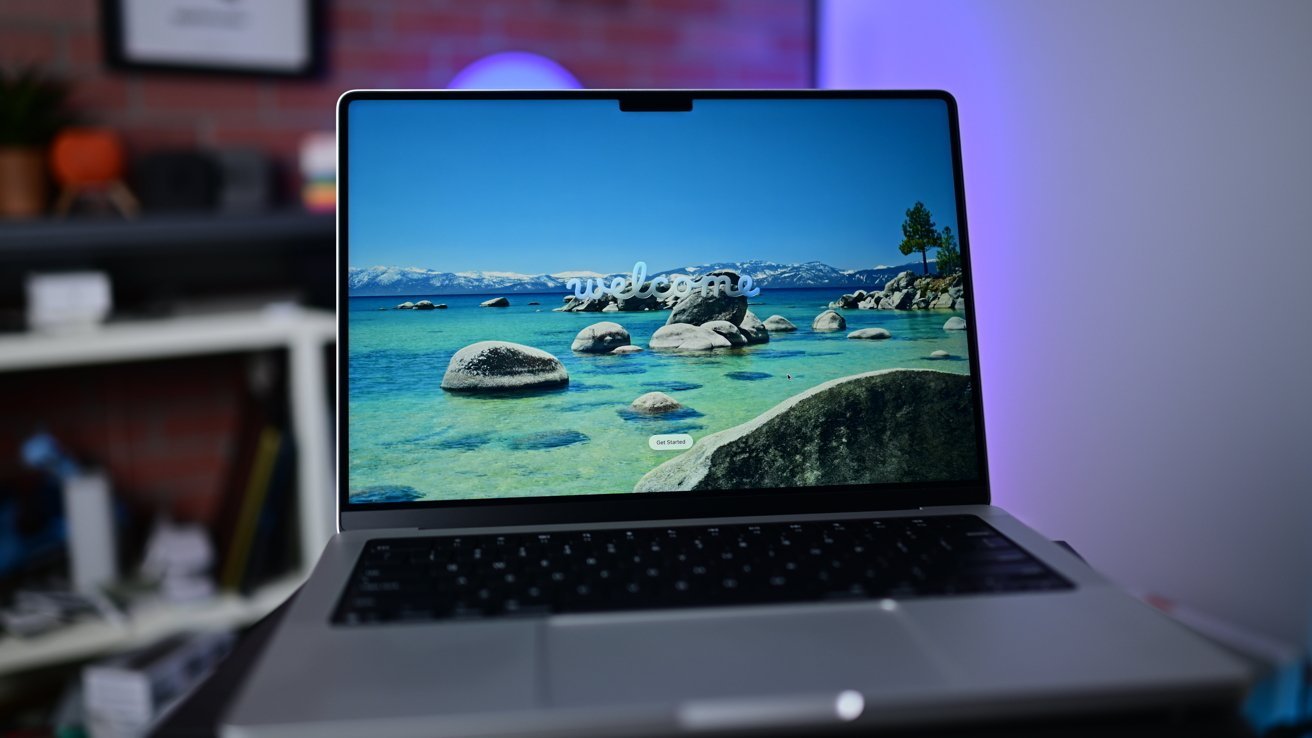
M5 Pro MacBook Pro vs. M4 Pro MacBook Pro: Both laptops ship with a 14.2-inch XDR display with ProMotion support.
The preceding 14-inch MacBook Pro, with the M4 Pro chip, uses the same display with the same resolution, pixel density, and overall size.
Both variants have displays with mini LED backlighting, which facilitates a million-to-one contrast ratio. The brightness for SDR content remains unchanged at 1,000 nits, as is the peak brightness of 1,600 nits for HDR content.
Apple's 14-inch MacBook Pros with the M5 Pro and M4 Pro chip also ship with ProMotion, providing adaptive refresh rates of up to 120Hz. The MacBook Pro displays also support True Tone, a wide (P3) color gamut, and are capable of displaying a billion colors.
A nano-texture option, which reduces glare by giving the MacBook Pro a matte display, is also available.

14" MacBook Pro M4 Pro
At the top of the display, within a dedicated notch, is Apple's 12MP Center Stage camera. The same camera is available on the M4 Pro and M5 Pro variants of the 14-inch MacBook Pro, as Apple has yet to add Face ID or eliminate the notch on the MacBook Pro display.
The M4 Pro MacBook Pro supports up to two external 6K displays at 60Hz over Thunderbolt. Alternatively, users can connect a single external 6K display at 60Hz over Thunderbolt and an external 4K display at 144Hz via HDMI.
Other options include an external 8K display at 60Hz, or a 4K display at 240Hz over HDMI.
With the recently announced M5 Pro MacBook Pro, Apple has enabled support for up to three external 6K displays at 60Hz. Alternatively, it's possible to connect an 8K 60Hz, 5K 120Hz, or 4K 240Hz display, along with a second display up to a native resolution of 5K at 120Hz or 4K at 200Hz.
Overall, you get the same display, regardless of whether you have a MacBook Pro with the M5 Pro chip or one with the slightly older M4 Pro. Performance-wise, however, the two are quite different.
M5 Pro MacBook Pro vs. M4 Pro MacBook Pro — Performance
The 14-inch MacBook Pro with Apple's M4 Pro chip was offered in two distinct configurations: one with a 12-core CPU and 16-core GPU, and the other having a 14-core CPU along with a 20-core GPU. Both configurations shipped with 24GB of unified memory as standard, with a 48GB option also available.
M5 Pro MacBook Pro vs. M4 Pro MacBook Pro: The M5 Pro delivers 30 percent faster graphics performance compared to the M4 chip. Image Credit: Apple.
The 12-core CPU variant of the M4 Pro came with 8 performance cores and 4 efficiency cores, while 14-core CPU configuration consisted of 10 performance cores and 4 efficiency cores.
Apple's new M5 Pro 14-inch MacBook Pro, is similarly available in multiple hardware configurations.
The base variant of the M5 Pro chip features a 15-core CPU and a 16-core GPU, with either 24GB or 48GB of unified memory. The upper-tier M5 Pro MacBook Pro uses an 18-core CPU and 20-core GPU, with up to 64GB of unified memory.
Unlike the preceding M4 Pro chip, however, the M5 Pro doesn't use efficiency cores in any of its variants. Instead, the chip uses a combination of "super cores" coupled with the standard performance cores.
The 15-core version of the M5 Pro boasts 5 super cores and 10 performance cores, while the 18-core variant includes 6 super cores and 12 performance cores. Regardless of configuration, the M5 Pro CPU offers two extra performance cores, relative to its predecessor, the M4 Pro.
Apple says the CPU of the M5 Pro chip is capable of delivering up to 30 percent faster performance, and that the chip itself utilizes Apple-designed Fusion Architecture. In essence, with the M5 Pro, two dies are combined into a single system on a chip, allowing for improved performance over the M4 Pro.
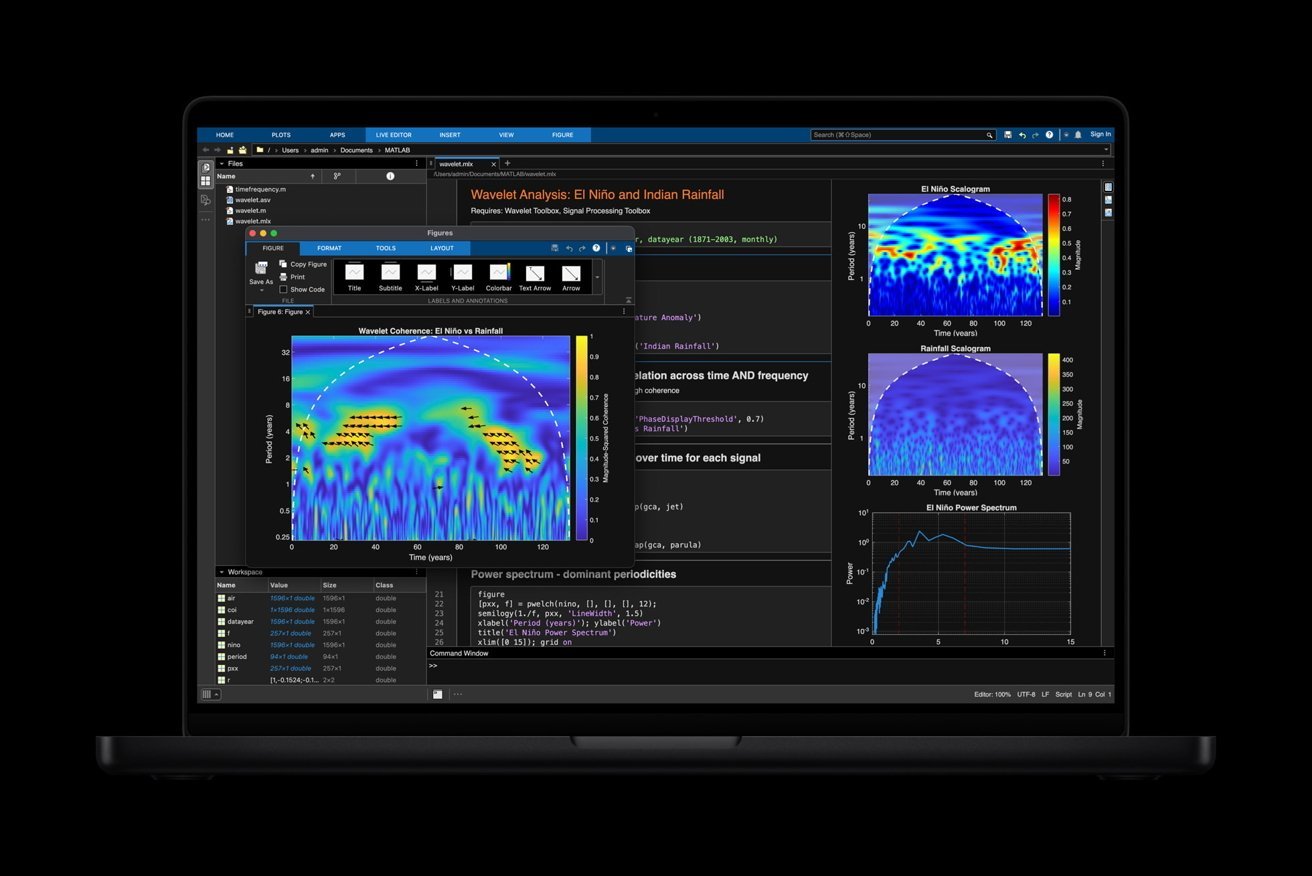
M5 Pro vs. M4 Pro MacBook Pro: Apple's M5 Pro chip can be optioned with an 18-core CPU with six high-performance "super cores" and 12 new performance cores optimized for multithreaded tasks. Image Credit: Apple.
The older M4 Pro chip supports hardware-accelerated ray tracing, which allows for realistic lighting effects in 3D environments. This makes the MacBook Pro with the M4 Pro a great option for gamers or users who need to render complex scenes with detailed lighting. The new-and-improved M5 Pro chip's GPU maintains this capability.
Additionally, the iPhone maker claims the M5 Pro chip offers a 50 percent increase in graphics performance compared to the preceding M4 Pro.
For games, the M5 Pro chip delivers up to 1.6 times faster performance in titles supporting ray tracing, like Cyberpunk 2077: Ultimate Edition. This is compared to the M4 Pro system-on-chip, of course.
With the M5 Pro chip, 3D rendering in applications like Maxon Redshift is up to up to 1.4x faster than the 14-inch MacBook Pro with Apple's M4 Pro.
Additionally, memory bandwidth has been increased to 307GB/s, up from the 273GB/s of the M4 Pro. That's far from the only change Apple has implemented, however.
Much like the standard M5 chip, the M5 Pro is equipped with a dedicated Neural Accelerator in each GPU core.
Coupled with a faster and more power-efficient 16-core Neural Engine, this makes the 14-inch MacBook Pro with the M5 Pro chip better for Apple Intelligence and AI-related tasks, relative to the preceding M4 Pro model.
To be more specific, Apple says the M5 Pro offers up to four times faster LLM prompt processing faster than M4 Pro chip, with up to 8 times faster AI image generation than the M1 Pro system-on-chip.
Overall, the M5 Pro chip delivers significant improvements over the preceding M4 Pro in the 2024 14-inch MacBook Pro, at least according to Apple.
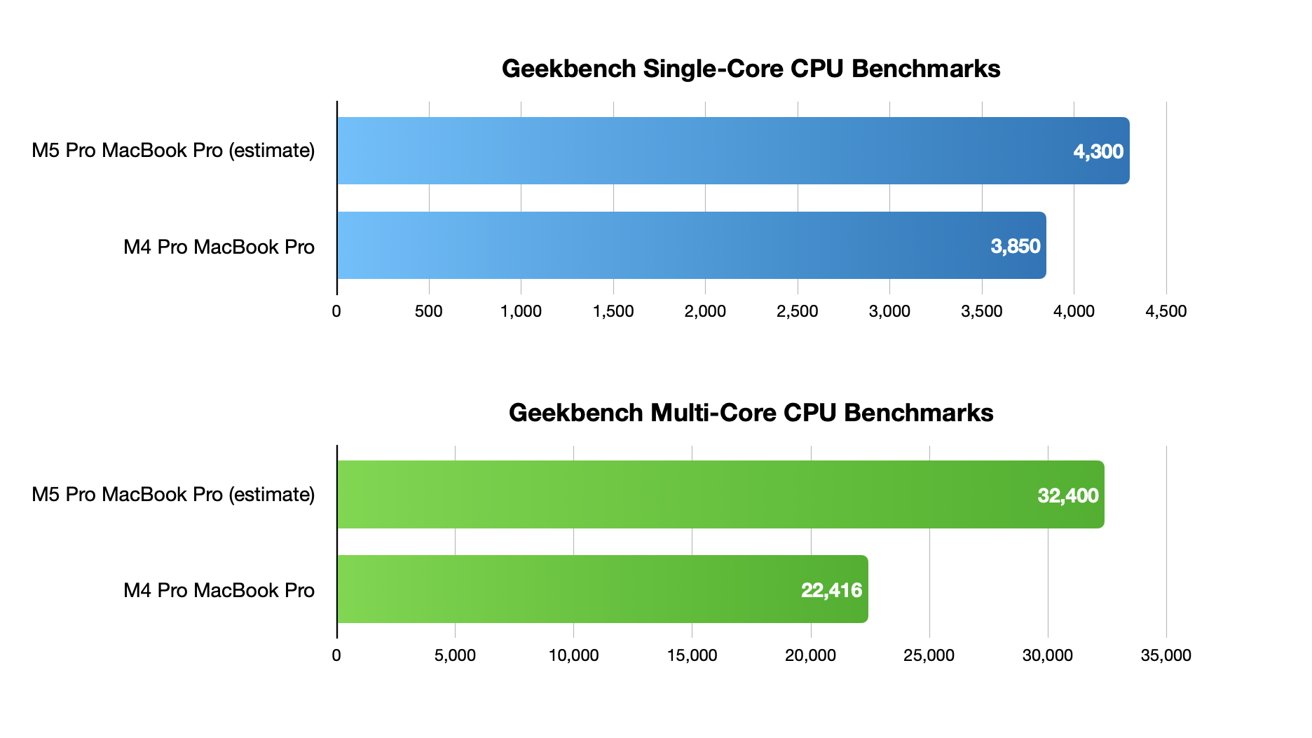
M5 Pro MacBook Pro vs. M4 Pro MacBook Pro: The M5 Pro chip is expected to show a noticeable performance jump in Geekbench 6 testing.
In lieu of actual Geekbench 6 benchmarks at the time of writing, estimates place the M5 Pro single-core score at around 4,300 points, with a predicted multi-core score of approximately 32,400 points. Metal GPU benchmarking is expected yield a score of around to 146,000 points on the M5 Pro.
For reference, the preceding M4 Pro 14-inch MacBook Pro received a single-core score of 3,850 points, and a multi-core score of 22,416 points in Geekbench testing. As for Metal GPU tests, the M4 Pro scored 112,160 points.
Real-world benchmarks will ultimately provide additional insight about the performance of the new-and-improved M5 Pro chip, but the improvements appear to be impressive in any case.
As for the camera and audio hardware of the M5 Pro and M4 MacBook Pro, there's little reason for excitement.
M5 Pro MacBook Pro vs. M4 Pro MacBook Pro — Camera, audio hardware
The M4 Pro MacBook Pro saw the introduction of Apple's 12MP Center Stage camera, replacing the 1080p FaceTime HD camera found in earlier models. This is unchanged for the M5 Pro.
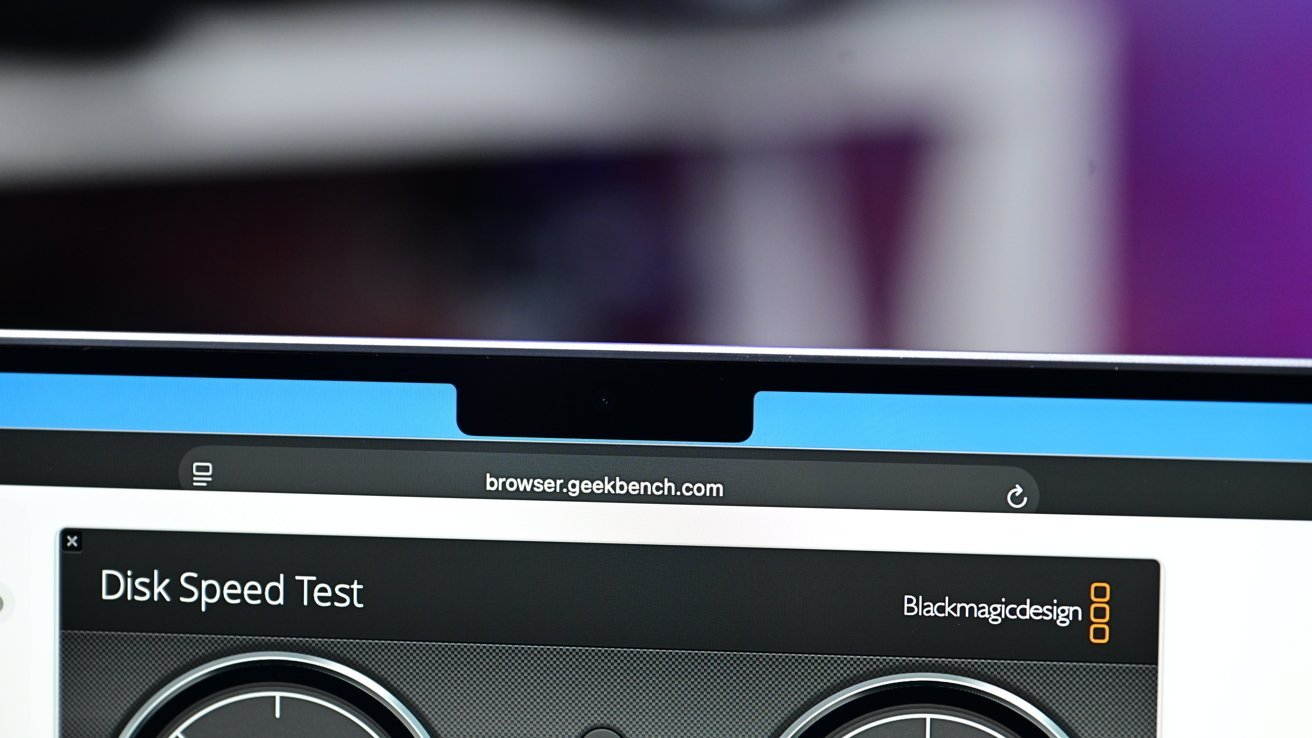
M5 Pro MacBook Pro vs. M4 Pro MacBook Pro: Apple's 12MP Center Stage camera is available on both models.
The Center Stage camera feature follows users when they move around, keeping them in the center of frame during video calls. Apple's MacBook Pro cameras also support Desk View, letting users show their face while presenting an object on their desk.
Similarly, the audio hardware of the 14-inch MacBook Pro with the M5 Pro chip is the same as that of the M4 Pro model. This includes a high-fidelity six-speaker sound system with force-cancelling woofers, providing wide stereo sound.
With the M5 Pro MacBook Pro, Apple also maintained support for Spatial Audio, used when Dolby Atmos content is played via the speaker system. For those who use AirPods with their MacBook Pro, Spatial Audio with head tracking is also available on both models.
Users who prefer wired headphones are still able to use the 3.5mm headphone jack, with support for high-impedance also available across the generations.
For audio input, the M4 Pro and M5 Pro MacBook Pro feature a three-mic array with directional beamforming and a high signal-to-noise ratio. Apple says both models of the 14-inch MacBook Pro feature "studio-quality" microphones built in.
Simply put, the M5 MacBook Pro doesn't change anything in terms of audio hardware, relative to its predecessor. We see more or less the same story when looking at the battery life and available storage options for both models, among other things.
M5 Pro MacBook Pro vs. M4 Pro MacBook Pro — Battery life, connectivity
The 14-inch M5 Pro MacBook Pro, much like its M4 Pro counterpart, uses a 72.4-watt-hour lithium-polymer battery. Apple claims that both models deliver up to 24 hours of video streaming and up to 16 hours of wireless web access when drawing power from the built-in battery.
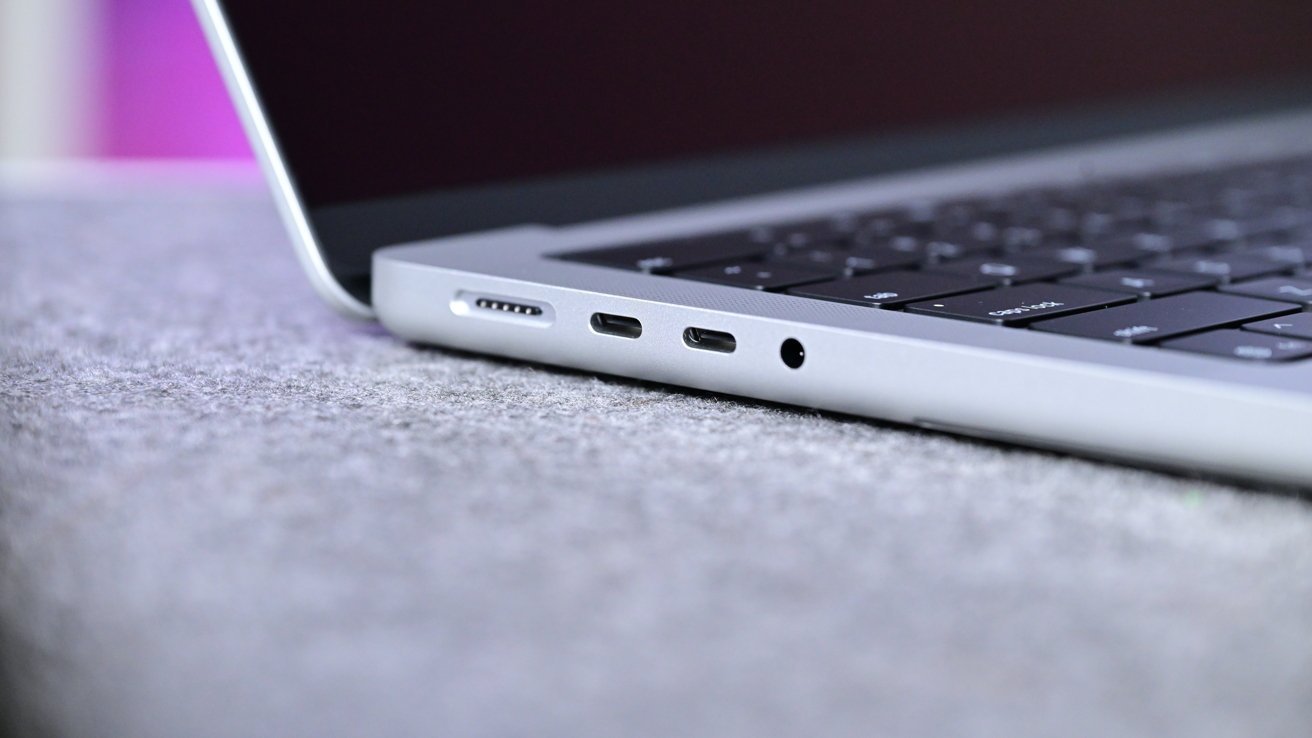
M5 Pro MacBook Pro vs. M4 Pro MacBook Pro: Both models feature three Thunderbolt 5 ports, an SDXC card slot, an HDMI port, and a 3.5mm headphone jack.
In the United States, the 14-inch MacBook Pro with Apple's M5 Pro chip ships with a 70W USB-C power adapter, with a 96W version also available for an extra $20. Users in the European Union and the United Kingdom don't get a power adapter in the box.
The M4 Pro 14-inch MacBook Pro offers Wi-Fi 6E support, along with Bluetooth 5.3 for accessories. The new-and-improved M5 Pro, meanwhile, is equipped with Apple's N1 wireless networking chip, which allows for Wi-Fi 7, Bluetooth 6, and Thread networking support.
Apple hasn't changed the physical ports, though. Three Thunderbolt 5 ports, an HDMI port, an SDXC memory card slot, and a headphone jack are all available on both models of the 14-inch MacBook Pro.
MagSafe 3 is present as well, though you can also use any of the USB-C Thunderbolt 5 ports to charge your MacBook Pro.The ThunderBolt 5 ports can be used for data transfer and as DisplayPorts as well.
Overall, Apple hasn't made any significant improvements to the battery or ports. Aside from the N1 chip, you get virtually the same functionality, whether you have the M4 Pro MacBook Pro or the updated M5 Pro model.
M5 Pro MacBook Pro vs. M4 Pro MacBook Pro — Memory, storage options, pricing
The standard 14-inch MacBook Pro with M4 Pro was priced at $1,999 with the standard display, a 12-core CPU, 16-core GPU, 24GB of unified memory, and 512GB of storage. For $2,399, users could get an M4 Pro MacBook Pro with a 14-core CPU, a 20-Core GPU, 24GB of RAM, and a 1TB SSD.
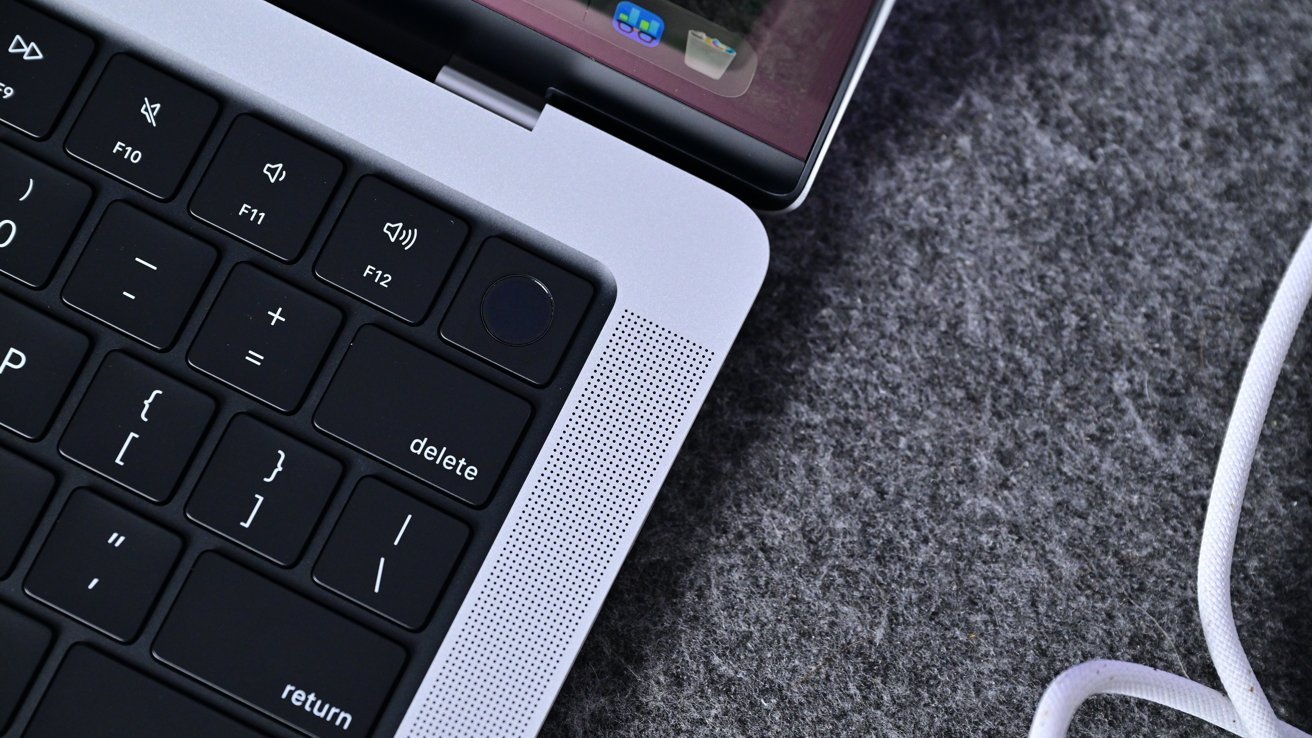
M5 Pro MacBook Pro vs. M4 Pro MacBook Pro: Both notebooks support Touch ID.
The 14-core CPU and 20-Core GPU variant of the M4 Pro was $200 more than the standard configuration, though you do also get a 96W power adapter at no extra charge.
This is also true for the 18-core CPU variant of the M5 Pro MacBook Pro. However, even the base configuration of the M5 Pro 14-inch MacBook Pro costs $200 more than its M4 Pro counterpart, meaning users need to spend $2,199 instead of $1,999. This is likely due to the difference in available storage options.
In terms of storage, the M4 Pro was available in four configurations in total — 512GB, 1TB, 2TB, and even a 4TB option.
Increasing the storage on the M4 Pro to 1TB would cost users $200, with 2TB being a further $400, while the 4TB capacity is an extra $600 on top of the 2TB variant.
It's a similar situation with the M5 Pro, though the starting storage has been increased to 1TB, meaning there is no 512GB option. The 2TB upgrade still costs $400, while an extra $600 allows for the maximum 4TB capacity.
However, Apple says the M5 Pro 14-inch MacBook Pro delivers up to two times faster read/write performance, compared to the preceding generation. The company's new-and-improved MacBook Pro can reach speeds of up to 14.5GB/s.
As for the RAM, users can select either 24GB or 48GB of unified memory, with the latter costing $400 more than the 24GB version.
Apple has maintained these two memory configurations for the M5 Pro variant of the 14-inch MacBook Pro, while adding a 64GB version for $600 that also gets you the 18-core CPU.
In terms of optional visual upgrades, Apple offers a nano-texture display for $150 on both the M4 Pro and the M5 Pro MacBook Pro.
The most expensive 14-inch MacBook Pro with M4 Pro was a total of $3,949, complete with the 96W power adapter and the $150 Nano-texture upgrade. That's almost double the cost of the lowest spec M4 Pro model, which is priced at $1,999.
Pricing for the top-of-the-line M5 Pro MacBook Pro has increased by $200, for a total of $4,149. The base configuration starts at $2,199, meaning users will have to pay $200 more regardless of the options they select, if they choose a MacBook Pro with the M5 Pro chip.
M5 Pro MacBook Pro vs. M4 Pro MacBook Pro — Which should you buy?
Relative to the 14-inch MacBook Pro with Apple's M5 Pro chip, the new-and-improved M5 Pro model offers almost nothing beyond performance improvements. The two laptops are effectively identical in terms of design, available ports, and display hardware.
M5 Pro MacBook Pro vs. M4 Pro MacBook Pro: There's no reason to upgrade to an M5 Pro from an M3 Pro or M4 Pro MacBook Pro.
Apple's tried-and-true MacBook Pro design hasn't changed since 2021, so it's no surprise that the M5 Pro model is only a spec-bump upgrade.
If you already own an M4 Pro or even an M3 Pro MacBook Pro, then there's no reason to upgrade to the M5 Pro, unless you really need the extra processing power or Wi-Fi 7 compatibility.
With the M5 Pro, you do also get Bluetooth 6, along with improved support for external displays, Still, neither of these are must-have upgrades for the average user.
Those looking to purchase a brand new 14-inch MacBook Pro, however, should go with the M5 Pro model.
It would be an even better idea to wait for the M6 Pro MacBook Pro, as it's expected to be Apple's first touch screen laptop with an OLED display, making it a more impressive upgrade than the M5 Pro.
Where to buy Apple's M5 Pro MacBook Pro and M4 Pro MacBook Pro
Apple's M5 Pro MacBook Pro will be available for purchase at Amazon and B&H Photo when preorders go live on March 4.
Closeout deals are available on M4 Pro models, as retailers look to move inventory to make way for the new releases. You can find a breakdown of the offers in our MacBook Pro Price Guide, with a few highlights below.
Top MacBook Pro deals
- 14" MacBook Pro M4 Pro, 12C CPU, 16C GPU, 24GB, 512GB: $1,799 ($200 off)
- 14" MacBook Pro M4 Pro, 12C CPU, 16C GPU, 24GB, 1TB: $1,999 ($200 off)
- 16" MacBook Pro M4 Pro, 14C CPU, 20C GPU, 24GB, 512GB: $2,239 ($260 off)
- 14" MacBook Pro M5, 16GB, 1TB: $1,599 ($200 off)
- 14" MacBook Pro M5, 16GB, 512GB: $1,449 ($150 off)
- 14" MacBook Pro M5, 16GB, 1TB: $1,649 ($150 off)
- 14" MacBook Pro M5, 24GB, 1TB: $1,846 ($153 off)