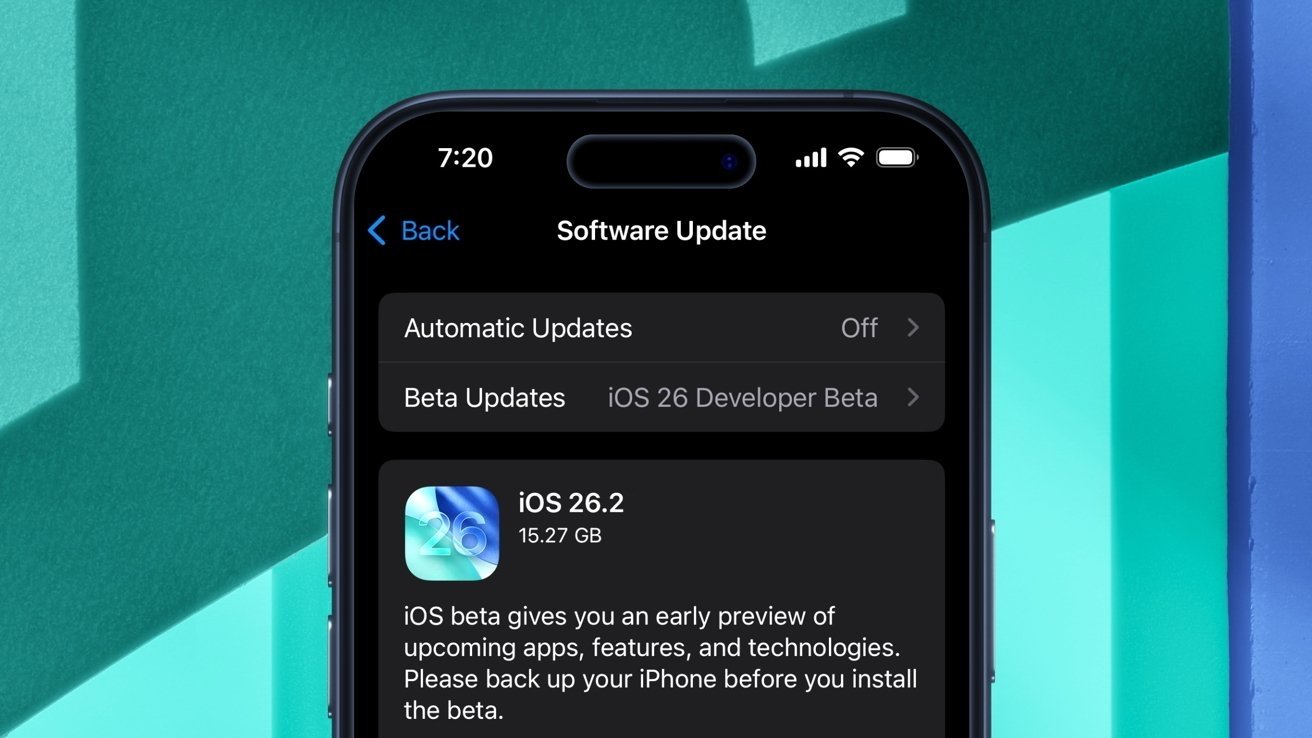
Apple's iOS 26.2 update is now available to all, with new one-time AirDrop codes, more toggles for Liquid Glass, and improvements to system apps. Here's what's new.
Following the public release of iOS 26.1 on November 3, Apple has deployed its next major operating system update. iOS 26.2 builds upon many of the user interface enhancements and features previewed at WWDC 2025.
As a whole, iOS 26 and iPadOS 26 introduced numerous changes, with the most visible being Apple's controversial "Liquid Glass" design language.
The following update, iOS 26.1, included additional toggles for existing system features, along with new customization settings for Liquid Glass.

With iOS 26.2, Apple delivered even more personalization options for the Liquid Glass material, which has since made its way to the Measure app.
Liquid Glass gets a Lock Screen slider
Liquid Glass is now more versatile than ever, thanks to yet another dedicated toggle. This time, however, it's more precise.
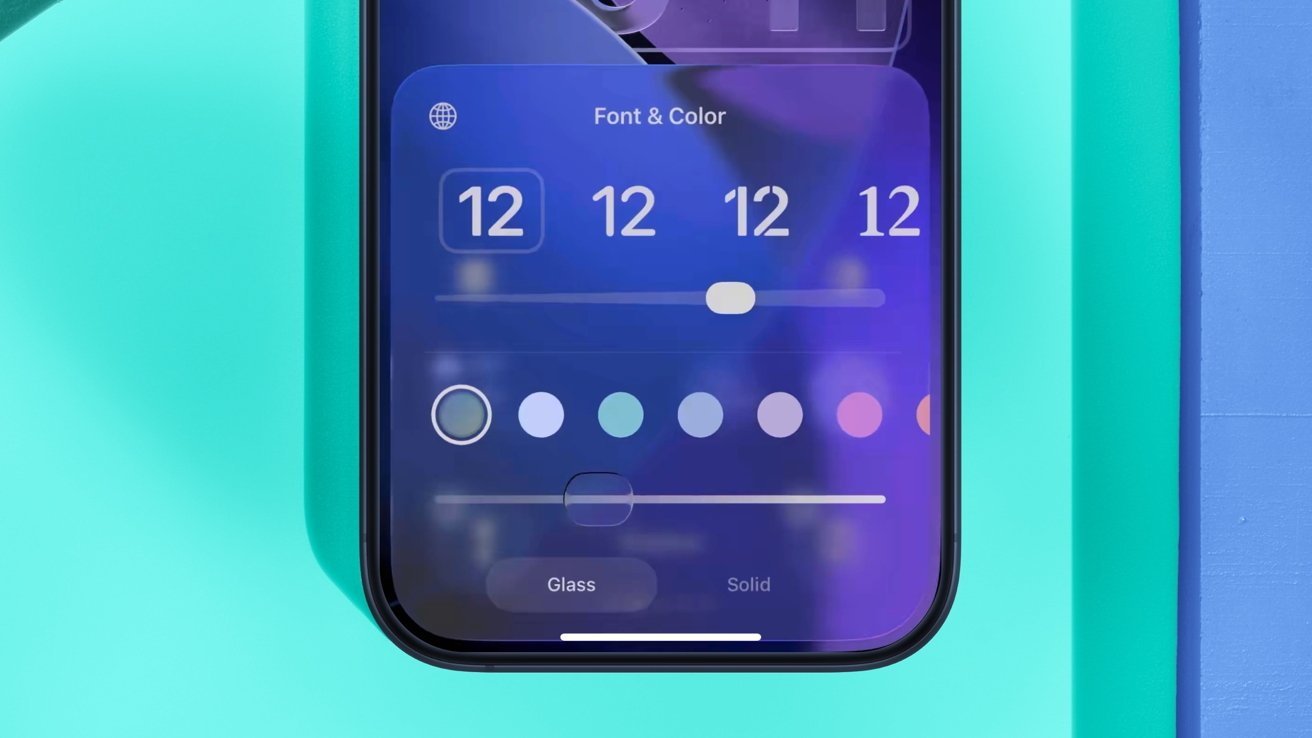
Apple has added a new slider for the Liquid Glass material of the Lock Screen clock.
iOS 26.1 made it possible to make the Liquid Glass material Clear or Tinted. At the time, there were only two options, and the setting affected all areas of the operating system that utilized Liquid Glass.
With the release of iOS 26.2, however, users have gained the option to customize the look of Liquid Glass on the Lock Screen clock. When adjusting the appearance of the Lock Screen, users will see a new slider for the opacity of the clock.
Apple's Liquid Glass design language has faced mixed reactions and reviews ever since it launched, and iOS 26.2 is a step towards mitigating that. The added customization option is sure to appease some of Apple's critics.
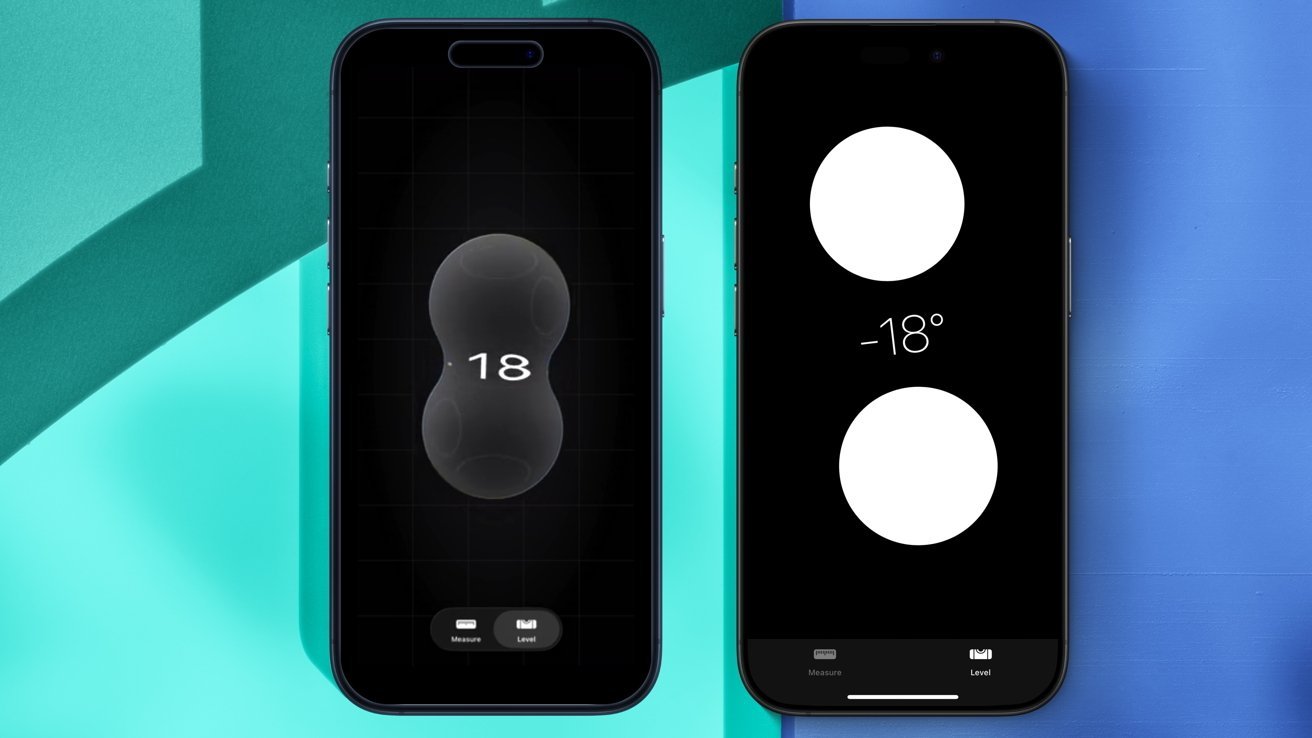
The Measure app was also updated, with it now using the Liquid Glass material in iOS 26.2.
The user interface of the built-in Level and Measure tools has also been updated to utilize Apple's Liquid Glass material. This essentially means that the applications now feature transparent, glass-like elements rather than flat ones.
For instance, the Level tool now features two Liquid Glass circles that interact with each other and with the number on-screen. It's a neat visual tweak, but nothing that alters the user experience in any meaningful way.
Apple has also made some adjustments to menu animations used across iOS. When tapping the ellipsis icon in the Photos app, for instance, the menu animation is now "bouncy."
The revised animation more closely resembles the aesthetic Apple showed off during WWDC 2025. This effect can also be seen when editing Home Screen widgets.
While Apple continues to refine the look and feel of Liquid Glass, while giving users more customization options, not all of the changes in iOS 26.2 have to do with aesthetitcs.
Alarms are now available in Reminders
The Reminders app, for instance, received a meaningful upgrade. Just as Apple integrated the Calendar and Reminders apps with iOS 18, the iPhone maker has now done the same with its Calendar and Clock apps.
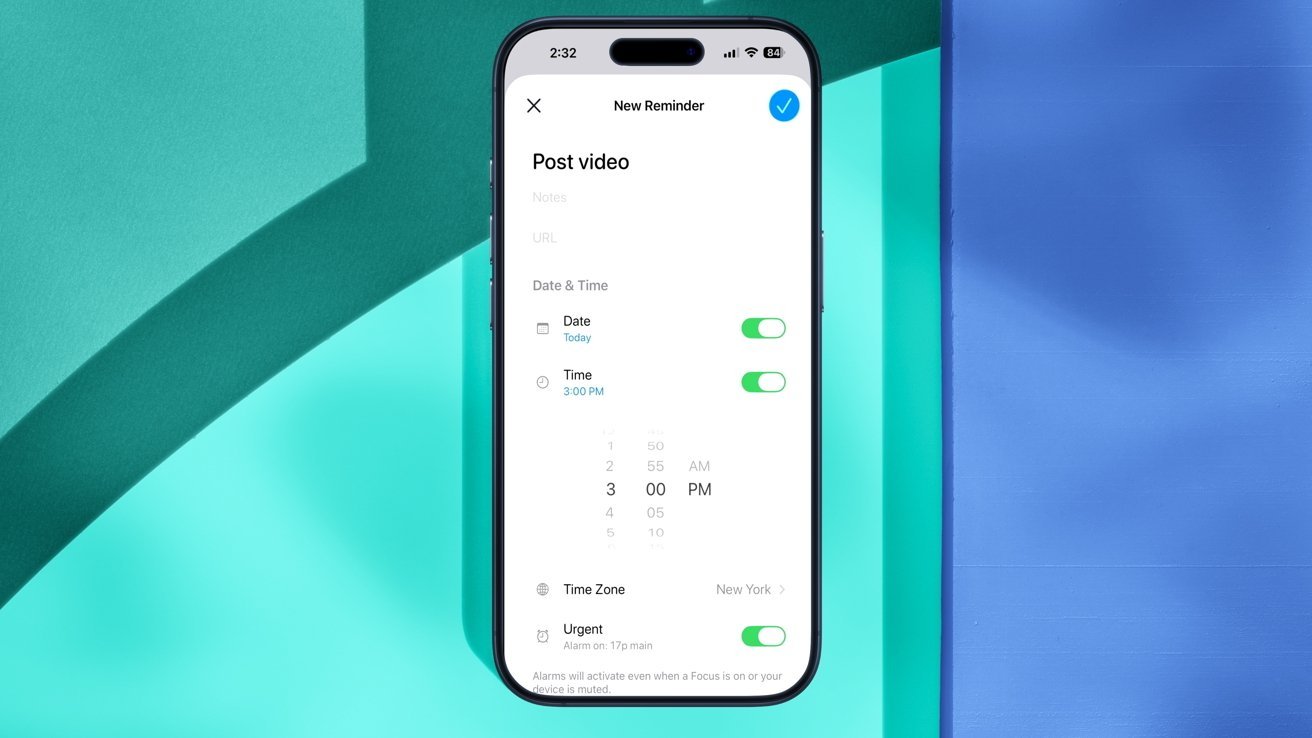
Alarms can now be used with the Reminders app on iOS 26.2.
To be more specific, alarms created in the Clock app can now be integrated into Reminders. This can only be done with the user's permission, though.
When creating a reminder, users will see a new Urgent setting. Toggling this setting asks the user if they want to let Reminders "schedule alarms and timers."
"This will allow the app to schedule alarms and timers that can play sounds even if a Focus is active," the description reads. "When an urgent reminder is due, an alarm will activate."
This new feature may leverage Apple's existing AlarmKit framework, which was introduced as part of the iOS 26 update. In any case, the ability to set alarms within Reminders is a welcome change, if possibly overdue.
With iOS 26.2, Apple also upgraded AirDrop with a new pairing feature.
AirDrop now offers 30-day access codes
Users can now set up an AirDrop code to share with users who are not in their contact list. The new option can be found by navigating to Settings > General > AirDrop and tapping Manage Known AirDrop Contacts.
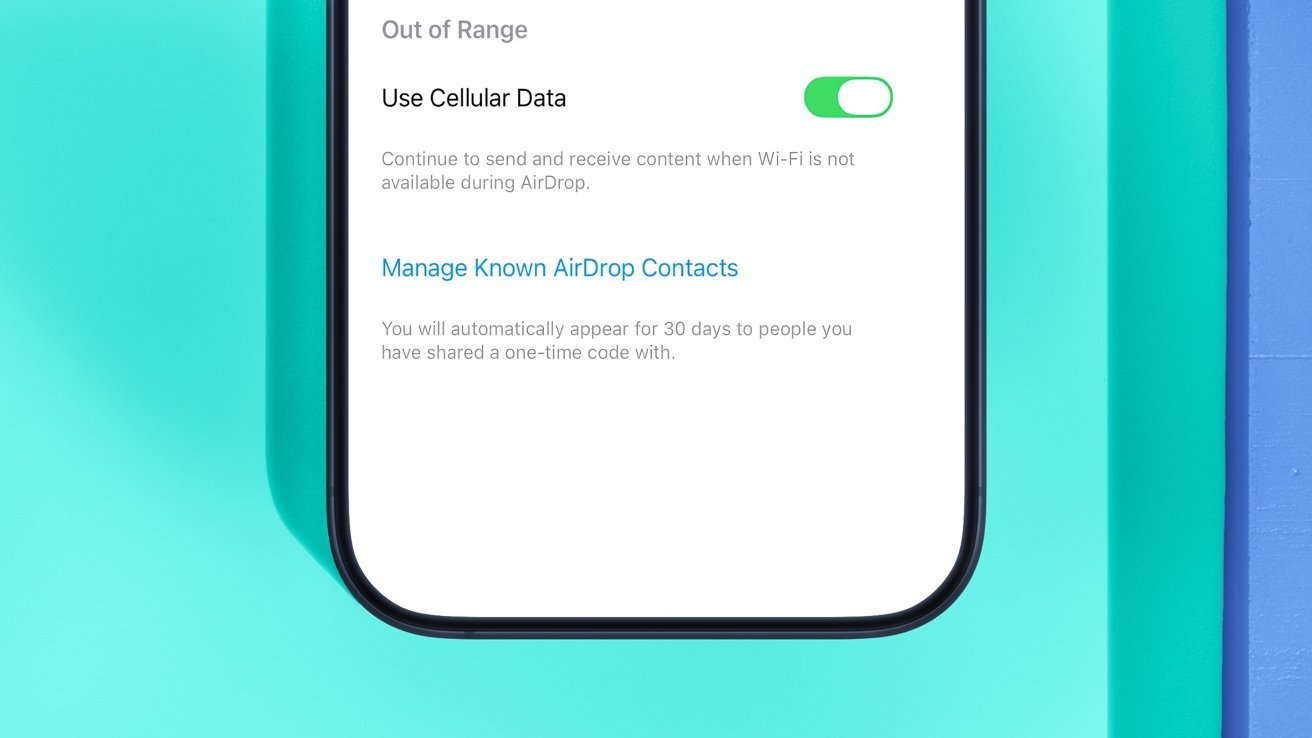
AirDrop now lets you create one-time access codes that expire after 30 days.
"Share a secure code with people not in your contacts to use AirDrop. You will be able to find each other for the next 30 days. You can manage access in Settings," reads the feature description. "You will automatically appear for 30 days to people you have shared a one-time code with."
Previously, users could only allow AirDrop with everyone for 10 minutes, disable the feature entirely, or make AirDrop usable only with contacts. Now, one-time codes let users share files via AirDrop without adding someone to their contacts, for 30 days.
It's nice to have the extra option, but it's only really applicable in niche use cases, meaning most won't find the codes useful.
AirDrop itself was introduced back in 2011, with macOS 10.7 Lion, and made its way to the iPhone and iPad two years later, with the arrival of iOS 7. The feature lets users transfer files between compatible iOS devices and Macs via Wi-Fi and Bluetooth.
While AirDrop has been around for years, iOS 26.2 adds some convenient new features for system applications like News and Podcasts.
Podcasts — automatic episode chapters, mentions, and links
Apple has made several useful changes to its Podcasts application in iOS 26.2. For starters, Apple says that users can now "easily navigate more episodes with automatically created chapters."
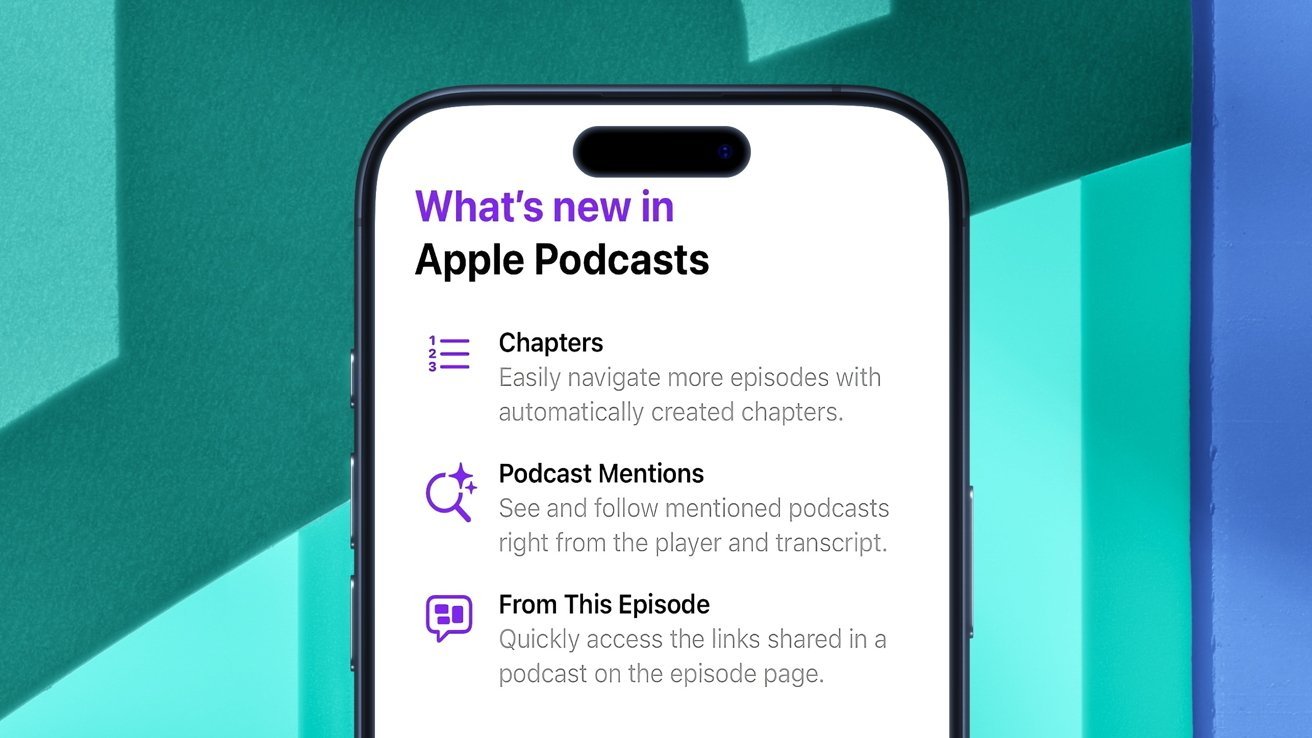
The Podcasts app has a few new features, along with a Splash Screen that explains them.
Though it was already possible to manually create chapters for podcast episodes, the Podcasts app can now create chapters without requiring user input or action.
Another change to the Podcasts application will let users "see and follow mentioned podcasts right from the player and transcript."
In practice, this makes it possible to view all the podcasts referenced in a particular episode without having to search for them manually.
The iOS 26.2 update also gives users the option to "quickly access the links shared in a podcast on the episode page."
Essentially, the From This Episode feature will help display links relevant to a particular podcast episode, such as those highlighted by the author.
Apple News updated with additional buttons
The built-in Apple News app, meanwhile, received a few noteworthy user interface enhancements.
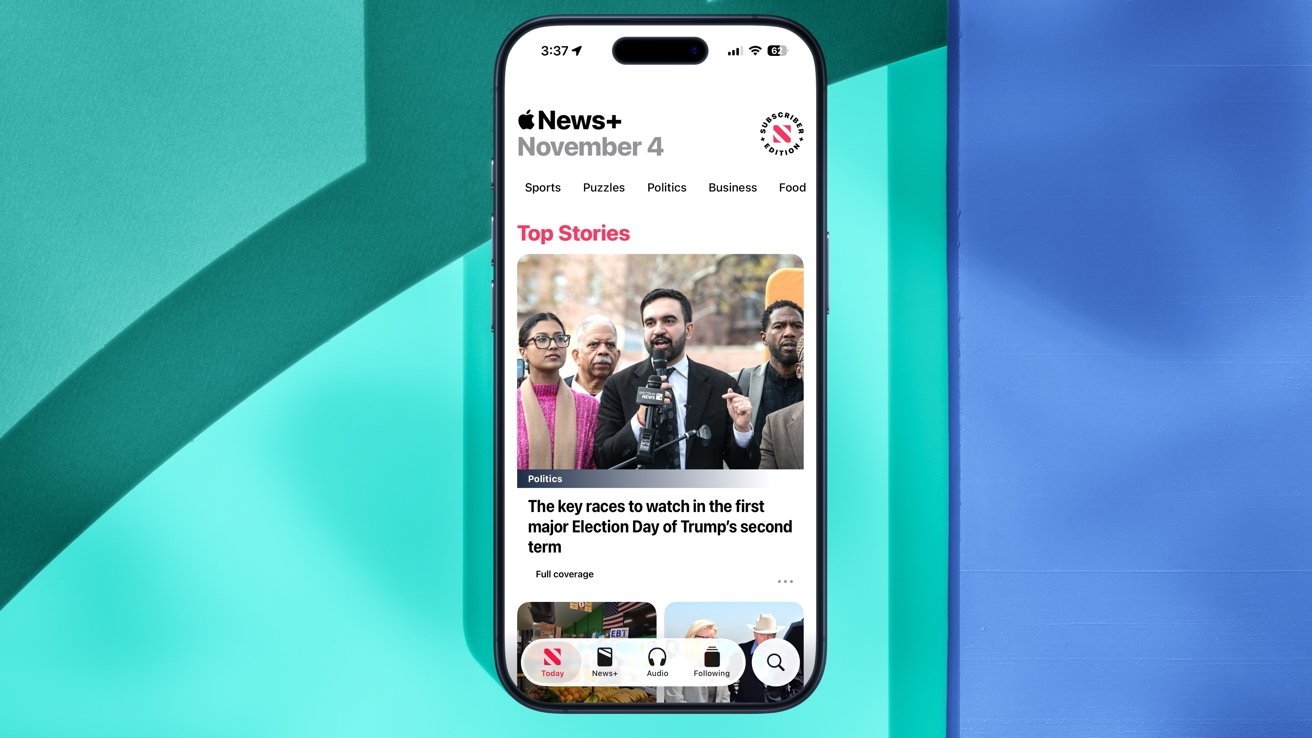
iOS 26.2 makes the News app easier to navigate.
Though the look of the app remains largely unchanged, relative to previous iOS releases, it will now be much easier for users to find what they're looking for.
The company has improved in-app navigation by adding several new buttons at the top of the screen:
- Food
- Politics
- Puzzles
- Sports
Additionally, the Sports section has been moved from the bottom of the app's user interface to the new top row. There's also a dedicated Search button, as well as a new Following tab.
With the iOS 26.2 update, Apple has included several enhancements for its Games application, along with a change related to CarPlay and how it handles pinned messages.
Games and CarPlay changes
To be more specific, the Games app now has an additional splash screen, notifying users of navigation changes and features available in iOS 26.2.
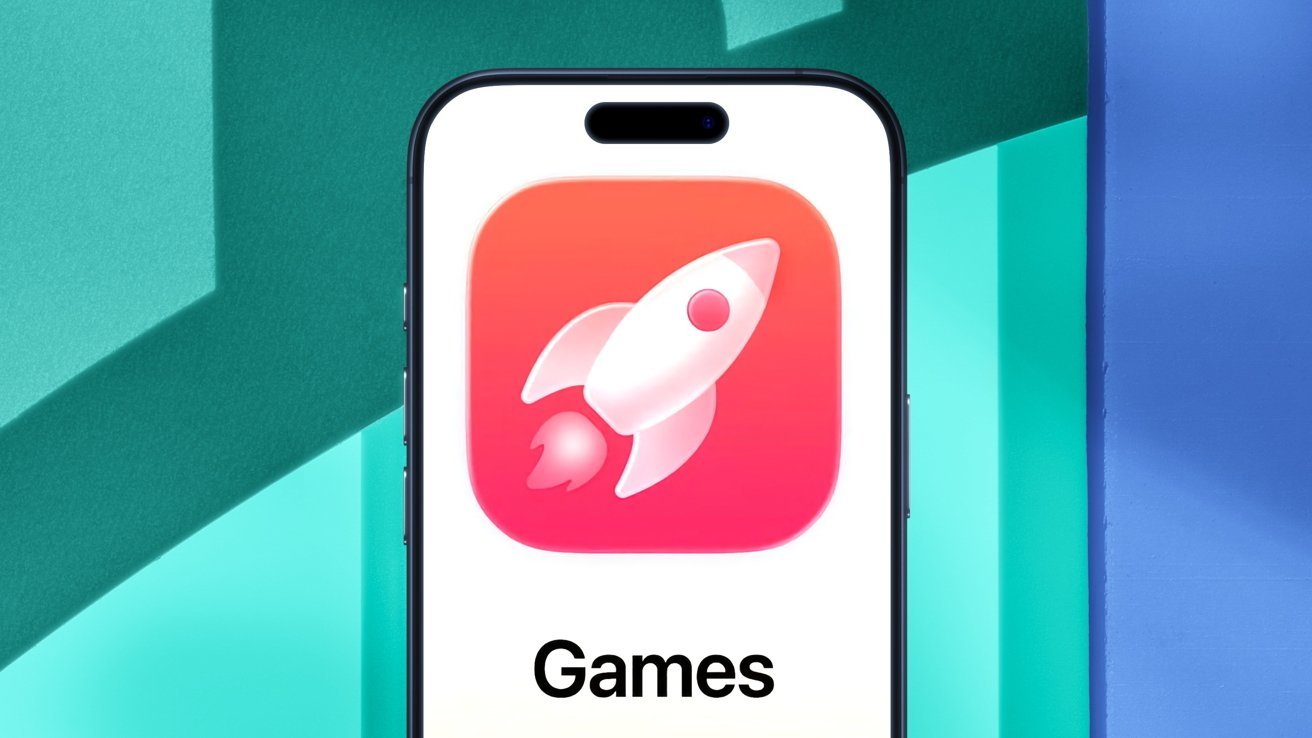
iOS 26.2 features a new splash screen for the Games app.
Much like the alterations Apple made to its News application, the Games app can now display additional information of note to the user. Apple has highlighted the following changes through a dedicated splash screen:
- The Games app now displays live events and updates in games the user is currently playing.
- Users can now see games their friends are playing, as well as upcoming game releases.
- Past game downloads from the App Store can be viewed, sorted, and filtered within the Games app.
- Users can invite their friends to challenges and real-time multiplayer experiences straight from the Games app.
- When a friend beats your high score, a notification is displayed, letting you challenge them back.
CarPlay, meanwhile, was updated with a new toggle that users enable and disable pinned messages in CarPlay.Previously, CarPlay mirrored the user's iMessage settings on iPhone, but now users have the freedom to adjust pinned messages in CarPlay as a separate option.
It's not exactly a ground-breaking change, to say the least, but the CarPlay toggle could still be of use to some users. The Sleep Score feature in the Health app, meanwhile, also received a small update with iOS 26.2.
Sleep Score adjustments
Sleep Score is a relatively new feature largely related to the Apple Watch. In the simplest of terms, your Sleep Score is effectively a numeric representation of how well you slept each night. The closer you are to your goals, the higher the Sleep Score.
-xl.jpg)
Apple made some adjustments to the Sleep Score feature with iOS 26.2.
The feature essentially displays the quality of a user's sleep, based on metrics such as sleep duration, bedtime, and interruptions.
Duration accounts for up to 50 points, while bedtime and interruptions account for 30 and 20, respectively. The combined total presents the user's Sleep Score, which is now classified as follows:
- Very Low — 0-40 (formerly 0-29)
- Low — 41-60 (formerly 30-49)
- OK — 61-80 (formerly 50-69)
- High — 81-95 (formerly 70-89)
- Very High (previously "Excellent") — 96-100 (formerly 90-100)
Apple previously said it worked in partnership with the American Academy of Sleep Medicine, the National Sleep Foundation, and the World Sleep Society in developing this feature. It also relied on 5 million nights of sleep data that it had garnered as part of the Apple Heart and Movement Study.
Sleep Score looks specifically at how late you went to bed, how long you actually sleep, bedtime consistency, interruptions, and how long you spent in each stage. Then it is compared to your own historic data.
The updated Sleep Score feature is available to users around the world, but some of the changes in iOS 26.2 only affect a specific country — Japan.
Users in Japan get new Side button settings, third-party app marketplaces
The iOS 26.2 update includes additional settings for the iPhone's Side button, letting users in Japan users select a third-party virtual assistant in place of Siri.
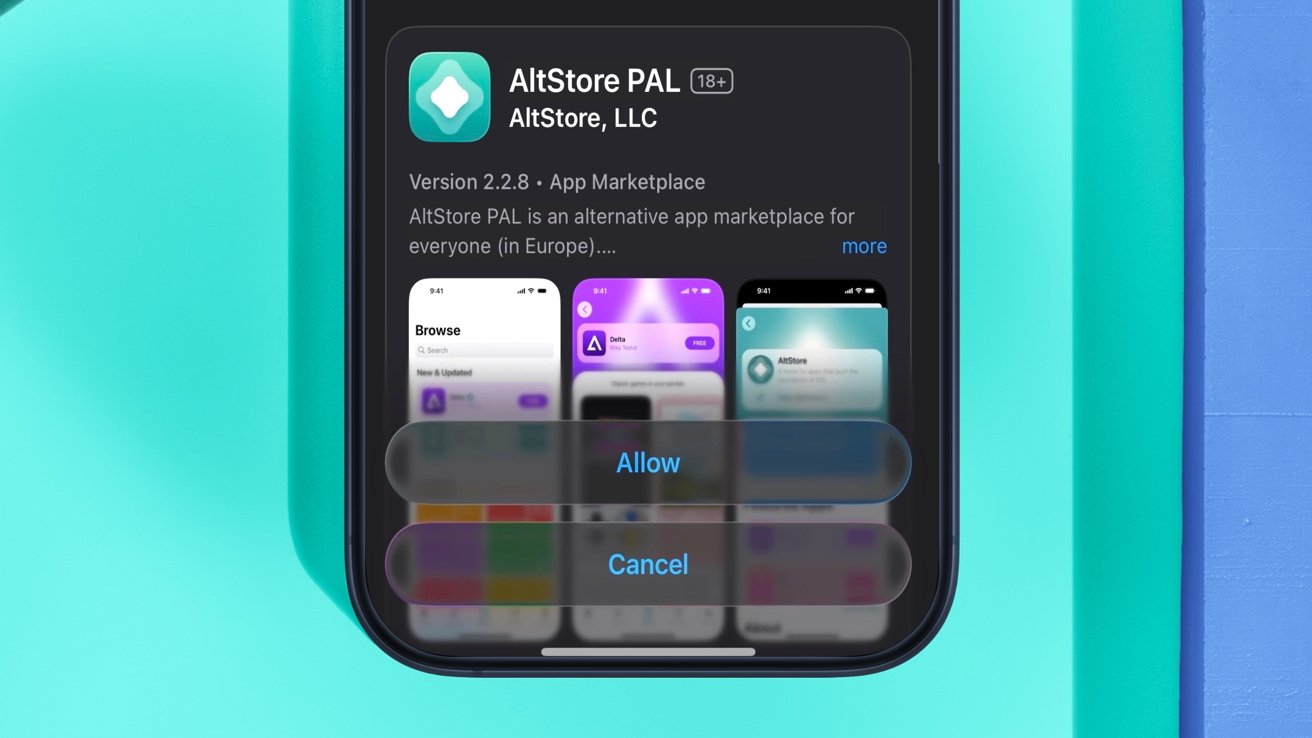
Users in Japan are now able to install AltStore PAL, thanks to iOS 26.2.
In essence, Apple has made it so that voice-based conversational applications can be opened by pressing and holding the Side button, though only in Japan for the time being. Specifically, using the feature requires an Apple Account with the region set to Japan, and a device physically located in Japan.
This ultimately means that iPhone users in Japan will be able to choose Google Gemini, Amazon Alexa, or a different default voice assistant instead of Siri, albeit without the same degree of integration. Developers in the country will need to opt in to enable this functionality, however.
"In Japan, people might place an action on the side button of iPhone that instantly launches your voice-based conversational app," reads Apple's documentation. "People expect the voice-based conversational functionality to be instantly available when they launch your app with the side button, so make sure to let them immediately use it by starting an audio session - for example, with AVFoundation."
As for why the change only affects Japan, it's because Apple is required to abide by the country's Mobile Software Competition Act Guidelines. Regulatory compliance is the same reason users in Japan gained access to third-party app marketplaces with iOS 26.2.
In short, users in Japan are now able to install alternative app stores the likes of AltStore PAL and the Epic Games Store, among others. This comes after the same functionality was made available in the European Union with the release of iOS 17.4.
It's likely that users in the EU will also be able to choose their default voice assistant at some point in the future, as was rumored previously in May 2025. The bloc's Digital Markets Act contains wording that also suggests Siri alternatives on iPhone are imminent.
Apple's Live Translation feature, meanwhile, has officially made its way to iPhone and iPad users in the European Union. The iOS 26.2 update also includes a few similarly minor changes.
Other changes in iOS 26.2
The Apple Music app, for instance, is now capable of displaying song lyrics even when you're not connected to the internet via Wi-Fi or cellular connection.
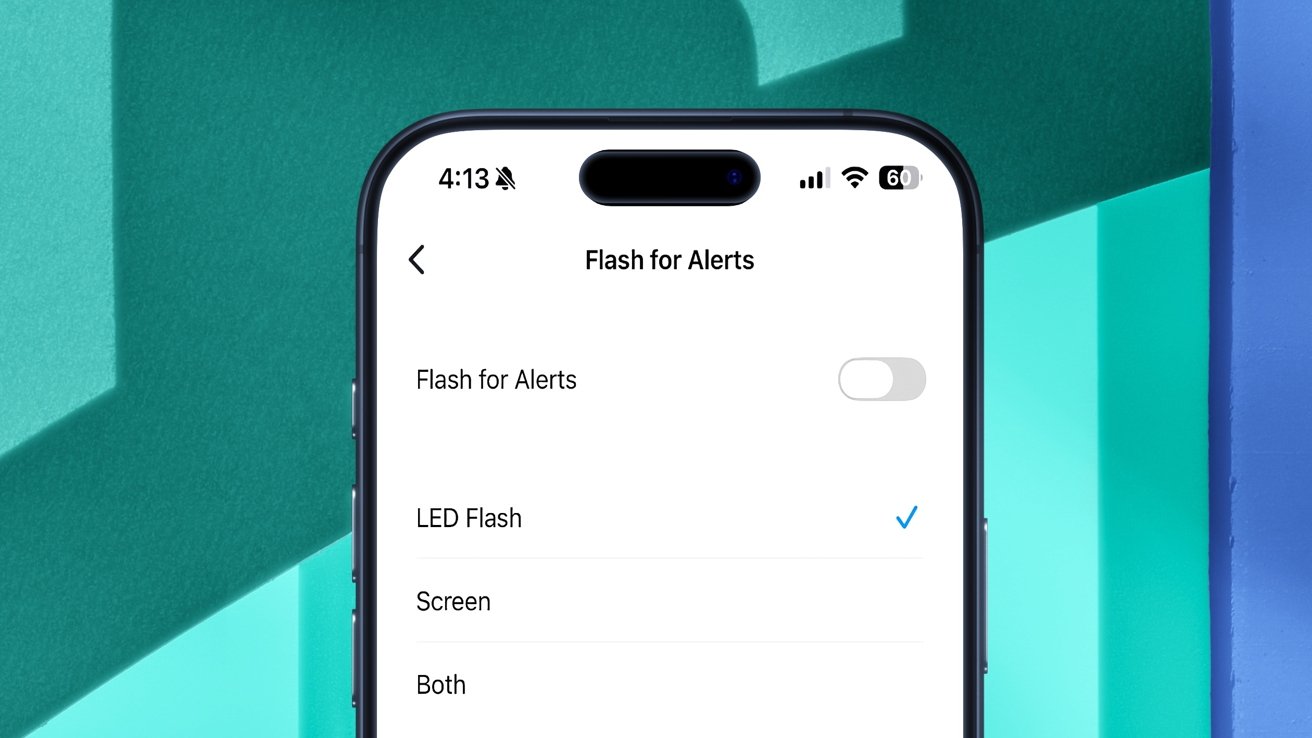
With iOS 26.2, you can make your iPhone screen flash whenever a notification is received.
Apple has also added a setting that lets users' iPhone screens flash when a notification is received. It's available in the Settings application, under Accessibility > Audio & Visual > Flash for Alerts.
The iPhone's True Tone flash can also go off when users receive a notification, provided the corresponding setting is enabled.
in iOS 26.2, Users may also see a new splash screen related related to Apple Account data collection and privacy. Apple has altered some of the wording in an attempt to make it easier to understand how the company collects, uses, and protects user data.
Hypertension notifications, which are available with select Apple Watch models, can now be viewed from third-party apps, thanks to a new API. With iOS 26.2, the features were made available to users in Saudi Arabia, Vietnam, and the United Arab Emirates. Apple Watch owners in Colombia, meanwhile, are now able to use the sleep apnea detection feature that debuted with watchOS 11.
For AirPods users, the availability of Apple's Hearing Test and Hearing Aid capabilities has expanded to include Bahrain. Hearing Aid with automatic Conversation Boost can now be used in more European countries, including Austria, Denmark, Finland, Ireland, the UK, and Germany.
The Freeform app was updated to support tables, Meanwhile, the Passwords app now has a setting that lets users manage websites where passwords are not saved while the user is signing in.
Also in iOS 26.2, the Settings app has a section labeled Enhanced Safety Alerts. As its name implies, this preference pane lets users manage imminent threat alerts and earthquake alerts.
There's also a third option, known as Improved Alert Delivery. When activated, it upgrades the timeliness and reliability of Enhanced Safety Alerts by utilizing the user's approximate location and sharing it with Apple.
Overall, the iOS 26.2 update delivers quite a few enhancements, though they are mostly iterative. Users who are on iOS 26.1 won't miss out on any game-changing features. Still, it's always a good idea to update to the latest available version of iOS, as Apple frequently adds security fixes.