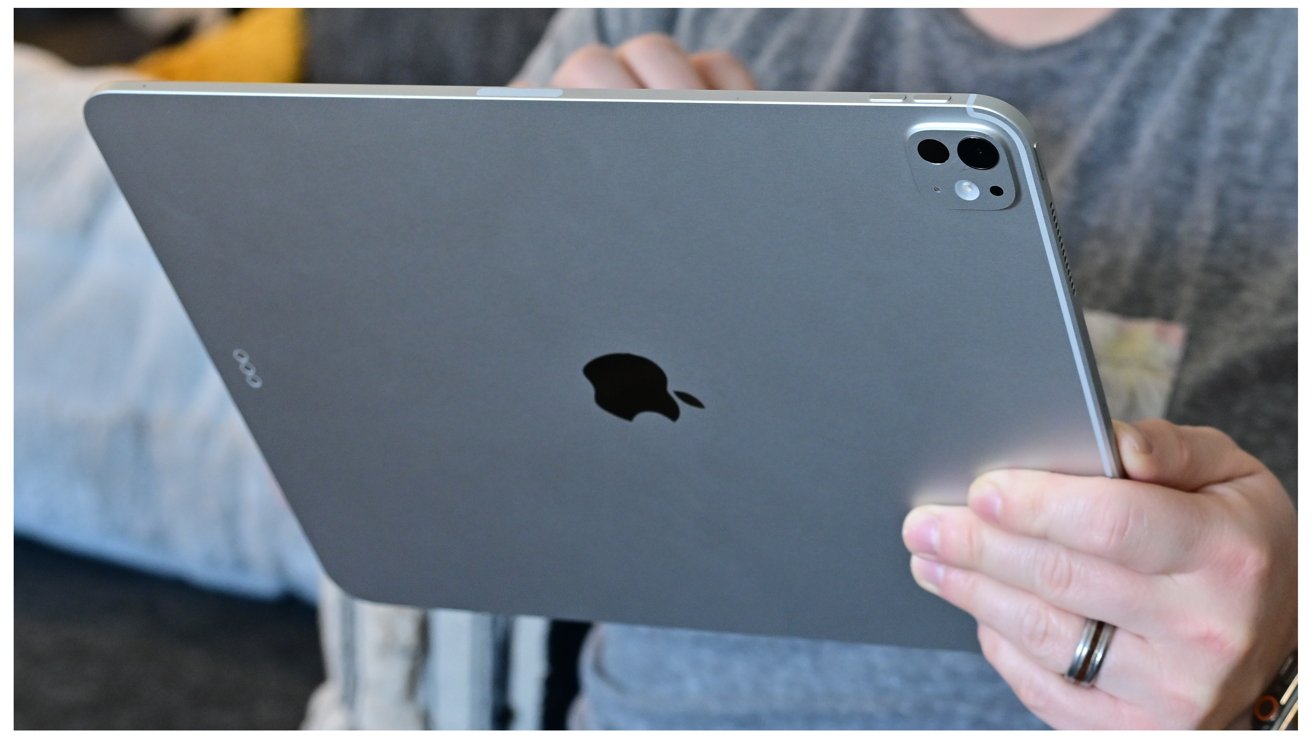
The new M5 13-inch iPad Pro is not revolutionary and it's barely even evolutionary, but it's still exceptional — and it's still the greatest iPad ever.
Evolutionary and revolutionary are about what Apple brings to a new version of a device. But they are also about what you want it for — and most especially what you are coming from before.
So if you are on an M4 13-inch iPad Pro, there is nothing for you here.
But I was on an M1 11-inch iPad Pro from 2021, so for the first time I got all of the benefits of the M4 redesign as the minor changes with the M5. Specifically, I went from a 256GB M1 11-inch iPad Pro to a 512GB 13-inch M5 iPad Pro, Wi-Fi only, with Magic Keyboard and Apple Pencil Pro.
And I went after a huge amount of thought. That thought was about use cases, it was also a lot about actual cases for carrying it around, and just about everything else.

M5 iPad Pro
Except performance specifications. I can't translate these specifications into what difference it will make to me, but AppleInsider's Malcolm Owen can.
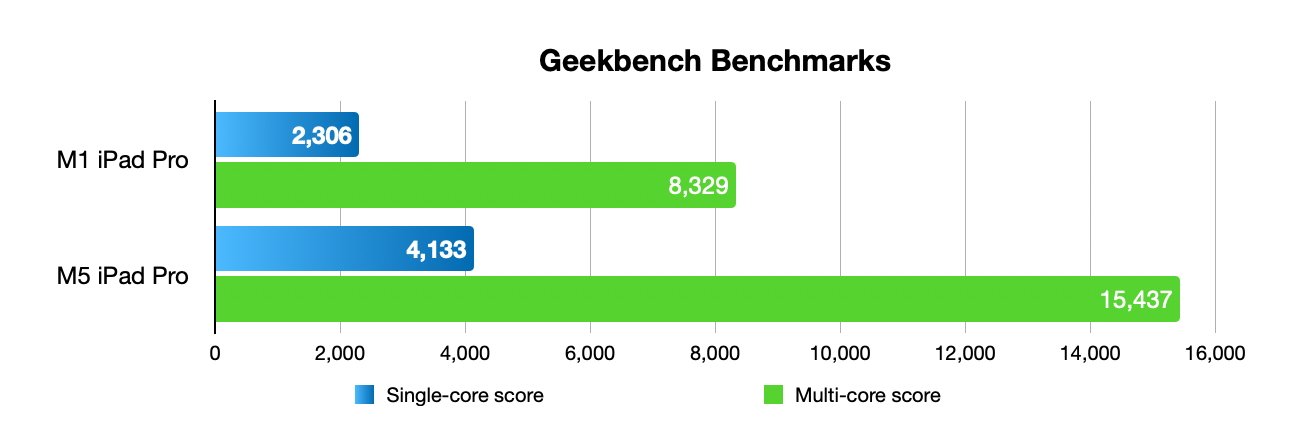
My old M1 iPad Pro compared to my new M5 one. Graphic by Malcolm Owen
If I'd seen this chart by Malcolm before I bought my M5 iPad Pro, I'd have felt reassured that I was making a good choice. As it is, looking at it now, I can go further — I can nod in agreement.
I still can't read those numbers and go yes, the new iPad Pro feels about twice as fast at this, or a third faster at the other. But where my M1 was always quick and responsive, the M5 feels like it has the energy of a puppy and nothing is too much for it.
That's even when the M1 has the smaller 11-inch screen and the M5 needs to display so much more. And it was very definitely the larger screen size that I wanted.
M5 13-inch iPad Pro review — considerations
I had the original 12.9-inch iPad Pro from 2015 so I knew I liked the larger screen size. There is something about having what sometimes feels like two iPads side by side.
You can get that much more immersed in your work, I find. It's like there's space for two hands in there, kneading the work, and I miss that screen size.
So it was natural to upgrade... to a 13-inch iPad Air.
Let me give some credit here to Apple Touchwood, one of my nearest Apple Stores in the UK. They left me to spend an hour working on a large-screen iPad Air and a large-screen iPad Pro.
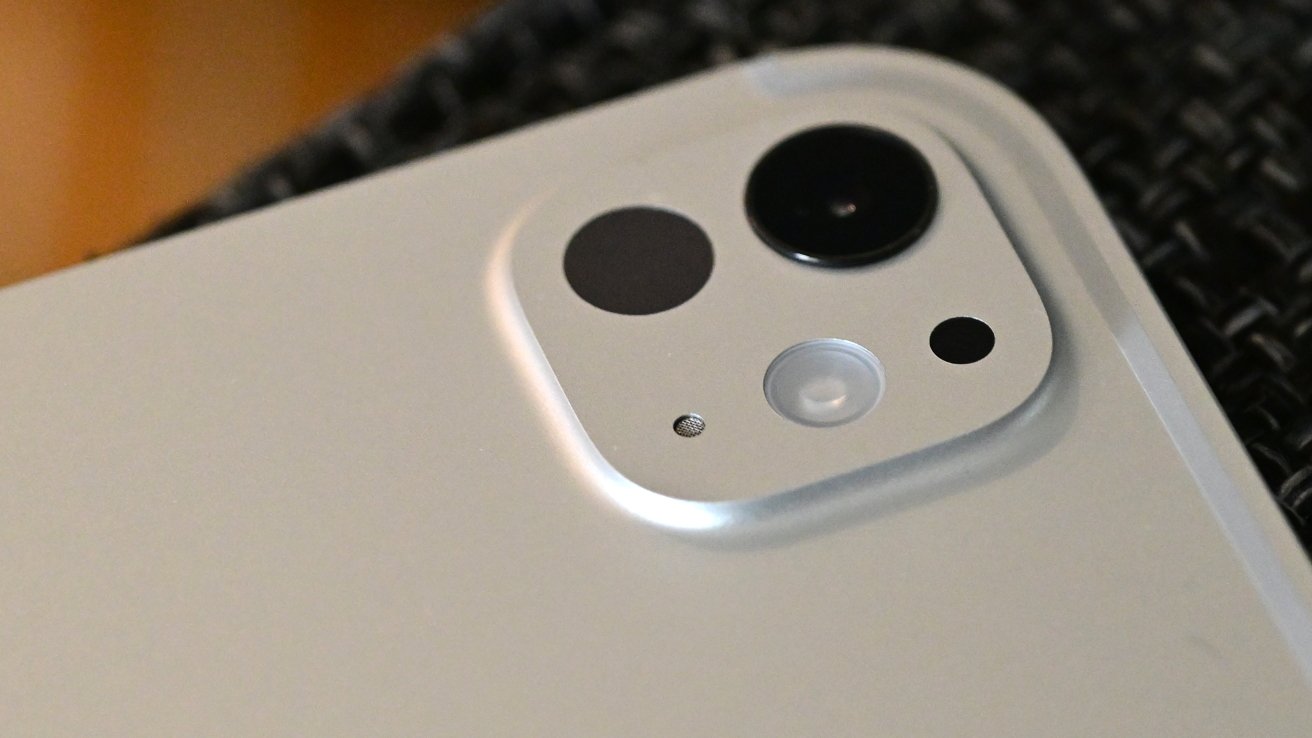
I've only used the cameras sparingly, but they are handy to have — image credit: Andrew O'Hara
They also answered a lot of questions, plus they opened up a Logitech Combo Touch keyboard that I'd been thinking about. And when I found I didn't like typing on that, they took it back without blinking.
In fact, the woman who was most useful that day then got out her own iPhone and recommended to me the keyboard she'd bought for herself. It was a Logitech Pebble Keys 2 K380s — from Amazon, not Apple.
But it was the playing that made the decision. Even there in the store, I found the iPad Air was slower than the iPad Pro at some video and audio editing tasks.
For once, I didn't just go by feel. I actually used the stopwatch on my Apple Watch to time exporting videos and as crudely as I did that, I could see that the iPad Air was going to seem like it was always dragging.
Face ID turned out to be an issue, too. There's no unlocking at the Apple Store, but I realised that I would find waiting for Touch ID on the iPad Air to be a bit tedious.
Plus it's true that the screen is better on the iPad Pro, although under Apple Store lights, that difference wasn't as striking as I'd find later.
You can get immersed in your work with this larger screen — image credit: William Gallagher
Maybe if it had been, I'd have bought the M4 iPad Pro that day. As it was, I left the store and waited about six weeks for the expected M5 version.
M5 13-inch iPad Pro review — what it's for
I did really want to buy that M4 version because all of the things I wanted the larger iPad for were about to be tested. I was going away to work in Paris for a few days and that would be chiefly writing, but also video work.
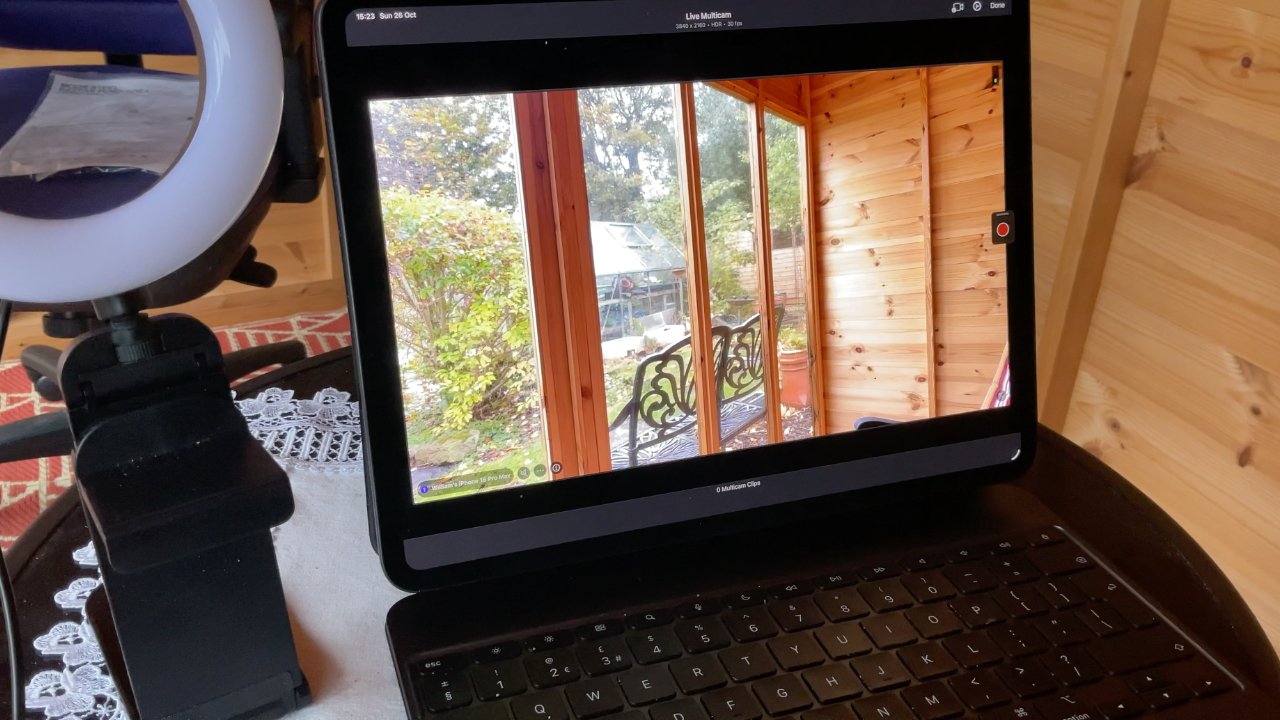
Now I shoot video in Final Cut Camera and edit on location on the iPad — image credit: William Gallagher
As it is, I went with just my 11-inch M1 iPad Pro and in fact that's what ultimately decided me. While it's an excellent iPad, while I'm definitely keeping it, for the first time I found it cramped.
So now I have this M5 13-inch edition, and it's ideal for what I need.
Which is initially to write on, of course, which is equally of course a bit of a waste of that processor. But then to take that writing and use in a production workflow that ends up with very many videos.
This new iPad has changed that workflow, at least for one series of videos. Now I shoot using Final Cut Camera on my iPhone, with the live feed going into Final Cut Pro on the new iPad.
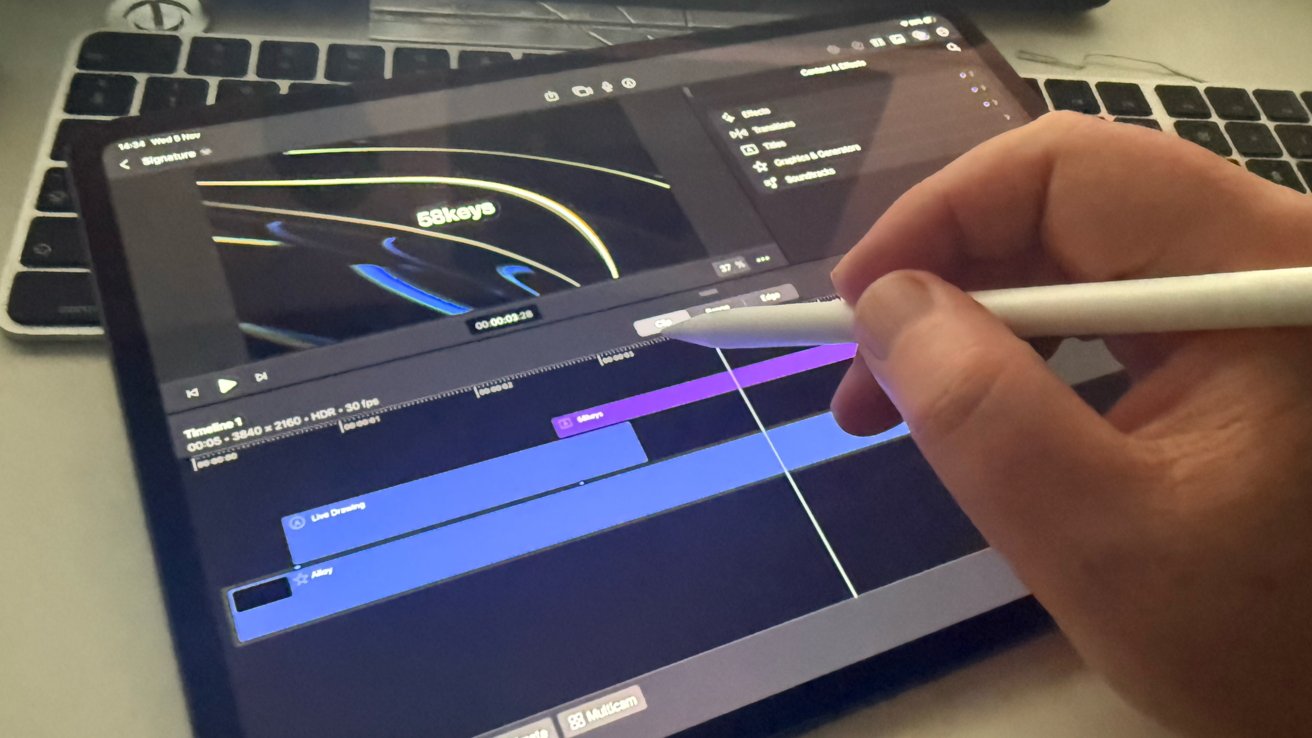
The M5 iPad Pro can be an entire video production studio — image credit: William Gallagher
When I'm done, I have four or five blocks of recording in one file, all ready and already in Final Cut on the iPad. I can edit right there on location, and in many cases produce the entire, final video before I leave.
M5 13-inch iPad Pro review — in use
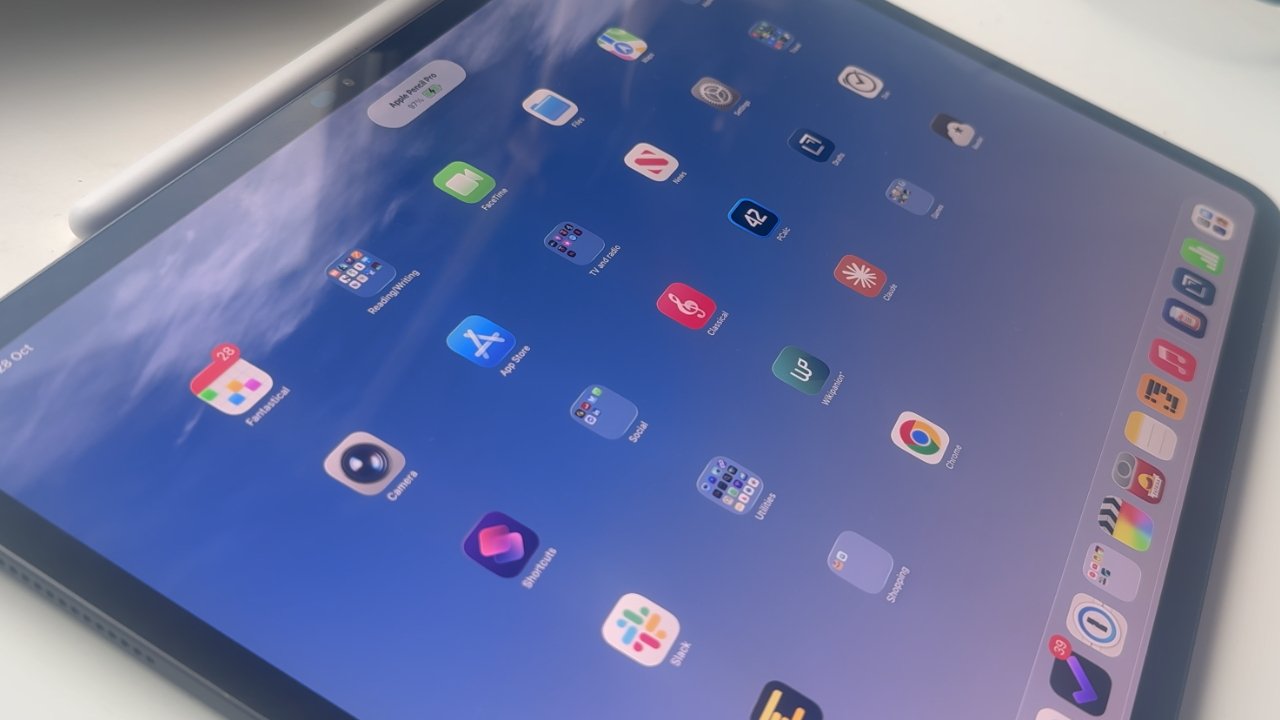
It's true about how immersive the larger screen is, even if 13-inches doesn't sound that much bigger than 11-inches. But especially now that iPadOS 26 gives us vastly more options for arranging multiple windows, the extra space makes a difference.
I'll now routinely have Pages, Numbers, or Final Cut Pro open in the foreground, and have some notes in OmniOutliner to the side. Or two screens of OmniFocus, letting me dive deeply into my projects.
Plus there's no pretending otherwise, this iPad Pro is superb for consuming media as well as for creating it. As everyone keeps telling you, this 13-inch size is perfect for reading screenplays.
It really is. I haven't measured it, but in portrait it means US Letter or A4 scripts fit on the screen at life size.
And of course, yes, there is that screen which away from the Apple Store lighting seems incredible. It's too good, really — I have been spending far more time rewatching favourite films just because they look so good.
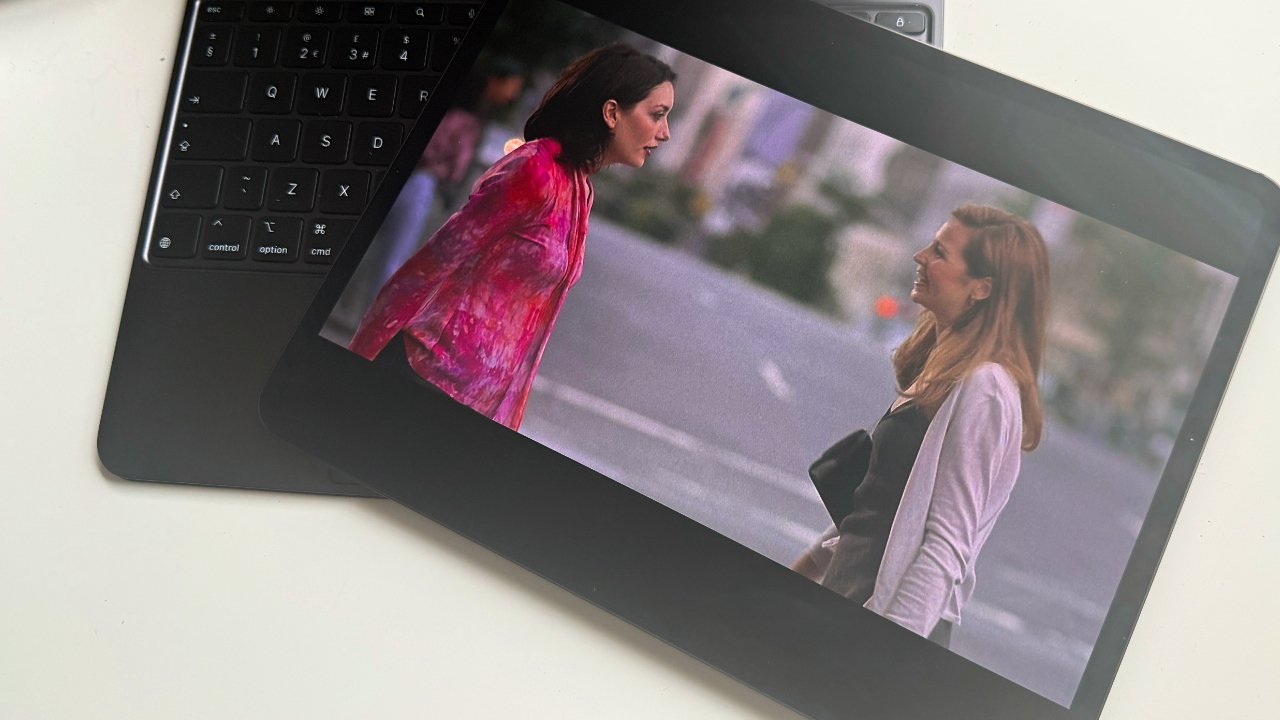
I should be typing on that Magic Keyboard, but the iPad Pro's screen is so good I keep watching films instead — image credit: William Gallagher. (Film is "Kissing Jessica Stein")
It does depend on the image quality of the film. The iTunes Store only seems to have a HD version of "Kissing Jessica Stein," for instance, which looks better on this screen but not brilliant.
Whereas the HDR version I have from the store of "Arrival" is breathtaking. So is "Slow Horses" from Apple TV — it's tremendous on my living room television, but so cinematic on my iPad Pro.
And alongside that is the sound. I didn't expect the iPad's speakers to sound so good.
Plus I didn't expect my AirPods Pro 2 to sound better when using it. I really can't account for this and I could well put it down to my trying to justify the expense of the iPad.
Yet the very first time I was cooking with the Paprika recipe app on part of that large screen, Apple Music on the rest of it, it sounded better. I noticed a difference.
I would say that reading books full-screen feels wrong. It feels like I'm an old man holding the page an inch from my face.
Of course you just window the Books app, and maybe window is now a true verb. With a book, though, I don't want other apps around, I just want to be in that novel or whatever it is.
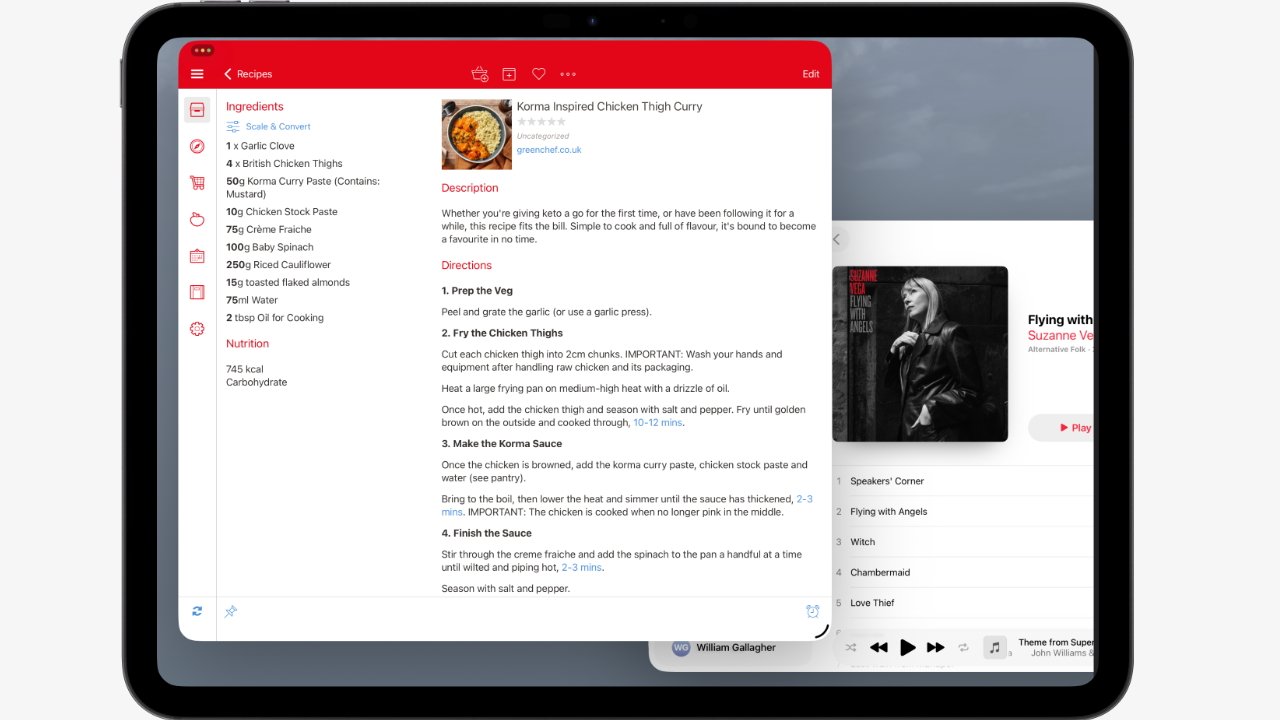
The new routine in my kitchen — the Paprika recipe app and Apple Music, open at the same time.
So while I am reading more scripts on this new 13-inch iPad Pro, I'm still turning to my 11-inch model to read novels. Or to my iPhone 16 Pro Max.
I can't tell you what games are like on the new iPad Pro because I haven't played a single one. I don't think you count Suduko or chess.
M5 13-inch iPad Pro review — hardware design
Just now, I was in a Zoom meeting on my Mac and was holding the 13-inch iPad Pro with one hand, making the odd note on it as I went. For an hour — and it was fine.
It still felt light at the end, it still felt easy to handle, and I only thought about that now as I came to tell you.
I am someone who, for whatever reason, doesn't seem to think that the iPhone Air is as thin as everyone enthuses. But the first time I saw the M4 13-inch iPad Pro, I was wowed.
You get used to anything, but still sometimes when I'm editing video in a hurry, I am struck over and over by how ridiculous that is. It is impossible that a piece of glass this light and thin can do all it does, but it does.
The very first night I had this new iPad Pro, though, I actually had a nightmare in which I found I'd sat on it and bent the thing. I didn't test this out the next morning, but I did weigh it in my hand, feeling how solid it is.
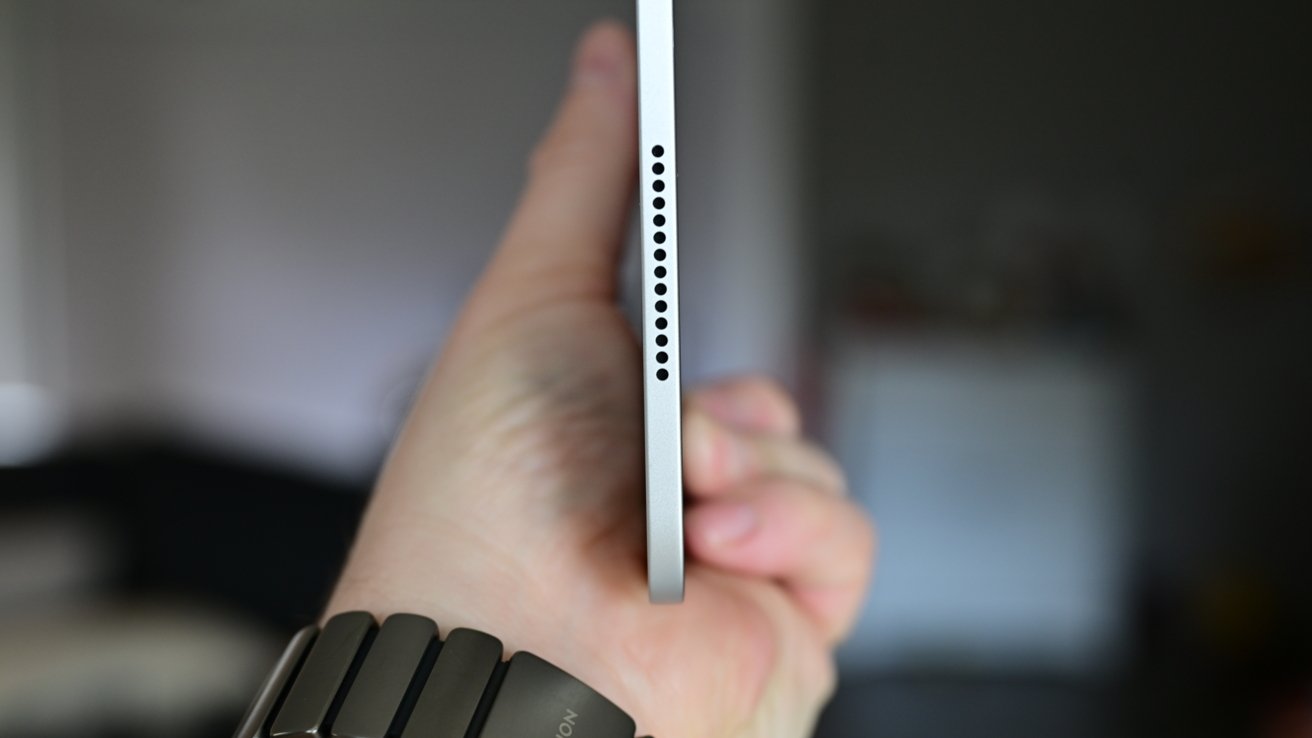
Surely there is such a thing as too thin — image credit: Andrew O'Hara
Since that first day and night, I've now taken this iPad with me everywhere — which was something I suspected I wouldn't do. That old 11-inch model of mine is definitely handier, I doubt I've gone anywhere much without it in years.
So a larger model felt like it must be more awkward. I did definitely feel that when I used to use the original 2015 12.9-inch iPad Pro.
But I don't with this one. Even wrapped in the Magic Keyboard (on sale at Amazon) — or perhaps because it's wrapped in it — I am carrying the new iPad around just as much as I did the old one.
Perhaps it's because I got it in black. Black is slimming.
Ahead of its launch, there were rumors that Apple would add a second front-facing camera. It was to make Face ID and video calls better regardless of which way you hold the iPad.
They didn't do it — and I've had no reason to care.
Then there was also a rumor that Apple would add a second USB-C port, and I would like that. It would be handy to be able to plug in drives while charging.
For one surprise I have had is how quickly I can make this battery go down. I haven't timed it and my work hasn't been consistent enough to spot patterns, but still that battery goes down fast.
Which was a surprise, but not my only one.
M5 13-inch iPad Pro review — surprises
I spent all this time wanting a larger screen, and then I spent all this money getting one, but initially it felt too large. Not physically, but all the homescreen app icons felt SO VERY BIG.
What I hadn't known, and had entirely skipped by during the setup process, was that you can change this. Maybe you knew this already, but it was new to me — just as with a Mac, you can change how much is shown on screen.
I went for the display option that Apple calls More Space, and haven't looked back, so to speak.
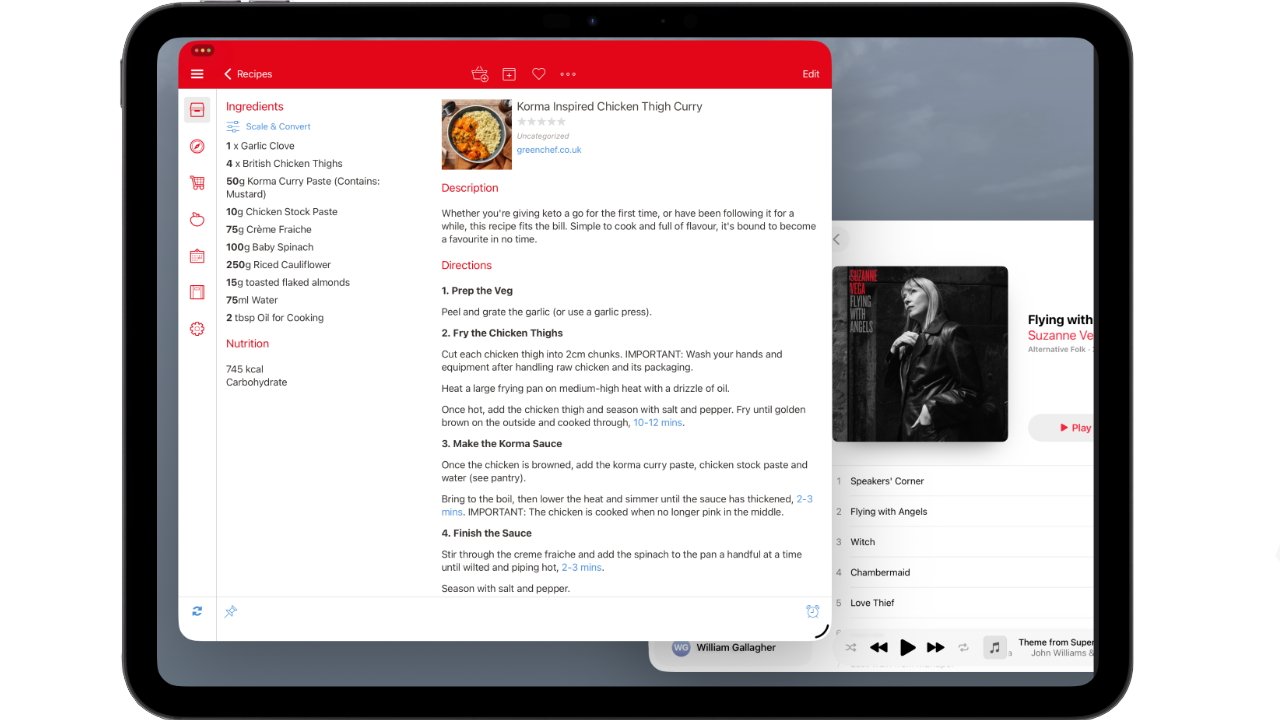
The new routine in my kitchen — the Paprika recipe app and Apple Music, open at the same time.
Then while this is a Magic Keyboard issue really, it is controlled by iPadOS settings. I initially thought my Magic Keyboard's trackpad was broken.
Because, again as on a Mac, by default external trackpads are set to require a positive press. To my mind, you have to thump down on these things.
Whereas on my Mac, I like to use the Tap to Click option. Just touching the trackpad is enough to click.
I can't fathom why this isn't the default behavior on a Mac, but it isn't, and it turns out that it isn't on an iPad's Magic Keyboard either.
But I've turned it on and now the trackpad feels like it should.
Speaking of surprises, on the plus side there is also the magnet for the Apple Pencil Pro. Compared to the one on my 2021 11-inch iPad Pro, this magnet is noticeably stronger.
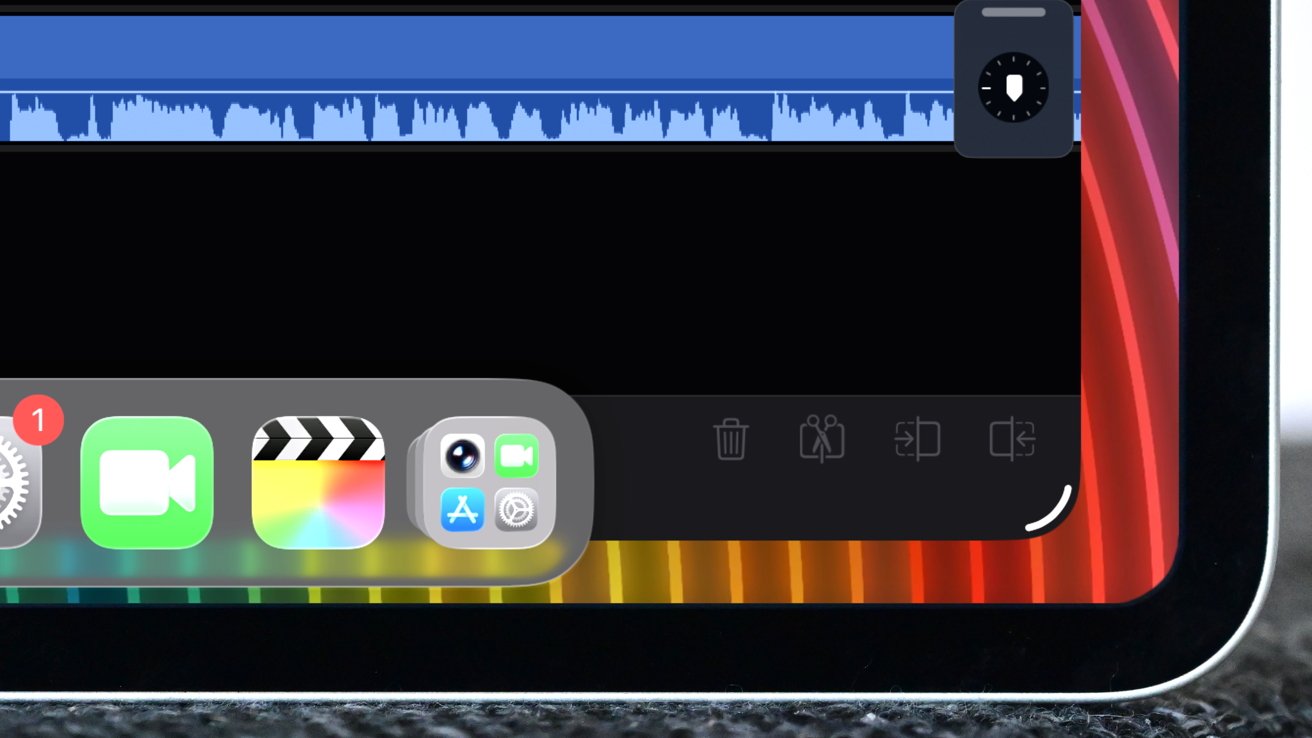
The new windowing of iPadOS 26 makes a huge difference — image credit: Andrew O'Hara
On the minus side, there is iPadOS 26. I relish this — I always liked iPadOS but this is the best it's ever been — yet still I get the odd crash.
I had this in Paris with my little old iPad so it's not confined to the M5 13-inch iPad Pro. And it's never been exactly serious, it's always been that I just need to briefly force quit and restart an app.
But it does dent the total faith I realise I was starting to have in this device.
M5 13-inch iPad Pro review — pros
- Fast, fast, fast performance
- Superb large screen
- Ridiculously light and portable
M5 13-inch iPad Pro review — cons
- Battery life
Seriously, unless you're going to include the price, there's nothing else wrong with this device than its battery life. Even then, I feel like I'm exaggerating, but it is the one thing I've repeatedly noticed.
Score: 4.5 out of 5
M5 13-inch iPad Pro review — should you buy
Not if you have an M4 13-inch iPad Pro. You should also do what I did and seriously consider the 13-inch iPad Air, assuming that you do want a large screen.
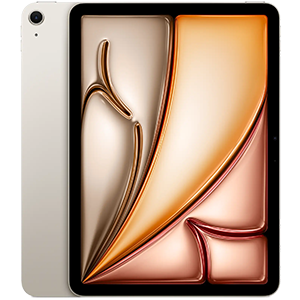
M3 iPad Air (2025)
But otherwise, if your budget allows, this is the best iPad there has ever been.
You can make a case that the more expensive version with nanotexture screen to reduce glare is better. But I live in the UK and bright sunlight is not a problem here.
M5 13-inch iPad Pro review — where to buy
Apple's M5 iPad Pro is up to $100 off at press time, with Amazon and B&H Photo competing for the lowest prices.
You can compare the best iPad Pro deals in our M5 iPad Pro 13-inch Price Guide all season long, as retailers compete for your business during the busy Black Friday period.
Today's top M5 iPad Pro discounts
- 256GB 11" iPad Pro, M5, Wi-Fi Only, Standard Glass: $946 ($53 off)
- 1TB 11" iPad Pro, M5, Wi-Fi + Cellular, Standard Glass: $1,729 ($70 off)
- 256GB 13" iPad Pro, M5, Wi-Fi Only, Standard Glass: $1,229 ($70 off) with in-cart coupon
- 2TB 13" iPad Pro, M5, Wi-Fi Only, Nano-texture Glass, Space Black: $2,298 ($101 off)